Cloud solutions for small businesses are about getting access to top-tier IT services over the internet. It works on a flexible, pay-as-you-go basis, which means you can ditch the expensive, clunky servers in your office for good. This simple switch helps professional services firms tighten up security, make remote work a reality, and grow their operations without the usual IT headaches.
Why Smart Small Businesses Are Moving to the Cloud
Think about your office's electricity supply for a moment. You just plug in and get the power you need, right? You don't have to own and maintain the power station yourself. That's exactly how cloud solutions for small business work. It’s a complete shift away from having to buy and manage servers in-house to simply tapping into a network of powerful, secure data centres over the internet.
For UK professional services firms—like consultancies, law firms, and creative agencies—making this move is more than just a tech upgrade; it's a smart business strategy. The old way of doing things with on-site IT meant huge upfront costs, constant maintenance bills, and the nagging worry about security and whether your backups are actually working. Cloud computing flips that entire model on its head.
Embracing Agility and Efficiency
By moving to the cloud, you get to swap a huge, unpredictable capital expense for a predictable, manageable monthly operational cost. This model is a game-changer, allowing small businesses to go toe-to-toe with much larger competitors by giving them access to the same calibre of technology.
Here’s what that looks like in the real world for professional services:
- Enhanced Flexibility: A creative agency can instantly ramp up its computing power to render a massive video project and then dial it right back down, only ever paying for what it actually used.
- Secure Remote Working: A law firm can give its solicitors secure access to sensitive client files and case management software from anywhere—be it in court, at home, or on the road visiting clients.
- Improved Client Data Protection: An accountancy practice can keep highly sensitive financial data in a secure, compliant UK data centre, which is infinitely more protected than a server tucked away in a small office cupboard. For a deeper dive into digital finance, this complete guide to cloud accounting for small businesses is a great resource.
The essence of the cloud is that it makes powerful technology available to everyone. It gives small businesses the tools and resilience that were once only affordable for large corporations, levelling the playing field and paving the way for serious growth.
At the end of the day, adopting cloud solutions means you can stop worrying about managing technology and get back to focusing on what you do best: serving your clients and growing your business. It makes advanced IT accessible, affordable, and perfectly suited to the fast-paced demands of modern professional services.
Finding the Right Cloud Solution for Your Business
Choosing the right cloud solution isn't a one-size-fits-all deal. The service that helps a high-street retailer thrive might be a poor fit for a legal practice. For professional services firms, in particular, getting this right is fundamental to security, efficiency, and growth. The real key is to match specific cloud services to the unique operational challenges you face every day.
This strategic move is becoming the standard across the United Kingdom. As of 2025, cloud adoption among small businesses has hit a new high, with 61% of them now running over 40% of their essential work in the cloud. That's a solid jump from 54% just last year, a shift driven by the sheer affordability and flexibility these solutions offer.
Making a smart decision about your IT infrastructure is crucial, as this simple flowchart shows.
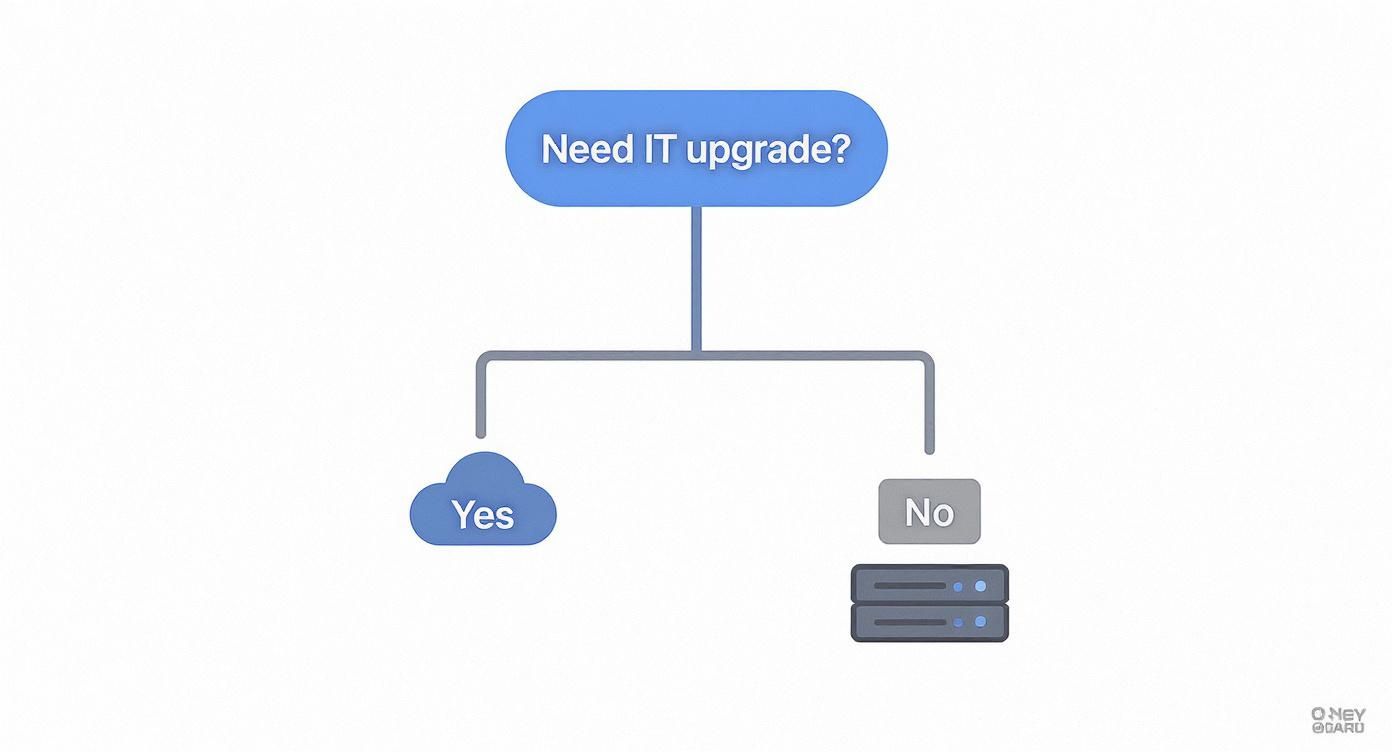
It boils down to a fundamental choice: do you keep investing in on-site hardware, or is it time to embrace the scalability of the cloud when an upgrade is needed? Let’s break down the most valuable cloud solutions with some practical examples relevant to UK professional services.
Secure and Standardised Workstations with DaaS
Desktop as a Service, or DaaS, is a game-changer for any professional services firm managing a hybrid workforce. Picture a London-based accountancy practice with staff working from the office, from home, and occasionally at client sites. DaaS gives every team member a secure, identical virtual desktop they can log into from any device.
This means everyone is using the same software, has the same security settings, and can access company files in exactly the same way, no matter where they are or what computer they're using. For example, a junior accountant using their personal laptop at home can access the same secure, compliant environment as a senior partner in the office, eliminating the security risks of using unmanaged personal devices.
Powering Growth with Virtual Servers
Many growing professional services firms, like a marketing agency in Leeds, eventually hit a wall with their starting IT setup. They need a reliable way to host client websites, run powerful applications like Adobe Creative Suite, and manage large project files without the eye-watering upfront cost of buying and maintaining a physical server. This is exactly where virtual servers come into their own.
Think of it as renting a powerful, custom-built server in a highly secure, professional data centre. The agency can dial in the exact amount of processing power, memory, and storage it needs, and easily scale it up or down as its client base expands. You can get a better handle on the nuts and bolts by reading our detailed explanation of what cloud hosting is. It’s an enterprise-level performance on a pay-as-you-go model, without the capital drain.
The real advantage of specialised cloud solutions is their ability to solve specific, tangible problems. Whether it's securing remote work, ensuring data is never lost, or projecting a professional image, the right service can remove significant operational barriers.
Protecting Your Most Valuable Asset with Cloud Backup
For a legal firm in Manchester, client data isn’t just important—it's everything. The risk of losing sensitive files to a hard drive failure, an office fire, or a ransomware attack is a constant worry. Cloud Backup and Disaster Recovery solutions are designed to take that risk off the table completely.
This is far more than just a basic file-syncing service. A proper cloud backup solution automatically creates secure, encrypted copies of your entire system and stores them safely off-site. For instance, if a solicitor's laptop is stolen, a full, secure copy of their device can be restored onto a new machine within hours, ensuring minimal disruption to client work and court deadlines.
- Automated Protection: Backups run quietly and continuously in the background without anyone on your team having to lift a finger.
- Rapid Recovery: If the worst happens, you can restore files or even entire systems in minutes, not days.
- Ransomware Defence: If your systems are compromised, you can simply wind back the clock and restore a clean version from before the attack happened, making the ransomware threat virtually harmless.
This service is less of an IT cost and more of a vital insurance policy, guaranteeing your business can carry on, no matter what.
Professional Communications with Cloud-Based VoIP
Finally, think about a consulting firm with staff who are always on the move, meeting clients or working from various locations. A traditional, office-bound phone system is restrictive and feels incredibly dated. A Cloud-based VoIP (Voice over Internet Protocol) system solves this problem by routing your calls over the internet.
This allows the firm to have a professional, multi-line phone system with all the bells and whistles, like call forwarding, auto-attendants, and voicemail-to-email. For example, a consultant in a client's office can receive a call to their main office number directly on their mobile app, ensuring they never miss an important client call and maintain a professional image, no matter their location.
Weighing the Real-World Benefits Against Potential Risks
Deciding to move your business to the cloud isn't just a technical upgrade; it's a strategic business decision. For any small business owner, it's vital to have a clear-eyed view of what you stand to gain versus the potential hurdles you'll need to navigate. It's about weighing up the very real advantages against some legitimate concerns to make sure the move is right for you.
On one side of the coin, the benefits can have an immediate and powerful impact on your finances, flexibility, and ability to compete. On the other, you need a solid plan to manage potential issues around security and control.
The Tangible Gains of Cloud Adoption
One of the first things business owners notice is the dramatic shift in how IT costs are handled. The cloud flips the script, turning technology from a major capital expense (CapEx) into a predictable, manageable operational expense (OpEx).
Think about it: instead of facing a massive, one-off bill for a new server every few years, you’re looking at a consistent monthly fee. This frees up a huge amount of cash that can be reinvested into growing your business, whether that’s through marketing, hiring new staff, or professional development. But the financial perks are just the start.
Another huge win is true scalability. Let’s imagine a small financial advisory firm based in Dorset that sees a huge surge in client queries around the end of the tax year. With a traditional on-site server, they’d have to buy powerful, expensive hardware that would sit underused for most of the year, just to handle that short peak in demand. In the cloud, they can ramp up their server resources in a matter of minutes to cope with the traffic, then scale them right back down in May. They only ever pay for what they actually use.
For a small business, this ability to adapt instantly is not just a convenience—it's a competitive weapon. It allows you to respond to market opportunities with the same agility as a much larger organisation, without the associated financial burden.
This newfound flexibility also fuels better teamwork. Staff can collaborate on documents in real-time, whether they're in the office in Hampshire, working from home, or visiting a client site in Wiltshire. This seamless connection gives productivity a direct boost and helps you deliver better service to your customers.
Understanding and Mitigating the Risks
Of course, placing your critical business systems in the hands of a third party naturally brings up some valid concerns. For most small business owners, these boil down to two key areas: security and data governance.
The thought of your sensitive client information sitting on a server you don't physically own can be unsettling. The reality, however, is that reputable cloud providers run highly secure, purpose-built data centres with physical and digital security protocols that are far more advanced than anything a small business could afford to implement on its own. The trick is to choose a provider with robust credentials and a proven track record. To get a better handle on this, you can explore the fundamentals of what cloud computing security entails in our dedicated guide.
Data governance is the other major piece of the puzzle, especially for businesses in the UK. You have a legal duty under GDPR to protect your clients' data, which includes rules about where that data is physically stored. This makes it absolutely essential to work with a UK-based provider who can guarantee your data never leaves the country, keeping you fully compliant.
The table below breaks down the main pros and cons, along with practical steps you can take to manage the risks.
Cloud Adoption Benefits vs Potential Risks for Small Businesses
| Area of Impact | Key Benefit | Potential Risk | How to Mitigate Risk |
|---|---|---|---|
| Financial Management | Predictable monthly costs (OpEx) instead of large, upfront investments (CapEx). Frees up cash flow. | Uncontrolled spending if usage isn't monitored, leading to surprise bills. | Work with a provider who offers clear, fixed-price packages. Regularly review your usage and adjust your plan as needed. |
| Operational Agility | Instantly scale resources up or down to meet demand, allowing you to react quickly to business opportunities or seasonal peaks. | Downtime or performance issues if the provider's infrastructure is unreliable, impacting your operations. | Scrutinise the provider's Service Level Agreement (SLA) for uptime guarantees (aim for 99.9% or higher) and compensation clauses. |
| Data Security | Access to enterprise-grade security, including advanced firewalls, intrusion detection, and physical data centre security. | Unauthorised access or data breaches if security measures are weak or misconfigured. | Enforce strong password policies and mandatory Multi-Factor Authentication (MFA). Ensure the provider has certifications like ISO 27001. |
| Compliance & Governance | Easier to meet regulatory requirements when using a provider who specialises in compliance (e.g., GDPR). | Data sovereignty issues if your data is stored outside the UK, violating GDPR rules and putting your business at risk. | Choose a UK-based provider and get written confirmation that all data, including backups, will be stored exclusively in UK data centres. |
By taking a proactive and informed approach, you can effectively manage these risks. This allows you to confidently move forward and unlock the substantial benefits that cloud solutions for small business can deliver.
Getting to Grips with the True Cost and Return on Investment
Moving to the cloud isn't just a technical upgrade; it's a financial one. To make the right call for your business, you need to look past the sticker price and see the full picture – from the monthly fees to the long-term returns you'll get back.
This isn't just a small shift; it's part of a huge trend. The UK's IT services market, where cloud solutions are a massive component, is currently valued somewhere between £105 billion and £112 billion. It's expected to balloon to £180 billion by 2032, which shows just how many businesses are confidently putting their money into the cloud. If you're interested in the nuts and bolts of this growth, you can find a lot more detail in this complete UK IT support guide.
Decoding Cloud Pricing Models
The first step to managing your cloud budget is understanding how providers charge. Most offer two main flavours, and each suits a different type of business.
-
Pay-As-You-Go (PAYG): Think of this like your electricity bill – you only pay for what you use. This model is perfect for a new start-up or a business with busy and quiet periods. For example, a PR agency might need extra computing power for a month-long media campaign, but can scale back down afterwards, so they're never paying for resources they aren't using.
-
Monthly Subscriptions: If your professional services firm has a steady, predictable workload, a fixed monthly plan can be much more cost-effective. You get a set amount of resources for a flat fee, which makes budgeting a breeze and usually works out cheaper than PAYG for consistent, heavy use.
To get a better feel for how costs break down in a real-world setting, it's worth looking into practical applications like intranet solutions for small teams on a budget.
Calculating the Total Cost of Ownership
The monthly bill from your provider is just one piece of the puzzle. The real financial magic happens when you work out the Total Cost of Ownership (TCO). This calculation reveals all the money you stop spending by ditching your on-site hardware.
The true value of the cloud isn't just in what you pay; it's in what you no longer have to pay for. Eliminating the direct and indirect costs of managing physical hardware unlocks significant capital for growth.
Think about all the 'hidden savings' that often go unnoticed:
- No Hardware Maintenance: You can say goodbye to paying for server repairs, component upgrades, and panicked emergency IT call-outs.
- Reduced Electricity Bills: Servers are power-hungry beasts that need constant cooling. Getting rid of them can take a noticeable chunk out of your utility bills.
- Eliminated Software Licensing: The complicated and expensive world of server software licences is no longer your problem. It's all handled by your provider.
Seeing the Return on Investment in Action
Let’s bring the Return on Investment (ROI) to life with a practical example. Picture a 20-person architecture firm in Dorset, struggling with an old, creaking server in their office.
It's slow, chokes on large design files, and needs constant babysitting from an IT consultant. They decide to switch to a cloud solution with virtual desktops and centralised file storage.
The Comparison:
- Initial Cost: Yes, there's an upfront investment for the migration project and the first month's subscription fee.
- Long-Term Savings: But they immediately stop paying the server's running costs (power, cooling, maintenance) and can scrap plans for an expensive replacement.
- Productivity Gains: Here's the real game-changer. Architects can now pull up and collaborate on enormous CAD files in seconds, whether they're in the office or on a building site. This fluid workflow slashes project turnaround times, which means more billable hours and happier clients.
When the firm weighed the one-off migration cost against the ongoing savings and the massive boost in productivity, the numbers spoke for themselves. The investment paid for itself in no time, delivering a clear and powerful ROI that directly funded their future growth.
Your Step-by-Step Plan for a Smooth Cloud Migration
Moving your business to the cloud is a big project, but it doesn't have to be a big headache. With the right plan, the switch can be surprisingly smooth, setting your business up for better efficiency and security right from the start.
This isn’t about flipping a switch and hoping for the best. A successful move is a carefully managed process. It's about protecting your data, getting your team ready, and ensuring your new setup delivers on its promises.
Phase One: Laying the Groundwork
Before you move a single file, you need to know exactly where you are and where you're going. This first phase is all about strategy and forms the foundation for everything that follows.
-
Assess Your Current Setup: Get a clear picture of your IT landscape. Make a detailed list of every application your business uses, from specialist accounting software to your client relationship management (CRM) system. You also need to map out where all your important data lives.
-
Define Your Goals: What does a successful migration look like for you? Be specific. For instance, a goal could be to enable all fee-earners to access client files securely from any location, or to reduce IT maintenance costs by 25% within the first year. Having clear objectives will shape every decision you make.
-
Select the Right Partner: Don't try to do this alone. For a UK-based professional services firm, a local IT partner who knows the landscape is invaluable. Find a provider who offers personal support and can guarantee your data stays in UK data centres for full GDPR compliance.
Phase Two: Preparation and Testing
With a solid plan in hand, it's time to get your systems and your team ready for the move. This is where you can catch any potential problems before they become real ones.
A pilot test is your safety net. By migrating a non-critical workload first, you can identify and iron out any potential issues in a low-stakes environment, ensuring the main event runs smoothly.
Here are the key steps for this phase:
- Create a Realistic Migration Plan: Work with your IT partner to build a detailed timeline. It should clearly state what’s being moved, when it’s happening, and who is responsible for each part. This can feel complicated, but our guide on what cloud migration is breaks down the key stages.
- Prepare Your Data: Think of this as a digital spring clean. It's the perfect chance to archive old, unused files and make sure your current data is organised and tidy. For a law firm, this might mean archiving closed case files that are over seven years old. Clean data is not only faster to move but also much easier to manage in your new cloud home.
- Run a Pilot Test: Pick a single application or a small batch of data and do a trial run. This lets you check the performance and security of the new system without disrupting your day-to-day business.
Phase Three: Execution and Optimisation
This is it—the final stage where the move happens and your business starts operating from the cloud. The focus now shifts to a seamless switch, getting your team on board, and making continuous improvements.
- Train Your Team: Make sure everyone is comfortable with the new systems before they officially go live. Run some training sessions and provide clear guides to help your staff feel confident from day one.
- Execute the Full Migration: Try to schedule the final move during a quiet period, like a weekend, to minimise disruption. Your IT partner should handle the heavy lifting, keeping you in the loop every step of the way.
- Review and Optimise: Your cloud journey doesn't end after the migration. Work with your provider to monitor performance and costs. Regularly reviewing your setup ensures you’re getting the most value and efficiency from your chosen cloud solutions for small business.
Choosing a UK Cloud Partner Who Understands Your Business
The right technology is only half the battle. For a small business, the right partner to manage it is arguably even more important. While the global tech giants offer immense power, there’s a strong case for partnering with a local UK-based Managed Service Provider (MSP). It’s the difference between being a tiny fish in a vast ocean and having a dedicated guide who knows the local currents inside out.
A local partner gives you something you can't get from a global corporation: personalised, accountable support. When you hit a snag, you aren't routed to an anonymous call centre halfway around the world. You speak to a dedicated expert who actually knows your business, your setup, and what you’re trying to achieve. That direct relationship is crucial for getting fast, effective solutions that keep your business running smoothly.
This hands-on approach is clearly catching on. In the UK, 62% of small and medium-sized businesses already use an MSP, a figure that's expected to hit 70% by 2027. It shows a clear shift towards trusting local experts to manage business-critical cloud services. You can discover more insights about UK IT support models on Micro Pro for a deeper dive into this trend.
Key Criteria for Selecting Your Partner
Picking the right provider is a strategic decision, not just a technical one. You need a partner who offers more than just infrastructure—they need to bring expertise, security, and a genuine commitment to helping you succeed.
When you’re vetting potential partners, here’s what you should be looking for:
- UK-Based Expertise and Data Sovereignty: Your provider needs to understand UK regulations like GDPR from top to bottom. More importantly, get it in writing that all your data, including every single backup, will be stored exclusively within UK data centres. This isn't negotiable.
- Verifiable Security Credentials: Don't just take their word on security. Ask for proof. Look for recognised certifications like Cyber Essentials or ISO 27001, as these demonstrate a serious, audited commitment to protecting your business from threats.
- Transparent and Predictable Pricing: Steer clear of providers with complicated, usage-based billing models that can sting you with surprise costs. A good partner offers clear, fixed-price packages, so you know exactly what you're paying each month. It makes budgeting simple.
- Proven Client References: Any good provider will be happy for you to speak with their other clients. Ask for references from local businesses, ideally in a similar professional services sector to yours. Hearing directly from them is the best way to gauge reliability and service quality.
A great cloud partner acts as an extension of your own team. They are invested in your success because your growth is tied to theirs, creating a powerful and mutually beneficial relationship that you simply cannot get from a faceless global corporation.
Ultimately, the best cloud solutions for small business are those put in place and looked after by an expert who is genuinely on your side. This kind of partnership turns technology from a simple operational cost into a real asset that boosts efficiency, resilience, and long-term success.
Your Cloud Questions, Answered
Deciding to move your business to the cloud naturally comes with a few questions. It’s a big step, after all. Let's walk through some of the most common things business owners ask when they’re thinking about making the switch.
Is the cloud secure enough for my client data?
This is usually the first and most important question, and for good reason. The short answer is a resounding yes, as long as you partner with a reputable provider. Professional cloud services operate out of dedicated UK data centres that feature security measures far beyond what a typical small business could afford or manage on its own.
Imagine multiple layers of protection: advanced firewalls, round-the-clock monitoring, and tight physical security at the facility itself. On top of that, all your information is encrypted—both when it's sitting on a server and when it's travelling over the internet. This makes it completely unreadable to anyone without authorised access.
Will I lose control of my business data?
Not at all. Moving to the cloud changes where your data lives, but it never changes who owns it. You maintain 100% ownership and all legal rights to your information. A trustworthy provider simply acts as a custodian, and their service agreements should make this crystal clear.
A key piece of advice here is to always choose a UK-based provider. This keeps your data governed by UK law, including GDPR, which gives you robust legal protection and ensures you always stay in the driver's seat.
What happens if our office internet goes down?
It’s a fair worry—if everything is online, what happens when the connection drops? While you do need a stable connection, modern cloud solutions are built for this exact scenario. Many systems, for instance, allow you to work on files offline, and they'll automatically synchronise all the changes as soon as you're reconnected.
For professional services firms that can't afford any downtime, a simple and effective backup is a secondary internet connection, like a 4G or 5G mobile broadband service. It’s a low-cost insurance policy that keeps your team online and productive, no matter what happens to the main line.
Can I switch cloud providers later?
No one wants to feel trapped. The concern about being "locked in" to a single vendor is completely understandable. While moving your data from one provider to another does require a bit of planning, it’s absolutely possible. A good partner will always support you by helping to export your data in a standard, accessible format.
The best way to protect yourself is to ask about their exit process before you sign anything. Getting clarity on this upfront gives you the freedom to choose the best cloud solutions for small business as your company grows and your needs change.
Ready to see how the right cloud services can help secure and grow your business? The expert team at SES Computers offers personalised, UK-based cloud solutions designed specifically for SMEs in Dorset, Hampshire, and Wiltshire. Get in touch today to see how we can help. Learn more at https://www.sescomputers.com.