A voice over IP router is a smart piece of kit designed to manage your internet traffic, specifically to put your phone calls first. A standard router sees all data as the same, but a VoIP-enabled router acts more like a traffic warden for your business calls, giving them a clear, priority path to ensure crystal-clear quality and unwavering reliability.
What a Voice Over IP Router Actually Does
Picture your business's internet connection as a busy motorway. A normal router just lets all the traffic—emails, file downloads, video streams, and voice calls—merge and fight for space. This creates congestion, which might mean a file takes a few seconds longer to download, but for a phone call, it is a recipe for disaster. For instance, a graphic design agency uploading a large design file could inadvertently disrupt a crucial client call happening at the same time.
A voice over IP router, on the other hand, creates an exclusive express lane just for your calls. It’s smart enough to spot the small packets of data that make up a voice conversation and wave them straight to the front of the queue. This simple act of prioritisation stops a large file download from making your important client call sound like a robot or drop out entirely.
The Journey of a Voice Packet
When you make a VoIP call, your voice is broken down into thousands of tiny digital packets. To have a natural, clear conversation, these packets need to arrive at the other end in the right order and without any significant delay.
This is where common network issues can wreak havoc:
- Packet Loss: Some packets get lost along the way, causing gaps and cut-outs in what you hear. For a solicitor discussing case details, this could lead to critical misunderstandings.
- Jitter: Packets arrive jumbled and out of sequence, resulting in a distorted, robotic-sounding voice. This can make a financial advisor sound unprofessional and hard to trust.
- Latency: A noticeable delay between you speaking and the other person hearing you, leading to awkward pauses and talking over each other.
A purpose-built voice over IP router is engineered to get ahead of these problems before they ever impact your calls. If you are new to the concept, you can get up to speed by reading our complete guide on what VoIP technology is and how it all works.
Standard Data Router vs. Voice Over IP Router
It is easy to assume all routers do the same job, but when it comes to business communications, the differences are night and day. Here’s a quick comparison of how each device handles your critical voice traffic.
| Capability | Standard Data Router | Voice Over IP Router |
|---|---|---|
| Traffic Prioritisation | Treats all data equally ("best effort") | Prioritises voice packets using QoS |
| Call Quality | Inconsistent, prone to jitter and drops | Consistently clear and reliable |
| Configuration | Basic, not optimised for real-time audio | Advanced features like VLANs and SIP ALG |
| Ideal Use Case | Home use, non-critical data traffic | Businesses relying on VoIP for communication |
Ultimately, a standard router might connect your phones to the internet, but a voice over IP router manages that connection to guarantee performance.
A standard router sees all data as equal. A voice over IP router understands that a phone call is a real-time event that cannot tolerate delays or interruptions, making it non-negotiable for professional communication.
In short, this device does more than just provide an internet connection; it actively protects the quality of your most important business conversations. It uses built-in rules like Quality of Service (QoS) to ensure voice traffic always gets VIP treatment. This proactive management is what separates a phone system that just about works from one you can count on, every single time.
The Business Case for Upgrading Your Router

While the technical side of a specialised router is interesting, what really matters is the tangible impact it has on your bottom line. Investing in a voice over IP router is not just another IT expense; it’s a strategic move that delivers real commercial advantages, starting with your operational costs.
For most businesses, the switch to VoIP brings immediate and significant savings compared to old-fashioned phone lines. The benefits come from much lower call charges (especially for international numbers) and the end of expensive line rental fees for outdated ISDN or PSTN services. With the nationwide switch-off of these legacy networks, the move to VoIP has become less of a choice and more of a necessity.
The UK's transition away from traditional phone lines has been happening at an incredible pace, underscoring just how mainstream VoIP has become.
UK VoIP Adoption Key Statistics
| Metric | Value |
|---|---|
| PSTN Switch-Off Target | End of 2025 |
| Consumer Transitions (Peak) | 700,000 per month |
| Projected VoIP Users by 2025 | Over 16 million |
| SMB Adoption Rate | ~60% already switched |
This rapid market shift highlights that VoIP is not just the future; it is the present. A properly configured router is what allows your business to fully capitalise on the technology's potential. To see more on this trend, check out these insights on the UK's massive VoIP adoption from Amvia.
Fostering Flexibility and Scalability
A voice over IP router is the bedrock of a modern, agile business. It creates the stable network environment your remote and hybrid teams need to communicate just as effectively as if they were all sitting in the same office.
Think about a growing sales team. With an old phone system, adding a new person meant calling an engineer to install a new physical line—a process that was both slow and expensive. A VoIP system, supported by the right router, lets you add a new user in minutes with a few clicks, for a fraction of the cost. A recruitment agency, for example, can onboard a new consultant and have their phone line active on their first day without any physical installation delays.
- Effortless Expansion: Scale your team up or down without getting bogged down by physical infrastructure.
- Remote Work Enablement: Give employees crystal-clear call access whether they are at home, on the road, or anywhere else.
- Cost-Effective Growth: Avoid the hefty capital expenditure that came with adding traditional phone lines.
Ensuring Business Continuity
What would happen if your main internet connection went down? For many, it means a sudden stop to business: missed calls, lost sales opportunities, and unhappy customers. A professional-grade voice over IP router directly addresses this critical vulnerability.
Many of these devices have a feature called automated WAN failover. This clever function lets the router automatically switch to a backup internet connection—like a 4G/5G mobile dongle or a secondary broadband line—the second it detects a problem. The changeover is so smooth that your team will not even notice, ensuring your phone system stays online and you never miss a vital call. For an estate agency, this means never missing an offer on a property due to a local internet outage.
A dedicated voice over IP router transforms your phone system from a potential point of failure into a resilient business asset, protecting your revenue and reputation even when your main connection is down.
For businesses that want to keep things simple, managed services are the answer. At SES Computers, we can bundle your internet, 3CX VoIP system, and security into a single, straightforward agreement. This approach gives you predictable costs, one point of contact for support, and peace of mind that every component—especially the router—is expertly configured for peak performance. Understanding your connection's limits is also crucial; our guide on what network bandwidth is and how to calculate it can help.
Choosing the Right Features for Your Business
Picking the right VoIP router is not about ticking off every box on a spec sheet. It’s about choosing the right tools for your specific business. Some features are genuinely critical for crystal-clear calls, while others are just noise. Focusing on the ones that matter will make all the difference.
The Most Important Feature: Quality of Service (QoS)
If there is one feature to obsess over, it’s Quality of Service (QoS). Think of it as your network’s traffic controller. QoS spots the tiny data packets that make up your phone calls and shoves them to the front of the line, ahead of everything else.
Without good QoS, a large file download or someone streaming a video can make your calls sound choppy and robotic. A router with a solid, easy-to-manage QoS system is the absolute bedrock of a professional VoIP setup.
Create an Express Lane with VLANs
Another game-changing feature is support for Virtual Local Area Networks (VLANs). A VLAN lets you digitally slice up your network into separate, isolated lanes. For VoIP, this is a massive advantage.
You can set up one VLAN just for your IP phones and another for all the office computers and printers. It’s like creating a private, express motorway for your voice calls, completely shielding them from the jams and potential security risks of your regular data traffic. For example, a doctor's surgery can keep patient calls on a separate VLAN, ensuring call quality and confidentiality are maintained, even when the reception desk is busy with administrative tasks online.
By using VLANs, you effectively create a separate, secure motorway for your voice traffic. This isolation ensures that a data-heavy task in one department never compromises the call quality for another.
Matching Router Specs to Your Business Needs
Beyond traffic management, a few key hardware specs will directly impact how a VoIP router performs in your unique environment. It’s vital to match these to what your business actually does day-to-day.
- Concurrent Call Capacity: How many calls can the router handle at once before the quality starts to drop? A small business with five employees might only need support for 10-15 concurrent calls. A bustling call centre, on the other hand, will need a router that can juggle 100 or more without breaking a sweat.
- Firewall and Security Integration: A robust, built-in firewall is not optional; it is essential. It acts as a security guard for your phone system, blocking outside threats and preventing toll fraud. Look for features like Stateful Packet Inspection (SPI) and protection against denial-of-service (DoS) attacks.
- WAN Failover: As we touched on earlier, this feature is your safety net. It automatically switches to a backup internet connection, like a 4G or 5G mobile link, if your main line goes down. For any business where a dropped call means lost money, this is a must-have for continuity.
- 3CX Compatibility: If you are running a popular phone system like 3CX, getting a router that’s officially certified for it will save you a world of pain. A compatible device just works, making the initial setup and any future troubleshooting far more straightforward.
As you weigh these features, it is also worth thinking about how managed network services could take the entire configuration headache off your plate. Ultimately, choosing the right device is what transforms a confusing list of specs into a simple decision that keeps your business communications professional and reliable.
Your Step-by-Step Router Setup Guide
Getting a new VoIP router out of the box and onto your network can feel like a daunting task, but it does not have to be. With a clear, step-by-step approach, we can break it down into manageable chunks. This guide will walk you through everything from plugging in the right cables to getting the software configured, so you can make your first crystal-clear call with confidence.
Let’s get that router unboxed and ready to power your business communications.
Phase 1: The Physical Setup
Before diving into any settings, we need to get the hardware physically connected. This is the foundation for everything else, ensuring the router has power and a solid link to both the internet and your local office network.
-
Unbox and Find a Good Spot: First, carefully unpack the router and its accessories. You will want to place it somewhere with good airflow, ideally close to where your internet line comes in (like a fibre modem) and, of course, near a power socket.
-
Connect to the Internet (WAN): Grab an Ethernet cable. Plug one end into the port on your new router labelled WAN (which stands for Wide Area Network) or Internet. The other end goes into your modem or the main internet socket on the wall.
-
Link to Your Local Network (LAN): With a second Ethernet cable, connect one of the router's LAN (Local Area Network) ports to the main switch that feeds your office computers and other gear. For a simple setup in a small office, you can just plug a computer directly into a LAN port to get started.
-
Power It Up: Connect the power adapter to the router and plug it into the mains. Switch it on and give it a minute or two for the lights to settle. You are looking for a solid power light and a WAN/Internet light that shows it is connected.
Phase 2: Logging In and Updating Firmware
Now that the router is physically online, it is time to log into its control panel. This is where all the real configuration happens.
You will need the router's IP address and login details. Check the sticker on the bottom of the device or the manual—they are almost always printed there. From a computer that is plugged into the router, open a web browser and type that IP address into the address bar.
Once you’re logged in, the very first thing you should do is check for a firmware update. Router manufacturers constantly release new firmware to fix bugs, patch security holes, and add features. Installing the latest version right away is a non-negotiable step for keeping your network secure and stable.
Neglecting a firmware update is like leaving the front door of your new office unlocked. It is the single most important first step to secure your network and ensure your VoIP router performs reliably from day one.
Phase 3: The Essential Configuration
With the firmware up to date, you can now start dialling in the core settings. Every manufacturer's interface looks a bit different, but the settings you need to change are pretty standard across the board.
-
WAN Settings: Your router might be smart enough to figure out your internet settings on its own using DHCP. But if your Internet Service Provider (ISP) gave you a static IP address or specific login details (like for a PPPoE connection), you will need to pop those into the WAN or Internet section manually.
-
LAN Settings: Next, you will configure your local network. This involves setting the router's own IP address and the range of addresses it will hand out to all the devices in your office. This is also where you will make sure DHCP (Dynamic Host Configuration Protocol) is switched on, so it can automatically assign those IPs to your phones and PCs.
-
SIP and 3CX Provisioning: This is the make-or-break part for your phone system. You will need the SIP trunk details from your VoIP provider, which will include a server address, a username, and a password. You’ll enter these credentials in the router's VoIP or Telephony section to get it registered. If you are using a system like 3CX, you will usually just need to point the router towards your 3CX server's address, which allows it to automatically configure all your IP phones for you.
By working through these phases one by one, you will build a solid foundation for your business's entire communication system.
Optimising Your Network for Flawless Calls
Getting your new voice over IP router connected and running is a great first step, but achieving consistently professional call quality comes from fine-tuning the network itself. This is where we move beyond a basic setup and create an environment that actively protects every single call from common digital disruptions.
Think of it like this: plugging in the router is like opening the doors to a new shop. Optimising the network is like arranging the aisles, setting up clear signage, and ensuring a smooth, pleasant experience for every customer who walks in. Let us dig into the practical techniques that make sure every conversation is crystal clear.
This guide simplifies the journey from unboxing to your first call.
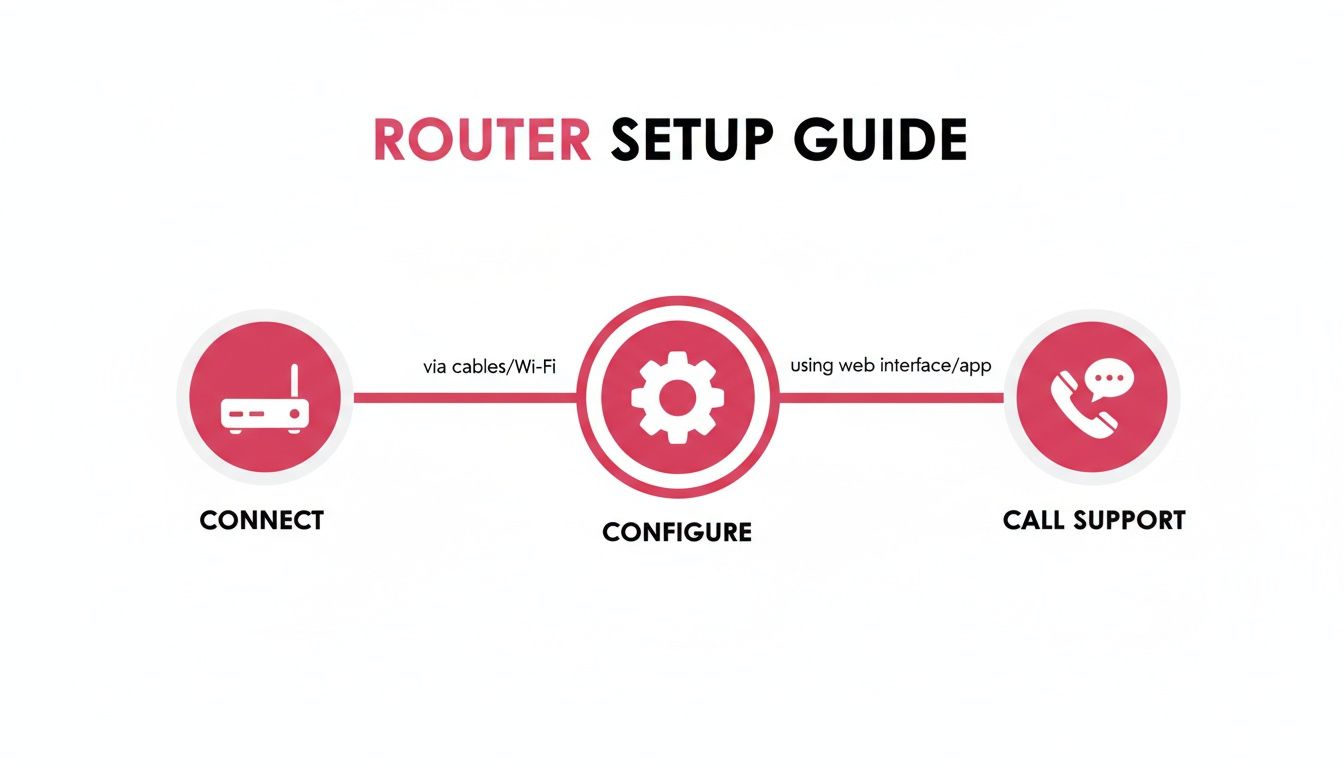
As the visual shows, it’s a straightforward process: connect the hardware, configure the settings through its web interface, and then you’re ready to go. A methodical approach always delivers the best results.
Mastering Quality of Service (QoS)
The single most powerful tool in your router’s arsenal is Quality of Service (QoS). In essence, QoS acts as a traffic controller for your network. Its job is to spot voice data packets and hustle them to the front of the queue, giving them absolute priority over less urgent data.
Without QoS, a large email attachment being sent or a hefty software update could easily muscle in and steal bandwidth, causing your calls to sound choppy or robotic. By configuring QoS, you create rules that tell the router which data gets VIP treatment, ensuring your voice traffic is never delayed, even when the network is humming with activity. You can learn more in our detailed guide on what Quality of Service is and how it works.
Isolating Traffic with VLANs
Another incredibly effective technique is creating a Virtual Local Area Network (VLAN). A VLAN allows you to digitally partition your physical network into separate, isolated sub-networks. For VoIP, the best practice is to set up one VLAN exclusively for your IP phones and another for all your computers and other devices.
This separation is like building a dedicated, private motorway just for your voice calls. It completely shields your phone system from the congestion and potential security risks brewing on your main data network. If someone on the data VLAN accidentally downloads malware or starts a massive file transfer, your calls remain pristine and unaffected.
Navigating SIP ALG and Port Forwarding
Two settings that often cause headaches if not handled correctly are SIP ALG and port forwarding. Getting these right is crucial.
-
SIP ALG (Application Layer Gateway): This feature is supposed to help VoIP traffic navigate your network's firewall (specifically, Network Address Translation or NAT). The problem is, it often does more harm than good with modern VoIP systems like 3CX, modifying data packets in ways that cause one-way audio or failed calls. The golden rule is to disable SIP ALG unless your VoIP provider explicitly tells you to turn it on.
-
Port Forwarding: If you have remote workers or connect to a cloud-based phone system, you’ll likely need to configure port forwarding. This involves creating rules that direct incoming traffic on specific network ports straight to your internal phone system server. It’s what ensures calls from outside your office can reliably reach the right destination every single time.
A correctly configured network is proactive, not reactive. By setting up QoS, VLANs, and other rules correctly from the start, you prevent call quality problems before they have a chance to impact your business operations.
Ultimately, taking these steps transforms your network from a simple data pipe into a highly efficient, reliable communication platform. You might even need to use strategies to avoid ISP throttling, which can directly sabotage your call quality. Mastering these settings is the key to delivering the flawless, professional experience your clients and team deserve.
Wrestling with Common VoIP Call Problems
Even with the best voice over IP router in place, you’ll inevitably run into hiccups. Call quality issues are more than just annoying; they can make your business sound unprofessional. The good news is that most of the common gremlins—from robotic voices to calls that drop for no reason—can usually be traced back to a handful of culprits.
Before you start digging into complex settings, always check the simple stuff first. Are all the cables plugged in snugly? It sounds obvious, but you’d be surprised. A quick reboot of your router can also work wonders, clearing out temporary glitches and giving it a fresh start.
Robotic Voices and Choppy Audio
That dreaded "dalek" voice or audio that cuts in and out is probably the most common VoIP complaint. This is nearly always a symptom of jitter, which is a fancy way of saying the little packets of voice data are arriving at their destination all jumbled up and out of sequence. Your router is trying its best to put them back in order, but when the timing is all over the place, you get distorted audio.
The first place you should look to fix this is your router’s Quality of Service (QoS) settings.
- Prioritise Voice Traffic: Log into your router's admin panel and find the QoS section. You need to make sure that VoIP or SIP traffic is sitting right at the top of the priority list. This tells the router, "No matter what else is happening, these voice calls come first."
- Give it Enough Room: Check that you’ve reserved enough bandwidth for your calls. A good rule of thumb is to set aside 100 kbps for every simultaneous call you expect to handle. If you set this too low, call quality will nosedive the moment your office gets busy.
Think of it this way: if a colleague kicks off a massive file download in the middle of your sales call, a properly tuned QoS will shield your conversation, keeping it crystal clear.
The Mystery of One-Way Audio
Here’s a classic VoIP headache: you can hear the caller perfectly, but they can’t hear a word you’re saying (or the other way around). This is almost always caused by a feature on your router’s firewall called SIP ALG (Application Layer Gateway).
SIP ALG was designed with good intentions—to help voice traffic get through a firewall. In reality, it often meddles with the voice packets, rewriting them in ways that modern VoIP systems like 3CX simply do not understand. Turning it off is one of the first and most effective fixes we recommend.
Dive back into your router’s settings, find the firewall or security section, and look for an option to disable SIP ALG. In our experience, this single change resolves one-way audio problems in over 90% of cases.
Why Are My Calls Suddenly Dropping?
If your calls connect just fine but then drop out after a few seconds or minutes, you’re likely dealing with packet loss. This means some of the voice data is getting lost in transit and never makes it to the other end. A tiny bit of packet loss is normal, but once it creeps over 1%, calls will start to become unstable and terminate.
First, check the health of your internet connection. Run a few speed tests to see if your upload and download speeds are stable. If you see wild fluctuations, the problem might be with your internet provider. If the connection itself looks solid, take another look at your firewall rules. Some firewalls are configured to aggressively shut down connections they think are idle, which can mistakenly chop off a perfectly good voice call.
VoIP Router FAQs
Stepping into the world of modern business phones can feel a bit daunting, and it is natural to have questions. Let us clear up some of the most common queries we hear from businesses looking to get the most out of their voice over IP system.
How Is a VoIP Router Different from a Standard Router?
At a glance, they look pretty similar, but the real difference is how they handle your internet traffic. Think of a standard router like a single-lane road where every vehicle—emails, video streams, and your crucial phone calls—is stuck in the same traffic jam. It does not care which one is more important; it just moves things along as best it can.
A proper voice over IP router, on the other hand, is like a smart motorway with a dedicated express lane just for your calls. It has built-in intelligence, called Quality of Service (QoS), that spots voice data and immediately prioritises it. This means a massive file download in one department will not ever cause your sales team's client calls to break up or drop.
How Much Internet Bandwidth Do I Need?
This is a critical question, and getting it right is key to crystal-clear calls. A solid rule of thumb is to budget around 100 kilobits per second (kbps) of both upload and download speed for every single call you expect to have running at the same time.
For instance:
- An office with up to five concurrent calls needs a stable 500 kbps of bandwidth set aside just for voice.
- A larger team juggling up to ten simultaneous calls should aim for at least 1 megabit per second (Mbps).
Remember, this is the minimum. It is always wise to have a bit more bandwidth in reserve. This buffer helps you handle those unexpectedly busy moments without a single dropped word.
What Are the Essential Security Measures for VoIP?
Securing your phone system is non-negotiable. You need to protect your business from eavesdropping and toll fraud, where hackers hijack your system to make expensive international calls. Your voice over IP router is your first and most important line of defence.
Think of your router’s firewall as the main gate and security guard for your entire phone system. Keeping it locked down, updated, and correctly configured is the single most effective thing you can do to shield your communications from outside threats.
Here are the absolute must-dos:
- A Strong Firewall: Make sure the router's built-in firewall is switched on and configured to block any unsolicited incoming traffic.
- Updated Firmware: Manufacturers constantly release patches for security holes. Regularly installing the latest firmware is like updating the locks on your doors.
- Complex Passwords: Do not make it easy for intruders. Use strong, unique passwords for the router's admin panel and every individual phone extension (or SIP account).
At SES Computers, we handle all this complexity so you do not have to. Our managed services ensure your VoIP, internet, and security all work together seamlessly, giving you flawless performance and total peace of mind. Learn more about how we can support your business.