Cybersecurity isn't some expensive luxury reserved for large corporations; it's a fundamental part of keeping your business operational and profitable. It's easy to fall into the trap of thinking you're too small to be on a hacker's radar, but that misses a critical point: criminals don't always go for the biggest prize, they go for the easiest target.
Why Your Small Business Is a Prime Cyber Target

The idea that cyber criminals only chase global brands is a dangerous myth. In fact, a staggering 43% of all cyber attacks are aimed squarely at small businesses. Attackers see SMEs as the perfect 'soft targets'—you hold valuable data, but often without the fortress-like security of a larger company.
Think about it in terms of physical security. A law firm wouldn't dream of leaving its office door unlocked overnight, skipping the alarm, or leaving confidential client files scattered on a desk. Your digital front door and your digital files deserve exactly the same care.
The True Cost of a Cyber Attack
The fallout from a security breach goes far beyond a simple IT headache. For a small professional services business, the impact can be genuinely catastrophic, sending shockwaves through every part of your operation. The financial hit is usually the first and most painful blow.
This can look like:
- Direct Financial Theft: Criminals gaining access to your business bank accounts or duping an employee into sending a payment to a fraudulent account through an impersonation scam. For instance, an accounts assistant at an architectural practice could be tricked into paying a fake invoice from a seemingly legitimate supplier.
- Operational Downtime: If your systems are locked by ransomware, every minute you're unable to trade or access client files is money down the drain. An engineering consultancy unable to access project blueprints for a day could miss a critical deadline, incurring financial penalties.
- Recovery Costs: The expense of cleaning up the mess—removing malware, restoring systems from backups, and bringing in IT experts—quickly adds up.
But the financial damage is only half the story. The harm to your reputation can be far worse and much harder to repair. If you lose client data, that trust you've spent years building can evaporate in an instant. For professional services firms across Dorset and Hampshire, where a solid reputation is everything, a single breach can be devastating.
Common Threats in Simple Terms
You don’t need a degree in computer science to grasp the main risks. Let's look at two of the most common threats facing businesses right now: phishing and ransomware.
Phishing is the number one way attackers get their foot in the door of a small business. It's a confidence trick, plain and simple, where they deceive you or your staff into handing over sensitive information, usually through a fake email.
Imagine an employee at a Somerset accountancy firm receives an email that looks like it’s from HMRC, urging them to click a link to sort out a tax issue. One click is all it takes to install malicious software or steal their login details.
Ransomware, on the other hand, is a particularly nasty type of malware that scrambles all your files, locking you out of your own data. The criminals then demand a hefty payment to give you the key. Picture a care provider in Wiltshire suddenly being unable to access patient notes or staff rotas—the entire operation would grind to a halt.
Real protection starts with one simple admission: you are a target. Adopting that mindset is the first, and most important, step towards building a truly resilient defence.
What Are We Actually Up Against? Common Threats to UK SMEs
Before you can build a decent defence, you need to know what you’re defending against. Cyber threats aren't some abstract, technical problem happening somewhere else; they are real, immediate risks that prey on human nature and find the gaps in how we work. Learning to spot the most common attacks is the first, and most important, step.
And make no mistake, this is happening right here on our doorstep. The latest government figures show a staggering 43% of businesses reported a breach or attack in the last year. For small businesses, these incidents usually kick off with a single deceptive email and can spiral into a financial nightmare. The average cost to clean up the mess is around £1,600, but some breaches have hit businesses for over £8,260. You can dig into the details in the official 2025 government survey.
Phishing: The Deceptive Lure
Phishing is, without a doubt, the number one threat facing UK businesses. Think of it as the digital crowbar used to pry open the door for all sorts of other attacks. It’s a classic confidence trick where criminals send emails pretending to be from someone you trust—a supplier, your bank, or even a government agency like HMRC.
The whole point is to fool you into doing something you shouldn't. That could be clicking a dodgy link, opening an attachment loaded with malware, or handing over sensitive details like passwords or bank info. These emails are masters of manipulation, often creating a false sense of urgency or panic to rush you into acting without thinking.
Here’s a practical example:
An accounts clerk at a Dorset manufacturing firm receives an email that looks like it's from a familiar supplier. It casually mentions they’ve switched banks and provides new details for the next payment. Without a second thought or a quick phone call to verify, the invoice is paid… straight into a criminal's account.
Ransomware: The Digital Hostage Situation
If phishing is the crowbar, ransomware is the sledgehammer. This is a particularly nasty type of malware that, once inside your network, starts locking up everything it can find. It systematically encrypts your files, turning critical data—client records, project plans, financial accounts—into scrambled, unusable garbage.
Then comes the demand. The attackers will demand a ransom, usually in untraceable cryptocurrency, for the key to unlock your files. But paying up is a huge gamble. There’s no guarantee they’ll restore your data, and you’ve just flagged your business as a soft target willing to pay. For any business, being completely paralysed by ransomware is a catastrophe.
A practical example: A small marketing agency in Hampshire has its server encrypted. All client artwork, campaign plans, and billing information are inaccessible. They cannot meet deadlines, issue invoices, or even contact clients. The business is effectively shut down until the issue is resolved.
Business Email Compromise: The Impersonation Scam
Business Email Compromise (or BEC) is a smarter, more targeted attack that often starts with a simple phishing success. Once a criminal has access to an employee’s email account, they don't strike immediately. Instead, they sit quietly, reading emails to understand your business, your clients, your suppliers, and most importantly, how you approve and make payments.
Armed with this inside knowledge, they impersonate someone senior, like a director or the owner. Posing as the boss, the attacker sends a carefully crafted email to the finance team, authorising an urgent and confidential payment. The request for secrecy is a clever trick to stop the employee from picking up the phone and verifying it through the usual channels.
Here’s a practical example:
The finance manager of a hospitality business in Somerset receives an email that appears to be from her CEO, who she knows is travelling. The email instructs her to immediately pay a £15,000 "consultancy fee" to finalise a confidential deal before the end of the day. The combination of authority and urgency convinces her to skip the normal checks, and the money is gone for good.
Building Your Essential Cybersecurity Defence Plan
Knowing what you’re up against is half the battle, but now it’s time to build your defences. A solid cybersecurity plan isn't about splashing out on the most expensive software; it’s about creating smart, overlapping layers of protection that work together.
Think of it like securing your business premises. You have strong locks on the doors, an alarm system, and a safe for your most valuable assets. Each layer makes a criminal's job harder, and it’s the same principle for your digital security. This approach focuses on practical, high-impact controls that give you the biggest security bang for your buck. These aren't just 'nice-to-haves'; they're the absolute foundations for staying in business today.
The image below shows some of the main threats your plan needs to address. It illustrates how a single weak point can quickly lead to damaging outcomes like phishing scams, a ransomware lockdown, or straight-up fraud.
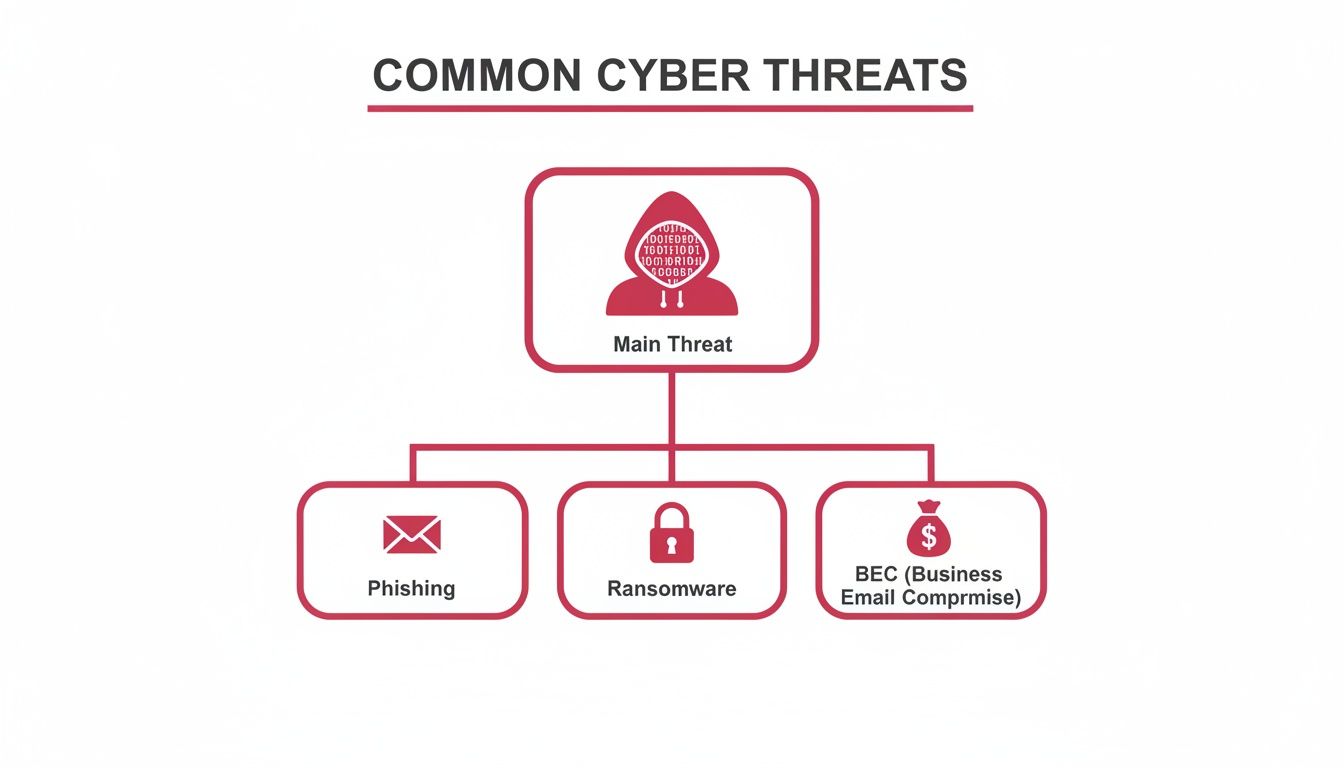
While the attack methods vary, the goal is nearly always the same: get past your initial defences to steal data, money, or both.
Prioritised Cybersecurity Controls for SMEs
To cut through the noise, here's a simple checklist of the essential security measures every small and medium-sized business should have in place. Think of this as your starting point for building a resilient defence, prioritised to tackle the most common and damaging threats first.
| Control | What It Does | Primary Threat Mitigated |
|---|---|---|
| Endpoint Security | Protects individual devices (laptops, PCs) from malware and suspicious activity. | Malware, Ransomware, Viruses |
| Network Firewall | Acts as a gatekeeper, monitoring and filtering traffic between your network and the internet. | Unauthorised Access, Network Scans |
| Multi-Factor Auth. (MFA) | Requires a second form of verification (e.g., a phone code) to log in. | Stolen Passwords, Phishing |
| Software Patching | Keeps all software and operating systems up-to-date with the latest security fixes. | Exploitation of Known Vulnerabilities |
| Data Backups | Creates secure, isolated copies of your critical data for recovery purposes. | Ransomware, Data Loss (accidental or malicious) |
Implementing these five controls dramatically reduces your risk and provides a strong foundation to build upon as your business grows.
Start With Your Endpoints
Your first and most crucial layer of defence is at the endpoints. That’s just the technical term for any device connected to your network—laptops, desktops, and company mobiles. Every single one is a potential doorway for an attacker.
Leaving these devices unprotected is like leaving the ground-floor windows of your office wide open overnight. You need modern security software, often called Next-Generation Antivirus (NGAV) or Endpoint Detection and Response (EDR), on every machine. These aren't your old-school virus scanners; they actively watch for suspicious behaviour, stopping new and evolving threats before they can cause damage.
Here’s a practical example: A salesperson at a Wiltshire estate agency uses their company laptop on public Wi-Fi at a café. A robust endpoint security tool, running silently in the background, blocks a malicious file they accidentally download from a fake property portal. The threat is neutralised before it ever gets a foothold on the company network.
Demystifying Network Security And Firewalls
Next up is your network itself. Your firewall is the digital gatekeeper that stands between your internal business network and the wild west of the internet. Its core job is to inspect all the data traffic coming in and going out, blocking anything that looks suspicious or breaks the security rules you’ve set.
Think of it as the security guard at your office reception. The guard checks IDs and delivery dockets, turning away anyone who doesn’t have a legitimate reason to be there. A firewall does the same for your data, stopping hackers from trying the door handles and preventing any malware that slips through from "phoning home" to its masters.
A practical example: A firewall at a small solicitor's office is configured to block all incoming traffic from high-risk countries where they do no business. This simple rule prevents thousands of automated scanning attempts from ever reaching their server, reducing the overall risk of a breach.
The Game-Changing Power Of Multi-Factor Authentication
If you only do one thing to improve your security this year, make it Multi-Factor Authentication (MFA). It is, without a doubt, one of the most effective ways to stop your accounts from being hijacked.
MFA simply asks for a second piece of proof that it’s really you when you log in—usually a one-time code sent to your phone or generated by an app. This means that even if a criminal manages to steal your password, they still can't get into your account because they don’t have your phone.
A practical example: An accountant in Hampshire gets caught out by a clever phishing email and enters their password on a fake login page. The criminals now have the password, but their attempt to log in is immediately blocked. Why? Because they can't provide the six-digit code from the accountant's authenticator app. Crisis averted.
The Unsung Heroes: Patching and Backups
Finally, let's talk about two critical processes that work tirelessly behind the scenes: software patching and data backups. They might not be glamorous, but they are absolutely essential.
- Patching: Unpatched software is a massive security risk. Those updates you’re tempted to ignore often contain vital fixes for security holes that criminals are actively searching for. Automating these updates is the easiest way to ensure you're always protected against the latest known threats.
- Backups: In a world of ransomware, a solid backup strategy is your ultimate safety net. Having a recent, secure, and isolated copy of your data is what separates a business-ending disaster from a manageable inconvenience.
Here’s a practical example: A Somerset-based marketing agency gets hit by a ransomware attack that encrypts every single file on their server. It sounds devastating. But because they have an automated cloud backup system that runs every night, their IT provider simply restores everything from the previous evening's copy. The total damage? Just a few hours of lost work, not a hefty ransom payment.
Creating a Simple Incident Response Checklist
Let’s be realistic: even with the best defences, a security breach can still happen. A convincing phishing email slips through, or a brand-new vulnerability is exploited before anyone can react. When the worst happens, your actions in those first few hours are absolutely critical. They can be the difference between a manageable blip and a full-blown, business-threatening crisis.
The goal is to replace panic with a clear-headed plan. An incident response checklist is your roadmap through the chaos, making sure you take the right steps to contain the damage, preserve crucial evidence, and get your business back up and running. Flying blind, you risk making devastating mistakes, like shutting down a machine that holds the only clues to how an attacker got in.
This checklist isn't about deep technical forensics. It’s a simple, three-stage process any business owner can follow: Isolate, Investigate, and Communicate.
Stage 1: Isolate the Problem
Your first priority is to stop the bleeding. If a device is infected, you have to stop the threat from spreading across your network to other computers and servers. Think of it like slamming the fire doors shut in a building to contain a blaze to a single room.
Here are the practical steps to take immediately:
- Disconnect Affected Devices: Unplug the network cable from any computer you think is compromised. If it’s on Wi-Fi, turn the Wi-Fi off. Crucially, do not turn the computer off — you could destroy vital digital evidence.
- Disable Remote Access: If you use tools for remote working, temporarily shut them down. This helps cut off a potential entry point the attackers might still be using.
- Change Key Passwords: Immediately change the password for the compromised user account, as well as any administrative accounts.
This immediate containment is your most important first move. For a more detailed walkthrough, you can explore our article on cyber security incident response steps.
Stage 2: Investigate the Situation
Once you’ve boxed the threat in, it's time to calmly figure out what’s happened. This isn't about playing cyber detective; it's about gathering the basic facts that your IT support partner will need to get to work. Resisting the urge to "clean up" is vital.
A practical example: An employee reports their computer is behaving strangely after clicking an email link. Instead of running a virus scan, you ask them to write down the sender's email address, the time they clicked the link, and a description of the strange behaviour. This information is gold for the IT professionals who will investigate properly.
Start by documenting everything. Note down when the incident was discovered, which users and computers are affected, and any strange behaviour anyone noticed. This initial log of events is worth its weight in gold for a professional investigation.
Stage 3: Communicate Effectively
Clear, timely communication is essential. Knowing who to call, what to tell them, and when to do it prevents rumours from spreading and ensures everyone who needs to take action is looped in.
Your communication plan should have a clear order of priority:
- Your IT Support/Cybersecurity Partner: This is your first call. They have the technical expertise to diagnose the problem and tell you exactly what to do next.
- Senior Management: Make sure the business leadership knows what’s happening and understands the potential impact.
- Wider Staff: Let your team know what's going on. Give them clear, simple instructions, like a mandatory password change, if needed.
- Clients and Regulators: Depending on the severity of the breach and what data is involved, you may be legally required to notify affected clients or the Information Commissioner's Office (ICO). Your IT partner can advise you on your obligations here.
How to Navigate Data Protection and Compliance
For many small businesses, especially those in tightly regulated fields like financial or legal services, cybersecurity isn't just good practice—it's the law. The world of data protection can feel like a maze of acronyms and rules, but it all comes down to a simple, powerful idea: treat the information people entrust you with carefully and keep it safe.
Here in the UK, the big one is the General Data Protection Regulation (GDPR). This framework sets the ground rules for how any organisation handles personal data. Get it wrong, and you could face eye-watering fines and a damaged reputation. That’s why getting to grips with compliance is a core business task, not just an IT problem.
Understanding Your GDPR Responsibilities
At its core, GDPR is built on principles that go hand-in-hand with smart cybersecurity. For most small businesses, two concepts are absolutely crucial: data minimisation and security.
- Data Minimisation: Put simply, only collect and store the data you genuinely need. If you don't need a customer's date of birth to provide your service, don't ask for it. Every extra piece of data you hold is another piece you have to protect.
- Security: You have a legal duty to put the right technical and organisational measures in place to safeguard the personal data you process. This is where your cybersecurity strategy and your compliance duties become one and the same.
This means all the technical controls we've covered—endpoint protection, solid firewalls, and Multi-Factor Authentication—aren't just optional extras. They are the practical tools you use to fulfil your legal obligations under GDPR.
A practical example: A Dorset-based financial advisor visiting clients at their homes must have their laptop's hard drive encrypted. If that laptop gets stolen from their car, encryption is the one thing standing between the thief and a trove of sensitive financial details. It protects the client from harm and the business from a major data breach notification.
From Policy to Practice
Compliance isn't just about having the right software; it’s about having clear processes that your whole team understands and follows. A data retention policy, for example, is a simple document outlining how long you keep different types of information and why. It stops you from hoarding old client data forever, which shrinks your risk profile.
Disposing of old equipment is another critical step. You can't just toss an old office PC in a skip—it could contain years of confidential files. Beyond your active defences, a key part of data protection involves following secure e-waste destruction best practices for any electronics you're retiring.
The trick is to connect these legal duties to your daily work. To help you map this out, we've created a straightforward GDPR compliance checklist that walks you through the essentials.
Meeting Industry-Specific Requirements
Finally, it’s important to remember that some industries have their own, even stricter, rules. A care home in Somerset, for instance, handles highly sensitive health data and must meet standards that go beyond the GDPR baseline. In the same way, an accountancy firm in Wiltshire has specific obligations when it comes to financial records.
Getting to know your specific regulatory landscape is non-negotiable. This is where working with a technology partner who understands these local and industry-specific nuances can make all the difference. They can help you build a cybersecurity plan that not only keeps you secure but also ensures you're operating well within the bounds of the law.
When to Partner with a Managed IT Provider
Let's be realistic. Putting solid cybersecurity in place isn't a one-and-done job; it’s a constant, ongoing commitment. While all the controls we've covered are vital, the day-to-day reality of managing them can quickly swamp a small team whose real focus should be on growing the business. This is where a shift in mindset is crucial—seeing security not as a cost, but as a fundamental investment in your company's survival.
The financial fallout from a single breach brings this into sharp focus. Cybercrime costs UK SMEs an estimated £27 billion every year. The average incident sets a medium-sized business back £10,830, while even smaller companies face a bill of £3,398 per attack. With ransomware attacks on the rise and a staggering 77% of UK SMEs admitting they have no dedicated cybersecurity staff, it’s easy to see why they’re viewed as soft targets. For the latest figures, you can learn more about the risks facing small businesses.
Recognising the Triggers for Outsourcing
So, when is it time to call in the experts? There often comes a tipping point where trying to manage cybersecurity in-house becomes inefficient, risky, or just plain impossible. Spotting these triggers is the key to making the right call for your business.
Keep an eye out for these clear signs:
- Lack of Internal Expertise: Your team is brilliant at what they do, but they aren't cybersecurity specialists. If you can’t confidently configure a firewall, analyse a threat alert, or even know where to start, you've got a critical skills gap.
- The Need for 24/7 Monitoring: Cyber threats don't operate on a 9-to-5 schedule. An attack can unfold at 2 AM on a Sunday, and without round-the-clock monitoring, you simply won't know it's happening until the damage is done.
- Desire to Focus on Core Activities: Every hour your team spends wrestling with IT problems or researching the latest security patches is an hour they're not spending on what actually grows the business—serving clients and developing your products.
- Compliance and Regulatory Demands: If you work in a regulated industry, meeting and proving compliance (like GDPR) requires specialist knowledge that’s incredibly difficult and time-consuming to maintain on your own.
If any of this sounds painfully familiar, it’s a strong signal that bringing a Managed Service Provider (MSP) on board is your next logical step.
The Benefits of a Local Technology Partner
Outsourcing your IT and cybersecurity isn't just about handing off a to-do list; it's about gaining a strategic partner. A good MSP gives you access to an entire team of dedicated experts who live and breathe this stuff, all for a predictable monthly fee that's usually far less than the cost of hiring a single in-house IT person.
A practical example: A small law firm partners with an MSP. Instead of their practice manager spending hours trying to troubleshoot a software update, they simply raise a ticket. The MSP handles the update, ensures it doesn't conflict with other systems, and confirms all security settings are correct, freeing the manager to focus on client billing and firm administration.
Choosing a local provider, one based right here in Dorset, Somerset, or the surrounding counties, offers an even bigger advantage. They understand the regional business climate and can provide a much more personal and responsive service. They're there to offer strategic advice tailored to your goals, proactive management to stop problems before they start, and rapid support when you need it most. For a deeper dive, take a look at our guide on choosing the right managed services providers in the UK.
Ultimately, a great MSP doesn’t just fix things when they break—they become a core part of your long-term success and resilience.
Frequently Asked Questions
When it comes to cybersecurity, knowing where to start can be the biggest hurdle. We get a lot of questions from local business owners across Dorset, Somerset, Wiltshire, and Hampshire, so we've put together some straightforward answers to the most common ones.
Is Cybersecurity Really a Big Deal for My Small Business?
Absolutely. It’s a common myth that cybercriminals only go after big corporations. The reality is they often see small businesses as easier targets, assuming they have fewer defences.
They use automated software to constantly scan the internet for vulnerabilities, and a small business with an out-of-date system is just as easy a target as anyone else. Think about it: if a ransomware attack locked you out of your client list and job schedule, your business would grind to a halt. The threat is very real, no matter your size.
How Much Should We Budget for IT Security?
There isn't a one-size-fits-all answer, as the right budget depends on your specific risks and the kind of data you handle. The key is to shift your mindset: stop thinking of it as an expense and start seeing it as a crucial investment in keeping your business running.
A practical example: A business might budget £1,000 per month for managed IT and security services. While this is a cost, they calculate that a single day of downtime from a ransomware attack would cost them £5,000 in lost revenue and recovery fees, making the proactive investment a clear financial win.
For most small businesses in our area, working with a managed IT provider is the most sensible route. It gives you a predictable monthly cost that's far more manageable than hiring dedicated staff or footing the bill for a security disaster.
Can't We Just Use Free Antivirus Software?
While a free antivirus program is certainly better than having nothing at all, it's really just the bare minimum. It’s designed for home users, not for protecting a business's valuable data.
Professional endpoint security offers multiple layers of protection that go far beyond just blocking known viruses; it actively looks for suspicious behaviour that could signal a new attack. You can think of it like this: free antivirus is like a simple lock on your front door. A proper business-grade solution is that lock, plus a monitored alarm system and security cameras. For your professional services firm, you need the extra layers.
What's the Single Most Important Thing We Can Do?
If you only do one thing after reading this guide, make it this: switch on Multi-Factor Authentication (MFA) everywhere you possibly can. That means on your email accounts (like Office 365 or Google Workspace), online banking, and any key business software.
It’s the single most effective way to stop criminals from accessing your accounts, even if they manage to steal an employee’s password. A password can be stolen, but without that second code from your phone, it’s completely useless to them. It’s a simple action with a massive security payoff.
Protecting your business is one of the most important responsibilities you have. If you’re ready to stop reacting to threats and start proactively securing your company's future, SES Computers is here to help. Contact us today for a no-obligation chat about your business's IT and cybersecurity needs.