For generations, the traditional office landline has been the bedrock of British business. That's all changing. The move to a modern voice over ip office phone system isn't just a good idea anymore—it's essential. Think of it like the switch from analogue to digital TV; if you don't adapt, your business communications will simply go dark.
The End of the Line for Traditional Phone Systems
The UK's old phone network, the Public Switched Telephone Network (PSTN), is being shut down for good. This copper-wire network is the backbone for every analogue landline and ISDN service currently in use. By January 2027, it will be switched off completely, rendering any phone system that depends on it useless.
This isn't some far-off deadline. The transition is already creating real problems for businesses. A 2023 survey delivered a wake-up call, revealing that a staggering 45% of UK businesses were completely unaware of the looming switch-off. At the same time, the old network's reliability is crumbling. Major PSTN failures jumped by 45% in 2024, leading to over 2,600 serious disruptions for companies still clinging to outdated tech.
Turning a Mandate into an Advantage
While the PSTN switch-off makes moving to a voice over ip office phone system a necessity, it's also a golden opportunity for small and medium-sized enterprises (SMEs). This isn't just a technical problem to be solved; it’s a strategic upgrade for your entire communications setup, pushing you far beyond just making and taking calls.
Inaction is the biggest risk. A business in Dorset or Somerset that ignores the PSTN switch-off won't just face poor call quality; they face a complete communication blackout. Your phones will stop ringing, and client contact will be severed.
By embracing this change, you can unlock immediate benefits that give your business a real competitive edge. It's a chance to:
- Enhance Flexibility: Let your team work from anywhere—the office, at home, or on the road. They can use the same business number on their desk phone, laptop, or mobile, staying connected and productive no matter where they are.
- Reduce Operational Costs: Say goodbye to expensive line rental fees. VoIP systems dramatically lower call costs, particularly for calls between your own offices and international numbers.
- Improve Client Experience: Use advanced features like smart call routing and professional auto-attendants. You can make sure every client reaches the right person, fast, boosting satisfaction and making your business look its best.
This mandatory upgrade is your chance to build a more resilient, efficient, and modern business. If you'd like a deeper dive into how this all works, you can explore the core benefits of VoIP for businesses. The question is no longer if you should switch, but how soon you can start reaping the rewards.
How VoIP Transforms Your Office Phone Calls
To really get your head around how a voice over IP office phone system works, it’s best to compare it to the old-fashioned landline. Picture a traditional phone line as a dedicated, physical train track. It forges a single, unbroken path that only one conversation can travel on at a time. It’s this rigid setup that makes older systems so inflexible and expensive to run.
VoIP is a different beast entirely. Instead of that single track, it uses the internet—think of it as a massive, interconnected motorway network. When you speak into the handset, your voice isn’t sent as a continuous signal. Instead, it's cleverly converted into tiny digital packets of data, a bit like individual parcels being prepped for delivery.

Each of these packets is addressed and sent on its way. They travel independently across the internet, weaving through traffic to find the quickest route to their destination. At the other end, they’re instantly reassembled in the correct order for the listener, creating a clear, seamless conversation. This all happens in the blink of an eye.
The Core Components of Your VoIP System
A modern VoIP setup is built from a few key parts working in harmony to manage your business calls. Getting to know them helps pull back the curtain on how the technology actually works for your team.
- IP Handsets: At first glance, these look just like the desk phones you’re used to. The key difference is that they plug into your office network via an Ethernet cable, not a phone socket, using your internet connection to handle calls.
- Softphone Applications: This is where things get really flexible. A softphone is simply a piece of software that turns any computer, laptop, or smartphone into a complete business phone, giving you all the features of your desk phone from anywhere with an internet connection.
- The PBX Server: Think of this as the system's brain. The Private Branch Exchange (PBX) server is the central control unit that manages all your calls—routing them to the right person, handling voicemail, organising call queues, and enabling all the other clever features. It can be a physical box in your office, but these days it is far more common for it to be hosted in the cloud by your provider.
Practical Example: A solicitor based in Wiltshire needs to take an urgent client call while working from home. Using a softphone app on her laptop, she answers the call just as if she were at her desk. The client only sees the main office number and has no idea she isn't in the building, ensuring a professional, uninterrupted service.
Ensuring Crystal-Clear Call Quality
Because VoIP calls travel over your internet connection, its stability is the single most important factor for high-quality audio. Any interruptions or slowdowns can delay those data packets, leading to choppy or garbled sound.
For VoIP to truly transform your office communications, you need a solid network foundation. Tackling common issues like an unstable connection is key to ensuring those voice packets arrive on time, every time. A reliable connection is what gives you that professional, dependable phone service. For a deeper dive, you can find some excellent guidance on how to fix packet loss and keep your calls flawless.
The Features That Will Actually Run Your Business Better
Understanding the "how" of a VoIP system is one thing, but the real value comes from what it can do for your day-to-day operations. These aren't just flashy add-ons; they are practical tools that solve real-world problems, from managing a flood of client calls to empowering your team to work from anywhere.
The right features can genuinely transform your efficiency. The UK VoIP market is set to explode, with projections showing a surge of USD 5.3 billion between 2024 and 2029. For local SMEs, this isn't just about cutting costs. We're seeing businesses report productivity boosts of up to 18% from simply implementing features like intelligent call forwarding.
Intelligent Call Management
One of the first things you'll notice is how much better a VoIP system handles incoming calls. It's about creating a polished, professional first impression every single time and making sure no opportunity slips through the cracks.
-
Auto-Attendant: Think of this as your digital receptionist. It greets callers with a professional, recorded message ("Thank you for calling ABC Solicitors. Press 1 for conveyancing…"). This small touch immediately directs clients to the right person, saving everyone time and frustration. An automated phone system for a small business like this is often one of the core benefits powered by VoIP.
-
Smart Call Routing: This is where things get clever. You can set up rules that direct calls based on the time of day, who's calling, or which team members are free. A financial advisory firm, for example, could automatically route calls from high-value clients straight to a senior partner’s mobile, even if they're out of the office.
Unified Communications: Tying It All Together
Modern business isn’t just about phone calls. A huge advantage of VoIP is its ability to pull all your communication channels—voice, video, and instant messaging—into one place. This is what we call Unified Communications (UC).
An architect can start a project discussion over team chat, then with one click, escalate it to a video call to get a client's immediate feedback on a design. No more fumbling between different apps.
This unified approach breaks down the walls between your different communication tools. Instead of juggling separate apps for calls, meetings, and messages, your team has one central hub, making collaboration faster and far more organised.
It’s not just about making internal teamwork smoother; it also makes your entire business more responsive for your clients.
True Mobility for a Modern Workforce
The days of being chained to a desk phone are over. VoIP systems offer genuine mobility through softphone apps. These install on laptops, smartphones, and tablets, turning any device into a full-featured business phone. If you're curious about what these look like, we have a guide on the best voice over ip handsets.
Imagine an accountant working from a client's site. They can take a call on their mobile, but the client sees the main office number. They have full access to the company directory, can transfer calls, and check their business voicemail, just as if they were at their desk. This is absolutely essential for supporting the remote and hybrid work models that are now a business necessity.
Powerful Integrations with Your Business Tools
Perhaps the biggest game-changer is how a modern voice over ip office phone system can connect with the software you already use, especially your Customer Relationship Management (CRM) platform.
When your phone system talks to your CRM, something special happens. A client calls in, and instantly, a "screen-pop" appears on your team member's computer showing the caller's entire history—their name, recent orders, and any support tickets. This means your team can greet them personally and get straight to the point, creating a seamless, impressive service that builds real client loyalty.
Choosing Your VoIP System: On-Premise or Hosted?
So, you’ve decided a voice over ip office phone system is the way forward. Excellent choice. Now comes the next big question: where will the system actually live? The answer to this determines your costs, who’s responsible for maintenance, and how much control you have. Essentially, it boils down to two main paths: an on-premise PBX or a hosted VoIP solution.
Think of it like business software. An on-premise PBX is like buying a traditional software licence and installing it on a server in your comms room. You own the hardware, you look after it, and your IT team is on the hook for every single update, security patch, and maintenance task.
In contrast, a hosted solution is more like subscribing to a cloud service such as Microsoft 365. You don't own the server; a specialist provider manages all the complex infrastructure for you in their own secure data centres.
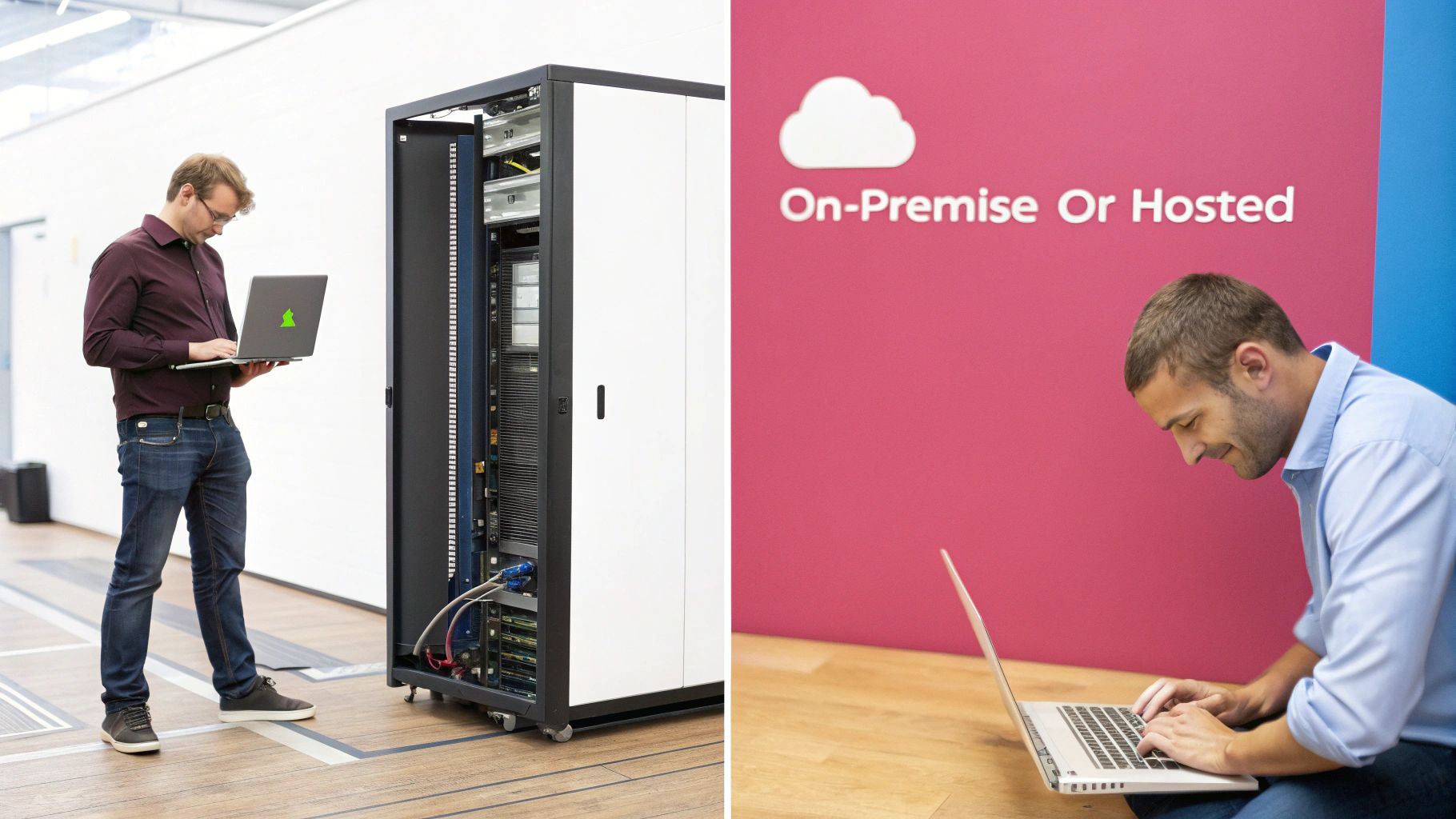
On-Premise PBX: The DIY Approach
Going down the on-premise route means your business buys and installs the entire PBX server system at your office. This gives your internal IT team total, hands-on control over every nut and bolt of the phone system's configuration.
The catch? It requires a hefty upfront investment in hardware, software licences, and the initial setup. On top of that, the ongoing burden of security, system updates, and troubleshooting falls squarely on your shoulders. This path really only makes sense for larger organisations with dedicated IT departments and very specific, complex customisation needs.
Hosted VoIP: The Managed Service Model
A hosted VoIP solution flips the script entirely. Instead of a massive capital outlay, you pay a predictable monthly subscription. Your provider handles everything—all the maintenance, security updates, and technical support—from their end.
This approach completely removes the need for you to buy or manage expensive hardware. It frees up your team to focus on what they do best, rather than wrestling with telephony infrastructure. For the vast majority of UK small and medium-sized businesses (SMEs), this managed model is the most streamlined, cost-effective, and hassle-free way to modernise their communications.
A hosted solution transforms your phone system from a capital expense you have to manage into a predictable operational expense supported by experts. It’s a perfect fit for businesses that want to focus on their own growth, not on the complexities of IT infrastructure.
A Direct Comparison for Your Business
To help you make a strategic decision, it's useful to see the two models side-by-side. The right choice really hinges on your company's resources, in-house expertise, and future plans.
This table compares the two primary VoIP deployment models across key business criteria to help you decide which is right for your organisation.
On-Premise PBX vs Hosted VoIP: A Comparison for UK SMEs
| Feature | On-Premise PBX | Hosted VoIP (e.g., SES 3CX Solution) |
|---|---|---|
| Initial Cost | High. Requires significant upfront investment in servers, hardware, and software licences. | Low. Minimal to no upfront hardware costs, operating on a subscription model. |
| Maintenance | Your Responsibility. Your IT team must manage all updates, security, and troubleshooting. | Provider's Responsibility. All maintenance and security are handled by the expert provider. |
| Control | Full Control. Direct, granular control over all system configurations and customisations. | Managed Control. The provider manages the core system, with user-friendly controls for day-to-day settings. |
| Scalability | Limited & Costly. Adding more users often requires purchasing additional hardware or licences. | Highly Scalable. Easily add or remove users on demand with a simple adjustment to your subscription. |
| Expertise | Requires In-House IT. You need a dedicated team with specialised telephony skills. | No In-House Expertise Needed. You benefit from the provider’s specialised knowledge and support. |
For most professional services firms in Dorset, Somerset, and the surrounding areas, the hosted model offers a clear advantage. It gives you access to a powerful, enterprise-grade voice over ip office phone system without the financial drain and management headaches, letting you get on with what matters most: running your business.
Securing Your Communications in a Digital Age
When your business is built on trust and handles sensitive client information, securing your communications isn't just a good practice—it's a legal and ethical necessity. Moving to a voice over ip office phone system offers incredible flexibility, but it also means your calls are travelling over the internet. Naturally, that brings up some important questions about security that every professional services firm needs to get right.
The good news is that a modern, professionally managed VoIP system is built from the ground up with security at its heart. It’s specifically designed to counter the very threats that keep business owners awake at night, ensuring your conversations and data stay private.
Safeguarding Against Digital Threats
The main worries for any business using internet-based communication are eavesdropping and fraud. These aren't just far-fetched Hollywood scenarios; they are real-world risks that a well-configured VoIP system is engineered to shut down.
Here’s what you’re up against:
- Call Interception: Think of this as the digital version of wiretapping, where someone tries to listen in on your calls. For a solicitor discussing a case, an accountant reviewing financials, or a care provider handling personal details, this is an absolute non-starter.
- Fraudulent Call Charges: A more common threat is toll fraud. This is where criminals hijack your phone system to rack up thousands of pounds in expensive international or premium-rate calls, leaving you to foot the shocking bill.
A modern VoIP system isn’t left defenceless. It uses several layers of security to build a protective bubble around all your business communications.
Core Security Measures for VoIP Systems
Keeping your conversations private requires a proactive, multi-layered approach. Two of the most critical defences are call encryption and secure network configurations, which work hand-in-hand to shield you from prying eyes and malicious attacks.
The cornerstone of VoIP security is call encryption. This is handled by a protocol called Secure Real-time Transport Protocol (SRTP). The easiest way to think of SRTP is as a highly secure digital envelope for your voice data. As you speak, your voice is converted into digital packets, and SRTP immediately scrambles them with powerful encryption before they even leave your building.
What does this mean in practice? Even if a hacker managed to intercept those data packets on their journey across the internet, all they’d get is useless, garbled noise. The packets can only be unscrambled when they arrive safely at their intended destination.
Meeting Compliance and Regulatory Standards
For many professional services firms, security isn't just about defence—it’s about compliance. Regulations like the UK's General Data Protection Regulation (GDPR) and industry-specific standards from bodies like the Financial Conduct Authority (FCA) have strict rules about how you handle and store client data.
A professionally managed voice over ip office phone system isn’t a security risk; it’s a compliance tool. By using features like secure, encrypted call recording, firms can create a robust audit trail to meet regulatory demands, resolve disputes, and maintain service quality—all while protecting client data.
These features ensure that any recorded calls containing sensitive information are stored securely, with access locked down to authorised personnel only. This helps you meet your legal obligations and gives you peace of mind, proving your communications are not just flexible and efficient, but fundamentally secure.
Your Smooth Migration to VoIP: A Practical Checklist
Making the switch from an old-fashioned phone line to a modern voice over ip office phone system can feel like a big undertaking. But it doesn't have to be a headache. If you break the process down into a clear, manageable set of steps, you can guarantee a smooth transition with minimal disruption and start seeing the benefits right away.
Think of a successful migration as a project that starts long before you plug in a single new handset. The first stage is all about getting a firm grasp on what you have now and what you’ll actually need going forward.
Phase 1: Pre-Migration Assessment
Before you even think about choosing a provider, you need to take a hard look at your current setup. This foundational step is crucial for preventing technical hiccups later on and ensuring your new system has a solid base to build upon.
- Audit Your Current Setup: It's time to take stock. How many people in your team need a phone? How many physical lines are you currently paying for each month? And what features, like call transferring or voicemail, does your team genuinely use day-to-day? This creates a clear baseline for what your new system must deliver.
- Test Your Internet Readiness: VoIP lives and dies by the quality of your internet connection, so its stability is absolutely paramount. Any professional provider worth their salt will run thorough bandwidth and network quality tests. This confirms your connection can comfortably handle the number of calls you expect to make and receive. For a deeper dive into the hardware side of things, our guide on selecting the right voice over ip router has some great pointers.
Phase 2: Planning and Implementation
Once you’ve got a clear picture of your needs, you can move into the planning stage. This is where the exciting part begins—choosing your provider, designing the new setup, and getting your team ready for the change.
A critical piece of this phase is planning the number porting process. That’s the official term for moving your existing, well-known business phone numbers over to the new VoIP service. A reputable provider will handle this entire process for you, making sure there's no service interruption. Your clients will be able to call the same number they always have, without even noticing a change.
Next up, you'll configure your call flows. This is your opportunity to completely rethink how calls are managed. For instance, a dental practice could set up an auto-attendant ("Press 1 for appointments, Press 2 for billing…") to guide patients to the right person instantly. This simple change frees up reception staff to focus on the people in front of them.
Phase 3: Training and Go-Live
The final stage is all about your people. Preparing them for the new system and then flipping the switch is the home stretch. One of the biggest mistakes businesses make is skimping on staff training; you can have the most powerful system in the world, but it’s no good if your team doesn't know how to use it.
A well-planned migration isn't just a technical task; it's a business improvement project. Proper staff training is essential to unlock the full potential of your new system, turning powerful features into everyday productivity tools that drive efficiency and improve client service.
The last few steps are straightforward but vital:
- Conduct Team Training: Get some hands-on training sessions in the diary. Show your staff how to use the new handsets, the softphone apps on their computers, and exciting features like video conferencing.
- Schedule the Go-Live Date: Work with your provider to choose a cutover date. It’s always best to pick a time that’s typically quieter for your business, like a Friday afternoon.
- Ensure On-Site Support: A good provider will have an expert engineer on-site or on standby during your go-live day. They’ll be there to handle any immediate questions and make absolutely certain everything is running like clockwork.
Got Questions About VoIP? We've Got Answers
Stepping into the world of a modern voice over ip office phone system can feel like a big leap, and it's only natural to have a few questions. Let's tackle some of the most common ones we hear from UK businesses, with clear, straightforward answers.
Can We Keep Our Old Business Phone Number?
Yes, absolutely. Keeping your number isn't just possible, it's your right. UK regulations on number portability mean you can take your existing phone numbers with you when you switch to a new provider.
A good provider will handle this "porting" process from start to finish. For you, it’s seamless. For your customers, nothing changes – they just keep dialling the number they’ve known for years.
What Happens If Our Office Internet Goes Down?
This is a really common concern, but modern VoIP systems are designed with this exact scenario in mind. Any professionally configured system will have robust failover protection built right in.
If your main internet connection ever drops, calls are instantly and automatically rerouted to wherever you need them to go—be it a set of mobile numbers or even a different office location. This ensures you never miss that crucial call, offering a level of business continuity that old-fashioned landlines simply can't touch.
Picture this: A local accountancy firm's broadband cuts out during a sudden storm. Their VoIP system doesn't miss a beat, automatically forwarding every incoming call to the partners' mobiles. Clients calling the main office number are connected without a hitch, completely unaware there was ever a problem.
Is VoIP Genuinely Cheaper Than a Landline?
For almost every business we've worked with, the answer is a definite yes. First off, VoIP gets rid of the need for costly physical line rentals from the big, traditional carriers.
It also slashes your call costs, particularly if you have multiple sites or make international calls, which are often bundled into your plan or charged at far lower rates. While there's an initial setup, the long-term savings on running costs almost always lead to a much lower total cost of ownership.
How Much Internet Speed Do We Really Need?
The bandwidth you'll need boils down to how many calls your team will be making at the same time. As a rough guide, a single high-quality call uses about 100 kilobits per second (kbps) of both upload and download speed.
Don't worry, you don't need to be a tech wizard to figure this out. A crucial first step in any professional installation is a quick audit of your internet connection to check it's fast and stable enough. For most small and medium-sized businesses, a standard business fibre connection provides more than enough oomph to run a crystal-clear VoIP service for everyone.
Ready to see how a modern voice over ip office phone system could work for your business? The local experts at SES Computers are here to guide you through a smooth and successful transition with our managed 3CX hosted solutions. Contact us today for a no-obligation consultation.