For any small or medium-sized business, the office Wi-Fi is the unsung hero of daily operations. But here's the uncomfortable truth: it's also one of your biggest security weak spots. Too often, it's treated as a set-and-forget utility, yet it can become an open door for cyber threats, leading to devastating data breaches and a loss of client trust that’s hard to win back. Getting your secure wireless networks in order isn’t just an IT job; it's a core business necessity.
Why Your Wi-Fi Is a Bigger Risk Than You Think

It’s easy to underestimate the danger of a poorly configured Wi-Fi network. We see it as a simple utility, like the lights or the heating, but its direct link to your most sensitive data makes it a magnet for attackers. An unsecured network is practically an invitation for unauthorised access, data theft, and malware.
This isn't just theory; it’s happening to businesses all over the country. The latest UK Cyber Security Breaches Survey found that a staggering 43% of UK businesses suffered at least one cyber breach or attack in the last year. With phishing hitting 42% of small businesses, it's clear that a weak wireless network is often the first domino to fall.
Real-World Scenarios in Professional Services
Let's picture a law firm in Dorset. They handle highly confidential client data every day, from case files to financial settlements. If they're using a weak, shared Wi-Fi password or haven't segmented their network properly, an attacker could be sitting in a nearby car, attempting to gain access. Once on the network, they could intercept emails, encrypt files with ransomware, or steal client records, triggering massive regulatory fines and destroying the firm's reputation.
This brings up a crucial point: it’s not just your own data at risk. For any professional services firm—be it legal, accountancy, or consultancy—a breach means you’ve failed to protect the very information your clients trusted you with. You’re left dealing with the operational chaos and the long, hard road of rebuilding a reputation that may be permanently damaged.
The Retail and Hospitality Vulnerability
The threat is just as real for shops and hotels. Consider a boutique hotel in Somerset offering free guest Wi-Fi. If that guest network isn't completely walled off from the main business network, a guest’s infected laptop could easily spread malware to the hotel's point-of-sale (POS) terminals or booking systems.
An unsecured guest network isn’t a customer perk; it’s a massive liability. It creates a direct line for threats to jump straight into your core business systems, from payment processing to staff rotas.
This kind of oversight could lead to stolen customer credit card details—a nightmare scenario involving huge financial and legal headaches. By leaving this common entry point exposed, businesses are essentially giving anyone within Wi-Fi range a potential key to their most critical operations. A tool meant for convenience becomes a glaring security blind spot.
Building a Secure Wi-Fi Foundation from the Ground Up
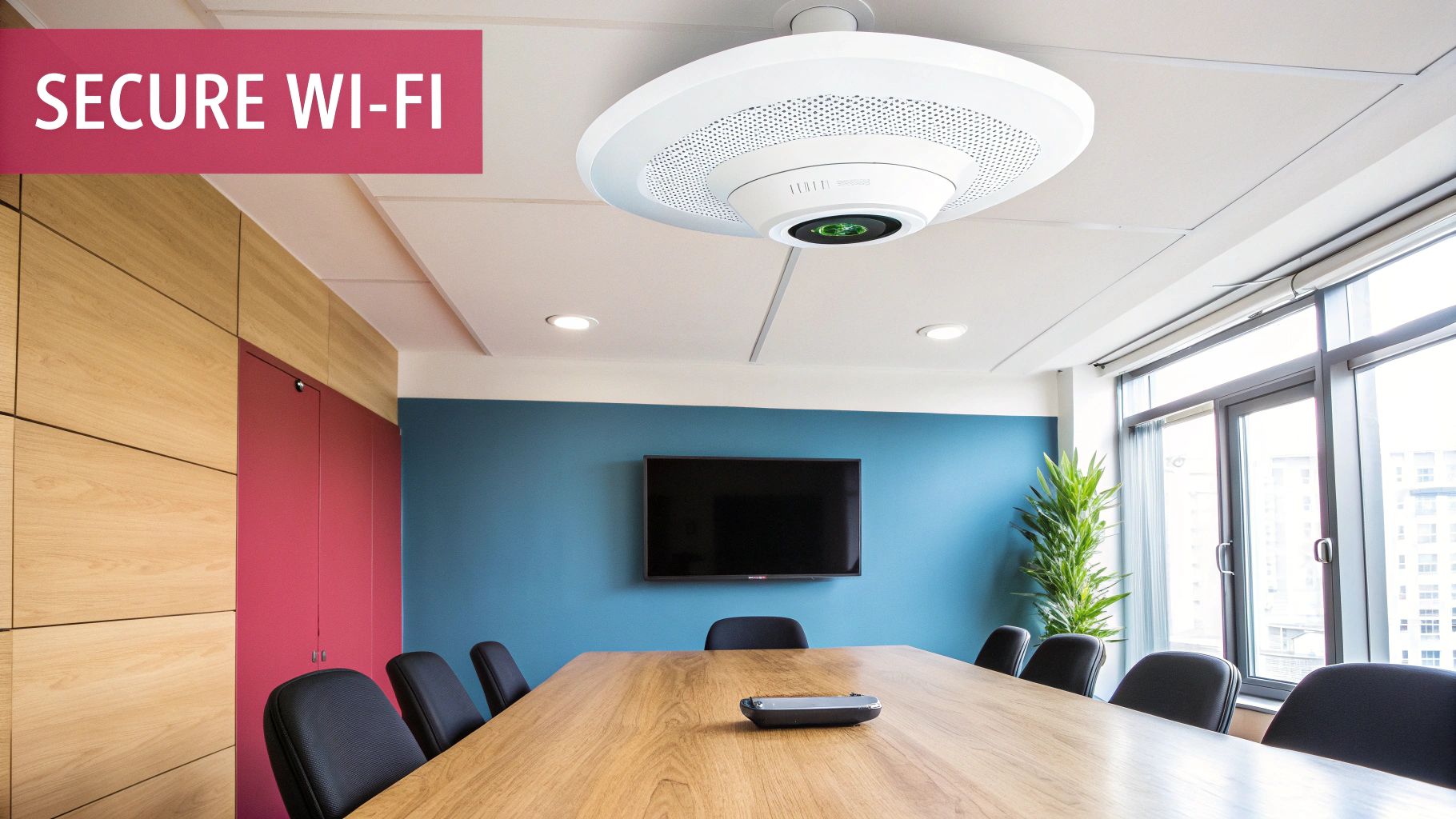
Securing your wireless network starts long before you ever think about a password. The real groundwork is laid in the physical and logical design of the network itself. You need to stop thinking of your Wi-Fi as one big, open space and start treating it as a series of controlled zones. This approach builds a strong foundation that makes it much harder for an unauthorised user to get a foothold in the first place.
A classic mistake we see all the time is businesses placing their access points (APs) wherever it’s most convenient. This often means near windows or on exterior walls. What you’re actually doing is broadcasting your network signal far beyond your own premises, basically hanging a "come and get it" sign for anyone passing by to probe your defences.
Instead, think strategically about placement. Your APs should be positioned to give you strong, reliable coverage inside your office while minimising how much signal "leaks" outside. This is absolutely critical if you're in a shared office building or a busy commercial area. By shrinking your signal's reach, you shrink your attack surface.
The Power of Network Segmentation
With your physical layout sorted, the single most effective security technique you can implement is network segmentation. This simply means chopping up your main network into multiple, isolated virtual networks, usually using a technology called VLANs (Virtual Local Area Networks).
Think of it like building internal walls within your office. Just because someone has a key to the front door (your main Wi-Fi password), it doesn’t mean they should be able to wander into the server room or the finance department. Segmentation applies that same logic to your network, ensuring a breach in one zone doesn't automatically compromise the entire business.
For a typical professional services firm, a basic segmentation plan would look something like this:
- Internal Staff Network: This is for trusted employees to access company essentials like shared drives, printers, and internal software.
- Guest Network: A completely separate, isolated network for visitors and clients. Traffic here should only be allowed to access the internet—and absolutely nothing else on your internal network.
- Critical Systems Network: A highly restricted, locked-down network for servers holding sensitive client data, financial records, or other critical infrastructure. Only very specific, authorised devices should ever be able to connect here.
Here's a real-world example: an accountancy practice in Wiltshire. They created a separate VLAN just for their client database servers. This means that even if a staff member’s laptop on the main network gets infected with malware, that infection can't spread to their most critical data. It's a simple but incredibly effective security wall.
Choosing the Right Hardware for Security
Your ability to put these foundational controls in place hinges entirely on the quality of your networking hardware. That consumer-grade router you can buy on the high street simply doesn't have the features needed to build a properly secure business network. It's just not designed for it.
When you're choosing routers and access points, you have to prioritise equipment that supports modern security standards. This hardware is the bedrock of your network's defences. To build a truly resilient defence, consider a broader spectrum of practical cyber security solutions for SMBs, extending beyond just wireless networks.
Your hardware shopping list must include support for:
- WPA3: This is the latest and most secure Wi-Fi encryption protocol. It provides much stronger protection against password-guessing attacks than its predecessor, WPA2.
- VLAN Tagging (IEEE 802.1Q): This is the non-negotiable feature that allows you to create the segmented networks we just talked about.
- Centralised Management: Look for solutions that let you manage all your APs from a single dashboard. This makes it infinitely easier to enforce security policies, roll out firmware updates, and monitor activity across your entire business.
Investing in business-grade hardware isn't a luxury; it's a fundamental requirement for creating a defensible wireless environment. Without these capabilities, you’re essentially trying to build a fortress on a foundation of sand, leaving your business exposed from day one.
Getting Serious About Access Control and Authentication
Once you've got your network's structure sorted, the next big job is controlling who—and what—can actually get on it. It’s tempting to think a simple shared password for the Wi-Fi is enough, but frankly, it's a huge security hole waiting to be exploited. For any professional services firm, real security means verifying every single user, not just their device. This gives you precise control over who can access your digital assets.
Moving beyond a single password for everyone means adopting the kind of security protocols that enterprises use. Don't worry, this isn't nearly as daunting as it sounds, but it delivers a massive upgrade in protection. It completely changes the game from relying on a single shared secret to a system where every user has their own unique set of keys to the kingdom.
This approach is just fundamentally smarter. Think about it: when an employee leaves, you don't have to change the Wi-Fi password for the entire office, forcing everyone to reconnect their devices. You just deactivate that one person's credentials. Access revoked, instantly.
Moving Up to WPA3-Enterprise and RADIUS
The gold standard for this level of security is WPA3-Enterprise, which works hand-in-glove with a protocol called 802.1X. The easiest way to think of 802.1X is as a meticulous security guard for your network. When someone tries to connect, it doesn't just glance at their key (the password); it demands to see their personal ID.
This "ID check" is managed by a central server, typically a RADIUS (Remote Authentication Dial-In User Service) server. Instead of your Wi-Fi access points holding the password list, they forward connection requests to the RADIUS server. That server then checks the user's details against a central database—like your company’s Microsoft Active Directory—and gives a simple yes or no.
Setting this up brings some powerful benefits to the table:
- Individual User Logins: Every member of staff uses their own work username and password. This means you have a crystal-clear audit trail of who connected and when.
- Centralised Management: All user access is handled from a single point. Adding a new starter or, more importantly, revoking access for a leaver becomes a quick, simple task.
- Serious Security Boost: It completely kills the risk of shared passwords being leaked or passed around to people who shouldn't have them.
For example, a healthcare practice in Hampshire implemented this exact system. They use WPA3-Enterprise and RADIUS to lock down the network that holds sensitive patient data. Now, only authorised clinical staff can get on it. When a locum doctor finishes their contract, their network access is cut off with a single click. It's a simple change that protects patient confidentiality and keeps them compliant with regulations.
Creating a Password Policy That Actually Works
Even with top-tier authentication, the humble password is still a vital part of your defence. The trap many businesses fall into is creating a password policy that’s so complex and annoying that staff will always find ways around it. The real goal is to strike a balance between security and usability.
Forget the old advice of forcing people to create nonsense strings like P@55w0rd!. We now know that longer passphrases are much better—they’re easier for us to remember but a nightmare for computers to crack. A phrase like "YellowSubmarineDorset2024!" is vastly more secure than a short, complicated password.
A sensible password policy for a professional services business should include:
- Minimum Length: Aim for at least 12-14 characters. Length is your friend.
- Complexity: Still require a mix of uppercase, lowercase, numbers, and symbols.
- Passphrase Focus: Actively teach your team to think in terms of phrases, not just words.
- No Repeats: Prevent people from reusing their last few passwords.
The most important part? You have to explain the why. Take the time to show your team why these rules matter and give them practical examples of how to create strong passphrases they won't forget.
Using MAC Address Filtering as an Extra Hurdle
Another tool you can use is MAC (Media Access Control) address filtering. Every single network-capable device, from a laptop to a printer, has a unique MAC address hard-coded into it. You can tell your access points to only speak to devices whose MAC addresses are on an approved list.
Now, let's be realistic. This isn't a foolproof security measure. A skilled attacker can "spoof" a MAC address, making their device look like one of yours. That's why it should never, ever be your only defence.
However, it’s a brilliant way to trip up casual or opportunistic attackers. It's one more hoop they have to jump through. For a small law firm, you could easily create a "whitelist" of all company-owned laptops and phones. This simple action helps prevent staff from connecting personal, potentially insecure devices to the main network and stops a visitor from accidentally hopping onto the wrong Wi-Fi.
By layering these different methods—strong authentication, a sensible password policy, and MAC filtering—you build a much more resilient and secure wireless network. To truly fortify your defences, the next step is to understand what Multi-Factor Authentication is and add that extra layer of verification.
Managing Devices and Mitigating Third-Party Risks
Even with the best access controls in place, your network’s security is only ever as strong as its weakest link. In our experience, that weak link is almost always a device. Laptops, printers, smart thermostats, and even staff mobile phones can all become entry points for an attack. Managing these devices isn't just an IT chore; it's a fundamental part of keeping your wireless network secure.
Every single device represents a potential foothold. An unpatched router or a staff member's personal phone loaded with questionable apps can unravel all your other security efforts. That's why having a clear and consistent device management strategy is non-negotiable for any business that handles sensitive information. You need a systematic approach for patching, policy enforcement, and managing any external connections.
This means staying on top of firmware updates for all your network hardware, like routers and access points, to shut the door on known exploits. It also means deciding exactly what devices are allowed to connect to which network segments.
Creating an Ironclad Device Management Checklist
To keep your equipment secure, you need a repeatable process for updates and maintenance. Outdated firmware is a shockingly common vulnerability, and it's one that attackers absolutely love to exploit. A proactive patching schedule is your best first line of defence against these emerging threats.
Here's a practical checklist to get you started:
- Inventory All Your Devices: You can't secure what you don't know you have. Keep a complete, up-to-date list of every device connected to your network—routers, switches, access points, printers, and any IoT devices like security cameras or smart building controls.
- Enable Automatic Updates: Wherever you can, set devices to download and install security updates automatically. This takes the manual effort out of staying protected against newly discovered vulnerabilities.
- Schedule Manual Reviews: For critical infrastructure that doesn’t support automatic updates, block out time in your calendar for quarterly reviews. Check for new firmware releases from the manufacturer and apply them as soon as you can.
- Decommission Old Hardware: Legacy kit that the manufacturer no longer supports with security updates is a massive risk. You need a clear plan to phase out and replace this hardware before it becomes a liability.
A manufacturing firm in Somerset learned this lesson the hard way. An old, unpatched network printer was compromised and used by an attacker to move sideways across their network. It eventually led to a full-blown ransomware attack. Their recovery involved replacing all legacy hardware and implementing a strict, documented patching schedule that someone was accountable for.
Tackling the Growing Threat of Third Parties
Your security perimeter doesn't end with your own devices. Think about the contractors, suppliers, and temporary staff who need network access—they introduce a huge variable. To manage these risks, you need a solid strategy for Third Party Risk Management. Every third-party device connecting to your Wi-Fi is, from a security perspective, an unknown quantity.
The data shows this is a fast-growing problem. Recent reports highlight that third-party risks in UK cyber breaches have doubled, with a staggering 62% of intrusions stemming from third-parties. What's worse, only 54% of perimeter device vulnerabilities get fully remediated, leaving businesses in places like Dorset and Hampshire needlessly exposed. You can find more insights about UK cybersecurity trends and what they mean for your business.
The simplest way to mitigate this is with strict isolation. For example, an IT contractor's laptop should never touch your primary internal network. This is precisely where your segmented guest network proves its worth.
Establishing a Clear Bring Your Own Device Policy
Finally, let's address the risk from your own team's personal devices. A "Bring Your Own Device" (BYOD) policy is no longer just a nice-to-have; it's a core security document that sets clear rules of engagement. Allowing personal phones and laptops onto the main staff network without proper controls is simply asking for trouble.
Your BYOD policy should be straightforward and clearly define:
- Approved Devices: Specify which types of devices are permitted and the minimum operating system versions required. This ensures they can support modern security features.
- Mandatory Security: Require that any personal device connecting to the network has basic security measures enabled, such as a passcode, screen lock, and up-to-date anti-malware software.
- Network Access Rules: State in no uncertain terms that personal devices may only connect to the designated guest or BYOD network, never the primary internal network where sensitive company data lives.
- Company Data: Forbid the storage of sensitive company information on personal devices.
By combining diligent hardware management, strict third-party isolation, and a clear BYOD policy, you close some of the biggest security gaps that SMBs face and build a much more resilient defence for your business.
Adopting a Proactive Monitoring and Response Strategy
Building a secure wireless network isn't a "set and forget" job. In our experience, the businesses that successfully navigate security threats are the ones who treat it as a continuous process. You can't just install the hardware, configure the passwords, and walk away. Threats evolve daily, and without ongoing vigilance, you're leaving the door wide open.
Think of it like this: your network is constantly talking to you. Proactive monitoring is about learning to listen for the whispers of trouble before they become a full-blown security crisis. It’s about spotting the oddities and having a plan in place to deal with them swiftly.
Key Metrics and Logs That Matter
Effective monitoring isn’t about collecting mountains of data you'll never look at. That’s a common mistake—businesses have all this information but no idea what to do with it. It’s the digital equivalent of installing a smoke alarm but forgetting to put batteries in it.
The real trick is to focus on a handful of high-value indicators that give you an early warning.
- Repeated Failed Login Attempts: A few typos happen. But a storm of failed logins, especially from one device or in the middle of the night? That’s a classic brute-force attack signature.
- Unusual Traffic Patterns: Imagine a PC in the accounts department that suddenly starts trying to upload gigabytes of data to an unfamiliar address in Eastern Europe. That’s not normal behaviour; it could be a sign of data exfiltration.
- Connections to Strange Ports: When devices start communicating on weird ports or with IP addresses known to be malicious, it’s a massive red flag that malware is likely at play.
- Unexpected Device Connections: This is where a solid device inventory pays off. An alert that an unrecognised device has just joined your network needs to be investigated immediately. No excuses.
The whole point of monitoring is to get a feel for what's 'normal' on your network. Once you have that baseline, anything that deviates from it sticks out like a sore thumb and tells you exactly where to start digging.
If you're serious about your security posture, it's worth exploring the best network monitoring tools to get the visibility you need to catch these problems early.
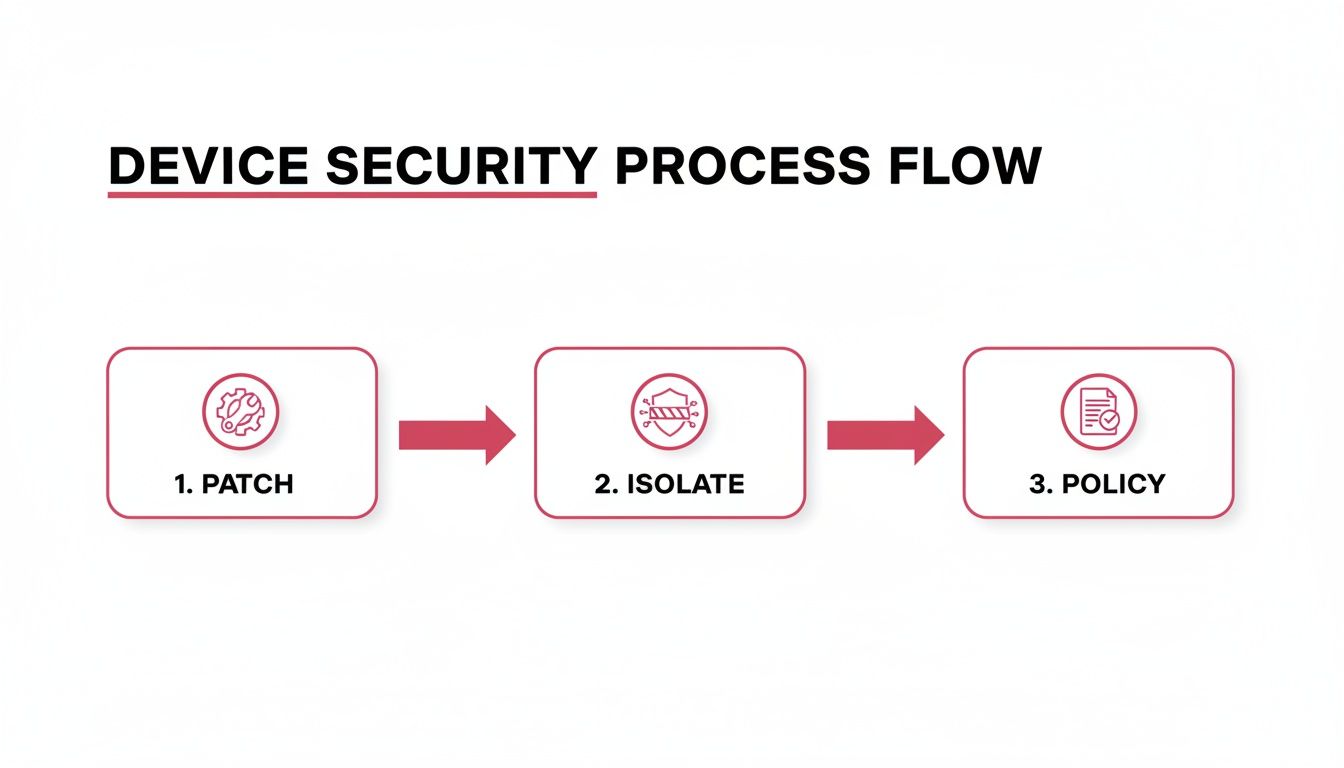
This process flow shows how security is a constant loop. Your policies dictate how you patch vulnerabilities and, when needed, how you isolate potential threats to keep the rest of the network safe.
Playbook 1: Unauthorised Access Detected
So, you think you've got an intruder. The absolute worst thing you can do right now is panic. A calm, methodical response is what will contain the threat and limit the damage.
Your Immediate Actions:
- Isolate the Device: First things first, stop the bleeding. Get into your network management console and kick the unauthorised or compromised device off the network. Now.
- Force Password Resets: If you suspect a user's account has been hijacked, lock it down immediately. Force a password reset for that user across every single company system.
- Dig into the Logs: This is where the real detective work begins. Scour your firewall, RADIUS, and access point logs for the time of the incident. Find the intruder's source IP and figure out what they accessed—or tried to access.
- Preserve the Evidence: If you can, take a forensic image of the affected machine. This isn't just for your own investigation; it can be crucial for any insurance claims or legal action down the line.
Playbook 2: Malware Outbreak Response
A malware infection can tear through an unprotected network in minutes. Your best defences here are speed and the network segmentation you set up earlier.
Containment and Recovery Steps:
- Isolate the Infected Segment: If you can trace the outbreak to a specific VLAN—say, the guest network—sever the connection between that segment and the rest of your network. Do it immediately.
- Pull the Plug on Infected Machines: Identify every device showing signs of infection and physically disconnect them from the network. Don't waste time trying to run antivirus scans while they're still connected and potentially spreading the infection.
- Block the Malicious Traffic: Use your firewall to block all outbound traffic to any command-and-control servers you identified from the malware's activity. Cut off its communication home.
- Restore from Clean Backups: Once you're confident the network is clean, it's time to rebuild. Restore the affected systems from your most recent, verified-clean backups. This moment is precisely why you have a robust backup strategy in the first place.
Your Actionable Wireless Security Checklist
Theory is one thing, but a practical checklist is what turns good intentions into solid defences. Use this as a self-audit to see where your wireless security stands right now, identify the quick wins, and map out a plan for a much tougher network.
Think of this as your tangible takeaway—a guide to put these lessons into practice and keep your business ahead of the curve.
Foundational Network Setup
This is the bedrock of your security. If you get these fundamentals right, everything else you do on top will be far more effective.
- Strategic Access Point Placement: Have you really thought about where your access points are? The goal is strong coverage inside and minimal signal bleed outside your building where others could try to connect.
- Proper Network Segmentation: Are you running separate, isolated networks (VLANs) for your staff, guests, and critical internal systems like servers or payment terminals? They should never mix.
- Strong Encryption: Is your main staff network using WPA3-Enterprise? If you're still relying on a single shared password (WPA2-Personal/PSK) for your main network, it's a major weakness. That kind of setup should only ever be for a guest network.
- Guest Network Isolation: Is your guest Wi-Fi completely firewalled off from your internal company network? Guests should only be able to get to the internet, nothing else.
Here's a quick check: From a device connected to your guest network, try to
pinga printer or a server on your internal network. If you get a response, your isolation isn't working. That's a critical vulnerability you need to fix immediately.
Robust Access Control
Controlling who and what connects to your network is non-negotiable. It's time to move beyond that one password written on a sticky note.
- Individual User Authentication: Does every member of staff use their own unique company login to connect to the Wi-Fi? This is typically handled with a RADIUS server and is a must-have.
- A Clear Password Policy: Do you have a firm policy for long passphrases (12+ characters) with a mix of character types? More importantly, is everyone aware of it?
- MAC Address Filtering: For highly sensitive areas of your network, are you using MAC address whitelisting? It's not foolproof, but it adds another valuable layer of defence.
Device Management and Monitoring
Your network's security is only as strong as the least secure device connected to it.
- Firmware Update Schedule: Do you have a set process for checking and applying firmware updates for your routers, switches, and access points? It can't be an afterthought.
- Bring Your Own Device (BYOD) Policy: Is there a formal, written policy stating that personal devices can only connect to the guest network? It should also outline the minimum security standards for those devices.
- Active Monitoring: Are you actually looking at your network logs? You should be watching for red flags like repeated failed login attempts, strange traffic spikes, or connections at odd hours.
The UK wireless network security market is on track to double by 2030, largely because small and medium businesses are finally adopting better protections. The problem? Only 59% of businesses actually have formal security policies in place, leaving huge gaps. For professional services firms here in Dorset and Hampshire, working with a managed service provider is often the most effective way to close those gaps.
You can find more data on this trend from the UK wireless security market report by Grand View Research.
Got Questions About Wireless Security? We've Got Answers
We've walked through the ins and outs of building a secure wireless network. But it's natural to still have a few questions. Let's tackle some of the most common ones we hear from businesses just like yours.
Is WPA2 Still Good Enough for My Business?
Honestly? No, not anymore. While WPA2 served us well for years, its weaknesses are now common knowledge among attackers. For any business that handles client details, financial information, or any sensitive data, WPA3 is the only acceptable standard. It closes key security holes and provides much more robust protection against password-guessing attacks.
If your current routers and access points don’t support WPA3, that’s a major red flag. It’s a clear sign your hardware is outdated and is likely a weak link in your security chain. Putting a hardware refresh on your to-do list should be a top priority.
How Often Do I Really Need to Change the Wi-Fi Password?
If you’re still using a single password for everyone (what we call a Pre-Shared Key or PSK), then changing it regularly is non-negotiable. We recommend a fresh password at least every 90 days. You also need to change it the very same day an employee who knows the password leaves the company.
The better, more permanent solution is to get rid of shared passwords entirely. By switching to WPA3-Enterprise with a RADIUS server, every team member gets their own login. This means no more disruptive password changes and, crucially, you have a perfect record of who connects to your network and when.
Will a VPN Make My Wi-Fi Secure?
A VPN is a fantastic security tool, but it doesn't do what most people think it does for their office Wi-Fi. It creates a secure, encrypted tunnel between a user's device and the internet—essential for protecting staff when they’re working from a coffee shop or at home.
However, a VPN does not secure your local wireless network. It won’t stop an attacker from getting onto your office Wi-Fi if your security is poor. Think of it this way: the VPN is like an armoured car for your data once it's on the road, but it does nothing to lock the gates to your company car park (your Wi-Fi network). You need to secure both.
At SES Computers, our expertise lies in designing and building secure, high-performance wireless networks for businesses throughout Dorset, Somerset, Wiltshire, and Hampshire. If you're ready to upgrade from a basic setup to one with enterprise-level protection, give us a call for a consultation. Let's create a network that secures your business and empowers your growth. Learn more about what we do at https://www.sescomputers.com.