A data backup and recovery service is, in essence, an insurance policy for your most valuable business asset: your information. It’s a professional service that makes a secure copy of your critical data, ready to be restored at a moment's notice if something goes wrong. Whether you're hit by a hardware failure, a cyberattack, or simple human error, this service is what gets you back on your feet.
Why Data Backup Is a Non-Negotiable Business Asset
Picture your business's data for a moment. It is not just files and folders; it is the entire blueprint of your operation. It’s every client record, every financial transaction, every project detail. Losing that is not just an inconvenience—it is a full-blown catastrophe that can bring your business to a screeching halt.
For UK SMEs, especially those in high-stakes sectors like accountancy, care, and retail, a solid data backup and recovery plan is not just an IT expense. It is a fundamental pillar of business resilience.
Think of it like this: your backup strategy is the digital equivalent of a fire escape plan. You put it in place hoping you will never need it, but you absolutely cannot operate responsibly without it. A fire can destroy your physical office, but a data disaster can instantly wipe out the digital assets that actually drive your business forward.
The Real-World Risks of Data Loss
When you do not have a professional backup service, the fallout from data loss is swift and severe. The threats are everywhere, from an employee accidentally deleting a critical folder to a sophisticated ransomware attack locking down your entire network.
A practical example would be a local solicitor's firm losing access to its case management system. Without backups, they cannot access client files, court deadlines, or billing information. The immediate consequence is an inability to serve their clients, leading to professional negligence claims and severe damage to their reputation.
The consequences can be devastating:
- Crippling Financial Penalties: If you lose sensitive personal information, fines under regulations like GDPR can be huge.
- Complete Operational Shutdown: How do you send invoices, manage client appointments, or deliver services without your data? You cannot.
- Irreversible Reputational Damage: Losing customer data shatters trust. Winning it back is a long, uphill battle that many businesses do not survive.
The Growing Need for Professional Recovery Solutions
This is not a static threat; it is getting worse. The UK market for Disaster Recovery as a Service (DRaaS) was valued at USD 356.18 million in 2024 and is projected to rocket to USD 2,711.63 million by 2033. What is driving this? Escalating cybersecurity threats, with UK businesses now facing over 600,000 cyber incidents every single year. This is not a risk you can afford to ignore.
Even on a small scale, knowing the basics of data protection is crucial—for example, knowing how to backup Android phone contacts on a company mobile. Now, imagine scaling that principle up to protect your entire business infrastructure. Manual efforts just do not cut it. This is precisely where a managed service comes in, offering the expertise needed to handle these complex challenges before they become disasters.
If you are just starting to get your head around this, our guide on the fundamentals of what backups are is a great place to begin.
Getting to Grips with Your Core Backup and Recovery Metrics
Before you can build a solid data protection strategy, you need to speak the language of recovery. Two key metrics form the bedrock of any professional data backup and recovery service, setting clear, non-negotiable expectations for what happens when things go wrong. These are not just technical jargon; they are the targets that define your company's ability to bounce back from a disaster.
When you are looking at backup solutions, understanding your Recovery Point Objective and Recovery Time Objective (RPO/RTO) is everything. They answer two straightforward but vital questions: How much data can we stand to lose, and how fast do we absolutely need to be back up and running?
Let us put this into a real-world context. Imagine a busy Wiltshire accountancy firm in the middle of tax season. Every minute is precious, and every transaction they enter is critical to their clients.
Defining Your Recovery Point Objective
Your Recovery Point Objective (RPO) sets the maximum amount of data your business can afford to lose, measured in time. Essentially, it determines how often you need to back up your data.
If our accountants set an RPO of one hour, they are saying they cannot lose more than an hour's worth of work. This means their systems must be backed up at least every 60 minutes. If a server crashes at 2:30 PM, they can restore everything from the 2:00 PM backup, losing only 30 minutes of data. An RPO of 24 hours would be unthinkable during tax season; losing a whole day of financial entries would be a catastrophe.
The impact of getting this wrong goes far beyond just lost data.
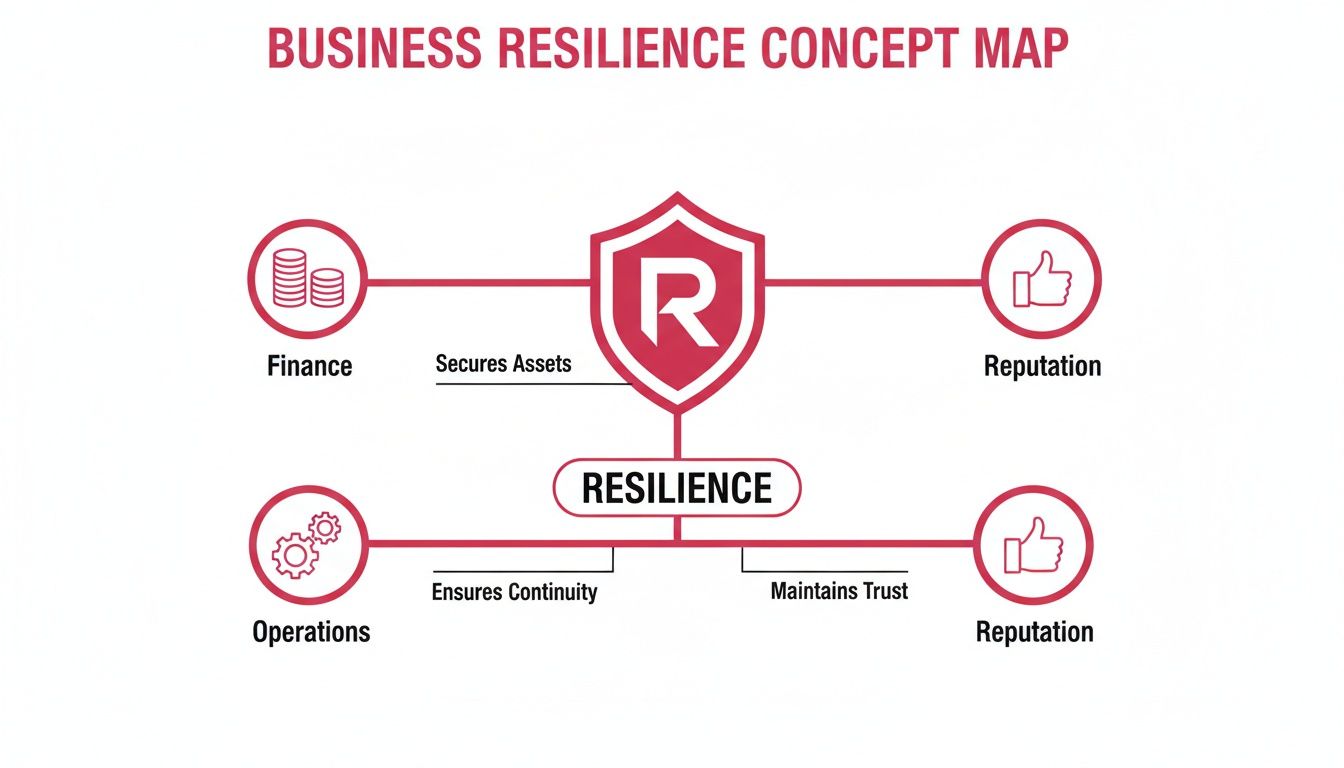
As you can see, failing to meet your recovery goals has a direct knock-on effect on your finances, daily operations, and the trust you have built with your customers.
Defining Your Recovery Time Objective
While RPO is all about data loss, the Recovery Time Objective (RTO) is all about downtime. It defines the maximum amount of time your business can be offline before the damage becomes severe. For our accountancy firm, every hour of downtime could mean missed filing deadlines and very unhappy clients.
If they set an RTO of two hours, their entire recovery plan must be built to get all their essential systems and data restored well within that window. This single metric dictates the kind of technology you will need—from the speed of your backup storage to the finely tuned processes your IT team follows.
A well-defined RTO is what stops a minor IT headache from turning into a full-blown business disaster. It turns the vague idea of "getting back online quickly" into a measurable, actionable target that your IT partner is accountable for.
Choosing the Right Backup Method for the Job
Your RPO and RTO directly steer you towards the right type of backup method. Consider the practical application for a design agency working on large, time-sensitive client projects.
Full Backup: This is like saving the entire project folder, with all its high-resolution assets, as a complete copy. It is simple to restore but consumes significant storage and time. For the agency, a full backup might be scheduled for every weekend.
Incremental Backup: This is like saving only the specific design elements that were changed since the last save. Backups are very fast and small. To restore, however, you need the original full backup plus every single incremental file in sequence, which can be a slow process. This might be used during the working day to capture frequent changes.
Differential Backup: This is the middle ground, saving all changes made since the last full backup. The restore process is much faster than with incremental backups, as it only requires the full backup and the latest differential file. The agency might run a differential backup every evening.
A professional data backup and recovery service will help you create a smart mix of these methods. A common strategy is to perform a full backup once a week (say, on a Sunday) and then run differential backups every other day. This approach balances backup speed, storage costs, and restore time, ensuring you can hit your RPO and RTO targets without fail.
What Goes into a Professional Backup Service?
Not all backup plans are cut from the same cloth. There is a world of difference between dragging files onto a USB stick and using a proper, business-grade data backup and recovery service. One is a hopeful gesture; the other is a robust, reliable system designed to get you back on your feet when disaster strikes.
For any business, getting to grips with what makes a professional service tick is the first real step towards building resilience. These are the non-negotiable features that mean the difference between a minor hiccup and a major catastrophe.

Here is a breakdown of the must-have features you should be looking for.
Essential Features of a Professional Backup Service
| Feature | What It Does | Why It Matters for Your Business |
|---|---|---|
| Automation & Consistency | Runs backups automatically on a set schedule without anyone needing to press a button. | It completely removes human error. No more forgotten backups because someone is on holiday or simply too busy. This ensures your data is always protected as planned. |
| End-to-End Encryption | Scrambles your data, making it unreadable to anyone without the correct key, both while it is travelling over the internet and while it is stored. | This is your digital armoured van. It protects sensitive client or company data from being intercepted or accessed by unauthorised parties, keeping you secure and compliant. |
| Smart Retention Policies | Lets you set rules for how long different types of data are kept. For example, keeping financial records for seven years and old project files for two. | This keeps you compliant with legal requirements (like GDPR) without bloating your storage costs. It also keeps your archives organised, making it easier to find and restore what you need. |
Let us dig a little deeper into why these elements are so crucial.
Automation: Your First Line of Defence
The biggest weakness in any manual process? People. We forget things, we make mistakes, we go on holiday. When it comes to backups, even one missed day can leave your business wide open to data loss. This is precisely why automation is the bedrock of any serious backup service.
Automated backups run like clockwork on a pre-set schedule, whether that is every hour or once a night. You do not have to think about it; it just happens. This simple but powerful feature guarantees your protection is consistent and that you always meet your Recovery Point Objective (RPO).
Encryption: Locking Down Your Data
Your business data is one of your most valuable assets. You would not send cash through the standard post; you would use a secure courier. Encryption is the digital equivalent of that security detail, safeguarding your information at every step of the journey.
A professional service must encrypt your data in two key places:
- In transit: This protects your information as it travels from your office to the secure backup facility, stopping anyone from snooping on it en route.
- At rest: This ensures that once your data arrives at the data centre, it is stored in a scrambled, unreadable state. Even if someone could access the physical servers, the data would be useless to them.
Without this two-pronged approach, your backup could easily become a security weak spot instead of a safety net.
For a care provider here in Hampshire, this is not just a "nice-to-have" feature—it is a legal must. Encryption ensures sensitive patient records are completely protected, helping the organisation meet its strict GDPR and healthcare governance duties.
Retention Policies: Smart, Compliant Archiving
How long should you keep your backups? "Forever" is not a practical or cost-effective answer. Hoarding endless copies of data is expensive and can quickly turn into a compliance nightmare. This is where data retention policies come in.
A professional service lets you define clear rules for how long different data sets are stored. For instance, you might need to keep financial records for seven years to meet UK legal standards, while old marketing materials could be deleted after two.
These automated policies make sure you hit your legal marks without paying for storage you do not need. It also keeps your archives tidy and manageable, making it much easier to pinpoint and restore data from a specific moment in time.
The move towards properly managed, compliant backup services is picking up pace across the UK. With data loss costing British businesses £2.5 billion a year, companies are finally taking action. We are seeing a clear trend where 51% of enterprise IT is expected to be cloud-based by 2025, largely driven by the need for solutions that can handle regulations like GDPR—where over 80% of breaches involve data that was not properly backed up in the first place.
If you are thinking about making the switch, our guide on the benefits of cloud backup solutions for small businesses is a great place to start.
Navigating UK Compliance and Security Requirements
For any business operating in the UK, looking after data is not just good practice—it is the law. Your entire approach to backing up data is fundamentally linked to your ability to navigate a maze of legal and regulatory standards. Get it wrong, and you are not just looking at hefty fines but also a complete erosion of client trust. That is why compliance has to be at the very heart of any professional data backup and recovery service.
The big players here are the UK General Data Protection Regulation (UK GDPR) and the Data Protection Act 2018. These are not just guidelines; they are strict rules on how you must process and protect personal information. They give people rights over their data and put the responsibility squarely on your shoulders. A solid, well-managed backup plan is your proof that you can restore data accurately and shield it from prying eyes.
The Advantage of UK-Hosted Backups
There is a crucial principle in data law called data sovereignty. It is pretty simple: data is subject to the laws and regulations of the country where it is physically stored. This is exactly why a UK-hosted backup service gives you an immediate and significant head start. When your backups stay within the UK's borders, your compliance journey becomes infinitely simpler.
Your data is governed by one set of rules—UK law. You sidestep all the legal headaches and potential clashes that pop up the moment data crosses international borders. This is a game-changer, especially for businesses dealing with sensitive information.
Think about a law firm right here in Wiltshire. They are handling incredibly confidential client files, from sensitive case details to personal identification.
Professionally and legally, that data has to be guarded with the highest level of security and is not permitted to leave the UK. By using a service that stores backups exclusively in UK data centres, the firm instantly satisfies this data sovereignty rule. It makes audits smoother and gives their clients total confidence.
Trying to achieve the same result with an international provider would add a layer of complexity and risk that is entirely unnecessary.
Fortifying Your Defences Against Cyber Threats
Compliance is more than just a box-ticking exercise. It is about actively protecting your data from very real and persistent threats. Today, your backup service has to be a core part of your cybersecurity defences. Ransomware, for instance, has become smarter; attackers now specifically hunt down and delete backups before encrypting your live systems, leaving you with no choice but to pay up.
A managed service provider steps up your defences by building security directly into the backup process. We are talking about much more than just making copies of files. It is a multi-layered security strategy:
- Proactive Monitoring: Security experts keep a constant watch over your backup systems, 24/7, hunting for any unusual activity that might be the first sign of an attack.
- Vulnerability Management: The service makes sure all backup software and hardware are kept up-to-date with the latest security patches, closing any doors before attackers can find them.
- Immutable Copies: Modern services can create immutable backups. This means that once a backup is created, it cannot be changed or deleted for a set period—not even by someone with administrator access. This creates a completely tamper-proof copy that ransomware simply cannot touch.
This kind of integrated approach means your data is not just copied; it is actively defended. Your backup system is transformed from a passive storage vault into a fortified stronghold, ensuring your data is not only safe but always ready for recovery when you need it most.
Putting Your Recovery Plan to the Test

A backup plan that has never been tested is not really a plan at all; it is a theory. Having a robust data backup and recovery service is only half the battle. The other, arguably more important half, is proving that it actually works when you need it most. This is how you turn a strategy from a document on a shelf into a living, validated process that guarantees business resilience.
Think of it as a fire drill for your data. The alarm does not ring to cause panic; it rings to ensure everyone knows exactly what to do and where to go in a real emergency. A recovery test serves the same vital function—it builds muscle memory, irons out the kinks, and turns potential chaos into a calm, controlled response.
From Minor Incidents to Full-Scale Drills
Testing your recovery plan does not have to mean simulating a complete business meltdown every quarter. A layered approach is far more practical, allowing you to verify different parts of your system without causing major disruption. The goal is to build confidence from the ground up, starting small and working your way up to more complex scenarios.
A sensible testing schedule should include a mix of simulations:
- File-Level Recovery: This is your most common test. An employee "accidentally" deletes a critical client folder. Can you restore that specific folder quickly and accurately? This confirms the precision and accessibility of your backups.
- Application-Level Recovery: Here, you simulate the failure of a key piece of software, like your CRM or accounting package. The test involves restoring the application and its data to a separate 'sandbox' environment to ensure it functions correctly before going live.
- Full Disaster Simulation: This is the ultimate test. It is a full-scale drill where you pretend a primary server—or even your entire site—is gone. The objective is to restore operations to a secondary location and prove you can meet your Recovery Time Objective (RTO).
A Practical Example of Recovery Testing in Action
Imagine a manufacturing firm based in Hampshire. Their production line is managed by interconnected systems tracking everything from inventory to machine output. For them, unplanned downtime costs thousands of pounds per hour.
To validate their recovery plan, they conduct a scheduled test every six months with their managed service provider. In this test, they simulate a server failure that takes their core production database offline. The clock starts, and the IT team begins the recovery process using their off-site backups.
The drill is not just about restoring the data; it is about confirming the entire operational chain. They test if the restored database communicates properly with the machinery on the factory floor and if all user access permissions are still intact.
Through this rigorous testing, they confirmed their RTO of four hours was achievable. It also uncovered a minor network configuration issue that would have added two hours to their recovery time in a real disaster. By finding and fixing this during a controlled test, they saved themselves a significant financial loss down the line.
Regular verification is the only way to be certain your plan will work. It turns assumptions into facts and gives you genuine peace of mind. For a deeper look into building this kind of resilience, you can find more information about our IT disaster recovery solutions.
Why a Local Partner Makes All the Difference
When you pull together everything we have talked about—RPOs, RTOs, encryption, compliance—one thing becomes crystal clear: the best partner to handle your data backup and recovery is a local, experienced one. The technology is obviously important, but it is the human side of things that really counts. Expertise, clear communication, and a fast response time are what turn a simple backup tool into a genuine business resilience plan.
Choosing a provider who is actually part of your community offers real, practical advantages that a massive, anonymous corporation just cannot compete with. For businesses across Dorset, Hampshire, and Wiltshire, that means working with someone who gets the local business scene and the unique pressures you are under. It is not just about tech support; it is about having a relationship you can count on.
The Power of Local Expertise and Hands-On Support
When disaster strikes, the last thing you need is to be number 47 in a queue for a call centre on the other side of the world. A local partner gives you a direct line to experts who already know your systems inside and out.
Being nearby makes the service feel personal and incredibly efficient. Whether you have a quick question about a recovery test or you are dealing with a full-blown system failure, having your support team just down the road means you get the help you need, when you need it most. It is this hands-on approach that builds trust and makes for a much more effective partnership.
An All-in-One Approach to Security and Resilience
A professional data backup and recovery service should not exist in a silo. It needs to be a core part of a much bigger security picture that protects your entire business. That is where a local managed service provider like SES Computers can connect all the dots for you.
We weave your backup strategy into other vital services, such as:
- 24/7 Cybersecurity Monitoring: We are always watching for threats, aiming to stop them before they ever get near your data. This makes your backups a true last line of defence, not your first.
- Proactive IT Support: By looking after your entire IT setup, we make sure every system is updated, patched, and configured to run securely and smoothly.
- Complete Disaster Recovery Planning: We help you think beyond just the data. Together, we will build a full plan that covers your applications, communication channels, and how to keep the business running.
This creates a strong operational foundation where every piece works together to keep your business safe and productive. And the need for this kind of integrated thinking is growing fast.
In the UK, the cloud backup market hit USD 314.1 million in 2024 and is expected to climb to an incredible USD 1,202.1 million by 2030. This huge jump shows that small and medium-sized businesses are urgently moving to UK-hosted cloud solutions to fend off rising cyber threats, a trend highlighted in recent market analysis. You can explore the UK cloud backup market findings for more detail.
Let’s Build Your Data Protection Plan
Your business is not like any other, so your data protection strategy should not be either. A generic, off-the-shelf solution will always leave you with dangerous blind spots. Working with a local expert means you can design a plan from the ground up that perfectly fits your RPO, RTO, and compliance requirements.
We invite you to book a professional consultation to review your current data protection setup. Let us work together to build a more resilient and secure future for your business.
Frequently Asked Questions
When you are exploring data backup and recovery services, it is natural to have a few questions. Making the right decision for your business is crucial, so let us walk through some of the most common queries we hear from businesses across Hampshire, Wiltshire, and Dorset.
How Often Should My Business Back Up Its Data?
There is no single right answer here; it all comes down to your Recovery Point Objective (RPO). In plain English, how much data can your business stand to lose? An hour's worth? A full day?
If you are a busy retail shop processing transactions every minute, or an accounting firm in the middle of tax season, you will likely need backups running throughout the day. For other businesses where data changes less frequently, a full backup every 24 hours might be perfectly fine. We will help you figure out a schedule that makes sense for how you work, protecting your critical information without slowing you down.
Is Cloud Backup More Secure Than Local Backup?
It is not really a case of one being better than the other. The strongest strategies actually use both. The gold standard in our industry is the 3-2-1 rule: keep 3 copies of your data on 2 different types of media, with at least 1 of those copies stored safely off-site.
This is where a professional, UK-hosted cloud backup service really shines. It gives you a level of security that is tough to replicate on your own. You get:
- Enterprise-grade encryption, which scrambles your data while it is being sent and while it is stored.
- Geographic separation, meaning a fire, flood, or theft at your office will not touch your backup.
- Expert management from a team dedicated to keeping the infrastructure secure and monitored around the clock.
Essentially, the cloud provides that crucial, secure, off-site copy that underpins any robust data protection plan.
What Is the Difference Between Data Backup and Disaster Recovery?
They are often mentioned together, but they serve different purposes. It is best to think of them like this: data backup is the action, while disaster recovery is the strategy.
Data backup is the specific process of copying your files so you can get them back if they are lost. Disaster Recovery (DR) is the complete playbook of tools, policies, and steps to get your entire business back on its feet after a major incident.
A reliable backup service is a cornerstone of any DR plan. But a full disaster recovery strategy also covers how you will replace servers, restore applications, and get your network running again, minimising downtime and getting you back to business as usual.
Your data is one of your most valuable assets. Do not leave its safety to chance. At SES Computers, we design data protection strategies that give you genuine peace of mind. To secure your business's future, contact SES Computers today.