When we talk about effective WiFi solutions for business, we're really talking about a system built for the job. It needs to provide secure, scalable, and reliable wireless connectivity that is miles ahead of what you would use at home. These professional setups are engineered to handle the demands of a commercial environment—supporting dozens, sometimes hundreds, of devices at once, safeguarding sensitive data, and delivering rock-solid performance across an entire office, warehouse, or shop floor.
Why Your Business WiFi Is a Critical Asset

Let's be frank: unreliable WiFi is not just a minor frustration. It's a genuine obstacle to getting things done. For any modern UK business, a solid wireless network is the foundation for almost everything, from a consultant’s video call with a client to the point-of-sale system in a busy café. When connections drop, files take forever to download, or security becomes a constant worry, productivity grinds to a halt.
Trying to run a professional services firm on a home router is like trying to put out a fire with a garden hose. Both supply water, sure, but only one is built for a situation where performance is absolutely critical.
The Shift Towards Secure and High-Performing Networks
As more of our daily work moves to cloud applications and connected devices, the pressure on our network infrastructure has ramped up significantly. This has rightly pushed security and seamless connectivity to the very top of the priority list for UK businesses. In fact, industry reports show that nearly eight in ten (78%) leaders point to network security and privacy as their most crucial area for improvement.
This is not just about plugging gaps; it is also about a growing confidence in what new technology can deliver. We are seeing that 60% of industry leaders are now more willing to invest in new WiFi infrastructure, recognising its cost-effectiveness and major performance benefits. You can discover more about this industry trend and its implications in recent reports.
A professional WiFi solution is not just about getting online. It is about creating a stable, secure, and efficient digital environment that empowers your team and supports your business goals without getting in the way.
In this guide, we'll go beyond the basics. The goal is to give you a clear roadmap for exploring the different types of wifi solutions for business, helping you choose a system that actively drives your company forward instead of holding it back.
Understanding Business WiFi Architectures
Choosing the right WiFi for your business means looking beyond the box and understanding the technology that powers it. A business-grade WiFi system is not just one device; it is a carefully planned network of components working together. Getting to grips with how these parts interact is the first step in appreciating why a professional setup is leaps and bounds ahead of what you would use at home.
At the heart of any network, you will find three key pieces of kit: access points (APs), switches, and routers. Think of them as a team: the router is your connection to the outside world (the internet), the switch acts like a traffic controller for your internal network, and the access points are what actually broadcast the wireless signal to your phones, laptops, and other devices. For a deeper dive into these core components, have a look at our guide to network infrastructure routers and switching.
This is where the idea of 'architecture' comes in—it is all about how these components are arranged and managed.
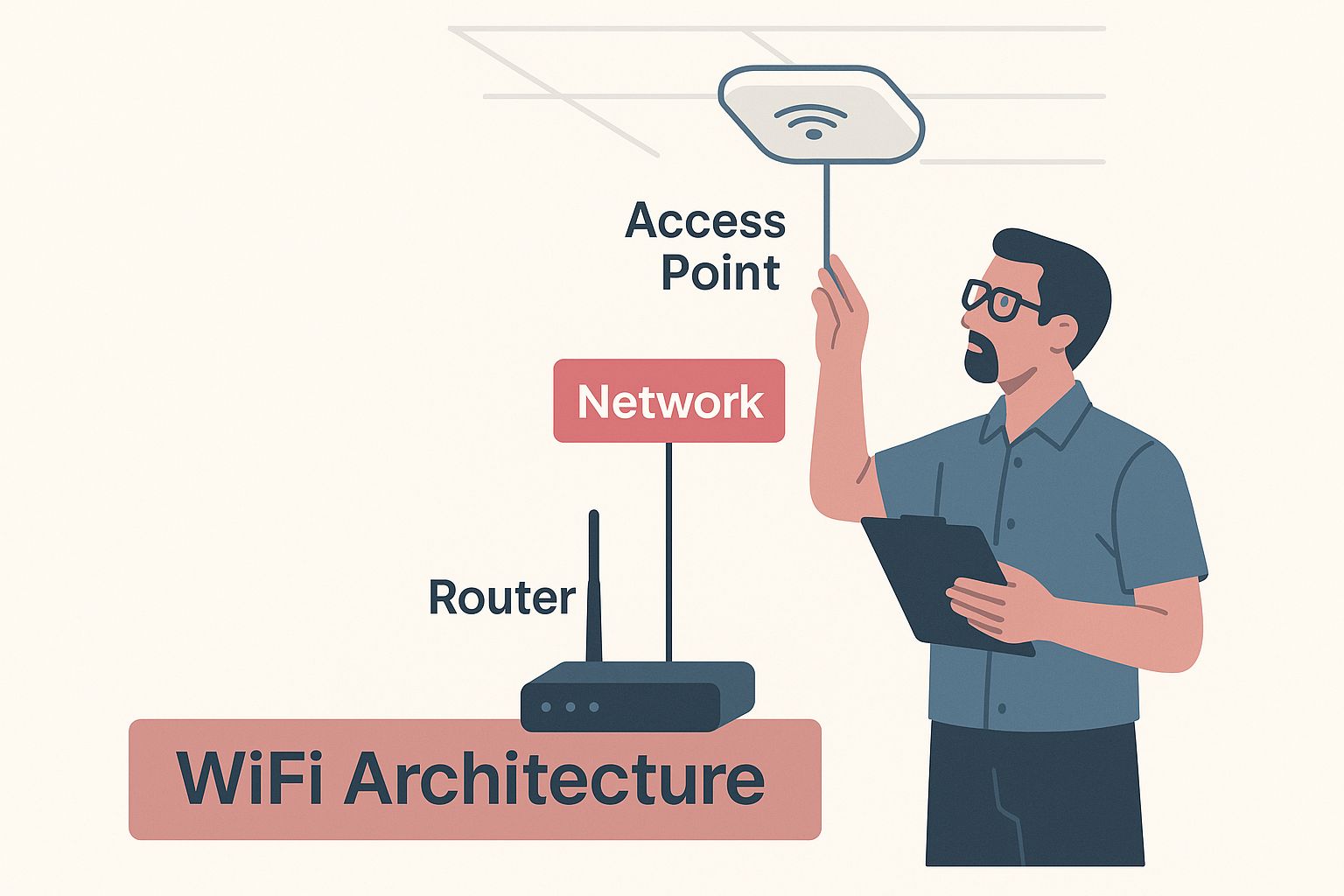
As the image suggests, a robust business network is a well-designed system, not just a random collection of hardware. Let’s explore the most common ways these systems are put together.
Standalone Access Points
The most basic setup uses standalone access points. Each AP is its own little island. You have to configure and manage every single one individually. If you need to change the WiFi password or update the firmware, you have to log into each device, one by one, to make the change.
It is a straightforward and budget-friendly approach that can work perfectly well in very small settings.
- Practical Example: Consider a small, single-room accountancy practice with five employees. A couple of standalone APs would probably provide all the coverage they need. With so few devices and no demand for complex features, managing them individually is not much of a chore.
The problem is, this simplicity does not scale. Once you have more than a handful of APs, this manual approach quickly becomes a time-consuming headache and a recipe for mistakes.
Controller-Based Networks
As a business grows, it usually moves on to a controller-based architecture. Here, a central piece of hardware or software—the controller—acts as the single brain for all the access points. Instead of tweaking each AP separately, you make your changes once on the controller, and it pushes those instructions out to the entire network instantly.
This centralised approach is a massive step up in efficiency and consistency. It guarantees that security policies, guest network settings, and performance tweaks are applied uniformly across the whole office.
- Practical Example: A mid-sized financial advisory firm occupying a single floor needs consistent, reliable WiFi for video calls and access to cloud-based financial platforms. A controller ensures every meeting room and office has the same high level of performance and security, all managed from one central point.
This model is a great fit for medium-sized businesses operating out of a single, larger office where consistent performance and easy management are top priorities.
Cloud-Managed WiFi Solutions
The most modern and flexible option is cloud-managed WiFi. This takes the controller concept and puts it entirely online. There is no physical controller box sitting in your server rack. Instead, all the management, monitoring, and analytics are handled through a web dashboard you can access from anywhere with an internet connection.
This offers incredible scalability and simplifies management, especially for any business with more than one site. An IT manager in London can configure, monitor, and troubleshoot the WiFi networks in the Manchester and Bristol offices without ever leaving their desk. This is a fast-growing trend in the UK, with more than half of mid-sized and large UK businesses expected to be running cloud-managed, Wi-Fi 6-enabled networks by 2026.
- Practical Example: A multi-floor law firm needs seamless roaming, allowing lawyers to walk between floors on a video call without it dropping. A cloud-managed solution delivers this effortlessly, along with robust, centralised security policies to protect sensitive client data across the entire building—all managed from a single screen.
To help you decide which path is right for you, here’s a quick comparison of the three architectures.
Comparing Business WiFi Architectures
| Architecture Type | Best For | Key Advantages | Potential Drawbacks |
|---|---|---|---|
| Standalone APs | Very small businesses, single rooms, or budget-conscious start-ups. | Low initial cost, simple to set up for one or two units. | Inefficient to manage at scale, prone to inconsistencies, lacks advanced features. |
| Controller-Based | Medium-sized businesses with a single, dense office environment. | Centralised management, consistent policies, robust feature set. | Higher upfront cost for controller hardware, management is tied to the physical site. |
| Cloud-Managed | Businesses of any size, especially those with multiple locations or remote IT staff. | Ultimate scalability, manage from anywhere, always up-to-date, rich analytics. | Requires an ongoing subscription fee, dependent on an internet connection for management. |
Ultimately, the best architecture depends entirely on your current needs and future ambitions. A small café has very different requirements from a growing tech firm with offices in three cities.
Essential Security for Your Business Network
It is easy to think of WiFi security as just another box to tick on a technical checklist, but that is a dangerously narrow view. For any business today, a secure wireless network is a cornerstone of risk management. It is no different from locking the office doors at night—a basic, non-negotiable step to protect your most critical assets, from financial data to client information.
Without the right security in place, your business network is essentially an open door, inviting unauthorised access. This goes far beyond stopping neighbours from piggybacking on your internet. It is about preventing data theft, blocking malware, and avoiding the kind of reputational damage that can be incredibly hard to recover from. Strong security is not an add-on; it is the very foundation of a reliable business WiFi solution.
Adopting Modern Security Standards
Your first line of defence is always strong encryption. The current gold standard is WPA3 (Wi-Fi Protected Access 3), which offers a massive leap in security over its older cousins, WPA2 and the ancient WEP. If you are setting up a new network, you should insist on WPA3. It provides much stronger protection against password-guessing attacks and even makes open networks safer for users.
By implementing WPA3, you ensure that all the data flying between your devices and the access point is properly scrambled. This makes it almost impossible for anyone snooping on the network to make sense of sensitive information. If your existing hardware does not support WPA3, then using the latest version of WPA2 with an incredibly strong, complex password is the bare minimum you should accept.
The Power of Network Segmentation
One of the smartest and most effective security tactics you can deploy is network segmentation. Do not think of your WiFi as one big, open-plan office where everyone can see and access everything. Instead, picture a building with separate, locked rooms for different teams and purposes. You achieve this by creating multiple network names, or SSIDs, that are walled off from each other.
This simple move drastically shrinks your attack surface. It lets you create dedicated networks for specific uses, each with its own set of access rules.
-
Internal Staff Network: This is your high-security zone. It is where employees access company servers, shared files, printers, and other sensitive internal resources. Access here should be strictly limited to trusted, company-managed devices.
-
Guest Network: A must-have for any business with visitors. This network provides internet access to clients, suppliers, or customers, but it is completely isolated from your internal network. This means a compromised device on the guest network cannot be used to jump over and attack your core systems.
-
IoT/Operational Network: If your business uses devices like smart thermostats, security cameras, or even smart lighting, they should live on their own isolated network. This prevents a potential vulnerability in a simple smart lightbulb from becoming a gateway into your entire business.
-
Practical Example: A marketing agency needs to protect its confidential client data and campaign strategies. When clients visit, they connect to a guest WiFi that offers internet access but is completely firewalled from the main company network. This simple separation is a powerful shield against a whole host of common cyber threats.
By segmenting your network, you contain potential threats. A security breach on your guest network remains just that—a contained incident, rather than a full-blown catastrophe affecting your entire business operation.
Building a Human Firewall
Technology alone cannot solve everything. The most sophisticated security system in the world can be undone by simple human error, which is why staff training and clear policies are so important. Your team is your first and last line of defence.
A solid security strategy has to include a strong password policy, enforcing long, complex passphrases that are changed on a regular schedule. Beyond that, it is crucial to educate your team on spotting phishing emails, avoiding suspicious links, and knowing who to contact the moment they sense something is wrong.
For more hands-on guidance, reading up on expert advice for securing your WiFi network can give you clear, actionable steps to bolster your defences. When you combine modern technology with an alert and well-informed team, robust security becomes an achievable and sustainable part of your company culture.
How to Plan and Implement Your WiFi Network
Moving from theory to a live, dependable network needs a clear, methodical approach. If you rush this stage, you are almost guaranteed to end up with poor performance, frustrating dead zones, and expensive fixes down the line. A successful rollout does not start with buying kit; it starts with a deep understanding of your physical space and your business’s future needs.
Think of this process as drawing up the architectural blueprint for your digital workspace. Every step is vital for building a structure that is both strong and perfectly suited for its purpose.
Start with a Professional Site Survey
Before you even think about mounting a single access point, you need a professional site survey. This is, without a doubt, the most critical step in designing a high-performance wireless network. A proper survey is much more than a quick walkthrough; it is a technical deep dive into your premises that produces a detailed map for your WiFi coverage.
An expert uses specialised tools to map out how radio frequency (RF) signals behave in your space. They will identify potential sources of interference—like microwaves or neighbouring networks—and pinpoint physical obstacles that block signals, such as concrete walls or metal shelving. This process guarantees that every access point is placed in the optimal spot for strong, consistent connectivity exactly where you need it.
- Practical Example: Picture an architectural firm with thick concrete walls, large glass partitions, and metal filing cabinets. If you just guessed where to put the access points, you would likely find that critical meeting rooms and design stations become connectivity black holes. A survey prevents this by showing you exactly where signals will weaken, ensuring every corner of the office is covered.
A site survey takes all the guesswork out of network design. It turns a potentially flawed plan into a precise, data-driven strategy for achieving flawless coverage and performance.
Plan for Scalability and Future Growth
Your business is not static, so your WiFi network should not be either. A common mistake is building a network that only just meets today's demands. True scalability is about designing a system that can easily grow with your business, without needing a complete, costly overhaul in a couple of years.
When you are planning, think beyond your current headcount. Ask yourself how your operations might change over the next three to five years. Are you planning to hire more staff? Will you be adopting new WiFi-hungry tech like IoT sensors? Could you be expanding into the office unit next door? Factoring in this future capacity from day one is far more cost-effective.
This means choosing hardware and a network architecture that can handle more users and devices than you have right now. It ensures your network remains a powerful asset, not a bottleneck holding your business back.
Choose the Right Internet Service Provider
Your perfectly planned WiFi network is only as strong as the internet connection feeding it. Choosing the right Internet Service Provider (ISP) is a critical decision that has a direct impact on your speed, reliability, and the support you receive when things go wrong. For most businesses, the choice boils down to two main options.
- Business Broadband: Often delivered via fibre, this is a significant step up from a home connection. It offers faster speeds and much better support, making it a great choice for many small and medium-sized businesses.
- Dedicated Leased Line: This is your own private, uncontended connection directly to your premises. You do not share bandwidth with anyone, which guarantees symmetrical upload and download speeds and rock-solid reliability. It is the gold standard for professional services firms that are heavily reliant on cloud apps, VoIP, or transferring large client files.
When you are comparing providers, pay close attention to the Service Level Agreement (SLA). An SLA is a contractual promise of uptime, performance, and support response times. Think of a strong SLA as your insurance policy against the high cost of downtime. For a more detailed breakdown, our guide on how to choose the right internet provider covers what to look for.
The UK's broadband infrastructure is always improving, but availability still varies wildly. While 54.5% of businesses had access to full-fibre connections in late 2023, about 23% still could not get gigabit-capable speeds. This makes checking what is available in your specific location an essential first step. You can learn more about UK business broadband statistics to get a better sense of the national picture.
Advanced Features That Go Beyond Just a Connection
A modern business WiFi network is so much more than a way to get online. It is a strategic asset that can genuinely boost your efficiency, give you powerful insights into your operations, and drive productivity. These advanced features turn your network from a background utility into an active part of your business's success.
By looking past simple connectivity, you can find new ways to understand and improve how your business works. The good news is these capabilities are not just for huge corporations anymore; they are accessible and frankly essential for any ambitious UK business wanting to get ahead.
Prioritising Critical Traffic with Quality of Service
Picture your network like a busy motorway. At peak times, it gets jammed with all sorts of traffic – huge file downloads, software updates, and your crucial VoIP calls or video conferences. Quality of Service (QoS) is your network's priority lane, making sure the most important data always has a clear path.
QoS lets you decide which applications and devices get first dibs on your bandwidth. It smartly manages your connection to ensure a vital client video call stays crystal clear, even if someone else is backing up massive project files. This simple act of prioritisation puts an end to lag and dropped connections for the tasks that really matter.
- Practical Example: A law firm relies on uninterrupted video conferencing for client consultations. With QoS, these video streams are prioritised over all other network traffic, ensuring a professional, glitch-free experience, even when the rest of the team is heavily using the network.
QoS puts you in the driver's seat of your network's performance. It guarantees that the activities central to your business are never held hostage by less important background traffic, ensuring a professional, reliable experience for everyone.
Gaining Deeper Insight with Presence and Location Analytics
Many professional WiFi systems can now offer anonymised data on how people and devices move through your physical space. This feature, known as presence analytics, gathers information on footfall and movement patterns without ever collecting personal data, giving you a powerful tool for making smarter operational decisions.
This is not about tracking individuals; it is about understanding how your space actually gets used.
- Office Optimisation: A professional services firm could analyse footfall to see which meeting rooms are most popular and when. This kind of insight helps shape decisions on office layout, leading to more efficient and collaborative work environments.
- Retail Flow: A shop can use this data to map out customer journeys, spot popular aisles, and optimise product placement to create a better in-store experience.
Ultimately, these analytics give you the hard data needed to make informed decisions about your physical environment, helping you cut costs and improve how things run.
Ensuring Uninterrupted Connectivity with Seamless Roaming
In any busy workplace, people are constantly on the move. Seamless roaming is the clever feature that lets your team walk throughout the building without their connection dropping for a second. As they move away from one access point, their device is instantly and automatically handed over to another with a stronger signal, all without any interruption.
This is non-negotiable in places where constant connectivity is key. For a solicitor taking a client call on their mobile while moving between their office and a meeting room, seamless roaming ensures the call never drops. Implementing sophisticated systems like IoT for solar panel monitoring and energy management also relies on this kind of robust network foundation. It is a fundamental capability for keeping productivity high in any mobile work setting.
Choosing the Right WiFi Partner and Solution
Picking the right WiFi solution is about more than just hardware. It is about finding a long-term partner who genuinely gets what your business is about. The best systems do not just solve today's problems; they are ready for where you are headed tomorrow. This means shifting your mindset from the initial price tag to the Total Cost of Ownership (TCO).
It is tempting to go for a cheaper setup, but that can be a false economy. The real cost shows up later in frequent downtime, lost staff productivity, and the nightmare of a security breach. A good partner helps you see these hidden costs from the start, guiding you towards an investment that pays for itself over time.
Key Questions to Ask Potential Vendors
Before you sign on the dotted line, you need to do your homework. The way a potential partner answers these questions tells you everything about their expertise, their support quality, and how much they care about your success.
- When things go wrong: What are your support hours and how quickly will you respond? Is there an emergency number for after-hours crises?
- Guarantees: Do you offer a formal Service Level Agreement (SLA) that guarantees network uptime? What happens if you do not meet it?
- Hardware Lifespan: What is the warranty on the access points and other kit? If something breaks, who handles getting it replaced?
- Growing Pains: How does this system scale if we hire more people or open a new site? What will that actually cost?
- Staying Secure: Who is responsible for security updates and firmware patches? Is it an automatic process, or is that on our plate?
Think of this as a long-term relationship. You are not just buying a box; you are looking for an expert who can offer proactive advice and be there in a pinch. Their ability to react quickly when something goes wrong is priceless.
Matching Features to Your Business
Every business is different. A busy café has completely different WiFi needs from a law firm or a warehouse. Before you even look at solutions, you have to be crystal clear on what matters most for your daily operations.
This checklist gives you an idea of how different businesses might prioritise features. Use it as a starting point to think about your own unique requirements.
Feature Checklist for Selecting Your WiFi Solution
| Feature/Consideration | Small Retail/Café | Professional Services Office (10-50 staff) | Small Warehouse/Logistics |
|---|---|---|---|
| Secure Guest WiFi | Critical: For customer access, completely isolated from POS systems. | Critical: For visiting clients, ensuring data privacy and a professional image. | Low Priority: Minimal visitor traffic. |
| Quality of Service (QoS) | Medium Priority: To prioritise payment processing over general guest browsing. | Critical: To ensure smooth VoIP calls and video conferencing with clients. | High Priority: To guarantee reliable connectivity for scanners and inventory systems. |
| Seamless Roaming | Low Priority: Staff movement is typically limited to a small area. | High Priority: Allows staff to move between offices and meeting rooms without dropped calls. | Critical: Essential for staff using mobile devices across a large warehouse floor. |
| Scalability | Medium Priority: Needs to accommodate seasonal peaks in customer numbers. | High Priority: Must support future staff growth and new device adoption. | Medium Priority: Should allow for expansion or changes in layout. |
| Centralised Management | High Priority: Simple, cloud-based management for ease of use without dedicated IT staff. | Critical: For efficient monitoring, security updates, and troubleshooting. | High Priority: Enables remote management and monitoring of APs across a large site. |
Ultimately, the goal is to find a solution that lines up with your business goals. By asking the right questions and focusing on the total value, not just the upfront cost, you can confidently choose a partner and a wifi solution for business that will be a stable foundation for years to come.
Frequently Asked Questions About Business WiFi
Stepping into the world of professional networking can feel a bit overwhelming, and it is natural to have questions. We have gathered some of the most common queries we hear from UK businesses to help you get the clarity you need to make the right choice.
What Really Separates Business WiFi from Home WiFi?
At its heart, the difference is all about purpose. Home WiFi is built for comfort; business WiFi is built for performance. Think of it like a family saloon versus a commercial van. Both will get you from A to B, but only one is engineered to withstand the daily grind of commercial use without breaking down.
The key distinctions really come down to:
- Commercial-Grade Hardware: Business-grade access points are packed with better components. They are designed to handle dozens, or even hundreds, of devices connecting at once without dropping a beat.
- Serious Security: Professional systems offer security features you just do not get at home. This includes things like network segmentation (keeping your guest and staff networks completely separate) and the latest WPA3 Enterprise encryption.
- Centralised Management: Instead of fiddling with individual routers, business networks are often managed from a single, unified dashboard. This makes pushing out updates or changing security policies across your entire site incredibly straightforward.
- Scalability: A business network is designed to expand. Need to cover a new floor or an outdoor area? You can simply add more access points into the existing system, and it all works together seamlessly.
How Many Access Points Does My Office Need?
This is a classic "how long is a piece of string?" question. There is no simple formula, and just going by square footage is a rookie mistake that almost always results in patchy coverage.
The right number depends entirely on your specific environment. You have to consider your office layout, what the walls are made of (concrete and metal are notorious signal killers), how many people will be using the network, and what they will be doing. A bustling, open-plan sales floor has completely different needs from an office with lots of individual rooms.
The only way to get a definitive answer is with a professional site survey. An expert will use specialised equipment to actually measure the radio frequency environment in your space, identify interference, and plan the perfect placement for each access point. It takes the guesswork out of the equation and guarantees you will not have any frustrating dead zones.
Can I Install a Business WiFi System Myself?
It is definitely tempting to try and save a bit of money with a DIY installation, but for most businesses, it is a false economy. If you have a tiny, single-room office and only need one or two access points, you might get by if you are technically confident.
For anything more complex, though, getting the professionals in is the smart move. An expert will make sure the access points are positioned for flawless coverage, the network is configured for maximum security, and everything is working together as it should. A poor installation can lead to constant performance issues and security holes—headaches that will cost you far more in lost productivity and frustration down the line.
Ready to build a reliable and secure network that just works? The team at SES Computers provides expert guidance and installation of professional WiFi solutions. Contact us today for a consultation and discover how we can help your business thrive.