At its heart, a data backup is a secure, separate copy of your digital information. Its job is simple but vital: to get you back up and running if the original data is lost, corrupted, or otherwise unavailable. This isn't just about weathering big disasters; it's a daily defence against common hiccups like hardware meltdowns or a simple, accidental click of the 'delete' key.
Why a Solid Backup Strategy Isn't Optional
In any professional services firm, your data is as valuable as the money in your bank account. Think of it—client records, financial data, project files, and intellectual property are the very engine of your business. For an accountancy firm, losing access to client tax records during a submission deadline, even for a few hours, can bring operations to a grinding halt, erode client trust, and even lead to serious financial penalties.
That’s why a proactive backup plan isn't some IT add-on; it’s a fundamental part of your business's resilience strategy. It’s the ultimate insurance policy for your most critical asset. You wouldn't operate without insuring your office, so why would you leave your data unprotected?
The Real-World Risks of Going Without
The threats to your data are constant and come in all shapes and sizes, extending far beyond headline-grabbing disasters. For professional services firms here in the UK, the fallout from data loss can be particularly damaging, affecting client confidentiality, your reputation, and your ability to meet regulatory duties.
Here are the most common culprits we see:
- Hardware Failure: Every piece of kit has a shelf life. Servers, laptops, and hard drives can—and do—fail unexpectedly. For instance, a law firm's main server could suffer a catastrophic drive failure, taking decades of case files with it. Without a recent backup, the data on them is gone for good.
- Human Error: It happens to the best of us. Accidentally deleting a crucial file or overwriting an important document is one of the leading causes of data loss. Imagine an architect accidentally deleting the latest set of blueprints for a major project; a simple mistake can undo days of hard work in seconds.
- Cyber-attacks: Ransomware is a huge threat. An attack can lock down your entire network, holding your data hostage until a huge ransom is paid. A clean, air-gapped backup is often your only way out without paying the criminals.
- Software Corruption: Things go wrong. A buggy software update or a system glitch can corrupt entire databases or file systems, rendering them completely useless. For example, a patch to a client relationship management (CRM) system could corrupt the entire contact database.
A backup you haven't tested is just a theory. You only know if your strategy truly works when you successfully restore your data and can get back to business.
The UK government's own research paints a stark picture. The Cyber Security Breaches Survey found that 43% of UK businesses suffered a cyber breach or attack in the last year. These attacks frequently caused a temporary loss of access to files, and the number of businesses affected by this is rising. You can read the full report on UK cyber security breaches on GOV.UK.
A reliable backup strategy is the foundation of any good business continuity plan. To see how it fits into the bigger picture, it's worth reading up on comprehensive disaster recovery planning. At the end of the day, investing in a robust backup process is an investment in the survival and future of your firm.
Understanding the Core Types of Data Backup
When it comes to protecting your firm's data, there isn't a one-size-fits-all solution. Getting your head around the basic building blocks of data backup is the first step toward building a strategy that actually works for you. Each method strikes a different balance between speed, storage costs, and how quickly you can get back on your feet after a disaster.
Think of all your company's data as a critical master document that's constantly being revised. There are essentially three different ways to create a secure copy of this document.
The infographic below shows just how fundamental a solid backup strategy is. It's the bedrock for business resilience, keeping your day-to-day operations running smoothly and protecting the reputation you've worked so hard to build.
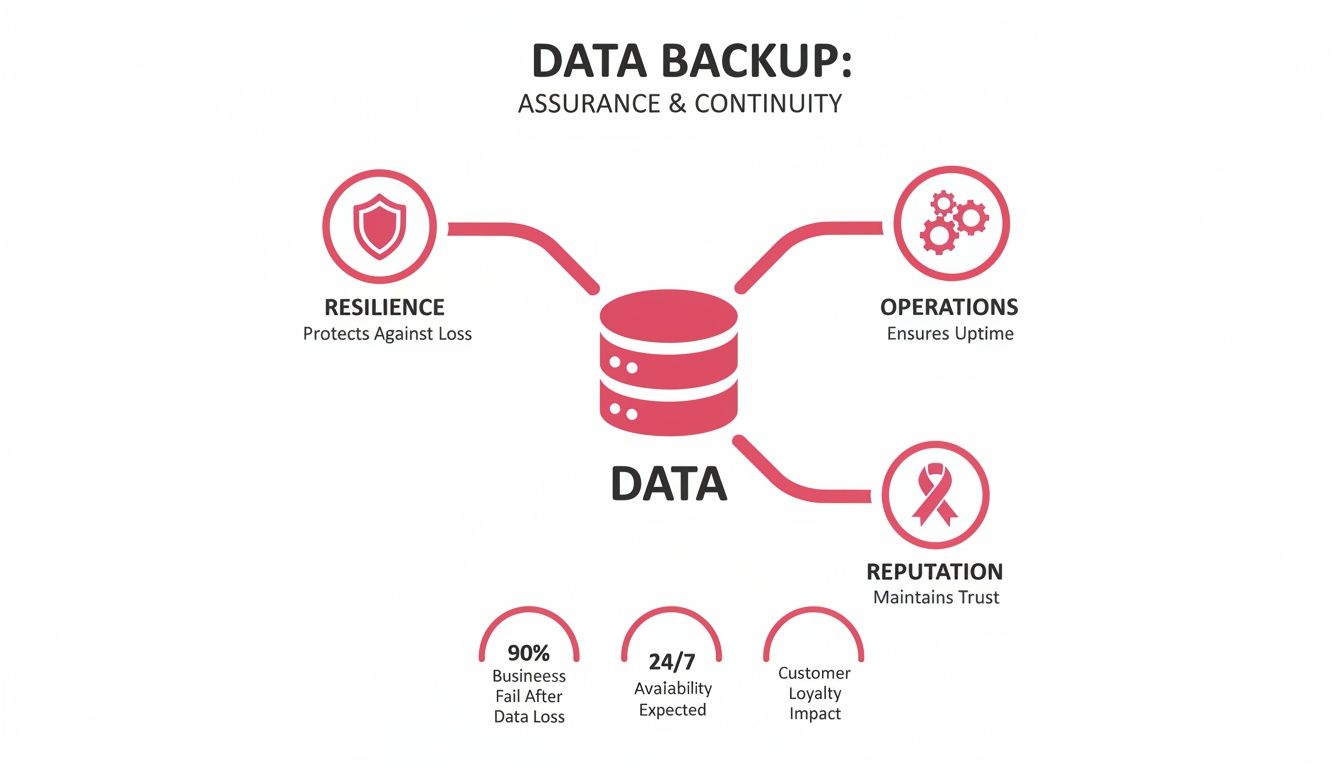
As you can see, data is the central asset. Your backups are what support every pillar of a healthy, functioning organisation. Now, let’s look at the actual methods you'll use to protect it.
Full Backup: The Complete Copy
A full backup is exactly what it sounds like—a complete, comprehensive copy of every single file and folder you've chosen to protect. No ifs, no buts.
In our master document analogy, this is like taking a full photocopy of the entire document from the first page to the last. It’s simple, thorough, and gives you a single, self-contained snapshot of everything at that precise moment in time. For an engineering firm, this would mean copying every single CAD file, project plan, and email—a large but complete dataset.
The biggest upside is its simplicity during a restore; you only need this one file to get everything back. The downside? It consumes the most storage and takes the longest to perform, as it copies everything, every single time.
Incremental Backup: The Smallest Update
An incremental backup offers a much leaner approach. After an initial full backup is taken, this method only copies the data that has changed since the last backup ran, regardless of whether it was a full or another incremental one.
This is like photocopying only the specific pages of your document that were edited since you last made a copy. If you ran a backup on Monday, Tuesday's backup would only capture Tuesday's changes. For a financial adviser, this might just be a handful of updated client portfolio documents each day.
The key benefit here is speed. Incremental backups are incredibly fast and create very small files, making them perfect for frequent snapshots without dragging your systems down. The trade-off comes during restoration, which is a more involved process.
Differential Backup: The Growing Middle Ground
A differential backup sits neatly between the full and incremental methods. It also starts with a full backup, but from then on, it copies all the data that has changed since the last full backup.
Imagine you create your full backup on Sunday. On Monday, you copy all changes made since Sunday. On Tuesday, you again copy all changes made since Sunday—which includes Monday's edits. The backup file gets a little bigger each day until the next full backup.
This method strikes a practical balance. Restoring is much simpler than with an incremental strategy, as you only need the last full backup and the latest differential file. However, these backup files grow larger throughout the week, using more storage space than their incremental counterparts.
Comparison of Data Backup Methods
To help you visualise which approach might be right for your firm, the table below breaks down the key differences between these three core methods.
| Backup Type | Backup Speed | Storage Space | Restore Speed & Complexity |
|---|---|---|---|
| Full | Slowest | Highest | Fastest and simplest. Requires only one backup set. |
| Incremental | Fastest | Lowest | Slowest and most complex. Requires the full backup plus all subsequent increments. |
| Differential | Moderate | Moderate (increases daily) | Faster than incremental. Requires the full backup and the latest differential backup. |
In the real world, most businesses don't just pick one method and stick with it. Modern backup strategies typically blend these approaches to get the best of all worlds—for instance, running a full backup over the weekend, followed by daily incremental or differential backups during the working week. This gives you a robust and efficient way to protect your data without compromise.
Choosing Your Backup Architecture: Onsite, Cloud, or Hybrid?

Once you’ve got a handle on the different types of backups, the next big question is where to keep them. This isn’t just a logistical detail; your choice of backup architecture—whether onsite, cloud, or a mix of both—is the foundation of your entire data protection strategy.
The Onsite Approach: Local Control and Speed
Keeping your backups onsite means you're storing data copies on hardware you own, right there in your office. This is usually a dedicated server or a Network Attached Storage (NAS) device.
Think of it like keeping your most important documents in a high-security safe in your building. Access is instant. If you need to restore a file or even an entire system, you can pull it back across your local network in a flash, keeping downtime to an absolute minimum. A marketing agency could restore a large video file in minutes from an onsite NAS, rather than hours from the cloud.
But there’s a catch. Your onsite backup shares the same roof as your primary systems. This means it’s vulnerable to the same localised disasters—a fire, flood, or even theft. If your office is compromised, your backups could be lost along with everything else.
The Cloud Approach: Ultimate Resilience
Cloud backup works by sending encrypted copies of your data over the internet to a highly secure, off-site data centre run by a specialist provider. This approach has quickly become the go-to for businesses looking for resilience and flexibility.
This is the equivalent of storing your valuables in a fortified bank vault miles away. It’s completely insulated from any disaster at your premises, giving you a powerful lifeline if the worst happens. Plus, your data is accessible from anywhere with an internet connection.
The main things to consider are your internet connection speed—which will determine how quickly you can send and retrieve large amounts of data—and data sovereignty. For UK businesses, it's crucial to confirm your provider uses UK-based data centres to stay on the right side of GDPR.
The UK cloud backup market is booming, with projections showing massive growth over the next six years. This reflects a fundamental shift in how UK companies are thinking about data protection. In fact, over half of enterprise IT budgets are expected to be funnelled into cloud services soon. You can get more insight into the growing UK cloud market on grandviewresearch.com.
The Hybrid Approach: The Best of Both Worlds
For most professional services firms, a hybrid backup strategy is the gold standard. It cleverly blends the speed of onsite backups with the security of the cloud, creating a truly robust and versatile data protection plan.
This model is the perfect real-world application of the industry’s 3-2-1 rule: always keep at least three copies of your data, store them on two different types of media, and make sure one of those copies is off-site.
With a hybrid setup, a consultancy firm has its live project data, a fast local backup on its onsite device, and a secure second copy safely stored in the cloud.
This gives you two huge advantages:
- Rapid Local Restores: For everyday hiccups like an accidentally deleted file or a server glitch, you can recover at lightning speed from your local NAS.
- Airtight Disaster Recovery: If a major incident hits your premises, you have a complete, untouched copy of your data in the cloud, ready to get you back up and running.
Adopting a hybrid model gives you the best of both worlds: rapid recovery for minor issues and total resilience against a catastrophe. It strikes the perfect balance between speed, security, and disaster recovery, making it the ideal choice for any business that simply can't afford to be offline.
Meeting Your Business and Compliance Obligations
A modern backup strategy is much more than a technical exercise. It’s a core business function, woven into the fabric of your operational goals and legal responsibilities. At its heart, it answers two crucial questions every organisation must face after a disaster: How quickly can we get back on our feet? And how much data can we realistically afford to lose?
These aren't abstract concepts. They are defined by two critical metrics: the Recovery Time Objective (RTO) and the Recovery Point Objective (RPO). Getting a handle on these is the first step in turning a simple backup process into a powerful business continuity plan that protects your operations and your hard-earned reputation.
Defining Your Recovery Objectives: RTO and RPO
Think of RTO as your business's stopwatch. It’s the maximum acceptable time your systems can be down after an incident before the damage becomes severe. Can you survive being offline for a day, or does every passing hour translate into unacceptable financial and reputational harm?
RPO, on the other hand, is like a rewind button. It defines the maximum amount of data—measured in time—that you can lose without crippling your operations. An RPO of 24 hours means you can afford to lose a day's worth of work. An RPO of just one hour? That demands a much more frequent backup schedule.
Let's ground this in a practical example for a law practice.
- Scenario: A server holding active case files and client billing information suddenly fails.
- RTO Example: The firm decides it absolutely must have the billing system running again within four hours to keep processing payments and avoid disrupting clients. The RTO is four hours.
- RPO Example: The firm calculates that losing more than 15 minutes of casework updates would be a catastrophe, leading to huge rework and potentially missed deadlines. The RPO is 15 minutes.
Based on these targets, the firm’s IT provider would need to build a backup solution that can restore that server within four hours and ensure the case file database is backed up at least every 15 minutes. These metrics aren't just internal goals; they should be clearly spelled out in your Service Level Agreement (SLA) with your provider.
Staying Compliant with UK GDPR and Sector Rules
For any UK business, a solid backup plan isn't just good sense—it's the law. The UK General Data Protection Regulation (UK GDPR) places a legal duty on organisations to ensure the "ongoing confidentiality, integrity, availability, and resilience" of their systems. A tested, reliable backup and restore capability is fundamental to delivering on that principle of availability.
On top of that, many industries face their own specific compliance hurdles. When you're designing a backup strategy, you have to factor in these regulatory demands. For instance, solutions must be capable of adhering to compliance standards like HIPAA for healthcare data or stringent FCA rules for financial services.
A financial advisory firm, for example, must not only protect client data but also retain it for a specific period to meet FCA regulations. Their backup strategy must therefore be designed to create secure, immutable archives that can be retrieved years later for an audit, dovetailing with their data retention policies.
How to Select the Right Backup Solution for Your Firm
Choosing a partner to handle your firm’s data backup is a critical decision, and it goes much deeper than a simple price comparison. You're not just buying a piece of software; you're investing in a lifeline that absolutely must work when everything else has failed. To make the right choice, especially as a UK-based professional services firm, you need a clear checklist of what really matters.
The whole process starts with an honest look at your own needs. A solicitor's practice, for instance, has entirely different priorities with its sensitive client files compared to a manufacturing firm with massive design documents. Your selection criteria have to mirror your specific operational and compliance realities.
Prioritise Security and UK Data Sovereignty
Security has to be your number one priority. Full stop. Any provider you consider must offer end-to-end encryption, which means your data is scrambled both as it travels across the internet (in transit) and while it’s sitting in their data centre (at rest). This is your guarantee that even if the provider suffers a breach, your files are completely unreadable.
Just as important for UK firms is data sovereignty. To stay on the right side of UK GDPR, you need to know exactly where your data is physically located.
Always ask a potential provider: "Are your data centres located exclusively within the UK?" A vague answer is a major red flag. Choosing a provider with UK-hosted infrastructure isn't just a nice-to-have; it's essential for upholding data privacy standards and making your compliance life easier.
Evaluate Usability and Technical Support
A backup solution is only as good as its management. The user interface should be intuitive, giving you clear dashboards and reports that confirm your backups are actually running as they should. You need confidence, not complexity.
But the true measure of any service is what happens when you need help. Look very closely at the provider’s technical support.
- Availability: Can you get hold of them during your business hours? How quickly do they respond when things go wrong? For a business operating 9-5, UK-based business hours support is essential.
- Expertise: Is the support team based in the UK and staffed by genuine engineers, not just a generic call centre?
- Proactivity: Do they offer proactive monitoring to catch problems before they turn into a full-blown crisis?
A great provider becomes an extension of your own team, not just another supplier. For a better sense of what that partnership looks like, it's worth exploring the benefits of a managed backup service that takes care of the day-to-day for you.
Scrutinise Scalability and Pricing Models
Your business won’t stand still, so your backup solution needs to be able to grow with you. Ask providers how their service scales. If you bring on several large clients or expand your team, can the system handle the extra data without forcing you into a complicated and costly upgrade?
Finally, make sure you understand the pricing model inside and out. Some providers bill based on the total amount of data you store, while others charge per device or server. You're looking for a transparent structure with no hidden fees for restoring data—the last thing you want is a penalty for accessing your own files in an emergency. The cost should be predictable and directly linked to the value it delivers.
When you're comparing options, a structured checklist can help you cut through the marketing noise and focus on what truly counts for a UK business.
Backup Solution Selection Checklist for UK SMEs
| Evaluation Criterion | Key Questions to Ask | Why It Matters |
|---|---|---|
| Data Sovereignty | Are your primary and backup data centres located entirely within the UK? | Essential for UK GDPR compliance and ensures your data is governed by UK law. |
| Encryption Standards | Do you use AES-256 bit encryption for data both in-transit and at-rest? | This is the gold standard for security, making your data unreadable to unauthorised parties. |
| Certifications | What certifications do you hold? (e.g., ISO 27001, Cyber Essentials Plus) | Independent certifications verify the provider's commitment to security best practices. |
| Technical Support | Is your support team UK-based? What are your guaranteed response times (SLA)? | Local, expert support means faster, more effective help when you need it most. |
| Recovery Testing | How do you support and facilitate regular, full-scale recovery tests? | A backup is useless if it can't be restored. Regular testing proves its reliability. |
| Scalability | What is the process for increasing our storage capacity? Are there penalties for growth? | Your solution must accommodate business growth without complex or costly overhauls. |
| Pricing Transparency | Are there any hidden fees for data retrieval (egress fees) or technical support? | A clear pricing model avoids unexpected bills, especially during a crisis. |
Using a checklist like this ensures you're asking the tough questions upfront, setting you up for a partnership that genuinely protects your business for the long haul.
Putting Your Data Backup Plan Into Action

This is where the rubber meets the road. A backup strategy is just a document until you put it into practice; its real value comes from the deliberate, methodical execution that turns it into a genuine business safeguard. It’s a process of taking your objectives and building a reliable, automated system for the backup of data.
The first, essential step is a thorough data audit. You can't protect what you don't know you have. This means getting a complete picture of all the critical information your firm holds—from client records on the main server and financial data in your accounting software, right down to project files on individual laptops. Once identified, classify this data by importance to make sure your most vital assets get the highest level of protection.
Building Your Operational Framework
With a clear map of your critical data, you can start nailing down the operational details. This is where your RTO and RPO targets move from theory to reality, forming the blueprint for your entire backup configuration. You’ll need to work with your IT provider to translate these goals into a concrete schedule.
For instance, a busy solicitor’s practice with an RPO of one hour for its case management system needs backups running far more frequently than a business with less dynamic data.
Your implementation checklist should cover:
- Configuring Backup Schedules: Setting up automated jobs based on your RTO/RPO. This could be a full backup every weekend, with differential or incremental backups running several times throughout the business day.
- Defining Retention Policies: Deciding exactly how long to keep backups. UK GDPR and other regulations will play a part here, but it's a balancing act between compliance and storage costs.
- Assigning Responsibilities: Clearly outlining who is responsible for monitoring backups, acting on alerts, and initiating restores. Accountability is absolutely key.
The Critical Importance of Testing
This brings us to the single most important—and most often overlooked—part of any data backup plan: testing. An untested backup isn't a backup at all; it's a gamble. You need absolute certainty that you can get your data back when you need it most.
It's shocking how many businesses only discover their backups have been silently failing for months after a critical incident. By then, it’s far too late. Regular, scheduled restore tests are non-negotiable.
Make testing a routine. This doesn't mean you need a full-scale disaster simulation every month. It can be as simple as picking a few random files or a single email account to restore each quarter. For example, an accountancy practice could perform a test restore of a single client's VAT return file from the previous month. This simple act validates the integrity of your backup media and confirms that the recovery process actually works, giving you genuine peace of mind.
Creating a Simple Incident Response Playbook
When you're facing data loss, panic is the enemy of a quick recovery. A simple, clear incident response playbook ensures your team knows exactly what to do. It doesn't need to be a hundred-page epic; a one-page checklist is often far more effective in a crisis.
It should outline:
- Immediate Actions: Who gets the first call (e.g., your IT support provider, senior management).
- Initial Assessment: The steps to quickly understand the scope of the data loss.
- Authorisation: Who has the final say to approve a full system restore.
- Communication Plan: How to keep your team and, if necessary, clients in the loop.
Ultimately, a successful backup of data is never a "set it and forget it" job. It's a continuous cycle of protection, verification, and refinement. By auditing your data, configuring schedules, rigorously testing your restores, and preparing your response, you create a living strategy that protects your firm as it grows and evolves.
Frequently Asked Questions About Data Backup
When it comes to the nuts and bolts of data backup, business owners often have very practical questions. Let's tackle some of the most common ones we hear from professional services firms right across the UK.
How Often Should We Actually Test Our Backups?
We recommend testing your backups at least quarterly, but a quick monthly spot-check is even better. This doesn't have to be a huge, disruptive exercise.
A simple, effective test is to pick a critical folder from your latest backup – say, a specific client project folder – and restore it to a temporary location. Can you open the files? Is everything there and uncorrupted? Doing this regularly gives you real confidence that your data backup system is working just as it should be.
Does Cloud Backup Meet UK GDPR Requirements?
Yes, it absolutely can, but with a crucial condition: your provider's data centres must be physically located within the United Kingdom. UK GDPR has very clear rules about data sovereignty, which means you need to know exactly where your data lives.
When you're speaking with a potential cloud backup provider, the first question out of your mouth should be: "Are both your primary and secondary data centres located exclusively in the UK?" Choosing a provider that is UK-hosted from the ground up is the most straightforward way to keep your off-site data storage in line with your compliance obligations.
Is My Data Genuinely Secure in the Cloud?
A professional cloud backup provider will use security measures that are often far more advanced than what a typical small business could manage in-house. The gold standard to look for is end-to-end AES-256 bit encryption.
This is more than just a buzzword. It means your data is scrambled into an unreadable format before it even leaves your office, it stays scrambled while travelling over the internet, and it remains scrambled while sitting on their servers. You, and only you, hold the key to unscramble it. This makes the files completely useless to anyone else, including the provider's own staff, and is vital for protecting sensitive client data.
A reliable, tested, and compliant backup strategy isn't just a good idea—it's a business essential. At SES Computers, we specialise in building and managing robust data backup solutions designed for the specific demands of UK businesses. Contact us to secure your business's future today.