Let's get one thing straight: when we talk about computer support and services today, we’re not just talking about the person you call when your screen freezes. That old image is long gone. Modern IT support is more like having a technical co-pilot for your business, an expert who is constantly checking the instruments to ensure your entire digital operation runs smoothly and securely. It’s a partnership built on prevention and optimisation, not just panicked reactions.
Moving Beyond the Break-Fix Model
In the not-so-distant past, IT support was almost entirely reactive. A server would go down, an employee could not log in, or a vital piece of software would crash—and only then would the call for help go out. This "break-fix" model is not just inefficient; it is expensive, leading to unexpected downtime that grinds productivity to a halt and hits your revenue hard.
Think of it this way: you would not wait for your delivery van's engine to seize up on the M27 before getting it serviced. You follow a maintenance schedule to catch small problems early and keep the van on the road. The same logic now applies to your entire digital infrastructure, from the routers in your office to the applications you use in the cloud. For example, a law firm cannot afford for its case management software to crash during a critical client deadline; preventative maintenance ensures the system remains stable and performant when it is needed most.
The Strategic Partnership Approach
This new way of thinking is all about building a continuous, strategic partnership rather than just handling one-off problems. It’s important to grasp the distinction here, and a good starting point is understanding the fundamental differences between customer service and customer support. While customer service often focuses on satisfaction, technical support is about getting things working—and keeping them that way.
A dedicated IT partner zeroes in on a few key areas:
- Proactive Maintenance: This means regularly updating systems, patching security vulnerabilities, and keeping an eye on performance to fix issues before they ever affect your team.
- Robust Security: We are talking about building and managing multiple layers of defence to shield your data, your reputation, and your finances from an endless stream of cyber threats.
- Operational Optimisation: This is about making sure your tech is not just working, but actively helping you hit your business goals by improving efficiency and paving the way for growth.
The market reflects just how critical this shift has become. The UK IT services market, valued at USD 112.5 billion in 2025, is expected to climb to an incredible USD 166.56 billion by 2031. This is not just a number; it shows how deeply businesses now rely on dependable IT partnerships to succeed. You can read the full research about these market trends on mordorintelligence.com.
For businesses across Dorset, Somerset, Wiltshire, and Hampshire, using these kinds of advanced services is no longer a luxury. It is a core part of building a resilient and competitive company. It’s about turning IT from a potential headache into one of your most powerful business assets.
The Core Pillars of Modern IT Services
To really get to grips with modern computer support and services, you have to look past the general label and see the essential pieces that make up a strong business technology strategy. These pillars are not just separate services; they work together to create a system that is proactive, secure, and genuinely efficient, moving far beyond simply fixing things when they break. For any business that wants to do more than just survive, this strategic way of thinking is absolutely vital.
Over the past decade, the biggest change in IT support has been the move away from the old reactive 'break-fix' model towards a proactive, strategic partnership. This graphic really captures that fundamental shift.
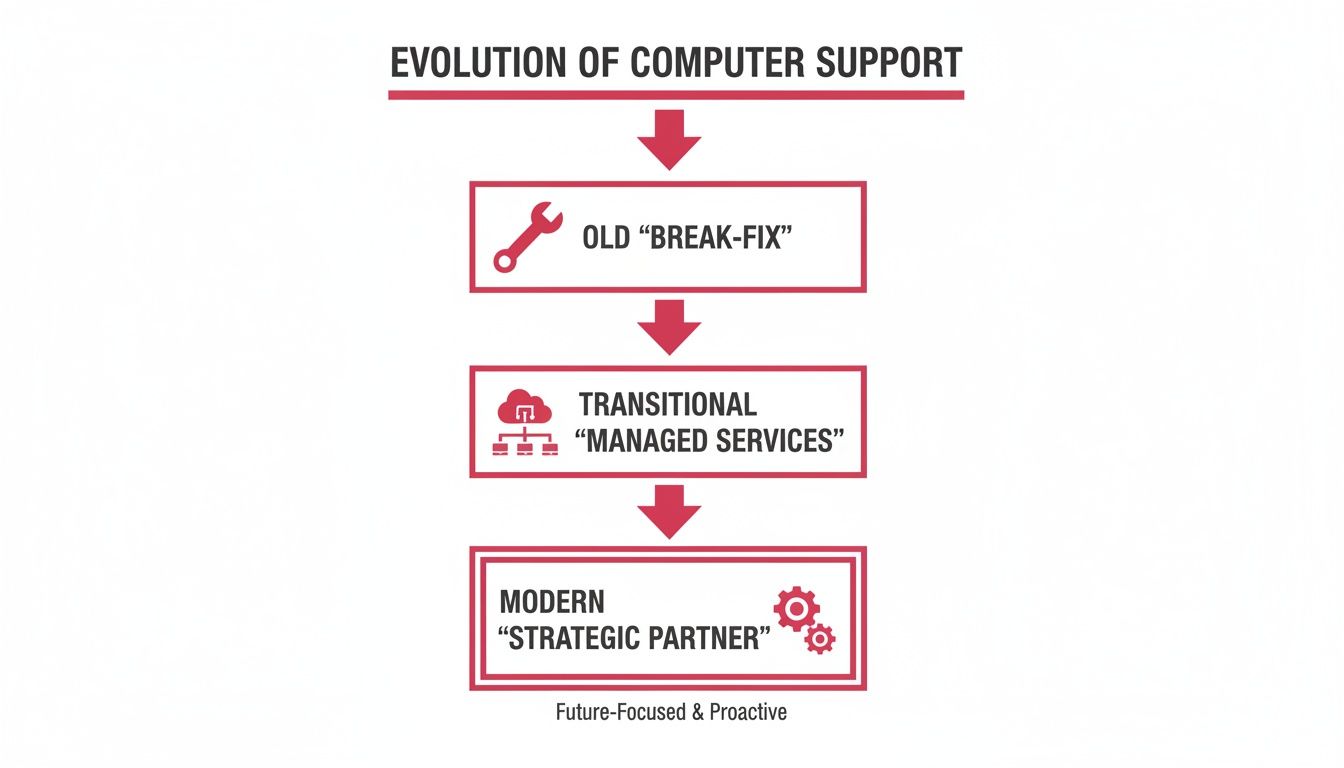
As you can see, the old way was all about reacting to problems. The modern approach is about stopping those problems from ever happening and using technology to help the business grow.
Proactive Managed IT Services
Think of Managed IT Services as the engine room of your technology. Instead of just waiting for a call when something goes wrong, this service is all about continuous monitoring, maintenance, and management of your entire IT environment. It’s about preventing issues before they have a chance to affect your operations.
For example, an accountancy firm in Hampshire needs its client data to be secure and available around the clock, especially during tax season. Proactive monitoring can spot a server's hard drive showing early signs of failure. This allows a technician to replace it during scheduled overnight downtime, completely avoiding catastrophic data loss and business-stopping chaos. That preventative action is the heart of managed services.
Secure Cloud Services and Hosted Desktops
Cloud services give modern businesses the flexibility and scale they need to compete. This is not just about storing files online; it covers powerful tools like Hosted Desktops, which give your team secure, consistent access to their work setup from absolutely anywhere.
Imagine a care provider in Dorset with staff who need to access patient records from different community locations. A Hosted Desktop solution means they can securely log in from any approved device and see the exact same system and data they would in the office. This does not just make them more efficient—it strengthens data security and helps maintain compliance with industry regulations.
This shift towards accessible, secure systems is foundational for any modern business. A well-designed system not only supports your team but also becomes a key part of your business's continuity and growth plans. Discover more about building a robust framework by exploring our complete IT infrastructure solution.
Automated Backups and Disaster Recovery
This is your business continuity insurance policy. Automated backups make sure a clean, current copy of your critical data is always safe and sound. Disaster Recovery (DR) goes a step further—it is the pre-planned strategy to get you back up and running quickly after a major incident like a fire, flood, or cyber-attack.
A manufacturing plant in Wiltshire, for instance, simply cannot afford to lose its production schedules or client order data. An automated backup system creating multiple copies—one on-site for quick restores and another off-site in a secure UK data centre—means that even a total site disaster will not lead to a total data loss.
Modern VoIP Telephony Systems
Voice over Internet Protocol (VoIP) has all but replaced traditional phone lines by integrating your communications directly into your IT network. Modern systems like 3CX bring together desk phones, mobile apps, and computer-based calling into one unified platform.
A practical example is an estate agency using a VoIP system to automatically route a client's call to the mobile of the specific agent they last spoke with, ensuring seamless communication whether the agent is in the office or at a property viewing. This integration opens the door to advanced features like intelligent call routing, voicemail-to-email, and video conferencing, all managed from one place. It’s a huge boost for efficiency, too. You can explore effective strategies for automating customer service to see how unified communications can link with other business systems to improve client interactions.
Indispensable Cybersecurity Services
Finally, cybersecurity is the 24/7 digital security detail that protects all the other pillars. This is so much more than just antivirus software. It involves a multi-layered defence strategy, including:
- Firewall Management: The digital gatekeeper controlling what traffic can enter and leave your network.
- Threat Monitoring: Actively hunting for and neutralising any suspicious activity before it causes harm.
- Vulnerability Patching: Routinely updating software to close security gaps that attackers love to exploit.
- Staff Training: The human element. Equipping your team to spot and avoid phishing scams and other social engineering tricks.
To help clarify how these services fit together, the table below summarises their core functions and the direct impact they have on a small or medium-sized business.
| Key IT Services and Their Business Impact | ||
|---|---|---|
| Service Category | Core Function | Primary Business Benefit |
| Managed IT Services | Proactive monitoring, maintenance, and support of IT systems. | Minimises downtime, improves system reliability, and controls IT costs. |
| Cloud & Hosted Desktops | Provides on-demand access to data, applications, and work environments. | Increases flexibility, enhances collaboration, and enables secure remote work. |
| Backups & Disaster Recovery | Regularly copies data and provides a plan to restore operations after an incident. | Protects against data loss, ensures business continuity, and reduces risk. |
| VoIP Telephony | Unifies voice, video, and messaging over an internet-based network. | Lowers communication costs, improves customer service, and supports mobility. |
| Cybersecurity | Defends networks, devices, and data from unauthorised access and cyber threats. | Prevents financial loss, protects brand reputation, and ensures regulatory compliance. |
Each of these pillars provides a specific function, but their real power comes alive when they’re integrated into a single, cohesive strategy. This comprehensive approach ensures your technology is not just another tool, but a reliable, secure asset that actively helps you achieve your business goals.
Why Proactive IT Support Is a Business Multiplier
Let's move past the technical jargon for a moment and focus on what really matters: the real-world impact that a forward-thinking IT partnership can have on your business. This is where professional computer support and services truly show their value. The conversation needs to shift from technical features to strategic advantages, turning IT from a necessary expense into a powerful driver for stability and growth.
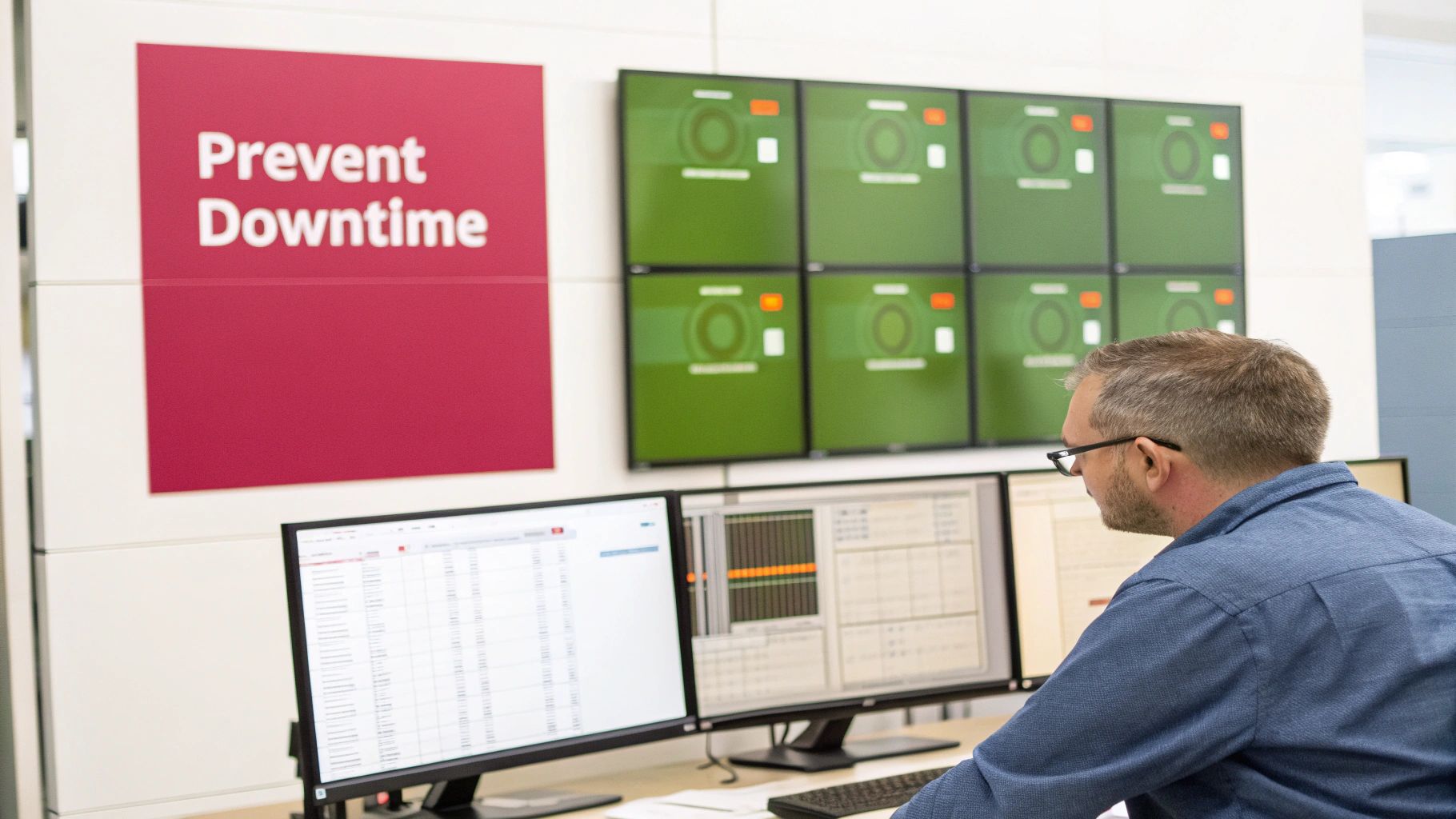
At its heart, this proactive approach is all about financial stability and keeping your operations running smoothly. Instead of getting hit with the sudden, sharp cost of an unexpected system failure, managed services offer a predictable, manageable monthly fee. This makes budgeting for your IT support transparent and much more efficient.
From Cost Centre to Growth Enabler
The old break-fix model meant IT was a drain on resources—you only spent money when disaster struck. A proactive strategy completely flips that script on its head. By investing a steady, planned amount, you’re actively preventing the very issues that lead to crippling downtime, data loss, and eye-watering emergency repair bills.
This strategic investment pays off in several critical areas:
- Minimised Downtime: Think about it. Even a few hours of system failure can grind sales to a halt, disrupt client services, and bring productivity to a dead stop. Proactive monitoring catches and resolves potential problems—like a failing server component or a network bottleneck—before they ever affect your business.
- Enhanced Productivity: When your team's tools just work, they can focus on their actual jobs. For instance, a graphic design agency relies on high-performance workstations. Proactive support ensures these machines are always optimised, with updated software and drivers, preventing creative workflow from being interrupted by technical glitches.
- Improved Security Posture: Modern cyber threats are relentless and constantly evolving. A proactive security strategy involves continuous monitoring, timely software updates, and advanced threat detection to protect your reputation and keep sensitive company and client data safe from attack.
Ultimately, this is about creating an environment where your technology consistently supports your business goals instead of getting in the way. You can dig deeper into how this model delivers tangible results in our guide on the benefits of managed IT services.
Real-World Resilience in Action
The theory sounds good, but a real-world example brings the value home. Imagine a Wiltshire-based manufacturing firm that depends on a complex server system to run its production line. An unexpected shutdown could easily cost them tens of thousands of pounds for every hour they are not producing.
With their managed services plan in place, remote monitoring tools detected that a critical fan in their main production server was starting to fail, operating outside normal limits. An alert was automatically triggered, and an engineer was dispatched with the correct replacement part before the server had a chance to overheat and crash.
The result? A brief, scheduled maintenance window overnight instead of a catastrophic, multi-day production shutdown. This is the essence of proactive support: turning a potential business disaster into a minor, manageable task. It’s a perfect illustration of IT as a business multiplier, not just another utility.
The Power of a Mature Support Sector
This level of sophisticated, preventative support is possible because the UK has such a robust and experienced IT services industry. The managed service provider sector has become a huge economic force, with 12,867 active providers operating across the country as of March 2025.
These organisations collectively employ 343,762 people and generate an estimated £51 billion in revenue. The sheer scale and maturity of this sector mean that businesses have access to highly experienced partners capable of delivering enterprise-grade support. You can discover more insights about the UK's managed service provider landscape on GOV.UK.
How to Choose the Right IT Support Partner
Picking a provider for your computer support and services is one of the most important decisions you will make for your business. This is not just about finding someone who can fix a broken laptop; it is about finding a long-term partner who genuinely understands your goals and helps you get there. You need a clear way to sort the true strategic partners from the simple break-fix providers.
The right IT partner acts as an extension of your own team—they should be as invested in your success as you are. That is why the selection process needs to be thorough, focusing on the right fit for your daily operations and your company culture.
Assessing Technical Expertise and Industry Experience
First things first, you have to be sure a potential provider has the technical chops. But generic IT knowledge just does not cut it. You need a partner who gets the specific software, workflows, and compliance headaches of your particular industry. A generalist might know their way around a server, but can they troubleshoot the specialist accounting software your finance team lives in?
For example, a manufacturing firm in Wiltshire should be asking about experience with inventory management systems or production line software. A care provider in Dorset needs to know their IT partner is completely comfortable with handling sensitive patient data and navigating the strict compliance rules of the healthcare sector.
Here are a few questions to get you started:
- Can you show us how you have helped other businesses in our field?
- What’s your experience with the main software we use every day (e.g., our specific CRM, accounting, or design software)?
- What certifications do your engineers hold (e.g., Microsoft, CompTIA, Cisco)?
Demystifying the Service Level Agreement
The Service Level Agreement, or SLA, is the single most important document in your relationship with an IT provider. It’s a formal contract that lays out exactly what level of service you can expect, using clear, measurable targets. Without a solid SLA, promises of "fast support" are just marketing fluff.
A good SLA does not use vague language; it gives you concrete guarantees. Look for specific, guaranteed response times for different types of problems. For instance, a critical system failure—like your entire network going offline—should have a guaranteed response time of 15-30 minutes. A lower-priority issue, like a printer driver update, might have a 4-8 hour window.
An SLA provides peace of mind by turning promises into contractual obligations. It ensures that when a critical system fails during your busiest period, your issue is immediately prioritised and addressed, protecting your revenue and reputation.
The Value of a Local Presence
Even in our increasingly remote world, you cannot beat having someone local. While most issues can be sorted out from afar, some problems simply require an engineer to be physically on-site—and fast. Having a local team that knows your area can be a massive advantage.
Imagine your office in Somerset loses its internet connection because of a hardware fault. A provider based hundreds of miles away could take a full day just to get someone to you. A local partner, perhaps based in Dorset or Hampshire, can have an expert on your doorstep in a fraction of the time, dramatically cutting down costly downtime. This is especially vital if your business relies on physical, on-site infrastructure. You can learn more about finding the right fit in our guide to choosing between managed IT service companies.
Critical Questions to Ask Potential Providers
To make a smart decision, you need to ask sharp, specific questions that get to the heart of how a provider operates under pressure and how they view their client relationships.
Here’s a checklist of questions to help you dig deeper:
- Incident Management: How do you handle and prioritise critical problems that happen out of hours? What does your escalation process look like?
- Proactive Strategy: What’s your approach to proactive maintenance? How do you spot potential issues before they cause us any downtime?
- Client Onboarding: What does your onboarding process look like for a new client of our size?
- Case Studies: Can you share a relevant case study or put us in touch with a business similar to ours for a reference?
- Security Protocols: How do you keep up with new cybersecurity threats and make sure your clients are protected?
- Reporting and Communication: What kind of reports will we receive? How often can we expect to have strategic review meetings?
By asking these questions, you cut through the sales pitch and get real insight into a provider’s capabilities, their processes, and their commitment to their clients. This structured approach will help you choose a partner who will not just fix today's problems but will help you build a more resilient and efficient business for the future.
Getting to Grips with IT Service Pricing and Agreements
Talking about money is rarely the fun part, but when it comes to computer support and services, it’s one of the most important conversations you’ll have. You need to know exactly what you’re paying for and, just as crucially, what level of service you're guaranteed in return. This is not just about avoiding surprises on your invoice; it is what turns a simple IT supplier into a genuine partner for your business.
There are a few ways these services are typically priced. Understanding them is the key to finding a model that actually fits how your business works and how you budget.
The Most Common Ways to Pay for IT Support
Broadly speaking, you will come across two main pricing structures. The old-school approach is what we call break-fix. It’s simple: something breaks, you call for help, and you pay an hourly rate or a one-off fee for the repair. On the surface, it seems cheap, but it can quickly become a financial headache with unpredictable and often eye-watering bills when a critical system fails at the worst possible moment.
The modern, and far more predictable, alternative is a managed services model. Here, you pay a flat, recurring monthly fee, usually calculated per user or per device. This single fee covers all the proactive maintenance, monitoring, and support laid out in your contract. It’s the model of choice for businesses that value stable budgets and want to prevent problems from ever happening in the first place. After all, it puts you and your provider on the same team—their success is tied directly to your systems staying up and running.
What to Look for in a Service Level Agreement
The Service Level Agreement (SLA) is, without a doubt, the most important document you’ll sign. It is the formal contract that sets out, in black and white, the standards of service your provider promises to deliver. A solid SLA goes beyond vague promises of "fast support" and gives you concrete, measurable guarantees.
Inside the SLA, you’ll find the performance metrics that really matter to your day-to-day operations. Keep an eye out for these:
- Guaranteed Response Time: This is how quickly the provider commits to acknowledging your issue. For a major problem, like a server going down, this needs to be incredibly fast—often under 15 minutes.
- Resolution Time: This is the target for getting the problem fixed. It will naturally vary based on how severe the issue is, but it should be clearly defined.
- System Uptime: Often shown as a percentage like 99.9% uptime, this is a promise of how much time your essential systems will be online and working.
An SLA is not just technical paperwork; it is your business's insurance policy. It is the peace of mind you get from knowing exactly how and when a crisis will be handled, protecting your revenue and your reputation.
How This Works in the Real World
Let's put this into context. Think of a boutique hotel here in Somerset, right in the middle of its busy summer season. Their online booking system is everything—if it goes down, they’re not just losing bookings for that moment, they’re actively losing money and damaging their reputation.
Their SLA with their IT partner classifies that booking system as "mission-critical." This triggers a clause guaranteeing a 15-minute response time and a four-hour resolution target for any outage, day or night. So, when the system inevitably fails on a packed Saturday afternoon, the SLA ensures an engineer is on the case almost immediately, not waiting until Monday morning. That pre-agreed priority is what provides real operational security when the pressure is on.
Partnering with SES Computers for Your IT Success
We have covered a lot of ground in this guide, exploring how professional computer support and services are no longer just about fixing what’s broken. It is about building a genuine partnership—one that proactively strengthens your business, secures your data, and fuels your growth. Taking that final step and choosing the right partner is what turns your technology from a source of stress into your greatest competitive advantage.

This is where having a local team with a solid track record truly matters. For over 30 years, SES Computers has been that strategic partner for businesses just like yours across Dorset, Somerset, Wiltshire, and Hampshire. We are not just a service provider; we are part of the local business community.
Deep-Rooted Regional and Sector Expertise
Our long history in the region gives us a unique perspective on the challenges and opportunities you face every day. We do not believe in off-the-shelf solutions because we know your business is not a generic template. Our support is built on a real understanding of your industry's specific pressures.
We have hands-on experience working with sectors that have very particular needs:
- Accountancy firms where uncompromising data security and financial compliance are non-negotiable.
- Care providers who need constant, reliable access to sensitive information to deliver vital care.
- Manufacturing companies where even a few minutes of system downtime can bring production to a halt and cost thousands.
This deep industry knowledge means we can do more than just react to problems. We can anticipate your needs and build IT systems that work seamlessly with how you actually do business.
Choosing an IT partner is an investment in your company’s future. It’s about finding a team that understands not only your technology but also your vision for growth and is committed to helping you achieve it.
Your Next Step Towards IT Clarity
Getting your technology right starts with a simple conversation. We build our client relationships on a foundation of trust and a clear understanding of your goals, right from the very first chat. That’s why we invite you to connect with our team for a no-obligation consultation.
Let’s talk about where your business is today and, more importantly, where you want to take it tomorrow. Together, we can map out a technology strategy that protects your operations, empowers your team, and supports your ambitions.
Contact SES Computers today to start building a more resilient and successful future for your business.
Frequently Asked Questions
It’s completely normal to have questions when you’re looking into professional computer support. For many business leaders, it’s new territory. We have gathered some of the most common questions we hear from businesses across the UK to give you clear, straightforward answers.
Our aim here is to cut through the jargon and give you the insight you need to make a smart decision for your company's future.
What's the Real Difference Between Managed IT and Break-Fix Support?
Think of it as the difference between preventative care and emergency surgery. The break-fix approach is entirely reactive. You only call for help when a computer dies, a server crashes, or your network goes down. You pay for the repair, cross your fingers, and hope it does not happen again. This often leads to surprise bills and frustrating downtime while you wait for a technician to show up.
Managed IT services, on the other hand, are proactive. For a predictable monthly fee, you get a team that constantly looks after your technology. They are monitoring your systems, applying security patches, and fixing small issues before they snowball into major disasters. It’s like having your own dedicated IT department focused on keeping things running smoothly, not just fixing them when they break.
How Quickly Will You Respond if My Systems Go Down?
This is a critical point, and the answer should never be vague. It needs to be written down in your Service Level Agreement (SLA). When a major failure happens—say, your main server goes offline and your entire team is at a standstill—you need help immediately.
A reliable IT partner will guarantee a response time of 15-30 minutes for these top-priority emergencies. That means a qualified engineer is on the case and starting the fix within minutes of you raising the alarm, whatever time of day it is. Less urgent problems will have longer, but still guaranteed, response times.
A solid SLA is what separates a vague promise of "good service" from a legally-binding commitment. It’s your assurance that when things go wrong, your IT partner is obligated to act fast.
Can a Small Business Really Afford This?
It’s a common myth that professional IT support is only for big corporations. In reality, it’s often the more sensible financial choice for small businesses. Think about it: the fixed monthly cost of a managed plan is easy to budget for.
Now, compare that to the unpredictable and potentially massive costs of a single major incident—lost sales, emergency call-out fees, and the damage to your reputation. When you do the maths, proactive support almost always comes out on top. Modern plans are scalable, so you only pay for what your business actually needs.
Am I Going to Be Stuck in a Long, Inflexible Contract?
Not necessarily. While some providers might push for long-term lock-ins, you should have options. A standard 12-month initial agreement is common, as it gives your IT partner time to get your systems in order.
After that initial period, many firms offer the flexibility of a rolling monthly or quarterly arrangement. The key is to have this conversation upfront. A good partner will work with you to find a balance between stability and the flexibility a growing business needs.
Ready to stop worrying about IT and start focusing on your business? The team at SES Computers has been helping businesses in Dorset, Somerset, Wiltshire, and Hampshire do exactly that for over 30 years. Get in touch for a no-obligation chat about how we can support your goals. Learn more about us at https://www.sescomputers.com.