A solid cyber security incident response plan is not just a document; it is a playbook that details exactly what your team does before, during, and after a security breach. It is about moving your business from reactive panic to a proactive, controlled process. The plan should clearly map out key phases such as preparation, identification, containment, eradication, recovery, and the all-important post-incident review.
Building Your Incident Response Foundation
You would not practise a fire drill while the building is burning, and the same logic applies to cyber security. The most critical part of a successful response happens long before an incident ever occurs: laying a robust foundation. For small and medium-sized enterprises (SMEs), this preparation is not about splashing out on expensive, complex systems. It is about clarity, structure, and readiness.
Without a plan, chaos takes hold fast. Decisions get made under extreme pressure, communication breaks down, and what started as a minor issue can quickly spiral into a major business disruption. A well-thought-out foundation ensures that when an alert comes in, everyone knows their role, what to do first, and who to call.
Assigning Clear Roles and Responsibilities
The very first thing you need to do is establish a clear chain of command. Your incident response team is more than just your IT department. To handle the technical, legal, and reputational fallout, you need key people from across the business.
- Incident Coordinator: This is your technical lead, often the IT Manager or a senior technician. They are on the ground, leading the charge on containment and recovery.
- Management Lead: A director or the CEO who has the authority to make critical business decisions, approve emergency spending, and keep the board or key stakeholders in the loop.
- Communications Lead: This person manages all internal and external messaging, ensuring a consistent and calm narrative. It could be a marketing manager or someone from HR.
- Legal Counsel: Whether you have someone in-house or an external adviser on retainer, this role is vital for navigating regulatory duties, especially reporting under UK GDPR.
A practical example: Imagine a ransomware attack hits a small accounting firm. The IT Manager (our Incident Coordinator) immediately gets to work isolating the affected servers. The Managing Partner (Management Lead) gives the green light to bring in an external forensics firm. At the same time, the Office Manager (Communications Lead) sends out an internal memo—based on a pre-approved template—telling staff what’s happening and reminding them not to speculate on social media.
Developing a Communication Strategy
A solid communication plan is your best tool for controlling the narrative and stopping misinformation in its tracks. You will need pre-drafted templates for different situations and audiences, including employees, clients, suppliers, and regulators like the Information Commissioner's Office (ICO). The goal here is to be transparent without causing unnecessary panic.
A classic mistake I see during an incident is either saying too much too soon or saying nothing at all. A well-defined communication plan helps you strike the right balance, protecting brand trust while meeting your legal obligations.
While building this strategy, it is also a good time to consider how your infrastructure can help. As many have discovered, the enhanced security benefits of cloud computing can provide a more resilient setup, giving you a much stronger starting point for any response effort.
Essential Tools for Modern SMEs
While people and processes are always the priority, the right tools give you the visibility needed to spot and respond to threats effectively. For most SMEs, two types of solutions are particularly valuable:
- SIEM (Security Information and Event Management): Think of this as the central CCTV system for your entire network. It pulls in and analyses log data from all your devices—servers, firewalls, PCs—to spot suspicious patterns that could signal an attack.
- EDR (Endpoint Detection and Response): This is like having a dedicated security guard on every single computer and server. It monitors for malicious behaviour right on the device itself, allowing for lightning-fast isolation if one gets compromised.
Formalising these foundational elements is also a core part of meeting information security standards. To get a better sense of how this all fits into a wider security framework, our guide on the ISO 27001 certification process offers some great insights. Taking these proactive steps is what transforms your incident response plan from a document gathering dust into a practical, actionable defence.
The Six Phases of Incident Response
When an attack hits, moving from panic to a structured, effective defence requires a clear roadmap. Thankfully, there is an internationally recognised framework that breaks a chaotic event down into six manageable phases. For a small or medium-sized enterprise, this structure is invaluable, turning a high-stress situation into a series of logical, controlled actions.
Before you can respond, you need a solid foundation. You cannot build a response plan in the middle of a crisis. It all comes down to having the right people, a clear plan, and the necessary tools ready to go.
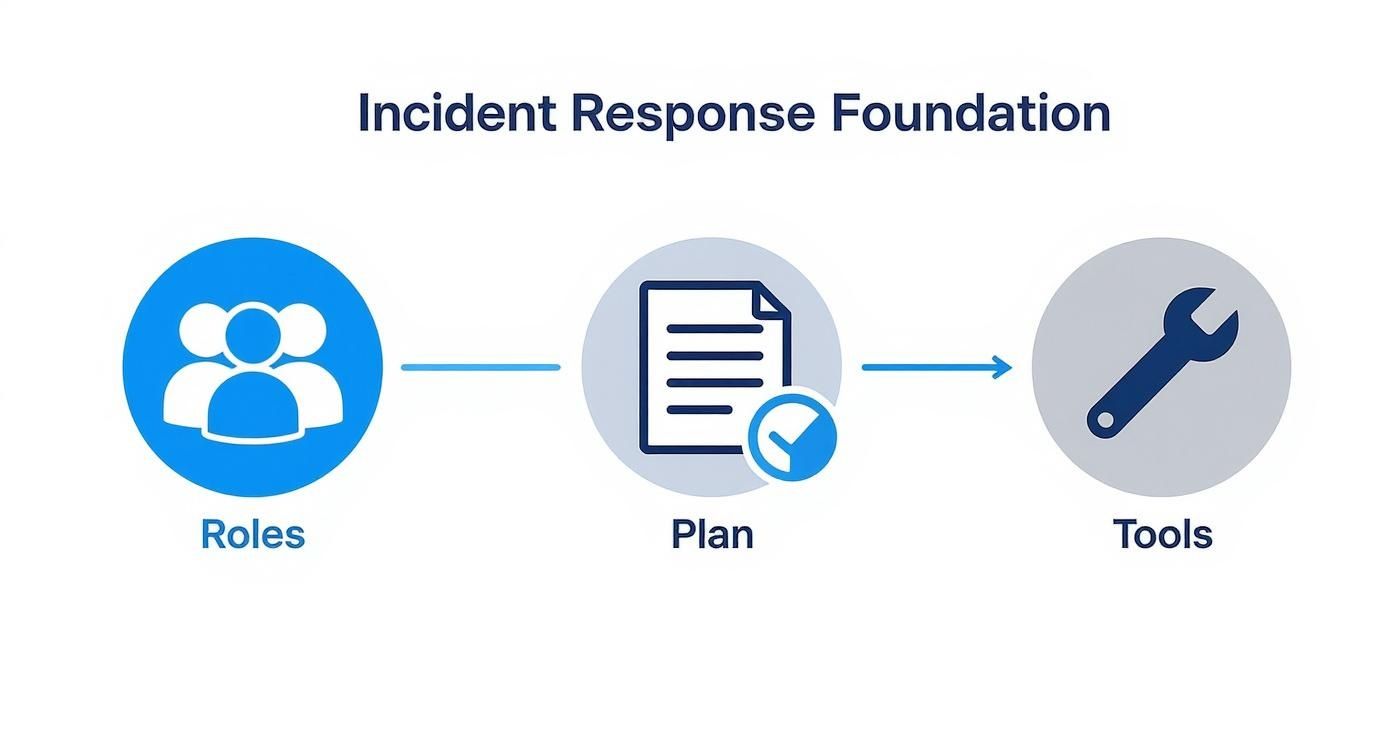
This really highlights that a strong response is built on thorough preparation, not just quick reactions. Each part of the foundation directly supports the next phase.
To give you a high-level view, here is how the entire incident response process breaks down.
Incident Response Phases At a Glance
| Phase | Primary Goal | Key Actions |
|---|---|---|
| Preparation | Build resilience before an incident occurs. | Define roles, develop the plan, acquire tools, conduct training and drills. |
| Identification | Confirm if a security event is a genuine incident. | Monitor alerts, analyse indicators, determine scope and severity (triage). |
| Containment | Stop the incident from spreading and causing more damage. | Isolate affected systems, block malicious traffic, implement temporary fixes. |
| Eradication | Remove the threat and its root cause completely. | Delete malware, patch vulnerabilities, disable breached accounts, harden systems. |
| Recovery | Safely restore normal business operations. | Restore data from clean backups, validate system security, monitor for anomalies. |
| Lessons Learned | Improve defences to prevent future incidents. | Hold a post-incident review, document findings, update the response plan. |
This table serves as a quick reference, but the real value is in understanding what each phase looks like in practice.
Phase 1: Preparation (The Proactive Defence)
This is easily the most important phase because it is everything you do before an incident. Good preparation turns a potential disaster into a manageable problem. It is about building the resilience to handle a security event effectively when—not if—it happens.
This is not just about having your team and tools in place. It means conducting regular risk assessments to understand your most likely threats. Are you a prime target for phishing because your law firm handles sensitive client data, or is an unpatched server your weakest link? Knowing your vulnerabilities is half the battle.
An incident response plan gathering dust on a shelf is worse than useless. It has to be a living document, tested and refined through regular drills. Even a simple tabletop exercise, where you walk the team through a realistic scenario, can reveal glaring gaps in your plan before a real crisis hits.
Phase 2: Identification (Recognising the Threat)
The identification phase kicks off the moment an alert is triggered. This could be anything from an automated warning from your endpoint detection and response (EDR) software to a report of unusually high failed login attempts, or even just an employee reporting a suspicious email. The mission here is to quickly figure out if the alert points to a genuine security incident.
Not every alert is a four-alarm fire. The goal is to analyse the initial indicators, determine the nature of the event, and assess its potential impact. This triage process is vital for prioritising your efforts and making sure you are not wasting resources on false alarms.
For a deeper dive into what to look for on your network, our guide on how to monitor network traffic offers some practical advice.
Phase 3: Containment (Stopping the Spread)
Once you have confirmed you have an incident on your hands, the absolute priority is to stop it from getting worse. Containment is all about limiting the damage and preventing the threat from spreading across your network. This is where quick, decisive action is critical.
There are generally two approaches you can take:
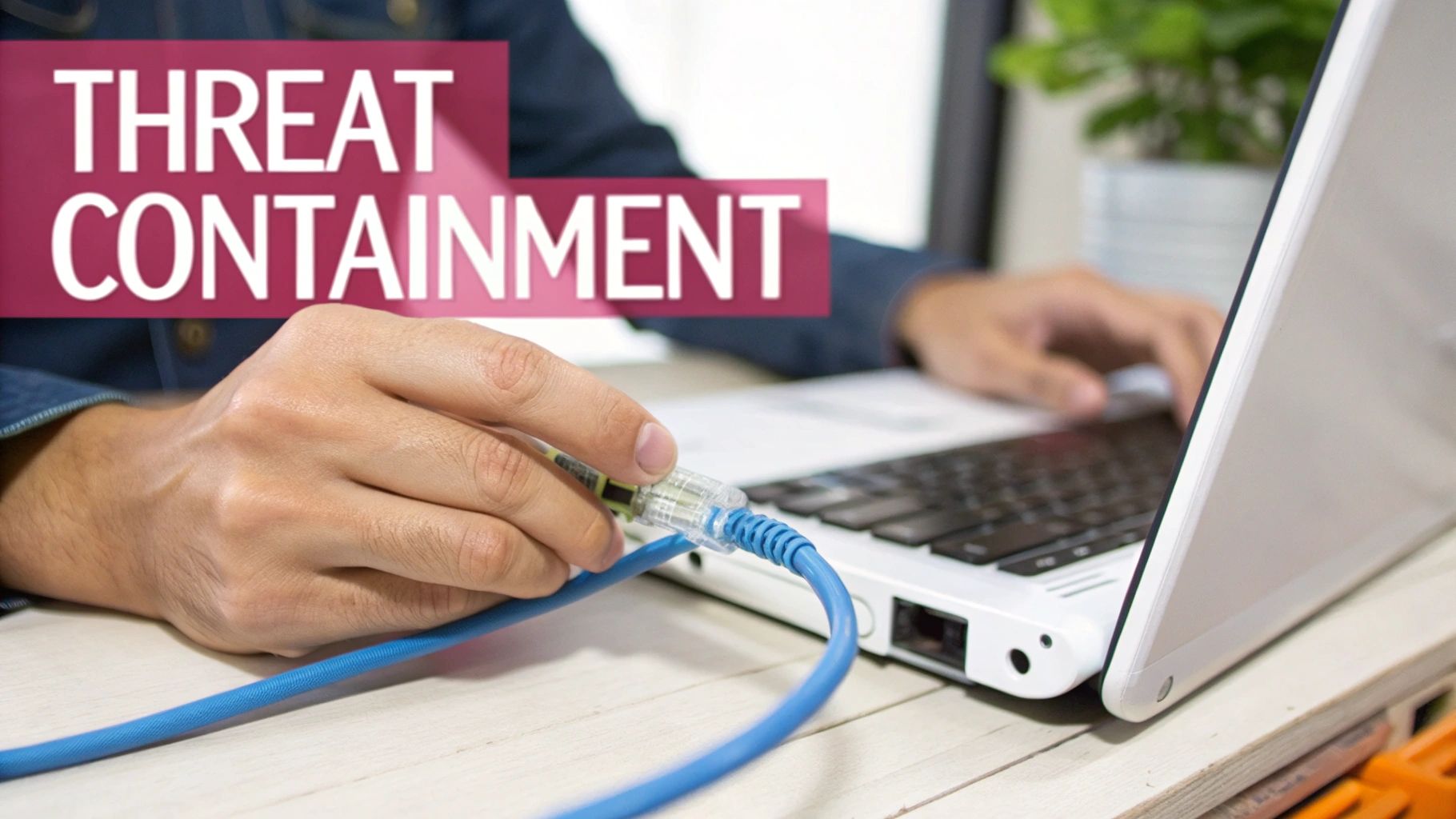
- Short-term Containment: Think of these as the immediate, stop-the-bleeding actions. This could be as simple as disconnecting an infected laptop from the network or blocking a malicious IP address at the firewall.
- Long-term Containment: This focuses on more durable solutions, like deploying security patches to unaffected systems to prevent lateral movement or temporarily isolating an entire server segment while you investigate further.
Your choice of strategy depends on the severity of the incident and the potential impact on your business. Taking a critical server offline might stop an attack cold, but it could also grind your operations to a halt. It is a balancing act.
Phase 4: Eradication (Removing the Threat Completely)
With the incident contained, the next step is to get the threat out of your environment for good. This goes way beyond just deleting a malicious file. It means digging in to find the root cause and ensuring every single trace of the attacker's presence is gone.
This might involve several actions, such as:
- Removing malware from all affected systems.
- Disabling any user accounts that were breached.
- Crucially, patching the original vulnerability the attacker exploited.
Do not make the mistake of thinking a simple system restore from a backup is enough. If the underlying vulnerability is not fixed, the attacker can—and almost certainly will—get back in.
Phase 5: Recovery (Getting Back to Business Safely)
The recovery phase is all about restoring your systems to normal operation. This has to be done carefully to make sure no new vulnerabilities are introduced and that the threat has been completely stamped out. It is almost always a phased process.
You will want to start by bringing your most critical systems back online first, monitoring them like a hawk for any signs of unusual activity. Data should only be restored from clean, verified backups. The final step is to validate that everything is functioning normally and securely before you can declare the recovery complete.
Unfortunately, many UK businesses find themselves deep in these recovery steps. Data for 2023 showed that around 32% of businesses experienced a cyber attack in the last year. This reality underscores just how critical a well-rehearsed plan is for survival.
Phase 6: Lessons Learned (Improving for the Future)
This is perhaps the most crucial—and most often overlooked—phase of all. Within a week or two of resolving the incident, the response team and key stakeholders must hold a post-incident review meeting.
Let me be clear: this is not about assigning blame. It is a blame-free analysis to understand exactly what happened, what went well in the response, and what could have been done better. The outcome should be an actionable report that leads to tangible improvements in both your security posture and your incident response plan itself.
Putting a Lid on the Problem: Identification and Containment
When a potential cyber security threat surfaces, your team's first few moves are everything. This is the moment your incident response plan goes from a document on a server to a real-world, high-stakes operation. The speed and precision you bring to identifying a threat and boxing it in can be the difference between a minor hiccup and a full-blown business catastrophe.
The second an alert pings—whether from your monitoring software or a sharp-eyed employee—the clock is officially ticking. Your first job is to figure out if you are dealing with a genuine incident or just a false alarm. This triage process is absolutely essential; you need to accurately gauge the scope and severity to bring in the right resources, all without causing unnecessary panic or grinding operations to a halt.
From Theory to Practice: Real-World Threat Identification
Getting a positive ID on a threat is not about guesswork; it is about a methodical, repeatable process. Let’s walk through a couple of common scenarios I have seen hit UK professional services firms time and again, and the exact steps to take.
Scenario 1: The "Odd" Invoice
A member of your finance team forwards you an email. It is from a supplier and has an invoice attached, but something just feels off. On the surface, it looks fine, but their gut is telling them to be cautious. Rushing to open that attachment could unleash a ransomware attack that cripples your business.
Here is your immediate game plan:
- Do Not Touch Anything: Your first instruction to the employee is simple: do not click, do not forward, and definitely do not delete. That original email is now a piece of crucial evidence.
- Get it in the Sandbox: Your technical lead needs to move that email into a sandbox—a secure, isolated virtual environment. In there, you can detonate the attachment and watch its behaviour without any risk to your live network.
- Check the Postmarks: It is time to inspect the email's full headers. Look for mismatches between the "from" address and the "reply-to" field. Check where the email actually originated from. More often than not, a phishing attempt will come from a domain that is cleverly disguised to look legitimate but is just a character or two off.
This careful, controlled analysis gives you a definitive answer on whether you are dealing with malware, allowing you to act before any real damage is done.
Why Phishing Detection Cannot Wait
Let us be clear: phishing remains the number one way attackers get a foothold in UK businesses. It is behind an astonishing 93% of successful breaches in 2025. With 43% of UK businesses reporting some form of cyber attack, phishing is very often the front door that leads to much nastier incidents like ransomware. The median time a phishing site stays live before being taken down is about 21 hours, which underscores just how quickly you need to be able to spot and react to these threats. You can get a deeper understanding by reviewing these critical cyber crime statistics and trends.
The Art of Decisive Containment
Once you have confirmed a genuine incident, your focus has to pivot instantly to containment. The goal is simple: stop the bleeding. You have to prevent the threat from spreading and causing more harm. Any hesitation at this stage can be incredibly expensive.
Scenario 2: The Midnight Data Transfer
Your network monitoring tool throws an alert. There is a high volume of unusual outbound traffic coming from your main file server, and it is happening well outside of business hours. This is a classic sign of data exfiltration—an attacker is actively stealing your data.
Your containment strategy needs to be swift and decisive:
- Pull the Plug: The most immediate and effective action is to disconnect that server from the network. You can physically unplug the Ethernet cable or, for a more surgical approach, use your firewall or network switch to block all its traffic. This immediately stops the data leak in its tracks.
- Create an Island: If yanking the server offline would cause a critical operational failure, consider moving it to a quarantined network segment. This keeps it running for investigation but walls it off from other internal systems and the internet.
- Burn the Credentials: Work on the assumption that an administrative account has been compromised. Immediately change the passwords for all privileged accounts with access to that server.
I have seen this mistake made too many times: teams rush to wipe and restore an affected device. While it feels like a quick fix, it is a disaster from a forensic perspective. You are essentially destroying the crime scene. You need that evidence to figure out how the attacker got in, what they took, and how you can stop it from ever happening again.
Effective containment is not just about pulling cables. It is a calculated decision, weighing the severity of the threat against the operational impact. By isolating the problem with precision, you buy yourself the time you desperately need to move into eradication and recovery without the incident spiralling out of control. This is the cornerstone of a mature and effective response.
From Containment to Cure: Eradication, Recovery, and Analysis
Once a threat is contained, it is tempting to breathe a sigh of relief. But in reality, the most meticulous work is just beginning. Think of containment as stopping the bleeding; eradication is the delicate surgery required to remove the root cause of the problem for good. This is a painstaking process where cutting corners almost guarantees a swift reinfection.
Simply deleting a suspicious file or restoring a server from backup just is not enough. True eradication means digging deep to find out how the attacker got in—the vulnerability they exploited—and sealing that entry point permanently. This often involves a combination of patching software, hardening security configurations across your network, and meticulously hunting down every last trace of the threat.
Bringing Your Business Back Online Safely
Removing the malware is only half the battle. The next phase, recovery, is about carefully bringing your business back to full strength without reintroducing the same risks or undoing all your team's hard work. A rushed recovery is a recipe for a repeat incident.
Forget a "big bang" approach where everything comes back online at once. A phased, deliberate recovery is far safer and more manageable.
- Prioritise what matters most: Start with your most critical business systems. This might be your CRM, your accounting software, or your main production server. Get the heart of the business beating first.
- Use clean, verified backups: This is non-negotiable. You must restore data from backups you know are clean and were taken before the incident occurred. Restoring from a compromised backup is like willingly reinfecting yourself.
- Monitor everything obsessively: Once a system is back online, it needs to be watched like a hawk. Keep a close eye on network traffic, system performance, and any unusual access attempts. The threat might still be lurking, looking for a way back in.
This systematic approach ensures each part of your infrastructure is stable and secure before you move on to the next, dramatically reducing the risk of a relapse.
Wiping the Slate Clean
In some situations, a system might be so deeply compromised that trying to clean it is riskier than starting over. It is often safer and faster to rebuild it from scratch. This means securely wiping all storage devices to guarantee no residual malware or compromised data remains.
To do this properly, you should follow established data destruction guidelines. The NIST SP 800-88 Data Sanitization standards provide a comprehensive framework for making sure data is gone for good. This is not just a security step; it is a critical part of data protection compliance, ensuring sensitive information is permanently and irretrievably destroyed.
Turning a Crisis into a Catalyst for Growth
The final, and arguably most important, phase is the post-incident review. This is a blame-free meeting held within a week or two of resolving the incident. Its sole purpose is to honestly analyse what happened, what went well, and where the response fell short.
The goal of a 'lessons learned' review is not to point fingers. It is to turn a negative event into a powerful catalyst for strengthening your defences. Every incident, no matter how painful, offers valuable intelligence on how attackers operate and where your weaknesses lie.
This proactive mindset has never been more critical. The UK's National Cyber Security Centre (NCSC) recorded 204 'nationally significant' cyber incidents between September 2024 and August 2025—a staggering 130% increase from the previous year. The NCSC is clear: hesitation is a vulnerability. This reality underscores the need for businesses to have response plans that are not just documented but constantly improving. You can read more about how UK organisations are adapting to these challenges and improving their breach recovery capabilities on Infosecurity Magazine.
The outcome of this meeting should be a formal post-incident report. This document does not need to be a novel, but it must capture the essential details:
- Executive Summary: A short, non-technical overview of the incident and its impact on the business.
- Incident Timeline: A detailed, timestamped log of events from the first alert to full recovery.
- Root Cause Analysis: What was the specific vulnerability or weakness that allowed the incident to happen?
- Response Evaluation: What worked well during the response? What were the roadblocks and challenges?
- Actionable Recommendations: A clear list of specific, assigned tasks with deadlines to improve security and update the response plan itself.
By seeing these final steps through, you transform a disruptive security event from a simple business cost into a strategic investment in your future resilience.
Getting the technical side of an incident under control is a huge relief, but it is really only half the job done. How you handle your legal and communication responsibilities in the immediate aftermath is what often separates a temporary setback from a long-term disaster. For any UK business, that means getting to grips with UK GDPR and the Information Commissioner's Office (ICO).
A technical fix alone just will not cut it. If you do not communicate clearly, you create a vacuum, and that space will quickly fill with rumour, speculation, and panic. Controlling the narrative—both inside and outside your company—is a fundamental part of a mature incident response.

The ICO and the 72-Hour Rule
Let us be clear: under UK GDPR, if you experience a personal data breach, you are legally required to report it to the ICO within 72 hours of discovery. The only exception is if the breach is unlikely to pose a risk to the rights and freedoms of individuals. That is a very tight deadline, and missing it can result in some eye-watering fines.
It is also important to realise that a reportable breach is not just about hackers stealing data. It covers the destruction, loss, or unauthorised alteration of personal information, too. For example, if a ransomware attack locks up your client database and you do not have a working backup, that is a loss of data availability—and it absolutely needs to be reported, even if no information ever left your servers.
I have seen many business owners hesitate to report a breach, worried about the repercussions. But in my experience, the ICO is far more interested in how you managed the situation and protected people than in punishing you for the breach itself. A proactive, transparent response always looks better than trying to sweep it under the carpet.
Communicating with Clarity and Control
Crisis communication is a delicate balance. You need to be honest, clear, and reassuring, but you must avoid making promises you cannot deliver on. You will be speaking to different groups of people, each needing a slightly different message. This is where having pre-agreed templates becomes invaluable; they allow you to act fast and stop misinformation from spreading. Building these templates should be a core part of creating your data breach response plan.
Here is a quick checklist to guide your communications plan when an incident hits.
UK Incident Communication Checklist
| Audience | Action Required | Key Considerations |
|---|---|---|
| Internal Team | Send an immediate internal memo. | Be direct and factual. Explain what has happened in simple terms, tell staff what to do (e.g., change passwords), and make it clear they must not comment publicly. |
| Affected Clients | Notify them without undue delay. | Be transparent about what data was involved. Explain the steps you are taking to fix things and give them clear, practical advice on protecting themselves. |
| Suppliers/Partners | Inform anyone whose operations might be affected. | Give them a factual summary of the situation and warn them of any potential disruption to shared systems. Reassure them you are actively working on a fix. |
Handling these duties well can turn a crisis into an opportunity to show you are a responsible business, reinforcing trust with clients and partners. On the other hand, getting it wrong can cause far more lasting damage than the initial attack ever could.
Common Incident Response Questions Answered
When you are in the thick of a crisis, even the most detailed plan cannot anticipate every question. In my experience, business leaders tend to circle back to the same core concerns: the cost, when to call for outside help, and what their legal duties really are.
Getting these answers straight before an incident hits is what turns a document on a shelf into a tool that actually works under pressure. It builds the confidence your team needs to act decisively when every second counts.
How Much Does an Incident Response Plan Cost?
This is a classic "how long is a piece of string?" question, but I can give you some real-world parameters. Think of it as an investment, not a cost. For a small business just starting out, you might get by with an internal plan built from a good template, costing you only staff time.
However, once you start handling more sensitive data or have more complex systems, you will want a professional touch. Bringing in a consultant to build a plan tailored to your specific risks could cost anywhere from a few thousand pounds up to £10,000 or more for a more complex SME.
And it does not stop there. A plan is a living thing and needs ongoing care. You will need to budget for:
- Annual reviews: At a minimum, set aside a few days of key staff or consultant time to keep the plan relevant.
- Training and drills: Tabletop exercises are a fantastic, low-cost way to find the holes in your plan before a real attacker does.
- Essential tools: An effective response relies on good visibility, which means budgeting for things like EDR (Endpoint Detection and Response) or SIEM (Security Information and Event Management) solutions.
When you weigh these figures, remember that the cost of a solid plan is just a fraction of what a real data breach will set you back. Those costs can easily spiral into tens or even hundreds of thousands for a small business.
When Should We Call in External Cybersecurity Experts?
Knowing when to hit the panic button and call for backup is a crucial judgement call. Here is my advice on when to pick up the phone.
You absolutely need to bring in external experts if:
- The situation feels out of control: If you cannot figure out how the attackers got in or you are struggling to stop the bleeding, it is time. Specialists have the forensic tools and experience to untangle complex attacks.
- You do not have the right people: Most SMEs do not have a dedicated security team on standby. External responders give you those specialised skills on-demand, without the full-time overhead.
- Sensitive data is definitely at risk: If you suspect client, patient, or employee data has been compromised, a third-party investigation is non-negotiable. It adds credibility and is often essential for meeting your legal and regulatory duties.
The single biggest mistake I see is businesses waiting too long to ask for help. They hope their internal team can manage it, but the delay just gives the attacker more time to dig in. This almost always makes the damage—and the final bill—much, much worse.
Do We Still Need to Report a Breach if No Data Was Stolen?
This is a common and dangerous misconception. The answer is often yes, you do.
Under the UK GDPR, a 'breach' is not limited to data being stolen. It also covers the destruction, loss, or alteration of personal data. A classic example is a ransomware attack. If an attacker encrypts your client files, that is considered a "loss of availability"—even if you restore everything perfectly from a backup and they never stole a single file. This is a reportable breach to the Information Commissioner's Office (ICO).
At SES Computers, we provide proactive IT support and cybersecurity services to help you build a resilient incident response plan. Protect your business and ensure you are prepared for any eventuality. Learn more about our managed IT services.