When you hear the term ‘IT solutions business’, what comes to mind? For many, it’s the classic ‘break-fix’ IT guy you call when a computer dies or the server crashes. But that's an outdated picture. A modern IT solutions provider is a strategic technology partner, woven into the fabric of your business to help it grow.
They don’t just react to problems; they proactively design, build, and manage your entire technology infrastructure. It's about preventing fires, not just putting them out.
Moving Beyond Break-Fix IT Support
Think of traditional IT support as a firefighter. They’re indispensable when your building is on fire, but you wouldn't ask them to design the building's fire prevention systems. That reactive approach means you've already suffered downtime, lost productivity, and are facing unexpected bills by the time they arrive.
A genuine IT solutions partner is more like an architect and a city planner for your technology. They work with you to create a solid, secure, and efficient foundation that’s built specifically for how you operate. This goes way beyond fixing laptops; it’s about strategically managing everything from your cloud services and cybersecurity defences to your phone systems and data backups. The goal is to stop problems before they even start, keeping your business running smoothly.
The Shift to a Strategic Partnership
This change from reactive repairs to a proactive partnership is everything. A good IT solutions business ties its success directly to yours. They aren't just there to close a support ticket; they’re focused on delivering real results that help you hit your long-term goals.
Whether it’s improving team collaboration, protecting sensitive client information, or making sure you can keep trading during a disaster, their work has a tangible impact. This strategic oversight frees you up to focus on what you do best—running your business—with the confidence that your technology is a genuine asset, not a liability.
The market reflects this shift loud and clear. The UK IT services market, valued at USD 40.2 billion, is expected to skyrocket to USD 100.7 billion by 2033. This incredible growth is largely driven by businesses moving towards flexible, scalable cloud solutions and seeking partners who deliver strategic value. You can find more detail on the UK IT services market growth.
A true IT solutions partner doesn't just manage your systems; they provide the technological foresight and stability required to build a more resilient and competitive business. They are an investment in your company's future, not just a cost for its present.
The Building Blocks Of Modern IT Services
To really get to grips with how an IT solutions partner can help a business grow, you need to look at the core services they offer. These aren't just standalone tech fixes; they're interconnected parts of a much bigger strategy. Each piece is designed to solve specific business headaches, boost efficiency, and keep your operations safe.
Think of it as having an entire, expert technology team at your disposal, with each department focused on a critical area.
The diagram below shows this perfectly. It’s about the journey from old, reactive IT—where you just fix things when they break—to a modern, proactive approach that actively drives the business forward.
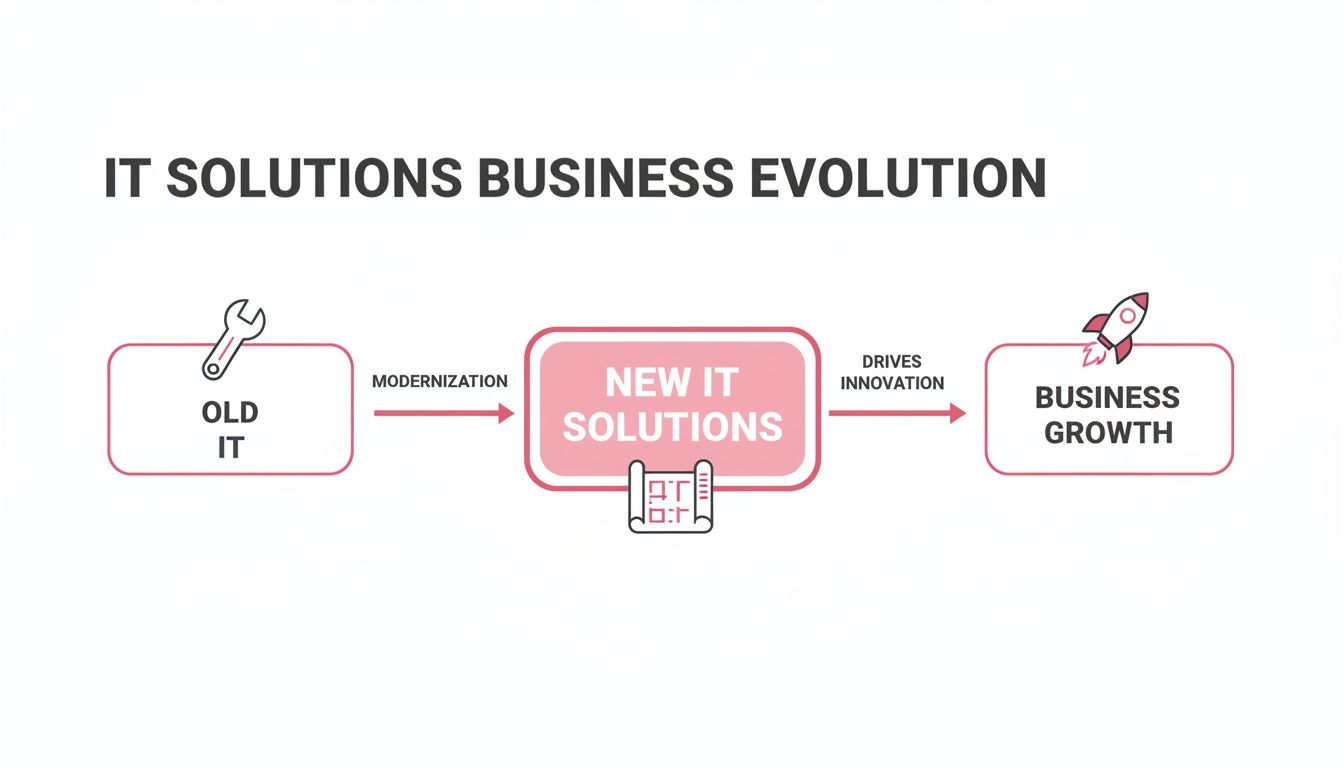
The crucial takeaway is that technology is no longer just a background utility. It's the blueprint for innovation and sustainable growth.
Let's break down what these core services look like in the real world. Below is a quick summary of the key solutions and the direct problems they solve for businesses like yours.
Core IT Services And Their Business Impact
| IT Service | Primary Function | Business Problem Solved |
|---|---|---|
| Managed IT Services | Proactive monitoring, maintenance, and support of your entire IT infrastructure. | Unpredictable costs, disruptive downtime, and the high overhead of an in-house IT team. |
| Cloud Hosting | Securely storing your company's data and applications on remote, managed servers. | Limited physical storage, lack of remote access, and difficulty scaling IT resources. |
| Desktop as a Service (DaaS) | Providing a secure, standardised virtual desktop accessible from any device. | Inconsistent user experience, security risks from personal devices, and complex software management. |
| VoIP Phone Systems | Unifying calls, video meetings, and messaging into a single internet-based system. | Outdated, inflexible phone systems and a disjointed communication experience for remote teams. |
| Backup & Disaster Recovery | Creating complete copies of your systems and data with a plan for rapid restoration. | The risk of catastrophic data loss and prolonged business interruption after an incident. |
| Cybersecurity | Implementing multiple layers of defence to protect against digital threats. | Vulnerability to ransomware, data breaches, and financial fraud that can ruin a reputation. |
Now, let's explore each of these in a bit more detail to see how they fit into the bigger picture.
Managed IT Services: Your Proactive IT Department
Imagine having a dedicated team of IT experts on call 24/7, but without the hefty price tag of salaries, training, and benefits. That's the heart of Managed IT Services. It’s a completely proactive model where a provider monitors, maintains, and manages your entire technology setup for a predictable monthly fee.
This approach shifts you away from the old "wait for it to break" cycle. Instead, your IT partner is constantly working behind the scenes to prevent problems before they start, applying security patches and optimising performance so your team can get on with their jobs without a hitch.
A practical example: A firm of solicitors in Salisbury relies on case management software that is the lifeblood of their operation. With managed services, their provider watches the server hosting that software around the clock. They can spot and fix a potential hard drive failure before it causes a catastrophic crash, preventing costly downtime and protecting client trust.
Cloud Hosting: The Secure Digital Warehouse
Cloud hosting is essentially like moving your company's vital files and applications out of a dusty, on-site server room and into a highly secure, infinitely scalable digital warehouse. Instead of owning and maintaining clunky physical servers, you rent space from a provider who handles all the security, power, and upkeep.
This gives your team secure access to their data and software from anywhere with an internet connection. It’s also incredibly flexible; you can scale your resources up or down as your business needs change, only ever paying for what you actually use.
The move to the cloud is reshaping the UK IT market, a sector projected to grow from USD 112.5 billion in 2025 to a massive USD 156.61 billion by 2030. While big corporations have led the charge, smaller businesses are catching up fast, with adoption growing at a 9.2% compound annual rate, helped by government digital initiatives. You can find more data on the UK IT services market here.
An effective cloud strategy is not about simply moving files online. It's about building a resilient, flexible, and accessible foundation for your entire business operation, ensuring continuity and enabling modern, remote work practices.
Desktop as a Service: A Secure Computer on Subscription
Desktop as a Service (DaaS) gives your team a perfect, secure, and standardised virtual work computer that they can access from any device. It's like a subscription for a fully managed work environment. Every employee gets the same desktop experience with all their necessary applications, whether they're on a laptop in the office, a home PC, or a tablet while travelling.
A practical example: An estate agency with branches in multiple towns uses DaaS to ensure every agent has access to the same property management software and client database. This means an agent from the Salisbury office can hot-desk in the Winchester branch and have their complete, familiar desktop ready to go, ensuring a consistent and secure service for clients.
VoIP Phone Systems: A Smart Communications Hub
A Voice over IP (VoIP) phone system is so much more than just a way to make calls. It’s a unified communications hub for your entire company, running over your internet connection instead of old-fashioned copper wires. It brings together voice calls, video meetings, and instant messaging onto one seamless, manageable platform.
A practical example: An accountancy practice in Dorset uses VoIP to transfer client calls from the receptionist's desk to an accountant working from home without a single blip. They can also host secure video calls with clients to review financial documents, all within the same system. This presents a highly professional and unified front, no matter where staff are located.
Backup and Disaster Recovery: Your Digital Insurance Policy
No business is immune to disruption, whether it's a flood, a fire, or a crippling cyberattack. Backup and Disaster Recovery (BDR) is your comprehensive insurance policy against these digital catastrophes. It's not just about backing up files; it's a complete, pre-planned strategy to get your entire business back on its feet as quickly as possible.
This means regularly creating complete copies of your systems and data and, crucially, having a clear, tested procedure to restore everything in an emergency. The goal is to shrink potential downtime from days or weeks to mere hours or even minutes.
Cybersecurity: A Multi-Layered Fortress
Finally, Cybersecurity is the multi-layered fortress that protects every digital entry point to your business. It isn't a single product you can buy off the shelf. It's a combination of technology, strict processes, and staff training designed to defend against an ever-growing list of threats like phishing, ransomware, and data breaches. To learn more about how these components fit together, check out our guide on IT solutions for business. This integrated approach is absolutely essential for safeguarding your company’s finances, data, and hard-earned reputation.
Calculating The Real Return On Your IT Investment
So, how do all these technical services actually translate into pounds and pence for your business? When you cut through the jargon, the real value of working with a strategic IT solutions provider shows up in three key areas: direct cost savings, big gains in productivity, and a massive reduction in business risk. It’s a shift in thinking—seeing your IT not as a cost centre, but as one of your biggest competitive advantages.
Simply looking at IT as another line item on the expense sheet is a common and costly mistake. The true calculation pits the investment against the real-world returns it delivers, which almost always dwarf the initial outlay.
Beyond The Monthly Invoice: Obvious Cost Savings
The most straightforward return on investment (ROI) comes from a simple comparison: the cost of outsourcing versus hiring an in-house IT team. Once you start tallying up the salaries, recruitment fees, ongoing training, benefits, and sick pay for even one internal IT person, the numbers get very big, very quickly.
With a managed services model, you get access to an entire team of specialists for a predictable, fixed monthly fee. This alone can lead to huge savings and completely removes the financial headache and risk of a key staff member suddenly leaving. It's no surprise that IT outsourcing is now the biggest slice of the UK's IT services market, as businesses hunt for efficiency and expertise without the associated overheads. This move doesn't just cut costs—often by 20-30%—it also makes you more agile. You can discover more insights about the UK IT outsourcing market on Verified Market Research.
Boosting Productivity And Billable Hours
Great technology has a direct, tangible effect on your team's output. Every single minute an employee spends wrestling with a slow computer, a patchy internet connection, or a buggy piece of software is a minute they aren't working on billable tasks or helping customers. Proactive IT management drastically reduces these interruptions, creating a smoother, frustration-free working day.
Think about it in practical terms:
- A Law Firm: Using Desktop as a Service (DaaS), a solicitor can securely access their case files from the courtroom, home, or on the train. That newfound flexibility means more potential billable hours and a faster response time for clients.
- An Accountancy Practice: With a modern VoIP phone system, an accountant working from home can seamlessly take a call transferred from the main office. The client experience is flawless, and business communication never misses a beat, regardless of location.
Strategic IT investment is all about getting rid of technological friction. It frees up your team to do what they do best, maximising their efficiency and making a bigger impact on the company's bottom line.
Reducing And Quantifying Business Risk
This is perhaps the most critical return on your investment, even if it's the hardest to slap a number on. Ask yourself: what would one day of total operational downtime cost your business? For a manufacturing firm in Hampshire, a server meltdown could bring the entire production line to a halt, easily resulting in six-figure losses from missed orders and idle staff.
A solid backup and disaster recovery plan completely changes that equation. Instead of a catastrophic, multi-day outage, the business could be back up and running in under an hour. The investment in that recovery solution is a tiny fraction of the potential financial hit.
In the same way, proactive cybersecurity isn't just a defensive tactic; it's a financial necessity. A data breach comes with a hefty price tag that includes regulatory fines, loss of customer trust, and even legal battles. Investing in a multi-layered security strategy isn't an expense—it's a calculated business decision to prevent a far more devastating financial and reputational crisis. To really get a handle on the ROI of your IT spend, it helps to understand the fundamentals of cloud cost optimization.
How To Choose The Right IT Partner For Your Business
Picking an IT solutions business is one of the most critical decisions you'll make. This isn't just about finding someone to fix a misbehaving computer; it's about bringing a genuine partner on board who can protect your operations and actively support your growth. The right choice goes far beyond a simple comparison of monthly fees—it demands a close look at their technical skill, industry reputation, and, just as importantly, how they communicate.
A great IT partner becomes a seamless extension of your own team, someone who is genuinely invested in your success. They should bring stability and foresight, giving you the peace of mind to focus on what you do best: running your business.

Evaluate Their Technical Expertise and Credentials
Let's start with the fundamentals: a potential partner must have the right technical qualifications. You need proof that they understand the specific demands of professional services firms and have the experience to manage the complexities that come with it.
Certifications are a fantastic, non-negotiable starting point. In the UK, a Cyber Essentials or, even better, a Cyber Essentials Plus certification is an absolute must-have. This government-backed scheme shows they take basic security hygiene seriously—vital when they'll have access to your sensitive client data.
Beyond that, look for official partnerships with major technology vendors. Accreditations from giants like Microsoft, VMware, or 3CX demonstrate a deeper level of expertise and prove their staff receive regular, formal training on the very systems your business depends on.
Scrutinise The Service Level Agreement
The Service Level Agreement (SLA) is more than just a contract; it's the rulebook for your relationship. It lays out precisely what you can expect, so reading it with a fine-tooth comb is crucial. A vague or poorly defined SLA is a massive red flag.
A robust SLA will clearly specify:
- Guaranteed Response Times: How quickly will they acknowledge an issue and start working on it? Look for different tiers for critical, major, and minor problems.
- Resolution Targets: While a fix can't always be guaranteed within a set time, a good SLA will outline target times. This shows they're focused on results, not just logging tickets.
- Hours of Support: Make sure their support coverage aligns with your business hours, and check what provisions are in place for out-of-hours emergencies.
An SLA isn’t just a legal document; it's a reflection of the provider's professionalism and their commitment to accountability. If the terms are unclear or fail to meet your operational needs, walk away.
Assess The Human Element And Communication
Technical skill is only half the battle. The way an IT solutions business communicates is just as critical. You need a partner who can explain complex technical issues in plain English, free from confusing jargon.
During your initial chats, pay close attention to how they listen. Do they genuinely try to understand your challenges, or do they immediately jump into a sales pitch? A true partner is inquisitive and wants to understand how your business works before recommending any solutions.
Proactive communication is another key trait. You shouldn't only hear from them when something is broken. A great provider will schedule regular strategic reviews to discuss your IT performance, suggest improvements, and ensure your technology is still aligned with your business goals. This proves they're thinking about your future, not just reacting to today's problems. To better understand this partnership model, you can explore our detailed explanation of what a managed service provider does.
Ask The Right Questions
Before you even think about signing a contract, you need to go in armed with a list of specific, probing questions. How a potential partner answers will tell you everything you need to know about their processes, experience, and suitability.
To get you started, here is a simple checklist of questions to ask any potential IT provider.
IT Partner Vetting Checklist
Use these essential questions to evaluate potential IT providers and ensure they align with your business needs and security standards.
| Evaluation Area | Essential Question To Ask | What A Good Answer Looks Like |
|---|---|---|
| Industry Experience | Can you provide case studies or references from clients in a similar sector to ours? | "Yes, we work with several accountancy firms. Here's how we helped one streamline their data security for Making Tax Digital…" |
| Onboarding Process | What does your client onboarding process look like, and how do you minimise disruption? | A detailed, multi-stage plan that includes discovery, technical audits, scheduled rollout, and clear communication points. |
| Data Security | How do you secure our data, and where are your data centres located? | Specifics on encryption, access controls, physical security, and UK-based data centres for GDPR compliance. |
| Account Management | Who will be our primary point of contact for day-to-day issues and strategic planning? | A named Account Manager for strategy and a clear, simple process for logging support tickets with a dedicated helpdesk team. |
Their answers should be clear, confident, and backed up with evidence. Finding that sweet spot of proven experience, transparent processes, and excellent communication is the key to building a successful long-term relationship.
A Smooth Transition To Your New IT Partner
The thought of switching IT providers can be daunting. It often brings up fears of chaos and disruption. But with an experienced IT solutions business, it's not a leap into the unknown. It’s a carefully managed, structured transition designed to get you onto a better, more secure system with practically zero impact on your day-to-day work.
This isn’t about flipping a switch and hoping for the best. It’s a planned migration, turning a major operational change into a predictable and positive project.
A Clear Roadmap For Change
A successful transition is built on a clear, logical roadmap. There's no guesswork involved. It's a proven process that makes sure every single detail is covered before anything actually changes.
It all starts with a technical audit of your current IT. Your new partner will get under the bonnet, taking a close look at your network, hardware, software licences, and security measures. This discovery phase is essential for understanding what's working, what's not, and where the hidden risks are.
Designing A Customised Migration Plan
After the audit, your provider will draw up a customised migration plan. Think of this as the architectural blueprint for the whole project. It will lay out precise timelines, key milestones, and the exact steps needed to get from A to B, all built around your specific business needs to keep your team productive.
For example, a busy solicitor’s office in Somerset can't afford downtime during court hours. Their migration plan would be scheduled to move client databases and communication systems over a weekend. This kind of detailed planning means that when the team walks in on Monday morning, the new systems are up and running, and it's business as usual.
The sign of a great migration is that your team barely notices it happened. The goal is a quiet, seamless switch, where the only thing they experience is better performance and reliability from day one.
The actual changeover is usually done in phases and, wherever possible, outside of your core business hours. This might mean moving your email system one evening and your shared files the next. It’s a deliberate approach that prevents downtime and allows for proper testing at every stage.
Finally, the project is wrapped up with two crucial steps:
- Comprehensive Staff Training: We make sure everyone on your team knows how to use the new systems and, just as importantly, how to get help if they need it.
- Dedicated Post-Migration Support: In the first few days after the switch, we provide extra monitoring and fast support to iron out any small issues that might pop up.
Meeting UK Compliance and Local Support Needs
If you’re running a professional services firm in the UK—especially as a solicitor or accountant—you know that handling client data carefully is more than just good practice. It's a legal minefield. Regulations like the General Data Protection Regulation (GDPR) are non-negotiable, and your IT setup is right at the heart of staying compliant.
This goes far beyond simply installing the latest security software. A skilled IT partner will put robust data encryption in place, meticulously manage who has access to what, and ensure all your information is stored in secure, UK-based data centres. These technical safeguards are the bedrock of meeting your legal duties to protect sensitive client information.
The Importance of Local Expertise
While a big national provider might seem impressive, there’s a lot to be said for choosing a local partner right here in your region—whether that’s Dorset, Somerset, Wiltshire, or Hampshire. Tech problems rarely stick to a 9-to-5 schedule, and some issues just can't be sorted out over the phone.
That's where a local presence makes all the difference: rapid on-site support. When a critical server gives up or your entire network goes down, having an engineer who can be in your office quickly can turn a potential business crisis into a minor hiccup.
Choosing a local IT partner gives you the best of both worlds: the technical expertise you'd expect from a national firm, but with the responsiveness and accountability of a neighbour. It’s a partnership built on understanding the local business landscape.
More Than Just a Helpdesk
Beyond just fixing things when they break, a local provider offers a much more personal, strategic relationship. They get the unique challenges and opportunities that businesses face in our local community. This insight leads to proper, face-to-face strategic reviews where you can talk through your business goals and make sure your technology is actually helping you get there.
This mix of regulatory know-how and hands-on local service brings incredible peace of mind. It means your IT partner isn't just a disembodied voice on a helpline, but a real, tangible part of your support network. To stay on top of your obligations, using a comprehensive GDPR compliance checklist is an excellent starting point.
To really get your internal processes in order, it’s worth diving deeper. We've put together our own detailed GDPR compliance checklist for businesses to help you cover all the bases. This local understanding, combined with deep technical knowledge, creates a resilient and responsive operation—exactly what a professional services firm in the South West needs.
Frequently Asked Questions About IT Solutions for Businesses
Deciding on a new IT partner is a big step. It’s a decision that impacts your company's security, day-to-day efficiency, and future growth, so it’s only right that you’ll have questions. We hear these queries often from business owners across Dorset, Hampshire, and beyond, so here are some straight-talking answers.
What’s The Typical Cost For Managed IT Services?
Most established IT partners have moved away from the old, unpredictable 'break-fix' model. Instead, you'll typically find a fixed monthly fee, which is usually calculated per user or per device. This makes budgeting a breeze because it covers all the essentials—proactive monitoring, system maintenance, helpdesk support, and security—without any nasty surprises.
A practical example: A ten-person accountancy practice pays one set amount each month for their entire team and all their equipment. This model means our goals are perfectly aligned with yours. It’s in our best interest to stop problems before they even start, keeping your systems running smoothly. It's a fundamental shift from expensive, reactive fixes to a stable, proactive partnership.
How Can I Trust An External Provider With My Company Data?
Trust has to be earned through transparency and proven credentials. Any IT partner worth their salt will be open about their security measures and should hold certifications like Cyber Essentials Plus or ISO 27001 as a bare minimum. These aren't just badges; they're proof of a genuine commitment to robust security practices.
Don't be afraid to dig into the specifics of their security protocols. Good questions to ask are:
- How is our data encrypted, both when it's stored and when it's in transit?
- What are the physical security measures at your UK-based data centres?
- Can you show me your documented incident response plan for a potential breach?
A real partner sees security as a shared responsibility. They won’t just manage things remotely; they’ll work alongside you to improve your internal policies and train your staff, building a stronger, more resilient security culture together.
Outsourcing your IT isn't about giving up control; it's about gaining expertise. You're simply delegating the day-to-day technical grind to free up your own team for strategic work, while you always retain full ownership of your data and assets.
Will We Lose Control By Outsourcing Our IT?
This is probably the most common myth we encounter. The reality is, outsourcing your IT is about delegating the complex, time-consuming tasks of technology management, not handing over the keys to your business. You always remain the owner of your data, your hardware, and your digital strategy.
The goal is to bring a high-level strategic advisor into your corner, not just hire a helpdesk. A great provider gives you clear insights and expert recommendations, empowering you to make smarter decisions about your technology. It’s about using their expertise to sharpen your competitive edge, not sacrificing your authority.
How Long Does It Take To Onboard With A New Provider?
A smooth, well-managed onboarding for a small to medium-sized business typically takes between two and six weeks. No professional IT partner should ever begin without a clear, structured project plan that they've shared and agreed with you right from the start.
This plan should map out every stage, from the initial technical audit to the final migration. The actual switch is often done in phases and scheduled outside of your core business hours to ensure there is absolutely no disruption to your team. Throughout the entire process, you should expect clear and constant communication, so you’re never left wondering what’s happening next.
Ready to work with an IT solutions partner that truly understands the needs of businesses in Dorset, Hampshire, Somerset, and Wiltshire? SES Computers provides the local expertise and proactive support to help your business succeed.