Securing your company's wireless network goes far beyond just setting a complex password. It’s about building a multi-layered defence that anticipates threats rather than just reacting to them. This means deploying robust encryption like WPA3-Enterprise, implementing certificate-based 802.1X authentication, and strategically segmenting your network. For a professional services firm, this is not an IT luxury; it is a core business requirement for protecting client confidentiality and maintaining regulatory compliance.
Building Your Wireless Security Framework
In today's business world, your wireless network isn't just a convenience—it's critical infrastructure. Unfortunately, it's also one of the most common entry points for cyber-attacks. A poorly configured network can expose sensitive client data, financial records, and proprietary information, putting you at serious financial and reputational risk.
The goal is to move beyond basic protection and establish a solid security framework. Think of this framework as a blueprint for every decision you make about your Wi-Fi, ensuring each defensive layer works in harmony. This guide will walk you through the practical, real-world strategies that UK businesses use to protect their digital assets, starting with the absolute essentials.
The Core Pillars of Modern Wi-Fi Security
A strong wireless security framework is built on a few non-negotiable principles. These aren't just abstract concepts; they are strategic choices that define your entire defence.
- Robust Encryption: This is your first line of defence, scrambling data so it's unreadable to outsiders. Using the latest standard, WPA3, is a must for any modern business.
- Strong Authentication: This pillar is all about verifying who and what is connecting. It moves you away from risky shared passwords towards individual, manageable credentials for every user and device.
- Network Segmentation: This involves carving up your network into smaller, isolated zones. It’s a powerful tactic for containing potential breaches and stopping an intruder from moving freely across your entire system.
A well-designed wireless security framework doesn't just block external threats; it provides visibility and control over everything connecting to your network, drastically minimising your internal risk.
Let's put this into practice. Imagine a professional services firm in Hampshire. They could use segmentation to create separate virtual networks (VLANs): one for staff access to internal servers, another for guest Wi-Fi with internet-only access, and a third, highly restricted VLAN for the financial department's devices. If the guest network were ever compromised, the attacker would hit a dead end, completely unable to access the company's core systems.
To help visualise how these elements come together, here’s a quick breakdown of the core pillars and the technologies that support them.
Core Pillars of Wireless Network Security
| Security Pillar | Objective | Recommended Technology |
|---|---|---|
| Encryption | Protect data in transit from eavesdropping and tampering. | WPA3-Enterprise |
| Authentication | Verify the identity of users and devices before granting access. | 802.1X, RADIUS, Digital Certificates |
| Segmentation | Isolate network traffic to contain breaches and enforce policies. | VLANs, SSIDs, Network Access Control (NAC) |
These pillars form the foundation of a resilient network.
Mastering these concepts is an ongoing effort. For those looking to build a truly robust security posture, continuous education is key. Investing in Certified Cyber Security Professional training is an excellent way to deepen your team's expertise.
Now, let's get into the actionable steps you can take to turn this framework into a reality for your business.
Designing a Resilient Network Architecture
Properly securing your wireless network doesn’t start with passwords and firewalls. It begins much earlier, at the design stage. Getting the architecture right from the outset can eliminate whole categories of vulnerabilities before they even have a chance to exist, forming a solid foundation for all your other security controls.
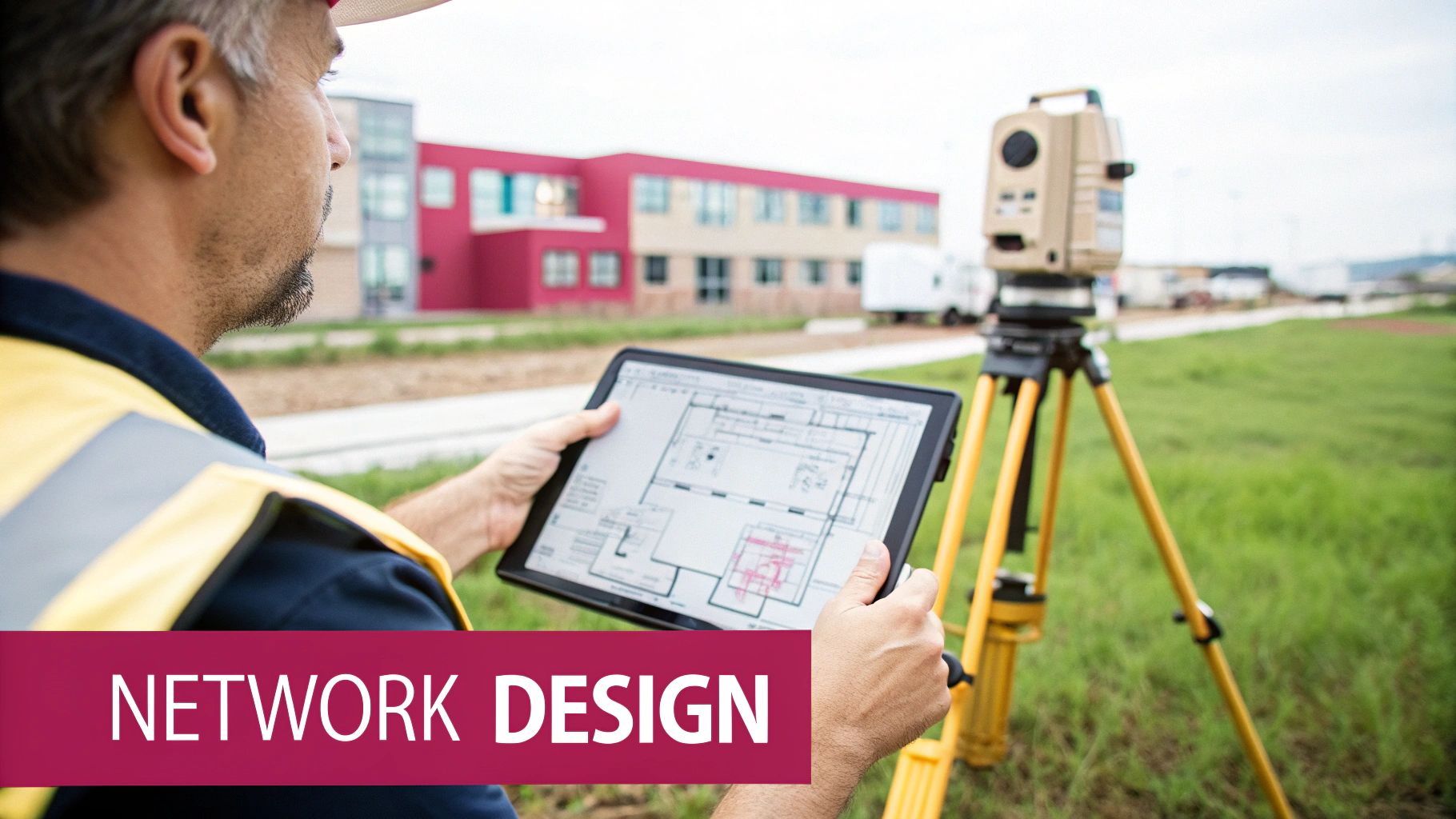
This process should always kick off with a detailed wireless site survey. Many people make the mistake of only checking for signal strength, just making sure every corner of the office gets a good connection. A proper, security-first survey goes much deeper. We’re looking for signal leakage outside the building, potential radio interference, and physical spots where someone could hide a rogue access point. A practical example would be a survey for a law firm revealing that their Wi-Fi signal is strongly broadcasting into the public car park, creating an unnecessary risk of attack from outside.
Strategic Network Segmentation with VLANs
If there's one architectural decision you can make that has the biggest security impact, it's network segmentation. The logic is simple: don’t put all your digital eggs in one basket. By splitting your network into smaller, isolated zones, you can contain a breach and stop an attacker from moving freely across your entire system.
The go-to tool for this job is the Virtual Local Area Network (VLAN). VLANs let you group devices onto the same logical network, regardless of which physical switch they’re plugged into. This creates hard boundaries that network traffic can't cross without explicit permission from a router or firewall.
Here’s a practical example of how we might set this up for a professional services firm:
- VLAN 10 (Corporate): This is for staff laptops and desktops. It gives them access to internal file servers, printers, and essential business software.
- VLAN 20 (Guest): Strictly for visitors. This VLAN should do one thing and one thing only: provide a path to the internet. It must be completely firewalled off from all internal company resources.
- VLAN 30 (IoT Devices): A dedicated home for things like smart TVs, security cameras, or digital signage. These devices are notoriously insecure and need to be kept far away from everything important.
With this structure in place, if a guest connects their malware-riddled laptop to the guest Wi-Fi, the threat is trapped inside VLAN 20. It has no way to reach your sensitive client data sitting on the corporate network in VLAN 10. For those looking to build a truly robust defence, this is a cornerstone of a Zero Trust Architecture Design, where nothing is trusted by default.
Developing a Purposeful SSID Strategy
The public names of your Wi-Fi networks, your Service Set Identifiers (SSIDs), should be a direct reflection of your VLAN strategy. Creating distinct, clearly named SSIDs for each purpose is the professional standard for both security and ease of use.
A common but flawed tactic is "hiding" the main corporate SSID by disabling the broadcast. This creates a false sense of security. Anyone with basic, freely available scanning tools can find a hidden network in seconds. It provides no real protection against a serious threat and just makes it a pain for your legitimate users to connect.
A much better approach is to create clear, obvious SSIDs for each VLAN. For example:
YourCompany-Corp,YourCompany-Guest, andYourCompany-IoT. This makes the network’s purpose instantly clear and simplifies assigning the right security policies.
This segmentation is a critical part of your overall network infrastructure, and it's fundamental to get it right from day one.
The increasing complexity of modern networks is a major headache for businesses today. In fact, network resilience has become a significant weak point, with over a quarter (26%) of UK organisations saying it's the hardest area to protect. This reflects the challenge of managing sprawling systems and a growing attack surface. In response, nearly half (49%) of UK companies with network protection in place have turned to AI-driven tools to help strengthen their defences and spot unusual activity in real time.
Locking Down Your Network with Strong Encryption and Authentication
Once your network architecture is solid, it's time to implement the technical controls that will actually protect your data in transit. The single biggest mistake businesses make is relying on a single, shared Wi-Fi password, known as a Pre-Shared Key (PSK). It’s the digital equivalent of hiding the key to your office under the doormat – convenient, but woefully insecure.
Moving beyond this outdated approach is non-negotiable for any serious business. The professional standard involves shifting to stronger protocols that verify each user's identity individually, which puts an end to the chaos and risk of shared credentials once and for all.
Step Up to the WPA3-Enterprise Standard
The most impactful upgrade you can make to your wireless security is to adopt WPA3-Enterprise. This is the current gold standard for corporate Wi-Fi, offering a huge leap forward from its predecessor, WPA2. While you'll still see WPA2 everywhere, WPA3 provides far better protection against common password-cracking tools and uses more robust, modern cryptographic algorithms.
For any business, the "Enterprise" part is what really matters. Unlike the "Personal" or PSK version that relies on that single shared password, WPA3-Enterprise integrates with a proper authentication system. This completely changes your security model from "what you know" (a password) to "who you are" (a verified identity).
The Real Power of 802.1X and RADIUS
The engine behind WPA3-Enterprise is a framework called IEEE 802.1X. This isn't just another setting to tick; it's a fundamentally different way of handling who gets onto your network. Instead of your access point (AP) making the decision based on a simple password, it passes the authentication request off to a central authority.
This authority is almost always a RADIUS (Remote Authentication Dial-In User Service) server. Think of the RADIUS server as your network's bouncer. It checks each user's credentials against a central database, like your company's employee directory, before granting them access.
Let’s look at a practical example. Imagine a Hampshire-based accountancy firm using Microsoft 365:
- An accountant tries to connect their laptop to the
HantsAccountants-CorpWi-Fi. - The Ubiquiti access point doesn't check a password. Instead, it uses 802.1X to ask, "Who is this person trying to connect?"
- That request is securely forwarded to a RADIUS server, which might be running on their local Windows Server.
- The RADIUS server then checks the accountant’s username and password against the firm's Active Directory.
- Only when the credentials match does the RADIUS server give the green light, telling the access point to let the laptop on the network.
The security benefits here are massive. No more shared passwords written on sticky notes or casually emailed to new starters. Access is tied directly to individual employee accounts.
When an employee leaves the company, your offboarding process is simplified and instantly more secure. You just disable their Active Directory account, and their Wi-Fi access is immediately and automatically revoked across all devices.
Choosing Your Authentication Method
Within an 802.1X setup, you still have a couple of choices for how users prove their identity. The two most common methods are usernames and passwords, or digital certificates.
-
Password-Based (PEAP): This method, often using the Protected Extensible Authentication Protocol (PEAP), simply asks users for their standard network username and password. It’s effective and relatively easy to set up, but it can be vulnerable to phishing if a user is tricked into connecting to a rogue network and entering their credentials.
-
Certificate-Based (EAP-TLS): This is the ultimate in security and user experience. Each company device is issued a unique digital certificate that acts as its identity card. When a device tries to connect, the network authenticates it using this certificate automatically—no password prompts, no user interaction required. This also makes it nearly impossible for users to connect to malicious "evil twin" networks, as a fake network can't present the correct server certificate.
For most businesses, a phased approach works best. You can start with password-based PEAP to get up and running quickly, while setting a long-term goal to migrate company-owned devices to certificate-based EAP-TLS for the highest level of security.
To put all this into perspective, it helps to see how the different protocols stack up against one another.
Comparison of Wireless Security Protocols
Understanding the differences between common Wi-Fi security standards is key to appreciating why WPA3-Enterprise is the only real choice for a modern business. Each protocol was designed for a different era and threat level.
| Protocol | Encryption Strength | Authentication Method | Ideal Use Case |
|---|---|---|---|
| WEP / WPA | Obsolete / Weak | PSK (Shared Password) | Not recommended for any use. These are fundamentally broken. |
| WPA2-Personal | Strong | PSK (Shared Password) | Home networks or very small businesses with no sensitive data. |
| WPA3-Personal | Very Strong | PSK (Shared Password) | Modern home networks; offers better protection than WPA2. |
| WPA3-Enterprise | Highest | 802.1X (RADIUS, Certificates) | Any business needing professional-grade, scalable security. |
As you can see, WPA3-Enterprise stands alone. It's the only option that marries the strongest available encryption with robust, individual authentication. It fundamentally changes your Wi-Fi security from a static, easily compromised password to a dynamic, user-centric system built to meet modern business needs.
Securing Guest and Third-Party Access
Offering guest Wi-Fi isn't a luxury anymore; it’s an expectation. Clients, contractors, and visitors all anticipate being able to connect when they're on-site. But from a security perspective, every single one of those devices is an unknown variable. A single compromised laptop connecting to a poorly configured guest network could be the foothold an attacker needs to see your entire internal infrastructure.
The golden rule for guest access is simple: absolute, uncompromising isolation.
First things first, your guest network must live on its own dedicated VLAN, completely firewalled off from your corporate network. This isn't just a best practice; it's a non-negotiable security control. It ensures that no matter what happens on the guest side—malware, an inquisitive user, or an outright attack—the threat is contained and can’t cross over to your sensitive business data.
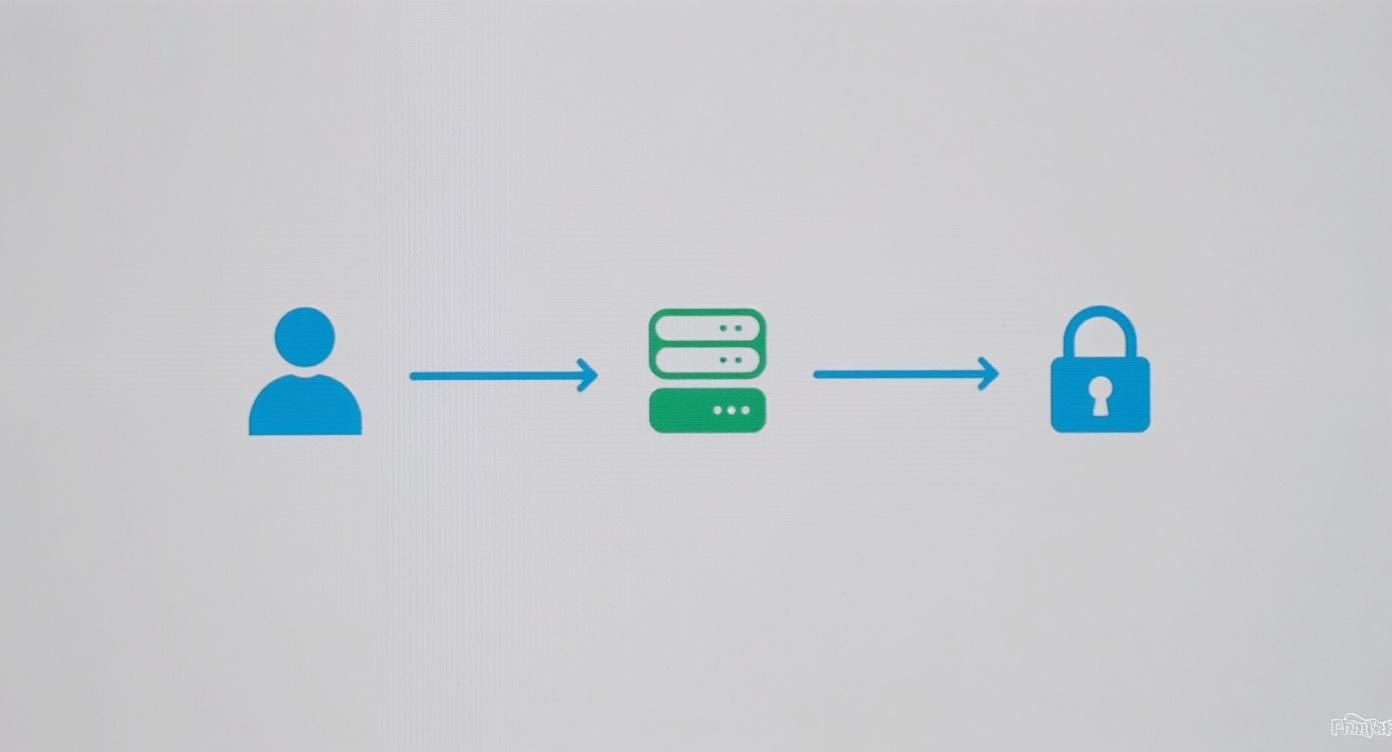
This diagram gets to the heart of it: secure access isn't about giving everyone a password. It's about a controlled process that authenticates and isolates users before granting them a path to the internet, and nothing else.
Implementing a Captive Portal
Once you've got the network separation handled, you need a way to manage how people actually get online. This is where a captive portal comes in. You have seen these a hundred times—it’s the webpage that pops up before you can get to the internet in a hotel or coffee shop. While it’s great for branding, its real job is to enforce your terms of use.
By forcing every user to acknowledge and accept your Acceptable Use Policy (AUP), you’re setting clear ground rules and, importantly, limiting your liability. You can keep it simple with a one-click acceptance, or use it to collect a guest’s email address before they connect.
The Critical Role of Client Isolation
Here’s a detail that far too many businesses overlook. Just keeping your guest network separate from your internal one isn't enough. What about the threat of guest devices attacking each other? Think about it: if one visitor’s laptop is riddled with malware designed to scan the local network, it could quickly infect every other guest connected to your Wi-Fi.
This is why Client Isolation (sometimes called AP Isolation) is so important. It’s a feature built into most business-grade access points that essentially puts a digital wall around every single device on the network.
With Client Isolation switched on, devices on the guest Wi-Fi can get to the internet, but they are completely blind to each other. They can’t communicate, they can’t scan, and they can’t attack anything else on the same network. It's a simple toggle that neutralises the risk of lateral attacks between your visitors.
Imagine two consultants from competing firms are in your waiting room, both using your guest Wi-Fi. Without isolation, malware on one laptop could easily probe the other for open file shares or vulnerabilities. With isolation enabled, those two devices are invisible to one another. It's as if each has its own private, direct line to the internet.
Maintaining Performance and Security Hygiene
A secure guest network also needs to be a well-behaved one. Unchecked guest access can gobble up your internet bandwidth, slowing down mission-critical applications for your own staff. A few final controls are crucial for keeping everything running smoothly.
- Bandwidth Throttling: You must limit the upload and download speeds for each guest. This stops a couple of visitors streaming 4K video from bringing your entire office to a standstill. A cap of 5-10 Mbps per user is a sensible place to start.
- Session Timeouts: Don’t let connections live forever. Automatically disconnect guest sessions after a set period, like eight hours. This prevents forgotten devices from sitting on your network indefinitely and forces returning visitors to re-accept your AUP.
- Content Filtering: It’s a good idea to use a DNS-based filtering service. This adds another layer of protection by blocking access to known malicious websites and inappropriate content, protecting both your guests and your company’s reputation.
By combining strict VLAN segmentation with a solid captive portal and the all-important client isolation feature, you can provide a genuinely useful amenity without opening the door to your core business network.
Keeping Your Guard Up: Proactive Monitoring and Incident Response
Securing a wireless network isn’t a one-and-done job; it's a continuous process. The configurations you put in place today are a fantastic start, but the threat landscape is always shifting. To stay ahead, you need constant vigilance to spot trouble before it turns into a full-blown, costly breach. It's about shifting from a passive, 'set-it-and-forget-it' mentality to one of active monitoring and readiness.
The whole point is to see what’s actually happening on your network in real-time. Without that visibility, you're flying blind. You can't tell the difference between everyday network chatter and the first whispers of a targeted attack. Investing in the right tools and processes for monitoring is every bit as crucial as the initial security setup itself.
Using a Wireless Intrusion Prevention System (WIPS)
One of the most powerful tools in your arsenal for active defence is a Wireless Intrusion Prevention System (WIPS). The good news is that many modern, business-grade wireless solutions come with WIPS capabilities baked right in. Think of a WIPS as a dedicated security guard for your airwaves, constantly scanning the radio frequency space for malicious activity aimed squarely at your Wi-Fi.
This is worlds away from what a standard firewall can do. A WIPS is specifically designed to automatically spot and flag common wireless threats, including:
- Rogue Access Points: That unauthorised AP an employee plugged into the network, thinking they were being helpful, but actually creating a gaping security hole.
- "Evil Twin" Attacks: A malicious AP set up by an attacker to mimic your legitimate company Wi-Fi. The goal is to trick your users into connecting so they can steal their credentials.
- Deauthentication Attacks: A classic denial-of-service attack where an attacker boots legitimate users off the network. This is often the first step before launching an evil twin attack.
When a WIPS spots a threat, it doesn't just sit there. It provides instant alerts and can often take automated action to shut the threat down, like containing a rogue device before it can do any damage.
Bringing Your Logs Together for the Bigger Picture
Your access points, firewalls, and servers are all generating a constant stream of log data. On their own, these logs are just noise. But when you pull them all into one place and correlate them, they start to tell a compelling story about your network's health and security. This is where a Security Information and Event Management (SIEM) system comes in.
A SIEM solution ingests logs from all these different systems and uses smart analysis to find suspicious patterns that would be impossible for a person to see in the raw data.
Imagine a SIEM spotting a firewall alert for traffic heading to a known malicious IP address. At the same time, it sees multiple failed Wi-Fi login attempts for a single user account. That combination is a huge red flag for a compromised account and an active threat, letting your IT team jump on it immediately.
This kind of oversight is the bedrock of proactive security. To dive deeper, you can check out our detailed guide on how to monitor network traffic for some practical advice.
Building a Wireless-Specific Incident Response Plan
When a security alert pops up, the last thing you want is your team scrambling to figure out what to do next. That's why having a documented Incident Response (IR) plan is non-negotiable. And a generic IT disaster plan just won't cut it; you need specific, tailored steps for dealing with a wireless breach.
Phishing attacks are still a massive threat for UK businesses. The data doesn't lie: phishing was implicated in a staggering 93% of successful breaches against organisations, and the mean cost of cyber crime to UK businesses hit £1,970. These numbers show that wireless networks are a prime entry point for attackers, especially when users access corporate systems over connections where their credentials could be snatched. You can find more UK cybersecurity trends on heimdalsecurity.com.
Your IR plan needs to be a clear, step-by-step playbook, detailing the exact actions to take from the second an alert is received.
A Practical Response Plan for a Rogue AP
- Identification: The WIPS fires off an alert: a rogue access point has been detected on the corporate network. The alert gives you the MAC address of the device and even its rough physical location based on proximity to a legitimate AP.
- Containment: The first human touchpoint is to isolate the threat. The IR plan tells the technician to immediately find the network port the rogue AP is plugged into and physically disconnect it. Just like that, the immediate threat is gone.
- Investigation: The physical device is now secured. The plan should detail how to preserve it as evidence—no powering it on or meddling with it. The investigation then focuses on where it came from. Was this a malicious plant, or an innocent mistake by an employee?
- Eradication: Based on what you find, you then sweep the network to ensure no other unauthorised devices are present. If it was malicious, this step gets much bigger, involving a deep dive into firewall and SIEM logs to see what, if anything, the attacker accessed before being cut off.
- Recovery and Lessons Learned: Once all systems are verified as secure, the job's not done. The final step is a post-mortem. How did this happen? What policy gaps or training needs to be addressed to make sure it doesn't happen again?
This kind of structured approach ensures a fast, effective, and consistent response every single time, minimising the potential damage and hardening your defences for the future.
Fostering a Security-Conscious Culture
Let's be blunt: even the most sophisticated wireless security setup can be completely undone by one person making one simple mistake. Your technology is only half the battle. Your team is the other half—your human firewall. They can either be your biggest weakness or one of your strongest lines of defence.
Building a genuine security culture isn't about a once-a-year, tick-box training session. It’s about weaving security awareness into the very fabric of your daily operations. The goal is to make cyber threats feel real and recognisable, not just abstract concepts, turning every employee into a vigilant ally.
Moving Beyond Annual Training
Security education has to be an ongoing conversation, not a one-off lecture. Why? Because people forget, and attackers never stop innovating. A continuous approach keeps security front and centre, ensuring your team’s knowledge doesn't go stale.
Here are a few practical ideas to get this rolling:
- Run Regular Phishing Drills: Sending out simulated phishing emails is one of the best ways to give staff hands-on experience spotting threats in a safe, controlled way. It builds muscle memory.
- Establish a Clear BYOD Policy: If staff connect personal devices to the network (Bring Your Own Device), you need a straightforward policy. It should spell out the non-negotiables, like mandatory screen locks and keeping software updated.
- Provide Firm Guidance on Public Wi-Fi: Train your team on the very real dangers of using unsecured public Wi-Fi for work. More importantly, show them exactly how to use the company VPN to stay protected when they’re out of the office.
Closing the Gap Between Knowing and Doing
Recent data highlights a worrying disconnect. While three in four UK adults (75%) feel their data is unsafe online, that awareness doesn't always lead to better habits. When warned about a compromised password, a staggering 22% of people either ignore it or only take action if they recognise the source. This shows a huge gap between knowing a risk exists and actually doing something about it. You can explore the full findings on wireless security perceptions at theiet.org.
Your job is to close that gap inside your own company. Your training needs to focus on the 'why'. Help your team understand that security rules aren't there to make their lives difficult—they're there to protect everyone, including them.
This is where consistent, practical reinforcement truly pays off. You can see how this works in practice by reading about effective IT security awareness training and the impact it can have. When you foster this deeper level of understanding, you empower your people, transforming them from a potential risk into your most valuable security asset.
Building a secure wireless network and a vigilant team takes expertise and constant effort. SES Computers provides managed IT support and cyber-security services across Hampshire and Dorset, helping businesses implement robust security frameworks and foster a culture of awareness. Protect your business by partnering with local experts. https://www.sescomputers.com