Securing your wireless network is not a single action, but a multi-layered defence. It starts with fundamentals like strong encryption—for instance, using WPA3—and moves through smart strategies like using non-obvious network names and setting up robust access controls. For any professional service, this also means creating separate guest networks and keeping a close eye on activity to protect sensitive company data. This is a constant process of diligence, not a one-time setup.
Why Securing Your Wireless Network Is A Business Imperative

Staring at network settings can feel like just another IT task, but for UK businesses, wireless security is a core part of your survival strategy. A poorly configured or unsecured Wi-Fi network is no longer a mere technical oversight; it is an open invitation for disruption. The fallout from a breach reaches far beyond the IT department, impacting everything from daily operations to the trust you have cultivated with your clients.
We have long since moved past the days when cyber threats were only a concern for massive corporations. Now, small and medium-sized businesses are prime targets. Attackers often view them as softer targets or entry points into larger supply chains. A single breach can have devastating consequences.
The Real-World Consequences
An insecure network can be the initial foothold an attacker needs to deploy ransomware, locking up your critical files and grinding your business to a halt until a ransom is paid. For example, a legal firm in Manchester was recently paralysed for a week after an attacker gained access via their guest Wi-Fi, which was improperly configured. Another major risk is a data breach, where sensitive client information, financial records, or intellectual property is stolen. The reputational damage from such an incident can be permanent, shattering the trust you have worked so hard to build.
Securing your network is not just about preventing unauthorised access; it is about ensuring business continuity. A security incident can disrupt your ability to serve customers, process payments, and manage your operations, directly affecting your bottom line.
Evolving Threats And Your Defence
The tactics used by malicious actors are constantly changing. They are experts at exploiting common weaknesses, such as default router passwords, outdated encryption protocols, and a lack of network segmentation. For instance, many attackers use automated scripts to scan for networks still using the default SSID and password provided by the ISP, like "BT-Hub-XYZ" with the password on the sticker. Understanding these vulnerabilities is the first step toward building a solid defence.
The good news is that securing your wireless network is not an insurmountable task. It is a series of smart, manageable decisions that significantly reduce your risk. This guide will walk you through the practical, achievable steps you need to take to fortify your defences. Taking proactive measures is crucial for your business's overall resilience, as detailed in this guide to essential security solutions for businesses. By getting ahead of the threats, you can protect your assets and maintain operational stability.
Establishing Your Core Security Defences
Once you have mapped out the risks, it is time to build the bedrock of your wireless security. These core defences are the non-negotiables—the essential settings that will do most of the heavy lifting to protect your network. Getting these fundamentals right is the single biggest step you can take to safeguard your business's digital lifeblood.
The most critical element, without a doubt, is the encryption protocol you use. This is what scrambles the data travelling between your devices and the access point, turning it into unreadable gibberish for anyone snooping. For a long time, WPA2 (Wi-Fi Protected Access 2) was the industry standard, but as with all technology, its weaknesses have been found and exploited.
That is where WPA3 enters the picture. It is a significant leap forward, designed specifically to plug the security holes found in WPA2. If your hardware supports it, switching to WPA3 is an immediate and powerful upgrade.
Upgrading Your Encryption: WPA2 vs. WPA3
So, what is the big difference? It all comes down to how WPA3 handles the initial handshake when a device connects, making it far tougher against the kinds of brute-force attacks that can crack WPA2. It offers demonstrably better protection, especially against automated tools designed to guess your password.
Deciding between the two is not just a technical choice; it is a fundamental security decision. This table breaks down what really matters for a business network.
Comparing WPA2 and WPA3 Security Protocols
| Feature | WPA2-Personal (PSK) | WPA3-Personal (SAE) | Recommendation for Businesses |
|---|---|---|---|
| Password Protection | Vulnerable to offline dictionary attacks if the password is weak. An attacker can capture connection data and try to crack the password later. | Uses Simultaneous Authentication of Equals (SAE), which protects against dictionary attacks. Each connection attempt is secure. | WPA3 is strongly recommended. It protects your network even if you have a less-than-perfect password, although strong passphrases are still vital. |
| Forward Secrecy | Does not offer forward secrecy. If an attacker cracks your password, they can potentially decrypt past captured traffic. | Implements forward secrecy. Even if a password is compromised, past data transmissions remain encrypted and secure. | Crucial for protecting historical data. WPA3 ensures a single breach does not compromise all past communications. |
| Ease of Connection | Standard password entry. | Can offer easier and more secure ways to connect devices, such as Wi-Fi Easy Connect™, useful for IoT devices without screens. | WPA3 improves security and usability. This is especially valuable as more smart devices enter the workplace. |
Making the switch is usually a simple settings change in your router's administration panel. A practical example would be logging into your Ubiquiti UniFi Controller, navigating to Settings > WiFi, selecting your network, and changing the 'Security Protocol' from 'WPA2' to 'WPA3'. It is a quick win that dramatically strengthens your defences right away.
Smart SSID and Password Management
Your Service Set Identifier (SSID) is simply your network's public name. You might be tempted to hide it, thinking "security through obscurity," but any determined attacker can find a hidden network in minutes. A better strategy is to focus on a professional and non-descriptive name.
- Ditch the Defaults: Never stick with the default name your ISP or hardware manufacturer provides (like "BT-Hub-XYZ" or "SKY12345"). These names often give clues about the hardware model, which an attacker can use to look up known vulnerabilities.
- Avoid Personal Identifiers: Do not use your company name, address, or anything that screams "this is us" (e.g., "SESComputers-Office"). A generic but clean name like "SES-Business" or "Office-Primary" is a much smarter choice.
It is a simple change, but it makes your network a less attractive, less obvious target. Of course, your password, or Pre-Shared Key (PSK), is where the real security lies.
A strong password is your first line of active defence. It should be long, complex, and completely unrelated to your business. Think of a random phrase of four or more words, mixed with numbers and symbols, rather than a single complex word.
A weak password looks something like SESComputers2024!. A much, much stronger one would be something like Correct!Horse-Battery8Staple. It is memorable for you but a nightmare for a machine to guess.
The Limited Role of MAC Address Filtering
Another layer you might consider is MAC (Media Access Control) address filtering. Every device has a unique MAC address, and this feature lets you create an "allow list" of only approved devices.
On the surface, it sounds like a fortress. In reality, it has major limitations in a business environment. A moderately skilled attacker can easily "spoof" or clone the MAC address of an approved device, bypassing the filter entirely. Because of this, it should never be your primary or only line of defence.
Think of it as a simple garden gate latch. It will stop a casual passer-by, but it will not slow down someone who really wants to get in. It might add a small hurdle for unsophisticated attempts, but relying on it breeds a false sense of security.
The persistent threat landscape for UK businesses makes these foundational steps more important than ever. Recent figures showed an estimated 8.58 million cyber crimes affected UK businesses in a single year, with wireless networks being a common entry point. The average cost per incident is nearly £1,970, underscoring the financial incentive for robust security. You can explore more about these evolving cybersecurity statistics in the UK and their impact on businesses.
Using Guest Networks and Segmentation to Isolate Threats
While strong encryption and passwords build a solid fence around your network, one of the smartest things you can do is create clear boundaries inside that fence. Think of your network like an office building. You would not hand a visitor a master key that opens every single door, from the server room to the managing director's office. That same principle of controlled access is absolutely vital for your Wi-Fi.
This is not some enterprise-level strategy reserved for huge corporations; it is a practical and powerful defence for any business. The goal is simple: contain any potential threats. If a compromised device ever connects to your Wi-Fi, its ability to cause chaos should be stopped in its tracks, preventing it from sniffing around for sensitive company data or spreading malware.
The Power of a Dedicated Guest Network
The easiest and most immediate way to start isolating traffic is by setting up a dedicated guest Wi-Fi network. Just about any modern business-grade router has this feature, and turning it on is a massive security win for minimal effort. It effectively creates a completely separate, firewalled network for visitors, clients, contractors, and even your team's personal phones and tablets.
Picture this: a client pops into your office for a meeting. They need to get online to check their emails, but their laptop could be harbouring something nasty without them even knowing.
- Guest Network: They connect to "YourCompany-Guest" with a simple, separate password. They can browse the web freely, but they are completely walled off from your internal servers, shared drives, and office printers.
- Internal Network: Meanwhile, your team stays connected to the main, trusted network with full access to all the resources they need to work.
This simple division means that any threat brought in on a guest device stays quarantined. It cannot see your critical systems, let alone attack them. To see how this fits into a wider strategy, you can find out more about professional Wi-Fi solutions for business.
A guest network is the digital equivalent of a reception area. It is a welcoming, functional space for visitors that keeps them safely separated from the secure, operational heart of your business.
Taking Segmentation Further with VLANs
For businesses with more complex operations or those handling sensitive data, the next logical step is network segmentation using Virtual Local Area Networks (VLANs). It might sound a bit technical, but the concept is just an extension of the guest network idea. A VLAN lets you take a single physical network and chop it up into multiple, isolated virtual networks.
It is like taking your office building and creating secure, separate floors for different departments. Someone on the sales floor cannot just wander over and access a server on the finance floor, even though they are all in the same building and using the same network hardware.
Practical Scenarios for VLANs
Putting VLANs in place allows you to create highly specific security zones based on who needs access to what. This approach is fundamental to properly securing a wireless network because it dramatically shrinks the "blast radius" of any potential breach.
Here are a few practical examples:
- Departmental Separation: You can create a VLAN just for your finance team that has exclusive access to the accounting server. Another VLAN for Human Resources can keep sensitive employee data locked down. A breach in one department simply cannot spread to another.
- Device-Type Isolation: A very common tactic is to put all your Internet of Things (IoT) devices—think smart thermostats, security cameras, or digital displays—on their own dedicated VLAN. These devices are notoriously insecure and have no business talking to your core business systems.
- Point-of-Sale (POS) Systems: For any retail or hospitality business, isolating POS terminals on a separate VLAN is not just a good idea; it is often essential for PCI DSS compliance. This ensures payment traffic is completely segregated from general office chatter, protecting customer cardholder data. For instance, a coffee shop could have one VLAN for staff devices, one for the payment terminals, and a third for the public guest Wi-Fi, ensuring no crossover is possible.
By carving up your network into these logical segments, you shift from a flat, open-plan environment where everything can talk to everything else, to a structured one where communication is strictly controlled. This "principle of least privilege" is a true cornerstone of modern cybersecurity.
Implementing Advanced Authentication for Your Growing Business
That simple shared Wi-Fi password that served you well in the early days? As your business scales, it quickly turns from a convenience into a major security headache. When staff, devices, and visitors are all using the same key, you have zero visibility into who is doing what. Worse, a single departing employee means you have to change the password for everyone, a disruptive task that is easy to put off and even easier to get wrong.
This is the point where you need to start thinking like an enterprise. It is time to move to a system where everyone has their own unique credentials to get online, just like they do for their computer login.
This professional approach is built on a standard called 82.1X, which works hand-in-hand with a RADIUS (Remote Authentication Dial-In User Service) server. It sounds technical, but the idea is simple. When a team member tries to connect, the access point does not just check a simple password. Instead, it effectively asks the central RADIUS server, "Is this person allowed on our network?" The server checks their unique username and password against your company directory and only then grants access.
Moving Beyond a Single Password
The benefits of this approach are immediate. You are essentially upgrading from a single lock on the door to a proper access control system for every user. Suddenly, you have accountability and a clear audit trail—you know exactly who connected, from what device, and at what time.
This diagram shows how you can control and isolate network access, separating trusted internal users from guests and directing them to the right place.
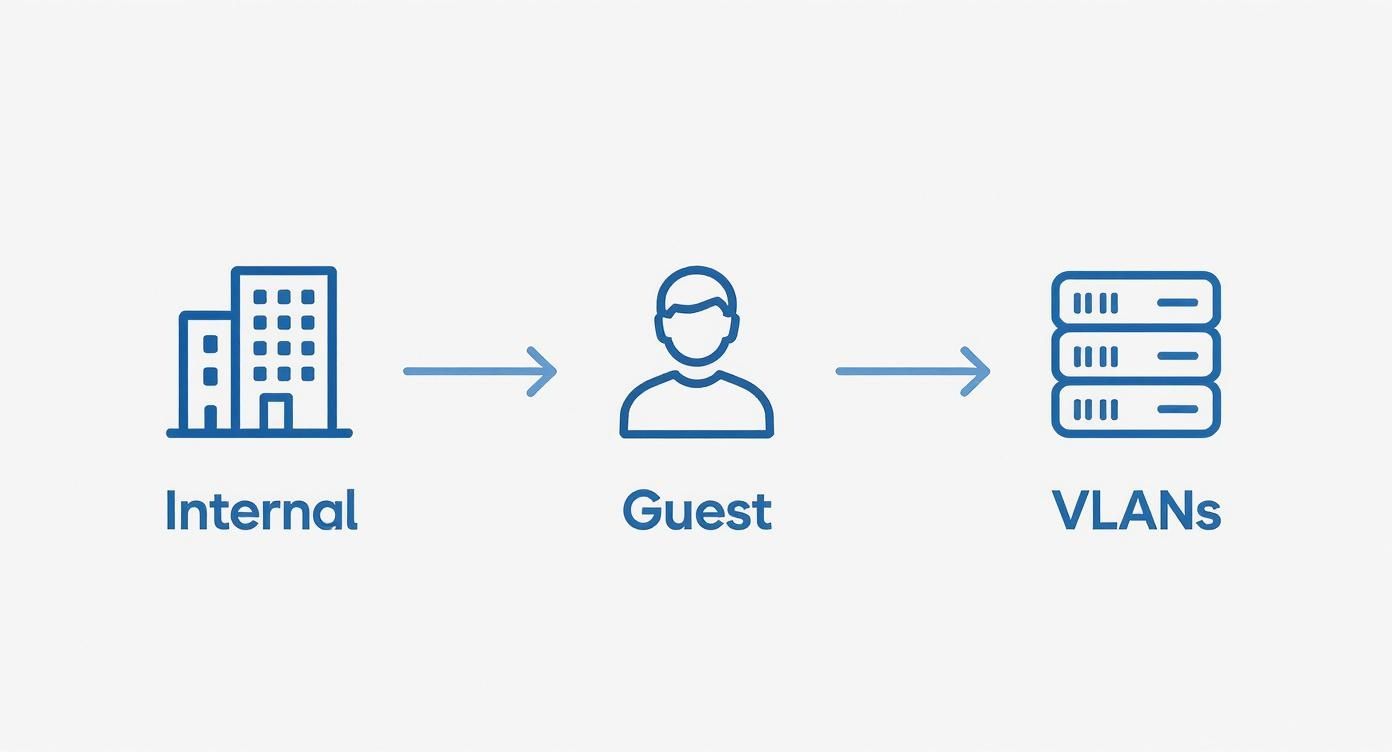
By authenticating each user individually, you can automatically place them into the correct network segment (or VLAN), keeping your sensitive company data safely cordoned off.
But the real power lies in how you can manage access on the fly. Let us consider a practical example: an employee leaves the company.
- With a Shared Password: You have to change the Wi-Fi password, then tell every single employee the new one, and manually reconfigure every company-owned device. It is a mess.
- With 802.1X/RADIUS: You just disable their account in your central user directory (like Microsoft Entra ID). Their network access is revoked instantly, with zero disruption to anyone else.
This shift from a "one key fits all" model to individual, credential-based access is a cornerstone of modern network security. It is what gives a growing business the control and scalability it needs to stay secure.
The need for this level of security is not just theoretical. The UK's National Cyber Security Centre (NCSC) recently reported a huge jump in cyber incidents, with many exploiting weak network controls. They handled 1,727 incident tips leading to 429 active investigations and saw a 50% rise in highly significant incidents for the third year running. You can find out more by reading the NCSC's findings on the increasing scale of cyber threats.
What You Need to Get Started
Setting up an 802.1X solution is not as daunting as it used to be. While it does require a bit more infrastructure, modern cloud services have made it far more accessible for smaller businesses. Here is what you will need:
- Capable Wireless Access Points: Your hardware must support WPA2-Enterprise or, even better, WPA3-Enterprise security. Most business-grade APs do.
- A RADIUS Server: This is the brains of the operation. It could be a dedicated server in your office, a feature built into your firewall, or—the easiest option for most—a cloud-based RADIUS service.
- A User Directory: This is your central list of users. You probably already have one, like Microsoft Active Directory or Azure AD (now Entra ID). The RADIUS server simply plugs into this to check who is who.
By centralising your Wi-Fi authentication this way, you create a far more resilient, manageable, and secure wireless environment that can actually grow with your business instead of holding it back.
Keeping Your Guard Up: Ongoing Monitoring and Maintenance
Setting up a secure wireless network is not a one-and-done job. It is an ongoing commitment. Once you have got the foundational defences in place, the real work of maintaining that security begins. You need to shift from a "set it and forget it" mindset to one of active, continuous management to keep your network safe from ever-present threats.
Effective maintenance comes down to simple, proactive habits. It is all about creating a repeatable routine to check the health and integrity of your wireless infrastructure. Skipping these tasks is like locking your front door but leaving a window wide open—eventually, someone will find that gap.
Keep a Close Eye on Your Network with Monitoring and Log Reviews
Your network gear—routers, access points, and switches—is constantly generating logs that record everything happening on the network. Most people ignore them, but these logs are a goldmine of security information. Getting into the habit of reviewing them helps you spot oddities that could signal an intrusion attempt or even a legitimate device acting strangely.
Imagine you are scanning the logs and notice a new, unrecognised device connecting to your internal network at 2 AM. That is a massive red flag that demands an immediate investigation. Without checking the logs, something like that could go unnoticed for weeks, giving an attacker all the time they need to poke around your systems.
While you can review logs manually in a very small business, most organisations find it much easier to use specialised software. It is worth exploring some of the best network monitoring tools to help automate this process and get real-time alerts about suspicious activity.
The Absolute Necessity of Firmware Updates
One of the most critical ongoing tasks is managing your firmware. The software that runs on your routers and access points is called firmware, and manufacturers regularly release updates for it. These updates are not just for shiny new features; they often contain crucial patches for newly discovered security holes.
Ignoring these updates is one of the most common and dangerous mistakes a business can make. A practical example is the "KRACK" vulnerability discovered in WPA2 a few years ago; devices that were not updated with the patched firmware remained vulnerable for months. Cybercriminals actively hunt for devices running outdated firmware because they are known, exploitable entry points into a network.
Think of firmware updates as mandatory security patches for your network's brain. Failing to apply them is like refusing to fix a known weakness in your company’s defences, leaving you needlessly exposed.
A simple, scheduled approach makes all the difference:
- Monthly Checks: Pick one day each month to visit the websites for all your network hardware manufacturers and check for new firmware.
- Scheduled Downtime: Plan for a brief period of downtime, maybe after hours, to apply the updates and restart the hardware.
- Quick Test: After updating, do a quick check to make sure everything is back online and working as it should.
This disciplined routine ensures you are closing security gaps as soon as the fixes are available.
Do Not Forget About Physical Security
Securing your wireless network is not just a digital exercise. The physical hardware that powers it all—your routers, switches, and servers—needs to be protected from tampering, theft, or unauthorised access. If someone can get their hands on your router, they could simply reset it to its factory defaults, wiping out all your carefully configured security settings in an instant.
This is why physical security is so important:
- Lock It Down: Keep all your network hardware in a locked room, cabinet, or server rack. Access should be strictly limited to authorised IT staff.
- Prevent Tampering: This stops anyone from plugging an unauthorised device straight into your network or messing with the hardware itself. For example, ensure that spare network ports in meeting rooms are disabled so a malicious actor cannot simply plug in their laptop.
This final layer of protection bridges the gap between your digital setup and the real world. Unfortunately, it is something many businesses overlook. A recent Cyber Security Breaches Survey revealed that while 56% of UK adults are anxious about future hacks, many fail to take proactive steps. This complacency is dangerous, especially when cyber incidents are happening at an estimated rate of one per minute. You can discover more about the challenges of UK cyber threats and public preparedness.
Got Questions? Let's Talk Practical Wi-Fi Security
Even with the best plan in place, a few practical questions always pop up when it is time to lock down your business Wi-Fi. I have heard them all over the years. Here are some of the most common ones I get from UK businesses, with straightforward answers to help you navigate the tricky bits.
Should I Hide My Network Name (SSID)?
It is tempting to think hiding your network name, or SSID, is a sneaky security win. The logic feels sound: if they cannot see it, they cannot attack it. In reality, though, this offers almost no real-world protection and can be a real headache for your staff.
Anyone with a bit of know-how and a basic network scanner can sniff out a "hidden" network in minutes. Relying on this gives you a false sense of security. A much better use of your time is to focus on what actually works: strong WPA3 encryption and a password that is not just Password123!. A visible, well-defended network is always safer than a hidden one with a weak lock.
Think of it like this: hiding your SSID is like taking the number off your front door. It might confuse a lost tourist, but it will not stop a burglar who knows which house they are targeting. You are better off investing in a stronger lock.
How Often Should I Change My Wi-Fi Password?
The old advice to change your password every 90 days has, thankfully, gone out of fashion. We found that this just encouraged people to create weak, predictable passwords they could easily remember, like "Summer2024!" followed by "Autumn2024!".
The modern, more secure approach is to change the password only when there is a genuine reason. This usually means:
- An employee who knows the password leaves the company.
- You have any reason to suspect the network has been compromised.
- A contractor or visitor who was given temporary access no longer needs it.
If you are using a genuinely strong, long, and unique passphrase with WPA3, there is no need for constant changes. Of course, if you have taken the leap to an 802.1X/RADIUS system, this whole question becomes moot, as you will be managing individual user logins, not a single shared password.
What Is the Real Risk of Using Public Wi-Fi?
Using the free Wi-Fi at a café, hotel, or airport is a bit like having a conversation in a crowded room—you never know who is listening. You have zero control over how secure (or insecure) that network is. Often, they are completely unencrypted.
This means any data you send—emails, logins, files—could be scooped up by someone else on that same network. It is called a "man-in-the-middle" attack, and it is surprisingly easy to pull off. For anything business-related, public Wi-Fi is a no-go area. If your team absolutely must use it on the road, they need to connect through a reputable Virtual Private Network (VPN). A VPN wraps all their traffic in a secure, encrypted tunnel, making it gibberish to any digital eavesdroppers. For example, a salesperson at a hotel should always activate their company VPN before accessing client records on the CRM.
Is MAC Address Filtering Worth the Hassle?
We touched on this earlier, but it is a question that deserves a clear answer. MAC filtering lets you create a VIP list of devices allowed onto your network, based on their unique hardware address.
While it might stop a very casual attempt to connect, it is not a serious security defence. A determined attacker can easily spot the MAC address of an approved device and simply "spoof" it, waltzing right past your filter.
For a tiny office with a handful of devices that never change, it might add a paper-thin layer of complexity. But for most businesses, the constant administrative faff of updating the list every time someone gets a new phone or laptop just is not worth the minimal benefit. Your energy is far better spent on strong authentication and encryption.
Can My Smart Devices Create a Security Risk?
Oh, absolutely. Those Internet of Things (IoT) devices—smart thermostats, security cameras, even the office smart speaker—are a huge, and often completely ignored, backdoor into your network. They are notoriously insecure, rarely updated, and built with convenience, not security, in mind.
If an attacker gets into one of these devices, they can use it as a launchpad to attack your servers and PCs. This is exactly why network segmentation is so critical. By shunting all your IoT gadgets onto their own isolated VLAN, you ensure that even if one is compromised, the attacker is stuck in a digital dead end, unable to get anywhere near your important business data.
At SES Computers, we know that securing your wireless network is fundamental to your business's resilience. For over 30 years, we have been providing proactive, expert IT support to help businesses across Dorset, Somerset, and beyond put truly robust security in place. If you need a hand with anything from network setup to advanced authentication, our local team is here to help. Explore our managed IT services and let us build a secure foundation for your business.