At its core, network security is all about the policies and practices put in place to prevent and monitor any unauthorised access, misuse, or disruption of your computer network and the resources connected to it. It’s not a single piece of software you can install and forget about.
Think of it as the complete security system for your business's digital home. It guards everything from the front door (your internet connection) right down to the most sensitive files locked away in digital filing cabinets, such as client records or financial data.
Why Network Security Is Your First Line of Defence
Let's use a real-world analogy. You wouldn't rely on a single lock on the front door to protect your entire office, would you? Of course not. You'd likely have alarms, perhaps CCTV, and certainly controlled access for sensitive areas like the server room or HR office. Network security simply applies this same layered logic to your digital world, where your data is often your most valuable asset.
This proactive approach has never been more vital. The UK government's Cyber Security Breaches Survey recently found that 43% of businesses suffered a breach or attack in the last 12 months. That’s a sobering statistic that highlights the very real financial and operational strain that a security failure can cause.
For professional services firms and other small and medium-sized enterprises (SMEs) across Dorset and Hampshire, getting a grip on this is the first crucial step towards building genuine resilience. A lone antivirus programme just doesn't cut it anymore.
The Core Goals of Network Security
When you strip it all back, a solid network security strategy is trying to achieve three main things. In the industry, we often call this the CIA triad:
- Confidentiality: This is about keeping your private information private. It ensures that sensitive data is only accessible to people who are actually authorised to see it. For a law firm, this means ensuring client case files cannot be accessed by unauthorised personnel or external actors.
- Integrity: This guarantees that your data is accurate, trustworthy, and hasn't been secretly tampered with. For an accountancy practice, this ensures that financial records cannot be maliciously altered, maintaining their legal and financial validity.
- Availability: This simply means that your network, systems, and data are up and running when you and your authorised staff need them. It's the promise that your digital doors are always open for business, preventing costly downtime during client-critical periods.
Protecting these three pillars is the fundamental purpose of any security strategy. A failure in any one area can lead to significant operational disruption, financial loss, and reputational damage.
It's so important for businesses to get these fundamentals right. For a deeper dive, this guide to Network Security for Small Business is an excellent resource.
Ultimately, effective network security isn't just a defensive measure; it’s about enabling your business to operate safely and with confidence. It provides the stable foundation you need to serve your clients, protect your team's data, and grow your operations without the constant worry of digital disruption. It turns security from a nagging cost centre into a real business advantage.
What Are the Real Threats Lurking on Your Network?
Knowing the theory of network security is a good start, but it's a whole different ball game when you're faced with the actual dangers knocking at your digital door. For businesses, these aren't just abstract concepts—they are tangible risks that can stop you dead in your tracks, wreck your reputation, and drain your bank account. The first step to securing your network is knowing exactly what you're up against.
Most successful attacks don't happen because of some super-advanced, Hollywood-style hacking. They usually get in by exploiting the simplest weak spots: a moment of human error, a piece of software that missed an update, or a security setting that was never properly configured.
Let’s pull back the curtain on the most common threats that UK businesses are dealing with right now.
Phishing: The Wolf in Sheep's Clothing
At its heart, phishing is a digital con game. It’s an attempt, almost always through email, to trick someone into giving away the keys to the kingdom—passwords, bank details, or sensitive company data.
A practical example: an email lands in your accounts team's inbox. It looks identical to an invoice from a regular supplier, right down to the logo and the friendly sign-off. The only problem is the attached file. One click, and malicious software is unleashed across your entire network, potentially compromising all your financial data.
This simple deception is like a criminal in a convincing uniform talking your staff into handing over the master keys. It completely sidesteps your expensive firewalls by targeting the one thing they can't control: human trust.
Ransomware: Your Business Held Hostage
Ransomware is a particularly vicious type of malware. It works by encrypting all your critical business files, locking you out of your own data. The attackers then pop up with a ransom demand, usually in cryptocurrency, for the decryption key that will supposedly get your files back.
For a professional services business in Wiltshire or Somerset, this is a digital lockdown. Imagine your client database, financial records, and project files are suddenly gone. Everything grinds to a halt. You're left with a terrible choice: pay the criminals and hope they keep their word, or risk losing that data for ever. The fallout can be catastrophic, leading to huge downtime and a massive blow to your reputation.
Malware: The Silent Intruder
Malware, short for malicious software, is the catch-all term for any code designed to cause harm. This rogue's gallery includes everything from viruses and spyware to trojans.
These intruders can be sneaky, quietly siphoning off data for weeks or months without anyone noticing. A practical example is spyware that logs keystrokes to steal login credentials for your online banking or client portal. Or they can be loud and disruptive, slowing systems to a crawl and causing chaos. They often get in through the phishing emails we just talked about or by exploiting well-known software flaws that haven't been patched.
To put this into perspective, let's break down how these threats translate into real-world business problems.
Common Cyber Threats and Their Business Impact
| Threat Type | How It Works (Analogy) | Potential Business Impact |
|---|---|---|
| Phishing | A con artist sends you a fake but convincing letter, tricking you into giving them your bank details. | – Staff accidentally handing over login credentials. – Direct financial loss from fraudulent transfers. – Gateway for more severe attacks like ransomware. |
| Ransomware | A thief breaks in, puts all your essential documents in a safe they brought with them, and only they have the code. | – Complete operational shutdown. – Permanent loss of critical business data. – Severe reputational damage and loss of client trust. |
| Malware (Viruses, Spyware) | A hidden bug or camera is planted in your office, secretly recording conversations and copying documents. | – Slow or unusable computers and servers. – Theft of sensitive company and customer information. – Unauthorised access to your network resources. |
These aren't just isolated incidents; they're happening on a massive scale. According to the UK's National Cyber Security Centre (NCSC), they dealt with 204 nationally significant cyber attacks in the year to September—more than double the previous year. For SMEs, ransomware remains the single biggest threat, with attackers specifically going after sectors like retail, manufacturing, and hospitality. You can read the full breakdown in the NCSC's Annual Review 2025 findings.
This stark reality highlights why you can't just rely on one solution. By understanding how these attacks work, you can start building the layers of defence your business needs to stay safe—and that's exactly what we'll cover next.
Building Your Digital Fortress Layer by Layer
You wouldn't secure a building with just a single lock on the front door; you’d also have alarms, secure windows, and perhaps even internal locked doors. The exact same thinking applies to your network security. A resilient, modern defence is built from multiple layers working in concert, a strategy we call defence-in-depth.
The whole idea is to ensure that if one security measure fails—or a hacker manages to bypass it—another layer is ready and waiting to stop them in their tracks. This layered approach transforms your network from a simple structure with a single point of failure into a well-defended fortress with multiple barriers. Each layer is designed to tackle a different kind of risk, creating a far more robust and comprehensive security posture.
Take a look at the kinds of threats these layers are designed to defend against.
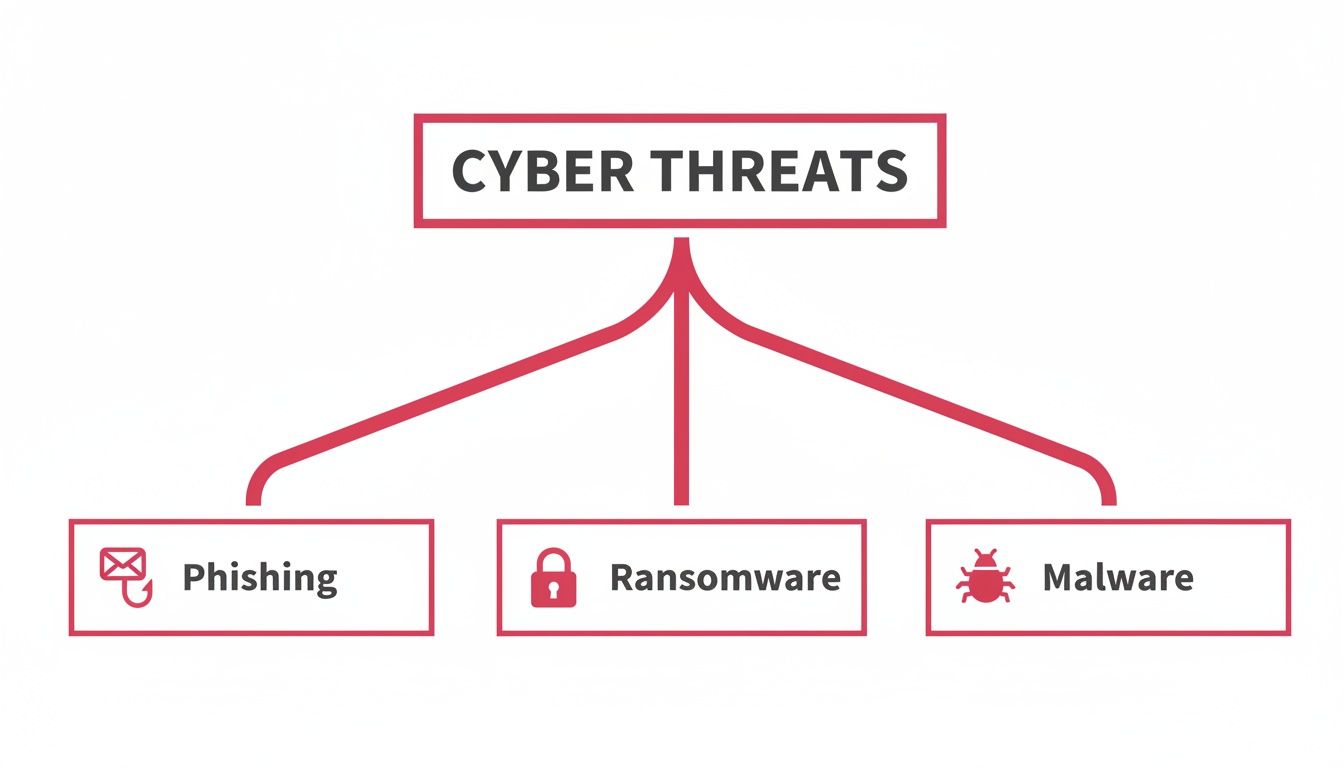
As you can see, different attack methods require distinct defensive layers, as one single tool is rarely enough to stop all three. Now, let's break down the essential controls every SME needs to start building their own digital fortress.
Your Firewall: The Outer Wall
The first, most fundamental layer of your network defence is the firewall. Think of it as the high outer wall and main gate of your castle. Its job is to inspect every bit of traffic coming into and going out of your network, deciding what to allow and what to block based on a set of security rules you define.
A practical example: a well-configured firewall can block access from known malicious IP addresses often used in hacking attempts, or it can be configured to stop sensitive data from being sent to an unauthorised destination outside of the UK, helping with data sovereignty compliance.
Network Segmentation: Creating Internal Gates
If an attacker somehow breaches the outer wall, the last thing you want is for them to have free rein over the entire castle. This is where network segmentation comes into play. It’s the practice of dividing your network into smaller, isolated sub-networks or zones.
This simple act can contain a breach. For example, you can keep the network your sales team uses completely separate from the one handling sensitive financial data. If a PC in sales gets infected with malware, segmentation acts like a locked internal gate, preventing that infection from ever reaching your critical finance servers. Another practical use is creating a separate guest Wi-Fi network, ensuring visitors have no access to your core business systems.
By creating these internal boundaries, you significantly limit the potential damage of a successful breach. It’s a core principle of a modern security strategy, and you can learn more about how it fits into the broader concept by understanding what Zero Trust security is and how it operates on the principle of "never trust, always verify."
VPNs: Your Secret Tunnels for Remote Access
In today's world of flexible and remote work, your staff often need to connect to the company network from outside the office. A Virtual Private Network (VPN) creates a secure, encrypted "tunnel" for them to use right over the public internet.
This ensures all data travelling between a remote employee and your business network is kept completely confidential and safe from prying eyes. It’s the digital equivalent of giving your trusted team members a secret, guarded passage directly into the castle, letting them bypass the dangers of the open road. This is absolutely essential for protecting data when staff use public Wi-Fi in cafés, hotels, or airports.
Patch Management: Repairing the Cracks
Even the strongest fortress walls develop cracks over time. In the digital world, these cracks are software vulnerabilities. Patch management is simply the ongoing process of identifying, testing, and applying software updates—or 'patches'—to all your operating systems and applications.
Cybercriminals are constantly on the hunt for these unpatched vulnerabilities to exploit. A practical example is the infamous WannaCry ransomware attack, which spread rapidly by exploiting a vulnerability in older, unpatched versions of Microsoft Windows. A consistent patching routine is like having a team of masons who regularly inspect your fortress walls and repair any weakness before an enemy can take advantage of it. Truth be told, failing to patch is one of the most common reasons businesses fall victim to attacks that were otherwise entirely preventable.
Strengthening Your Human Firewall and Protecting Data
All the firewalls and VPNs in the world are only half the battle. Your biggest security asset—and potential vulnerability—is your team. The daily decisions your people make are critical for your defence, forming what we call the "human firewall".
Strengthening this human firewall is about two key things: ensuring the right people have access to the right information, and protecting the data itself so it’s useless if it ends up in the wrong hands. It’s about building a security-first culture, where technology supports good human practices.
Managing Who Can Access What
Controlling who can get to what isn't about distrust; it’s a core security principle. This is where Identity and Access Management (IAM) comes into play. Think of it like a keycard system in a secure building. IAM policies decide which doors each person's card can open.
A practical example: someone in marketing needs access to their project files and software, but they have no business reason to be rummaging through the finance department’s payroll data. By limiting their access, you apply the principle of least privilege. It's simple: give people access only to what they absolutely need to do their jobs. This one move drastically shrinks your attack surface.
This principle is a cornerstone of modern cybersecurity. By restricting access, you contain the potential damage from a compromised account, as an attacker can only access what the breached user profile could.
But what if a password gets stolen? Your next layer of defence is crucial. Multi-Factor Authentication (MFA) is one of the most effective security measures you can put in place. It requires a second piece of proof to verify a user's identity, beyond just their password.
It’s like needing a keycard and a fingerprint to get into a high-security room. If a thief swipes the keycard (the password), they're still stuck outside without the fingerprint (the second factor, often a code from a phone app like Google Authenticator or a physical security key). If you're interested in building this kind of security-conscious team, you can learn more by exploring our guide on IT security awareness training.
Protecting Your Data at All Times
Beyond controlling who sees your data, you need to protect the data itself. This is done with encryption, a process that scrambles information, making it unreadable to anyone without the correct key. This protection is vital in two situations.
- Data at rest: This is data just sitting on a hard drive, server, or USB stick. Encrypting it is like locking your cash in a top-of-the-line safe. A practical example is using Microsoft BitLocker to encrypt the entire hard drive of a company laptop. Even if the laptop is stolen, the data remains inaccessible.
- Data in transit: This is data moving across the internet or your internal network, like when you send an email or log in to a cloud service. Encrypting this is like putting your cash in a locked, armoured van for transport. For instance, Secure Sockets Layer (SSL) encryption, indicated by 'https://' in your browser, protects data sent to a website.
When you combine strong access controls like IAM and MFA with thorough data encryption, you build a truly resilient defence. This strategy protects your business not just from hackers, but also from insider threats and simple human error, keeping your network secure from every angle.
Preparing for the Worst with a Response Plan
Even with the best defences in the world, the hard truth is that no network is 100% impenetrable. The goal of a strong security posture isn't just about preventing attacks; it's about being ready for the moment one gets through. A panicked, reactive scramble after a breach can often cause more damage than the incident itself.
This is where an Incident Response Plan (IRP) becomes one of your most critical assets. Think of it less as admitting defeat and more like a fire drill for your business. You wouldn't wait for a fire to break out before figuring out the escape routes, and the same logic applies here.
A clear, well-rehearsed plan turns a potential crisis into a structured, manageable event. It ensures everyone on your team knows exactly who to call, what steps to take, and how to communicate—minimising downtime and protecting your hard-earned reputation.
The Five Stages of Incident Response
A good IRP breaks down the chaos into five logical stages, just like that fire drill. Each step has a clear purpose, all working towards getting your business back on its feet as quickly and safely as possible.
- Preparation: This is all about planning your escape routes before the alarm sounds. It means identifying your most important data and systems, defining who is responsible for what, and making sure you have the right tools and contacts on standby. A practical step here is creating a contact list of key personnel, your IT provider, and legal counsel.
- Identification: This is the moment the smoke detector goes off. In this stage, you confirm that a real security incident has happened, figure out what kind of attack it is, and get a handle on the potential damage. For example, your monitoring software alerts you to unusual outbound traffic from a server.
- Containment: Think of this as closing the fire doors to stop the blaze from spreading. The immediate priority is to isolate the affected computers or servers to prevent the problem from escalating across the rest of your network. A practical action is disconnecting an infected laptop from the Wi-Fi immediately.
- Eradication: Once the fire is contained, it’s time to put it out completely. This involves digging in to find the root cause of the breach and removing the threat from your environment for good, so it can’t come back. This could involve removing malware and patching the vulnerability it exploited.
- Recovery: The final stage is all about safely rebuilding and getting back to normal. This means restoring systems from clean backups, keeping a close eye out for any lingering threats, and—crucially—documenting what you’ve learned to make your defences stronger next time.
An effective response plan is crucial for business continuity. The UK government's recent introduction of a new Cyber Governance Code signals a tougher regulatory environment where preparedness is no longer just best practice but a core expectation. Discover more insights about the UK's evolving cyber security sector in the 2025 government report.
Having a tested plan is also essential for meeting compliance rules like GDPR, which has very strict reporting deadlines. If the worst does happen, knowing what to do after a data breach is paramount. For many SMEs, the complexity of managing this process is where an expert partner proves invaluable. A managed service provider can offer the 24/7 monitoring needed for swift identification and the specialist support required to execute your response plan without a hitch.
For a deeper understanding of this process, read our guide on what incident response entails.
Your Essential Network Security Checklist
It’s one thing to understand the theory, but it’s another to put it into practice. Real resilience comes from action. This checklist boils down everything we've covered into a practical, no-nonsense guide you can use right now to start securing your network. Think of it as your roadmap to building a much stronger defence.
Foundational Security Actions
These are the absolute essentials – the first things any business should do. They tackle the most common threats and give you the best return on investment in terms of security improvement.
- Switch On Multi-Factor Authentication (MFA): Make MFA mandatory for all important accounts, especially email (e.g., Microsoft 365), cloud services, and anything related to finance. This one step is probably the single most effective way to block unauthorised access.
- Create a Patching Routine: Keep all your operating systems, software (like Adobe Reader or your accounting package), and applications updated. Out-of-date software with known flaws is a wide-open door for attackers.
- Test Your Backup Recovery: It's not enough to just back up your data. You have to regularly check that you can actually restore it. A practical test would be to restore a specific file or folder from last week's backup to confirm it works correctly. A backup you can't recover from is completely pointless when disaster strikes.
Advanced Defensive Measures
Once you've got the basics locked down, it's time to add more sophisticated layers of protection. These next steps are designed to limit the damage if an attacker does get in and to keep your data truly secure.
- Segment Your Network: Keep your critical systems, like finance servers, separate from general-use parts of your network, like the guest Wi-Fi. This simple act of 'containment' stops an intruder from roaming freely through your entire setup.
- Install and Configure a Business-Grade Firewall: The basic firewall on your router isn't enough. A proper business-grade firewall acts as a dedicated gatekeeper, inspecting traffic and blocking malicious attempts before they even get close to your computers.
- Encrypt Sensitive Data: Make sure your most important data is encrypted both 'at rest' (when it's sitting on a hard drive) and 'in transit' (when it's travelling over the internet, ideally via a VPN). This renders any stolen data unreadable and useless to a thief.
The Role of a Managed IT Partner
Let's be honest, working through this checklist can seem like a daunting task, and that’s where having an expert partner makes all the difference. A managed IT services provider does more than just sell you software; they become the hands-on managers of your defences, turning these security principles into a living, breathing operation.
A dedicated IT partner isn’t just a supplier; they’re an extension of your team. They bring the specialist skills and constant vigilance that most small and medium-sized businesses simply can't maintain in-house.
This partnership transforms your security from a reactive, "hope for the best" approach into a proactive, professionally managed strategy. Here's what that looks like in the real world:
- Your Digital Watchtower (24/7 Monitoring): A good partner keeps an eye on your network around the clock. They use sophisticated tools to spot suspicious activity as it happens, enabling them to jump in before a small problem escalates into a full-blown crisis.
- Keeping the Walls Strong (Proactive Management): They take on the never-ending job of patching, updating firewalls, and tweaking security settings. This constant, proactive maintenance ensures your defences are always current and ready for the latest threats.
- Your Rapid Response Team (Expert Support): If the worst does happen, you’re not alone. You have an experienced team ready to launch a well-rehearsed incident response plan, helping to minimise the damage and get you back up and running as quickly as possible.
For businesses here in Dorset, Wiltshire, and the surrounding areas, having that local expertise is crucial. A trusted partner provides not just the technology, but the strategic guidance and hands-on support you need to protect your business.
Frequently Asked Questions
When it comes to network security, it's natural to have questions. It’s a complex topic, and for many small and medium-sized businesses, it can be tough to know where to begin. Here are some of the most common queries we get from business owners across Dorset and Hampshire, along with some straightforward answers.
Are We Really a Target for Cyberattacks?
It’s a fair question, and one we hear all the time. The simple answer is yes, absolutely. Many business owners think they’re too small to be noticed, but cybercriminals often see SMEs as low-hanging fruit precisely because they suspect security isn't as robust as it is at larger corporations.
Attackers use automated tools that constantly scour the internet for any vulnerability, regardless of company size. A practical example is an automated script looking for unpatched web servers or open remote desktop ports, which are common entry points. The latest UK Government survey found that 43% of all businesses suffered a security breach last year. Whether they’re after a direct ransomware payment or using your systems as a launchpad to attack a bigger partner in your supply chain, your business is definitely on their radar.
Isn't Our Antivirus Software Enough?
Antivirus is essential, a bit like having a good lock on your front door. But you wouldn't rely on that one lock to protect everything you own, would you? Modern cyber threats are far more sophisticated and are designed to slip past a single line of defence.
A comprehensive approach to the security of a network requires multiple layers working in concert. Think of it as a castle defence: you need a firewall as your moat, email security as your gatekeepers, and regular software updates to patch up any cracks in the walls. Relying solely on antivirus leaves you wide open to all sorts of other attacks, such as phishing and zero-day exploits.
How Much Should We Budget for Security?
There’s no one-size-fits-all answer here. The right budget depends on the size of your business, what industry you’re in, and how sensitive your data is. A better way to frame it is not as a cost, but as an investment in keeping your business running.
Consider the potential fallout from a single breach: the cost of downtime, the fees for recovery specialists, possible fines, and the damage to your reputation. That figure will almost always dwarf the cost of putting solid, proactive protection in place from the start. A professional risk assessment is the best first step; it helps you understand your specific weaknesses and build a sensible, prioritised security plan.
What's the Best First Step We Can Take?
If you do just one thing today to improve your network security, make it this: implement Multi-Factor Authentication (MFA) on all your important accounts. We’re talking about email, accounting software, and any cloud services you rely on.
An overwhelming number of successful attacks start with a compromised password. MFA adds a simple but powerful second check—like a code sent to your phone—which makes it incredibly difficult for an attacker to get in, even if they have your password. It’s a low-cost, high-impact change that shuts down a huge number of common threats instantly.
Protecting your business requires constant vigilance and expertise. At SES Computers, we provide the hands-on management and proactive monitoring needed to keep your network secure, allowing you to focus on running your business with confidence. Explore our managed IT support and cyber-security services today.