Securing your wireless network isn't just an IT chore; it's fundamental to keeping your business running smoothly and safely. A truly secure setup relies on layers of defence, from the latest WPA3 encryption to network segmentation and vigilant monitoring, all working together to prevent data breaches and protect your reputation.
Why Wireless Network Security is a Must for UK Businesses
For most small and medium-sized businesses, the wireless network is the operational heart of the company. It connects the point-of-sale systems in a Dorset retail shop, the tablets used by engineers on a site in Hampshire, and everything in between. But with that convenience comes real risk. An unsecured network is a wide-open door for cybercriminals.
A practical example is a local hotel in Wiltshire offering free guest WiFi. Without properly isolating that guest network, a cybercriminal could check in, connect to the guest network, and use it as a backdoor into the main business systems. From there, they could potentially access sensitive customer payment details from the booking system or confidential company financial files. The fallout isn't just financial; it can devastate your reputation and lead to hefty regulatory fines.
The Real-World Threat Landscape
These risks aren't just theoretical—they're happening every single day. The most common way criminals get in is surprisingly simple: phishing attacks. An incredible 93% of all cyber crimes against UK businesses start with phishing. This is a massive concern for SMEs in regions like Dorset, Somerset, Wiltshire, and Hampshire, where 84% of businesses that reported a breach were hit by phishing attempts. Many of these attacks succeed by exploiting a weak link in wireless security. You can dig into the full details in the government's 2025 Cyber Security Breaches Survey.
These attacks are so effective because they play on both technology and human nature. For instance, an attacker might create a fake "Free Public WiFi" hotspot near a local business park. If an employee connects their work laptop, the attacker can intercept all their traffic, capturing login credentials for company accounts. All it takes is one employee connecting to a malicious hotspot or clicking a malicious link sent over the company network to compromise your entire system.
An unprotected wireless network is like leaving the front door of your business unlocked. It doesn’t matter how secure your back office is if the main entrance is wide open for anyone to walk through.
Think of Security as a Business Enabler
It's time to stop seeing wireless security as a reactive fix and start treating it as a proactive strategy. It's about building a resilient foundation where your data is safe and your services run without interruption. By putting solid security measures in place, you can confidently use wireless technology to make your business more efficient and improve customer experiences, all without putting yourself at needless risk.
So, what does a robust security posture actually look like? It boils down to a few key pillars:
- Strong Encryption: Always use the latest standards like WPA3. This makes it incredibly difficult for anyone to snoop on your network traffic.
- Network Segmentation: Keep things separate. For example, a professional services firm could create dedicated virtual networks (VLANs) for staff, guests, and critical systems like payment terminals to contain any potential breach to one small area.
- Diligent Monitoring: You need to keep an eye on what's happening on your network. Actively looking for unusual activity helps you spot and shut down threats before they can cause real damage.
This guide will walk you through the practical steps for putting these essentials—and more—into practice to safeguard your business.
Laying the Groundwork for Essential WiFi Security
When it comes to securing your wireless network, you have to get the fundamentals right. Think of these technical controls as the locks, bolts, and alarm system for your digital office. They form the baseline defence that protects your business data from opportunistic threats, and getting them right is non-negotiable.
The first and most important layer is modern encryption. Your goal should always be to implement WPA3 (Wi-Fi Protected Access 3) wherever your hardware supports it. It’s the current gold standard, offering major security upgrades that make it significantly harder for an attacker to crack your password or snoop on your network traffic.
If your equipment is a bit older and doesn't support WPA3, the absolute minimum you should be running is WPA2 with AES encryption. Under no circumstances should you use outdated protocols like WPA or WEP. Their vulnerabilities are well-documented and can be exploited by a moderately skilled attacker in minutes.
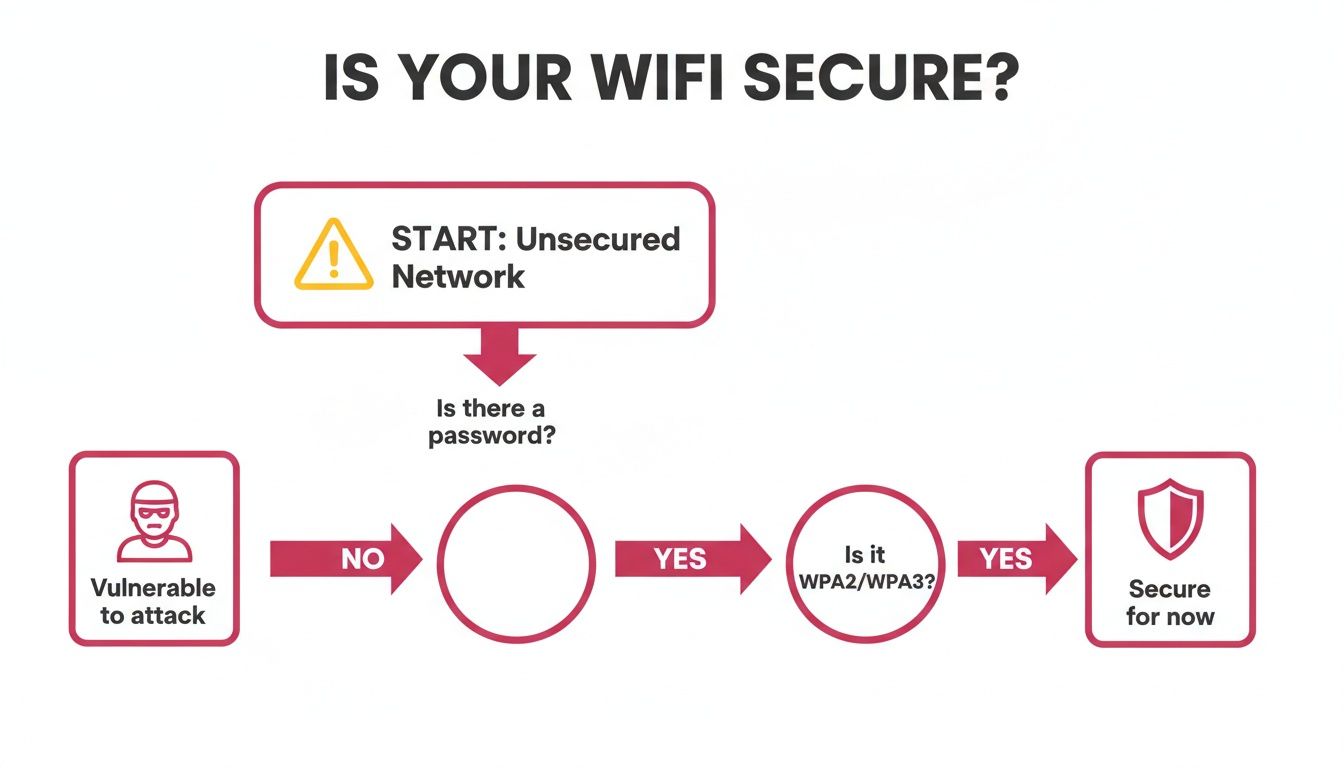
As you can see, the difference is stark. An unprotected network is an open door, while proper encryption is the first critical barrier you put in an attacker's way.
Choosing the right protocol is a great start, but many professional services firms fall short on the basics. Let's look at why it's so important to go beyond just the password.
Wireless Security Protocol Comparison
To understand why using WPA3 or WPA2 is so crucial, it helps to see how the protocols stack up against each other. Each generation was designed to fix the flaws of the one before it.
| Protocol | Encryption Level | Key Weakness | Recommended Use |
|---|---|---|---|
| WEP | Weak (RC4) | Easily cracked in minutes with common tools. | Never. This is completely obsolete. |
| WPA | Fair (TKIP) | Vulnerable to known attacks that can decrypt traffic. | Not recommended. Only for legacy devices if no other option exists. |
| WPA2-PSK | Strong (AES-CCMP) | Vulnerable to offline dictionary attacks if the password is weak. | The minimum standard for any business network. |
| WPA3-Personal | Very Strong (SAE) | Protects against offline dictionary attacks and strengthens encryption. | The recommended standard. Implement wherever possible. |
This comparison makes it clear: sticking with older protocols is an active security risk. Your focus should be squarely on WPA3, with WPA2 as a solid and necessary fallback.
Beyond the Password: Closing Common Backdoors
A strong encryption protocol is only one piece of the puzzle. Attackers love to exploit simple oversights, and one of the most common is failing to change the default administrator credentials on your routers and access points.
Every piece of network gear ships with a factory-set username and password, like "admin" and "password," which are public knowledge. A practical example of the risk is a small business setting up a new router. An attacker can simply look up the default credentials for that router model online, log in remotely, and take complete control—changing settings, redirecting traffic to malicious sites, or snooping on all data. The very first thing you should do with any new hardware is change these credentials to something long, complex, and unique.
Leaving default router credentials unchanged is like leaving the master key to your building under the doormat. It completely undermines all your other security efforts.
Another feature to watch out for is WPS (Wi-Fi Protected Setup). It was designed for convenience, allowing users to connect a device with the push of a button. Unfortunately, it has a major design flaw that can be exploited with brute-force attacks to discover your WiFi password, often in just a few hours. For any business, this feature should be disabled immediately in your router's settings.
The Critical Role of Firmware Updates
The software running on your network hardware—its firmware—is a huge target for cybercriminals. As security holes are discovered, manufacturers release updates to patch them. If you ignore these updates, you’re leaving your network wide open to known, and often automated, attacks.
A real-world example I've seen firsthand: a Somerset-based accountancy firm put off a router firmware update for a few months. An automated attack scanned the internet for the exact vulnerability that the patch fixed, and their network was breached. The result was a ransomware infection that encrypted all their client files, leading to costly recovery and serious reputational damage. All for a five-minute update.
To avoid this, build a simple routine:
- Schedule regular checks. Set a reminder to check for firmware updates on all your network gear at least once a quarter.
- Enable auto-updates. Many modern devices can update themselves automatically. If the option is there, use it.
- Prioritise critical patches. If a manufacturer announces an urgent security patch, don't wait. Apply it straight away.
Security Through Obscurity? Not So Much.
You’ll often hear two other tactics mentioned: hiding your network name (SSID) and MAC address filtering. While they sound good in theory, they provide a false sense of security and shouldn't be relied upon.
Hiding your SSID just stops your network from broadcasting its name publicly. Anyone with a basic network scanner can still find it in seconds. Similarly, MAC address filtering, which tries to restrict access to a list of pre-approved devices, is easily bypassed by an attacker who can "spoof" the address of a trusted device.
These measures might deter an absolute amateur, but they won't stop a determined attacker. Your time and energy are far better spent on the foundational elements we’ve covered: strong encryption, unique credentials, and consistent firmware updates. If you want to dive deeper into optimising your network layout, our guide on how to improve WiFi coverage has some practical tips on hardware placement and configuration.
Implementing Advanced Network Segmentation
As your business grows, that single, flat network you started with just won't cut it anymore. Every new device you add—from a salesperson's laptop to a smart thermostat in the break room—widens your potential attack surface. To truly secure your wireless network, you need to move beyond basic passwords and start implementing segmentation to create controlled, isolated zones.
Think of your network like a building. A flat network is one giant, open-plan office; if someone sneaks past the front door, they have access to everything. Network segmentation, on the other hand, is like giving each department its own locked office. A security breach in one area is contained and can’t easily spread to more critical parts of the business.
This is where Virtual Local Area Networks (VLANs) come in. A VLAN uses the network hardware you already own to group devices together logically, no matter where they're physically plugged in. Devices on one VLAN simply cannot see or talk to devices on another unless you explicitly create a rule to allow it.
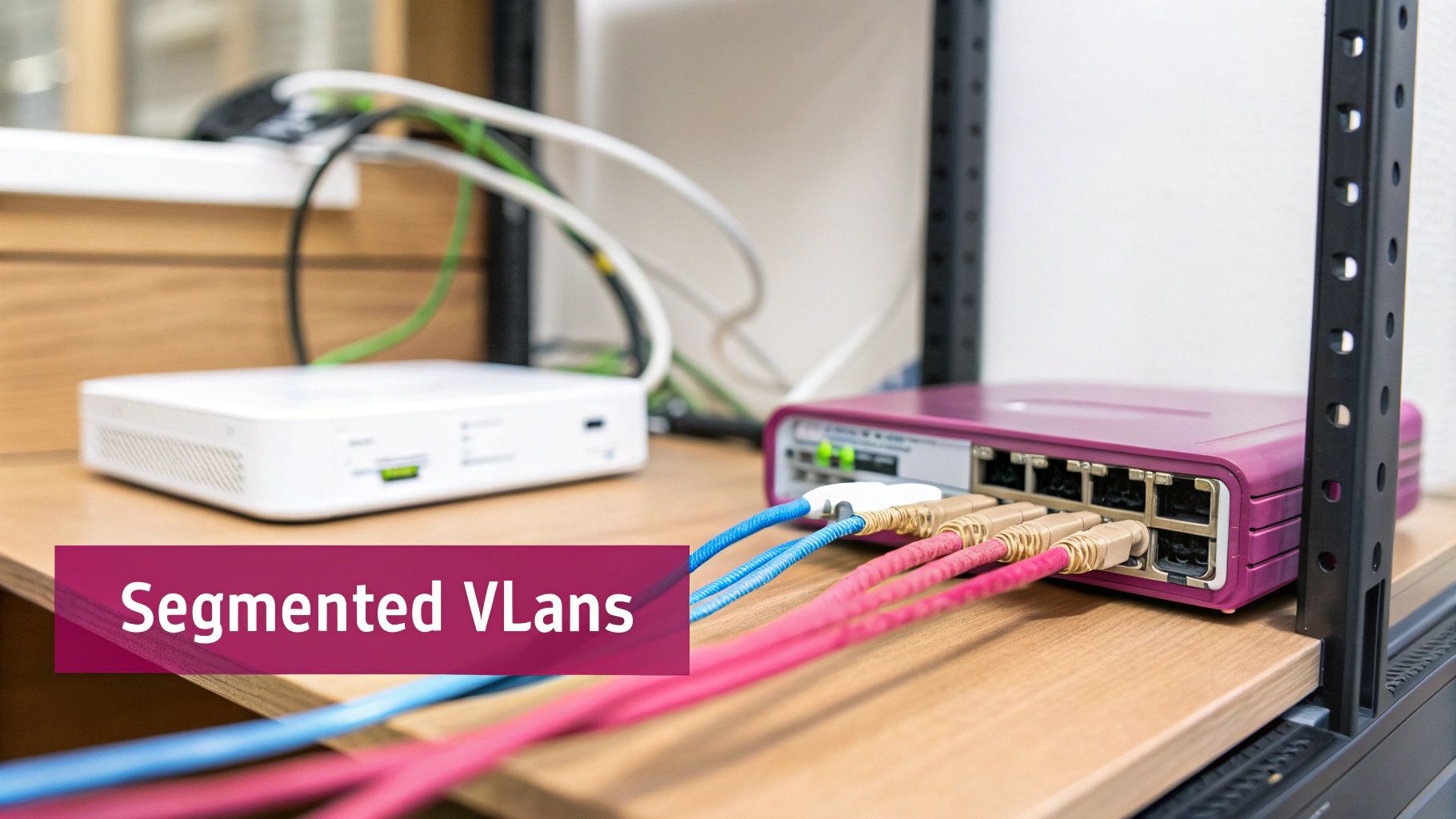
Isolating Systems with VLANs
Let’s look at a practical example. Imagine a manufacturing firm in Wiltshire using wireless IoT sensors on its factory floor to monitor machinery. These sensors are operationally vital, but they’re often built with minimal security, making them a tempting weak point for attackers.
If those IoT devices are on the same network as the company's finance department, a single compromised sensor could give an attacker a direct line to sensitive payroll and client data. By setting up VLANs, the business can carve up the network into separate virtual spaces:
- VLAN 10: Corporate Network (for staff laptops, servers, and printers)
- VLAN 20: IoT Network (for all the factory floor sensors and machinery)
- VLAN 30: Guest Network (for visiting clients and contractors)
With this structure, the traffic from the IoT devices on VLAN 20 is completely walled off. Even if a sensor gets breached, the attack is stuck inside that segment and can't jump over to the critical corporate systems on VLAN 10. To get a better feel for how these components work together, you can explore the fundamentals of what network infrastructure is in our related guide.
Strengthening Access with 802.1X Authentication
While a strong WPA3 password is a fantastic start, it still relies on a shared secret. If that pre-shared key (PSK) gets out—maybe an employee jots it down on a sticky note or shares it with an ex-colleague—your entire network is compromised. For real security, professional services businesses should step up to 802.1X authentication, often called WPA3-Enterprise.
Instead of one password for everyone, 802.1X makes each user log in with their own unique credentials, usually their standard username and password. This is all managed by a central authentication server (typically a RADIUS server).
This approach delivers some massive benefits:
- Individual Accountability: You know exactly who is on your network and when. If a security incident happens, you can trace it back to a specific user account.
- Dynamic Access Control: You can automatically assign users to the correct VLAN based on their role. An accountant logs in and gets put straight onto the finance VLAN, while a marketing intern is placed on a less sensitive one.
- Rapid Revocation: When someone leaves the company, you just disable their account. No more frantic scramble to change the Wi-Fi password and reconfigure every single device in the building.
Moving from a shared password to 802.1X user-based authentication is one of the most significant steps a growing business can take to professionalise its network security. It shifts the focus from securing devices to securing identities.
The Non-Negotiable Guest Network
One of the biggest security blunders I see businesses make is letting visitors, clients, or contractors onto the main corporate Wi-Fi. Offering guest access is a modern necessity, but it absolutely must be done safely.
A properly configured guest network should be completely separate from your internal network. It needs its own VLAN and firewall rules that strictly forbid any traffic from passing between the guest network and your internal corporate ones.
Here’s what a secure guest network looks like in practice for a professional services firm:
- Complete Isolation: Guest devices should only be able to reach the internet. They must never be able to see or communicate with your internal servers, printers, or employee computers.
- Client Isolation: As an extra precaution, this feature stops devices on the guest network from talking to each other. It prevents a visitor's compromised laptop from trying to attack other guests' devices in your waiting room.
- Bandwidth Limiting: You can cap the amount of bandwidth available to guest users. This ensures that someone streaming videos in your reception area doesn't slow down your business-critical operations.
- Captive Portal: This is the login page that asks guests to accept your terms of use before they connect. It adds a layer of legal protection and makes it clear the network is for temporary access.
By creating these distinct, isolated environments, you dramatically shrink your risk. This segmented approach ensures that even if one area is compromised—whether it’s a guest's phone or a factory sensor—the rest of your critical business operations remain secure and untouched.
Your Team: The Human Element of Wireless Security
Even with the best firewalls and the strongest encryption, your security is never just about technology. Tech can be bypassed or misconfigured, but a savvy, well-informed team is an active, thinking line of defence. In my experience, your people and the processes they follow are often the deciding factor between a near miss and a full-blown business disaster.
This "human firewall" doesn't happen by accident. It’s built on a foundation of clear, practical policies and reinforced with consistent, engaging training.
Don't Just Write a Policy, Create a Practical Guide
A good wireless security policy is much more than a dry IT document; it's a rulebook that sets clear expectations for everyone, from the top down. Vague guidelines just lead to confusion and mistakes. To be effective, your policy needs to be specific and give people clear instructions for real-world situations.
Make sure your policy covers the essentials:
- Acceptable Use: What is the business network for? Be explicit. For example, a policy might state that the corporate network is for business use only and prohibit access to illegal sites, high-bandwidth streaming services, or personal software downloads that could introduce risk.
- Password Rules: Don't just say "use strong passwords." Define what that means: mandate a minimum length (I'd suggest at least 12 characters), a mix of character types, and a policy against reusing passwords from other services.
- Connecting New Devices: Outline the exact steps for getting a new company laptop or phone securely onto the network. This prevents one-off mistakes and ensures every device is properly configured from day one.
Think of your security policy as a living document, not something you write once and file away. It needs to be reviewed and updated at least annually—or any time you introduce new tech—to keep pace with the threats you actually face.
Tackling the BYOD (Bring Your Own Device) Dilemma
Let's be realistic: personal smartphones, tablets, and laptops are a fixture in modern workplaces. While "Bring Your Own Device" offers great flexibility, it also opens a major security hole. These devices are outside your direct control, potentially running outdated software or already carrying malware.
A clear BYOD policy is non-negotiable. Imagine an employee at your accountancy firm accessing sensitive client files on their personal phone, which is later lost or stolen. The risk is immense. Your policy has to strike that tricky balance between convenience for your staff and the absolute need to protect company data.
A great practical solution for professional services is requiring staff to install Mobile Device Management (MDM) software on any personal device accessing the corporate network. MDM tools give your IT team a crucial layer of control, allowing them to:
- Enforce a secure passcode or biometric lock.
- Confirm the device's storage is encrypted.
- Remotely wipe only the company data if the device is lost or stolen, leaving personal photos and files untouched.
This approach gives your team the BYOD freedom they want, while you retain the control you need to keep your data safe.
Turning Rules into Reflexes with Regular Training
A policy is just words on a page if your team doesn't understand it or, more importantly, why it exists. This is where training makes all the difference, turning abstract rules into automatic, secure behaviours.
Forget those dull, once-a-year PowerPoint sessions. To actually change behaviour, training needs to be engaging, continuous, and directly relevant to the threats your people will face. One of the most powerful tools for this is running phishing simulations.
A practical example: an employee at a legal firm gets an email that looks like it’s from a trusted supplier. It asks them to click a link to view an "urgent invoice update." Someone who's been through good training will instinctively spot the red flags—the slight mismatch in the sender's email address, the artificial sense of urgency—and report it instead of clicking. That simple, trained reflex can single-handedly stop a ransomware attack that could have brought the entire organisation to its knees.
When you combine a robust policy with practical, ongoing training, you're not just ticking a box. You're building a culture of security where your team transitions from being a potential weakness to becoming your most valuable defence.
Adopting Proactive Network Monitoring and Response
Putting strong defences in place is a great start, but truly securing your wireless network isn't a "set it and forget it" job. Real protection is a continuous process of vigilance. This means proactively monitoring your network for signs of trouble, which allows you to catch emerging threats before they can cause real disruption. It shifts your security from being a static wall to an active, intelligent surveillance system.
This ongoing oversight is absolutely critical. For example, imagine an unauthorised device repeatedly trying to connect to your corporate network after hours. Without active monitoring, this kind of suspicious activity could fly under the radar for days or even weeks, giving an attacker all the time they need to find a way in. With proper monitoring, it’s an immediate red flag that demands investigation.

What to Look For and Where
Effective monitoring isn't about watching every single packet of data whizzing by. It's about knowing which logs and alerts give you the most valuable security insights and reviewing them regularly.
I always tell clients to start by focusing on these key areas:
- Access Point Logs: Keep an eye out for unusual connection attempts, repeated failed logins, or devices connecting from strange locations or at odd times. A device suddenly connecting at 3 AM from the car park is a classic indicator that something is wrong.
- Traffic Analysis: Look for strange patterns in your data flow. A sudden, massive data upload from a workstation that normally only handles small files could be a tell-tale sign of data exfiltration.
- Device Inventories: Routinely check the list of devices connected to your network. If you spot an unrecognised device, it needs to be investigated and kicked off immediately.
These manual checks are essential, but for real-time protection, you'll need to look at automated tools. It's worth exploring some of the best network monitoring tools available to see what fits your business needs.
Automating Your Defences with a WIPS
For a far more robust and automated approach, a Wireless Intrusion Prevention System (WIPS) is an invaluable piece of kit. Think of a WIPS as a dedicated security guard for your wireless environment, constantly scanning the airwaves for threats and taking action on its own.
A WIPS doesn't just alert you to a problem; it actively works to neutralise it in real time. It can detect rogue access points, block unauthorised devices, and even stop man-in-the-middle attacks before they can intercept your data.
For instance, say a malicious actor sets up a "lookalike" access point with the same name as your company network to trick employees into connecting—what we call an "evil twin" attack. A WIPS can identify it instantly. It will then automatically disconnect any clients that connect to it and alert your IT team to the physical location of the threat. This automated response can be the difference between a minor alert and a major data breach.
Preparing for the Worst: An Incident Response Plan
No matter how good your monitoring is, security incidents can still happen. That’s why having an effective Security Incident Response Plan is non-negotiable if you want to minimise the impact and keep the business running. When a breach hits, panic is your worst enemy. A clear, pre-defined plan ensures your team can act quickly, decisively, and correctly to get the situation under control.
This is especially crucial given the rise of ransomware, which poses a massive threat to UK businesses. Incidents are up 70% in SMEs, often starting from phishing attacks on unsecured networks. The Cyber Security Breaches Survey 2025 noted that temporary loss of access to files or networks—often tied to ransomware encrypting data over Wi-Fi exploits—rose to 7% from 4% in 2024.
Your plan for a wireless breach should detail three key phases:
- Containment: The immediate priority is to stop the bleeding. This might mean disconnecting affected devices from the network, changing all Wi-Fi passwords, or even taking the wireless network offline entirely to stop the threat from spreading.
- Eradication: Once contained, the threat must be completely removed. This involves finding the root cause—was it a weak password, unpatched firmware, or a phishing attack?—and getting rid of it. All affected systems must be cleaned and secured.
- Recovery: The final stage is to safely get back to normal. This includes bringing systems back online from clean backups, monitoring them closely for any lingering signs of compromise, and documenting the whole incident to strengthen your defences for the future.
This is where having managed IT services really proves its worth. A team of experts providing 24/7 monitoring and a rapid response capability means threats are often handled before you even know they exist, keeping your business secure and operational.
Your Wireless Security Questions Answered
Even with a solid plan in place, it’s natural to have questions. I get asked all the time about where to draw the line between sensible precautions and going overboard. Let's tackle some of the most common queries I hear from business owners, breaking them down with practical, real-world advice.
Is Public WiFi Really That Dangerous for Business Use?
The short answer? Absolutely. The moment an employee connects to the free WiFi at a coffee shop or airport, you've lost all control. There's no way to know if that network is secure, or worse, if it's a fake "evil twin" network set up by a hacker specifically to steal data.
A practical example would be a consultant sending sensitive client emails or logging into the company’s financial software over a public connection. This is a massive gamble. For staff who absolutely must work on the go, the only safe way forward is a business-grade Virtual Private Network (VPN). A VPN acts like a secure, encrypted tunnel, shielding their connection from prying eyes, even on a completely open network.
How Can I Securely Offer WiFi to Our Guests?
Offering guest WiFi is a fantastic touch for visitors, but it can’t come at the cost of your internal security. As we covered earlier, the trick is to completely wall off the guest network from your business-critical systems, usually with a VLAN.
The golden rule for guest networks is total isolation. A guest should be able to get to the internet and nothing else. They should never be able to see or interact with your company printers, servers, or employee workstations.
Here’s how to do it right:
- Give the guest network its own, obvious SSID (network name), for example, "YourCompanyName-Guest".
- Put that guest network on its own separate, isolated VLAN.
- Switch on "Client Isolation." This is a feature on most business-grade access points that cleverly stops guest devices from even seeing each other.
- You might also consider a captive portal, which makes users agree to your terms before they can get online.
Do We Really Need Something as Advanced as 802.1X?
If you’re a tiny business with just a couple of trusted employees, a really strong WPA3 password might just cut it. But once you start to grow, that single shared password becomes a real headache and a security risk. Every time someone leaves, you’re faced with the chore of changing the password and updating it on every single laptop, phone, and tablet.
This is exactly the problem that 802.1X (also known as WPA3-Enterprise) solves. It shifts the entire model from one shared key to individual user accounts. When an employee moves on, you just disable their account, and their access is gone—instantly. It also gives you a clear log of who connected and when, which is invaluable for tracking down issues and meeting compliance rules. For any business with more than a handful of staff or one that handles sensitive data, 802.1X is a non-negotiable step up to professional-grade security on your wireless network.
Protecting your business requires a proactive, layered approach to IT security. For over 30 years, SES Computers has provided managed IT support and robust security solutions to businesses across Dorset, Somerset, Wiltshire, and Hampshire. Contact us to ensure your network is secure, compliant, and ready for the future at https://www.sescomputers.com.