At its core, data redundancy is the practice of keeping the exact same data in more than one place. Think of it not as messy, uncontrolled duplication, but as a deliberate, strategic decision to ensure your business can always access its critical information, no matter what happens.
Understanding Data Redundanacy Beyond the Buzzword
Imagine you only have one key to your office. If you lose it, you’re locked out. Business stops. Data redundancy is like having a spare key with a trusted colleague and another stored securely off-site. It’s your fail-safe, ensuring that a single point of failure—like a server crash, a cyber-attack, or even a simple hardware malfunction—doesn’t bring your entire operation to a grinding halt.
For example, a marketing agency that stores all its client campaign files on a single office server is taking a huge risk. If that server fails, all project work, deadlines, and client deliverables are immediately in jeopardy. Data redundancy ensures a second copy of those files exists, ready to be accessed instantly.
The whole point is to build resilience directly into your IT systems. When your primary data storage fails, a redundant copy is standing by, ready to take over. This is what minimises costly downtime, prevents revenue loss, and protects the reputation you’ve worked so hard to build.
Redundancy vs. Duplication: A Crucial Difference
It's easy to confuse strategic redundancy with the accidental data duplication that plagues so many businesses. Having the same client proposal saved in ten different folders with slightly different names isn't a strategy; it's a liability. That kind of uncontrolled duplication wastes space, creates confusion, and often leads to people working with outdated information.
Proper data redundancy, on the other hand, is methodical. It's about creating and managing synchronised, identical copies of your data for a very clear purpose: to keep you in business.
At its heart, data redundancy is an insurance policy for your most valuable asset: your information. It transforms data from a single point of failure into a resilient, highly available resource that supports business continuity.
This structured approach is fundamental to modern IT. It ensures that if one system goes down, another is immediately available to keep things running. While the term "redundancy" can have negative connotations in other contexts, in IT, it’s a vital protective measure. The importance of safeguarding business operations becomes even clearer when you look at wider economic trends, as highlighted in these UK employment figures from Statista.
To give you a clearer picture, here’s a quick breakdown of the concept.
Data Redundancy At a Glance
| Concept | Primary Goal | Key Business Benefit |
|---|---|---|
| Data Redundancy | To store identical copies of data in multiple, separate locations. | Guarantees access to critical information even if one system fails. |
| Resilience | To prevent a single hardware or software failure from causing operational downtime. | Minimises disruption, protects revenue, and maintains customer trust. |
| Continuity | To ensure business operations can continue seamlessly after an unexpected event. | Enables rapid recovery from disasters, cyber-attacks, or technical faults. |
This table shows how a single technical concept translates directly into tangible business advantages, moving from a "nice-to-have" to an absolute necessity.
Key Goals of a Redundancy Strategy
Putting a solid data redundancy plan in place isn't just about ticking a box; it's about achieving several critical business objectives:
- Ensuring High Availability: This keeps your systems, applications, and data accessible to employees and customers with minimal interruption. In short, it keeps your business productive.
- Facilitating Disaster Recovery: If a fire, flood, or major cyber-attack hits your primary site, having redundant data stored elsewhere means you can get back on your feet in hours or days, not weeks or months.
- Protecting Data Integrity: By maintaining clean, synchronised copies, you reduce the risk of data corruption spreading across your systems. This ensures the information you rely on for decision-making is accurate and trustworthy.
The Three Core Methods of Data Protection
Knowing what data redundancy is is the first step. The next, and arguably more important, is figuring out how to put it into practice. Every business has its own operational rhythm and unique needs, so a one-size-fits-all approach to protecting your data rarely works out well.
Thankfully, you have three primary methods to choose from, each offering a different balance between recovery speed, data freshness, and cost. Choosing the right one comes down to how critical the data is. Your company archives might be fine with basic protection, but the systems that handle customer orders and financial records need something far more robust.
Let's break down these core methods with some practical examples to see how they work in the real world.
Backup: The Foundational Snapshot
The most familiar method by far is the classic backup. Think of it like taking a photograph of your important documents at the end of each day and storing that photo in a secure, off-site vault. If the originals are ever lost or damaged, you can always go back to the photo to restore them. It's a snapshot—a point-in-time copy.
A practical example is an accountancy firm that performs a full backup of its client financial data every night. If a critical spreadsheet is accidentally deleted the next morning, the firm can restore the version from the previous evening's backup, losing at most one day's work on that file.
A backup isn’t a live feed. It's usually scheduled to run at set times, like overnight, to avoid disrupting business operations. This means if your system crashes at 3 PM, the latest backup might only have data from the previous evening. For many businesses, especially for routine data protection, this trade-off is perfectly acceptable. It provides a reliable safety net against major data loss events, like a ransomware attack or a critical file being accidentally deleted. To learn more about building a solid plan, check out our guide to data backups.
Replication: The Near-Live Copy
The next level up in data protection is replication. Imagine you have a magic notepad; everything you write on it instantly appears on a second, identical notepad stored safely in another building. This gives you a nearly up-to-the-minute copy that’s always on standby.
For instance, a busy solicitors' practice uses replication for its case management system. As solicitors update client files, every change is automatically copied in near real-time to a secondary server in a separate data centre. If the main office server fails, they can switch to the replicated server within minutes, ensuring they are always working with the most current case information.
Replication works by continuously sending data changes from a primary system to a secondary one. This can happen synchronously (instantaneously) or asynchronously (with a slight delay of a few seconds or minutes). The major advantage here is a dramatically smaller window for data loss. If the main system goes down, you can switch over to the replicated one and be back in business with minimal disruption, making it a great fit for critical databases and applications where every recent transaction counts.
The concept map below shows how these ideas come together.
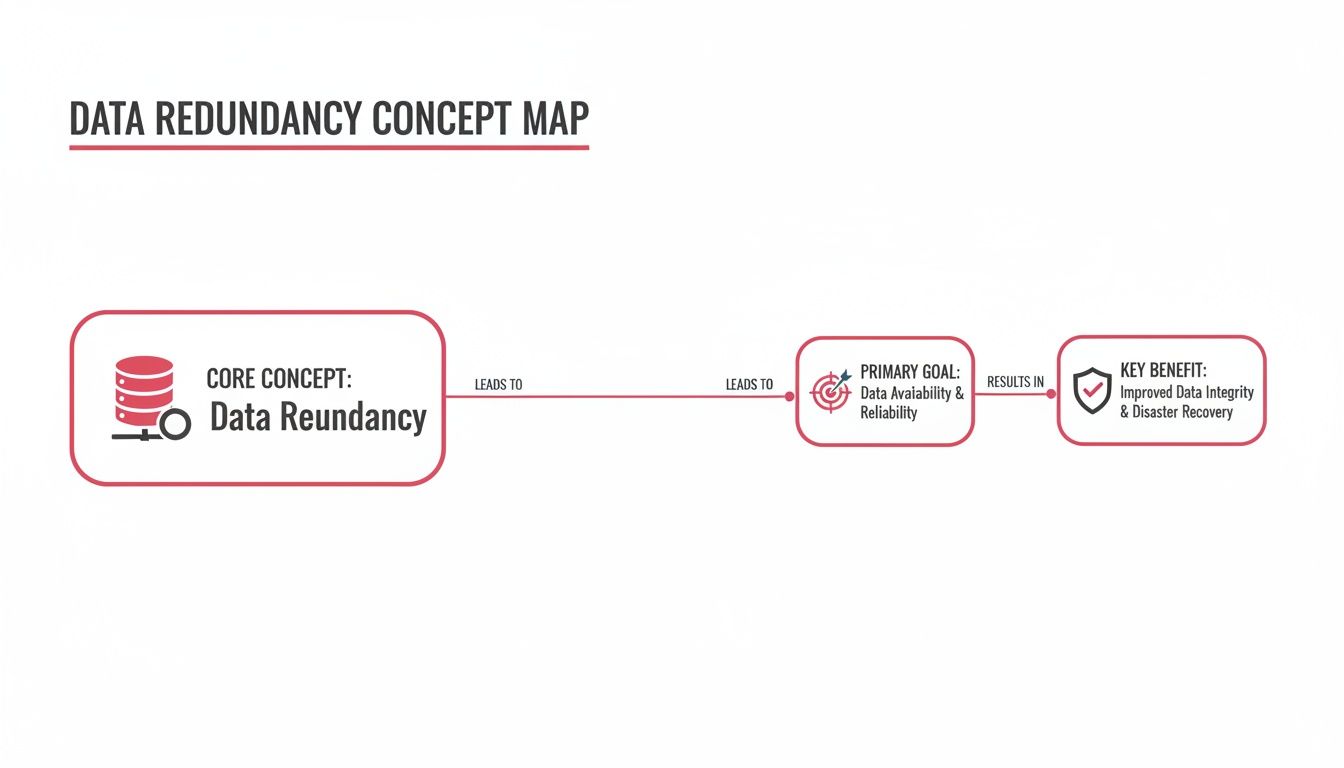
As you can see, the core idea of duplicating data serves the goal of high availability, which directly translates into the business benefit of operational resilience.
Mirroring: The Instantaneous Twin
The most advanced method is mirroring, sometimes called a 2N or fully redundant setup. This is like having an identical twin of your entire system—servers, storage, the lot—running in parallel. Both systems get the exact same data at the exact same time.
With mirroring, there isn't really a "primary" and "secondary" system. Both are live and active. If one fails completely, the other just keeps running without missing a beat. The result is zero downtime and zero data loss.
A financial trading platform is a perfect example. Every trade must be processed instantly and accurately. They use mirroring to run two identical, live systems simultaneously. If one server experiences a hardware failure, the other continues processing trades without any interruption, ensuring no financial transactions are lost and market confidence is maintained.
This approach delivers the absolute highest level of availability, making it essential for services that simply cannot afford to go offline. Think of an e-commerce site during Black Friday or a patient management system in a hospital. The trade-off, of course, is the cost and complexity, since it means duplicating your entire production environment.
Here’s a quick comparison to help you match the method to the need:
| Method | Recovery Time | Data Loss Potential | Best For |
|---|---|---|---|
| Backup | Hours to days | Minutes to 24 hours | Archiving, non-critical files, and disaster recovery from major incidents. |
| Replication | Minutes to hours | Seconds to minutes | Critical databases, financial systems, and key business applications. |
| Mirroring | Instantaneous | None | E-commerce platforms, customer-facing portals, and any system where downtime is not an option. |
In the end, most businesses find a hybrid approach works best. You might use daily backups for general file servers, replication for your accounting software, and mirroring for your main website. By matching the right data redundancy technique to the right business function, you can build a cost-effective and resilient infrastructure that keeps you safe from the unexpected.
Weighing Up the Pros and Cons
Deciding on a data redundancy strategy is really a balancing act. It’s not just a technical task for the IT department; it's a fundamental business decision that pits the cost of investment against the risk of catastrophic data loss. The upsides are huge, building a kind of operational armour that makes your business far more resilient.
The most immediate benefit is simple: your business keeps running, no matter what. If a server gives up the ghost or a crucial file gets corrupted, a redundant system can step in seamlessly. This means your team isn't left sitting on their hands, customers can still be served, and revenue doesn't just stop. A potential disaster is downgraded to a minor, manageable hiccup.
This level of dependability also does wonders for your reputation. Clients need to know your services are available and that their data is safe. A solid recovery plan shows you’re a professional and reliable partner, which can be a massive advantage when you're up against competitors.
The Real-World Advantages of Redundancy
The benefits of a well-thought-out redundancy plan are more than just a vague sense of security. They bring tangible, measurable value to your business.
- Better Data Integrity: By keeping multiple, synchronised copies of your data, you dramatically lower the risk of someone accidentally working from an old or corrupted file. It ensures every business decision is based on information that's accurate and up-to-date.
- Lightning-Fast Disaster Recovery: When a genuine disaster strikes—think fire, flood, or a major cyber-attack—redundancy is your quickest route back to business as usual. We're talking about getting back online in hours or even minutes, not weeks.
- A Boost to System Performance: Some setups, like database replication, offer a nice side-effect. Less critical tasks, like running reports, can be offloaded to the backup copy. This frees up your primary system to handle the important stuff, balancing the workload and making everything feel faster for your users.
Getting to Grips with the Costs
Naturally, these benefits aren't free. Building redundancy is an investment, and it’s important to be clear-eyed about what that involves. The most direct cost is for the extra storage itself, whether that means buying more servers for your office or paying for a cloud service. We dive deeper into these choices in our guide to cloud storage versus local storage.
But the spending doesn't stop at hardware or subscriptions. You also need to factor in the cost of managing it all. Keeping multiple sets of data perfectly in sync takes technical skill and constant monitoring to make sure it's all working correctly. This can mean paying for specialised software, needing more internet bandwidth for the data transfers, and dedicating staff time to manage and test the setup. A redundancy plan that isn't properly managed is one that's likely to fail right when you need it.
The real question isn't whether data redundancy costs money, but whether you can afford the cost of not having it. Downtime is incredibly expensive—studies show even a single minute can cost a business thousands of pounds in lost revenue and productivity.
Finally, there’s the operational challenge of keeping all your data copies consistent. You need airtight processes to ensure that when a file is changed in one place, that change is immediately and accurately reflected everywhere else. If you get this wrong, you can end up with conflicting versions of your data, creating a whole new set of problems. This need for robust digital infrastructure is something businesses across the UK are waking up to as they become more reliant on technology, a trend that's even visible in national economic data. For more on these broader trends, you can review the latest labour market news from the Department for the Economy.
Data Redundancy In The Real World
Theory is one thing, but seeing data redundancy in action is where its true value becomes clear. A smart redundancy plan isn't just an abstract IT policy; it's a core part of your business operations, actively protecting your revenue and reputation every single day. This isn't about having messy, uncontrolled copies of data floating around. It's about a deliberate, managed approach to resilience.
Let's look at how this plays out for UK businesses. The goal is to see how different methods—like replication and mirroring—are used to solve specific, real-world operational headaches.

Scenario One: The Dorset Law Firm
Picture a busy law firm in Dorset. Their most precious asset is their client case management system, holding decades of sensitive files, contracts, and court documents. This data is constantly being updated by solicitors throughout the day. A simple nightly backup is a good start, but it’s nowhere near enough to guarantee continuity.
What happens if their main server fails at midday? They could instantly lose an entire day's worth of billable hours and critical updates on live cases. That kind of disruption can lead to blown deadlines and serious professional fallout.
To get around this, the firm uses real-time replication.
- The Solution: Every single change made on their primary server is instantly copied to a secure virtual server located in a UK data centre.
- The Outcome: If the local server goes down for any reason, the team can switch over to the replicated system in minutes. They carry on working with the very latest versions of their documents, and client service never skips a beat.
This approach gives them a very low Recovery Point Objective (RPO), which is just a technical way of saying they lose almost no data in a crisis. For professional services firms where the most recent data is everything, that’s non-negotiable.
Scenario Two: The Hampshire Logistics Company
Now, let's switch gears and look at a logistics company over in Hampshire. Their entire operation hinges on a warehouse management system (WMS) that runs everything from inventory tracking to vehicle dispatch. Even a few minutes of downtime could bring all shipments to a grinding halt, creating an expensive backlog and damaging trust with customers who depend on them.
For this kind of business, instant failover is the only option. They simply cannot afford to be offline, even for a moment.
For mission-critical systems where every second of uptime counts, mirroring provides the ultimate level of protection. It eliminates the concept of a "failover event" by having two live systems running in parallel, ready to handle the full workload at a moment's notice.
This is a perfect job for system mirroring.
- The Solution: The company runs two identical, perfectly synchronised WMS servers. This setup is known as a 2N configuration, where both systems are live and processing the exact same data simultaneously.
- The Outcome: If one server has a problem, the other just keeps on running without any interruption at all. There’s no switchover for the staff to manage; the system just works. This guarantees the warehouse stays 100% operational, preventing costly delays and cementing the company’s reputation for reliability.
In the real world, highly available systems such as those employing a multi-tenant SaaS architecture critically depend on robust data redundancy to ensure data integrity and service continuity for all users. These examples show just how vital a tailored approach to data redundancy is. There’s no single “best” method—only the right method for a specific business need. For a deeper dive into planning your recovery strategy, you might be interested in our guide on effective IT disaster recovery solutions. By understanding the practical risks your business faces, you can implement a proportional and effective defence that keeps your operations running smoothly.
Building Your Data Redundancy Strategy
Putting together a data redundancy strategy isn't just an IT job; it's a fundamental part of business planning. The whole process starts with a simple but critical question: what data is absolutely essential for your business to function day-to-day? Answering that honestly gives you a clear roadmap for creating a plan that’s both resilient and cost-effective, protecting what truly matters without breaking the bank.
This isn’t about guesswork. It’s about taking a structured look at your operations to pinpoint your most critical systems and decide just how much disruption you can realistically handle. Only then can you pick the right tools for the job.

Start with a Business Impact Analysis
Your first port of call should be a Business Impact Analysis (BIA). Think of this as a methodical way to identify the most important parts of your business and really understand the consequences if they were suddenly unavailable. It helps you sort your data into 'must-have' and 'nice-to-have' piles.
For instance, a manufacturing firm’s top priority would likely be the system that runs the production line. For an accountancy practice, it’s going to be client financial data and their practice management software. By identifying these crown jewels first, you can focus your investment where it will do the most good.
Define Your RTO and RPO
Once you know what’s critical, you need to set two key targets. They might sound a bit technical, but the ideas behind them are straightforward and absolutely essential.
- Recovery Time Objective (RTO): This is the maximum acceptable time your business can be offline after a disaster strikes. An RTO of one hour means your critical systems must be back up and running within 60 minutes of the incident.
- Recovery Point Objective (RPO): This defines how much data you can afford to lose, measured in time. An RPO of 15 minutes means you can't lose more than the last 15 minutes of work leading up to the failure.
Defining your RTO and RPO is the most crucial step in strategy development. It translates business needs into technical requirements, directly dictating whether you need simple backups, real-time replication, or instant mirroring.
A low RTO and RPO (we’re talking minutes or even seconds) will point you towards more advanced solutions like replication or mirroring. On the other hand, if you have a higher tolerance for downtime (hours or days), a simple daily automated backup might be all you need.
Matching Your Needs to the Right Solution
With your priorities, RTO, and RPO clearly defined, you can now match them to practical, effective solutions. This step ensures you aren’t over-investing in protection you don't need or, far worse, under-investing and leaving your business dangerously exposed.
For High RTO/RPO (Cost-Effective Protection): If you can handle a day of downtime and data loss, automated cloud backups are a perfect fit. These systems create a secure copy of your data at set times (like every night) and store it safely off-site. It’s a foundational layer of protection for less critical files and general business documents. To get a deeper understanding, an ultimate business backup guide can offer some valuable insights.
For Low RTO/RPO (Business Continuity): For systems that need to be back online quickly with minimal data loss—think a customer database or order processing software—high-availability virtual servers with replication are the answer. This approach keeps a near-live copy of your server on standby, ready to take over and slash downtime from hours to mere minutes.
For Zero RTO/RPO (Uninterrupted Operations): For those mission-critical applications where any downtime is simply not an option, you’ll need a fully mirrored or 2N setup. This provides instant, automatic failover with zero data loss, guaranteeing continuous operation no matter what.
The Importance of Proactive Monitoring
Putting a redundancy plan in place isn't a 'set it and forget it' task. Redundant systems are only useful if they actually work when you need them most. It’s a common mistake to think having a backup is the same as having a tested, functional recovery plan.
This is where proactive monitoring services are invaluable. Continuous monitoring and regular testing confirm that your backup and replication processes are running correctly. They verify that your data is being copied successfully and—most importantly—that it can be restored when you need it. This final step is what turns your strategy from a plan on paper into a reliable, real-world safety net.
Your Data Redundancy Questions, Answered
Let's be honest, the world of IT is filled with jargon that can make things seem more complicated than they need to be. When it comes to protecting your business, one of the most important concepts to get your head around is data redundancy.
We've put together some plain-English answers to the questions we hear most often from business owners, cutting through the noise to focus on what really matters for your organisation's security and continuity.
Is Data Redundancy the Same as a Data Backup?
This is probably the most common question we get, and it’s a crucial one. While a data backup is a form of redundancy, the two aren't interchangeable.
Think of a backup as a historical photo album of your data. It’s a snapshot taken at a specific point in time—say, every night—and its main job is to help you restore information after a major disaster, like a ransomware attack or a catastrophic server failure.
True data redundancy, on the other hand, is all about business continuity. It uses methods like replication or mirroring to create live or near-live copies of your data, ready for an immediate switchover. The goal here isn't just recovery; it's to keep your systems running with little to no disruption.
In short: a backup helps you recover from a disaster, while active redundancy helps you avoid a disaster disrupting your operations in the first place.
Will Data Redundancy Slow Down My Systems?
It's a valid concern—the last thing you want is for your data protection to get in the way of your team's productivity. Thankfully, with modern solutions, this is largely a myth. A professionally designed and implemented redundancy strategy should have virtually no noticeable impact on your system's performance.
Today’s technology is built to be smart and efficient. For instance, data replication can be scheduled for quiet periods, like overnight, and intelligent bandwidth management tools ensure your critical business applications always have the resources they need. A well-configured solution simply hums away in the background, giving you powerful protection without creating bottlenecks.
How Does Data Redundancy Help with GDPR Compliance?
Data redundancy isn't just good practice; it’s a key part of your obligations under the General Data Protection Regulation (GDPR). Specifically, Article 32 of the GDPR mandates that organisations ensure the ongoing "availability and resilience of processing systems and services."
What does that mean in practical terms? You must be able to restore access to personal data promptly after a physical or technical problem. Data redundancy is your direct answer to this requirement. By maintaining duplicate, accessible copies of your data, you can prove you’re prepared for anything from a server crash to a cyber-attack.
But there’s an important catch:
- Security is a must: Every copy of your data, whether it's a backup or a replicated version, needs the same high level of security as the original. This means strong encryption, strict access controls, and constant monitoring.
- Data location matters: Storing your redundant copies in a secure, UK-based data centre helps you meet data sovereignty rules, ensuring sensitive personal data stays within the UK's legal jurisdiction.
Ultimately, a solid data redundancy plan is one of the most tangible steps you can take to meet your legal duties under GDPR, protecting both your customers' trust and your company’s reputation.
Protecting your data is fundamental to building a resilient, modern business. If you’re ready to create a data redundancy strategy that fits your unique needs and budget, the experts at SES Computers are here to guide you. Contact us today to secure your business's future.