Setting up a secure wireless network is not just a technical box-ticking exercise. It is a core business strategy that protects your data, your clients, and ultimately, your reputation. For any professional services firm today, an unsecured network is not a minor oversight—it is an open invitation for data breaches, reputational damage, and painful regulatory fines.
Why Secure Wireless Networking Is a Business Essential

Think about it: your Wi-Fi network is the invisible backbone of your daily operations. It connects everything from staff laptops and VoIP phones to the critical servers in your back office. But this convenience brings with it significant security risks that too many businesses overlook until it is far too late. The threats are real, and they can have a serious impact on your bottom line.
The Real-World Risks of Insecure Wi-Fi
An improperly secured network exposes your business to a whole host of threats. Picture a professional services firm—say, an accountancy practice—where sensitive client financial data is intercepted over an open Wi-Fi network. The fallout is not just the immediate financial loss; it is the severe penalties under GDPR and a complete collapse of client trust.
Or consider a legal practice whose case management system is compromised via a poorly secured connection. A breach could lead to confidential client information being exposed, crippling operations and permanently staining the firm's reputation. These are not far-fetched scenarios; they happen every day to businesses that are not prepared.
The scale of the problem is clear. The UK government's latest Cyber Security Breaches Survey revealed that 43% of all businesses suffered a cyber breach or attack, a figure that jumps to an alarming 67% for medium-sized businesses.
This growing threat has fuelled a huge response. The UK's wireless network security market hit USD 1,436.9 million in revenue and is expected to nearly double by 2030, which tells you just how seriously businesses are now taking this.
Core Pillars of a Secure Wireless Network
Building a resilient defence demands a structured, proactive approach, not a reactive scramble after a breach. This means creating layers of protection grounded in proven security principles. This table summarises the essential components that form a strong secure wireless networking strategy.
| Security Pillar | Objective | Practical Example |
|---|---|---|
| Robust Encryption | Scramble wireless data to make it unreadable to unauthorised parties. | Implementing WPA3 across all access points to protect client data transmissions. |
| Strong Authentication | Verify the identity of every user and device trying to connect. | Using WPA3-Enterprise with a RADIUS server, requiring individual staff logins. |
| Network Segmentation | Isolate different parts of the network to contain potential threats. | Creating a separate VLAN for guest Wi-Fi, completely isolated from the main corporate network. |
Understanding these pillars is the first step toward building a truly robust security posture. They work together to create a defence that is far stronger than any single measure on its own. For a deeper look into these foundational practices, you can explore our complete guide to cybersecurity for small businesses.
Designing Your Wireless Security Blueprint
A genuinely secure wireless network does not start with unboxing new hardware. It begins with a solid plan—a blueprint that carefully considers your physical space and your digital needs. I have seen too many professional firms jump straight to buying equipment, only to end up with frustrating performance gaps, security holes, and a solution that just was not the right fit.
This planning phase really boils down to two key surveys. First, you need to physically assess your premises. Then, you will take a digital inventory of every single device that will connect to your Wi–Fi. Getting these two steps right lays the groundwork for every decision that follows.
Conducting a Physical Site Survey
First things first, you need to walk your premises and look at it from a Wi-Fi signal's perspective. Signals can be surprisingly temperamental, and certain materials will stop them dead in their tracks. Identifying these problem areas from the outset is crucial for reliable coverage.
For example, a modern, open-plan office with glass partitions is a completely different beast from a historic Wiltshire building with thick stone walls. A professional services firm occupying a listed building in Somerset, with its dense construction, will create its own unique set of interference challenges that require careful planning for access point placement.
During your walk-through, keep an eye out for:
- Potential Dead Zones: Think basements, the far corners of a large office floor, or any rooms built with reinforced concrete. These are your likely trouble spots.
- Sources of Interference: The usual suspects are microwave ovens in the break room and old DECT cordless phones. But also consider interference from neighbouring businesses' powerful Wi-Fi networks in a shared office building.
- Ideal Access Point (AP) Locations: You are looking for central spots, high up on walls or, even better, on the ceiling. The goal is the clearest possible line of sight to the devices that need to connect.
Meticulously mapping your physical environment turns guesswork into a proper strategy. It means you buy the right number of access points and place them where they will actually work, saving you from the headache of dead zones and ensuring your team gets a consistent signal.
Mapping Your Digital Environment
Once you have got the lay of the land, it is time to catalogue every single device that will need wireless access. This ‘digital survey’ is about more than just counting heads; it is fundamental to planning your network's capacity and, critically, designing its security. This whole process is a cornerstone of a what is zero trust security model, where nothing gets access without being verified first.
Think about an accountancy firm in Dorset, for instance. They will have a mix of devices, each with very different needs and security profiles:
- Staff Laptops & Desktops: Need rock-solid, secure access to internal servers, printers, and cloud accounting software.
- Company Smartphones & Tablets: Must get onto the corporate network, but might need tighter rules when connecting from outside the office.
- Video Conferencing Units: These are critical for client meetings. They need prioritised, stable bandwidth and should be isolated from general web traffic to ensure performance.
- VoIP Phones: Need prioritised bandwidth to keep call quality crystal clear, separate from everyone's web browsing.
- Guest Devices: Visitors and clients need internet, but they absolutely must not be able to see or touch any of your internal company resources.
By creating this inventory, you can see exactly what your network will be up against. It tells you how much bandwidth you will need and, most importantly, how you will need to segment the network later to keep sensitive data isolated. This blueprint is your guide to making smart choices on everything from hardware and encryption to your day-to-day access policies.
Choosing and Configuring the Right Hardware
With a solid plan in hand, it is time to select the actual hardware. Let's be clear: not all wireless equipment is built the same. The routers and access points you would buy for your home just do not have the security features or the horsepower needed for a professional environment. Picking the right gear from the start is absolutely fundamental to a secure network.
The biggest mistake I see is businesses trying to save a few quid by using consumer-grade routers. It is a false economy. Business-grade access points, switches, and routers are designed for security and performance under heavy use. They also offer crucial features like centralised management, which lets you control the entire network from one place.
As the blueprint below shows, this selection process is not just about picking a box off a shelf. It is a deliberate workflow to ensure every piece of kit supports your security objectives.
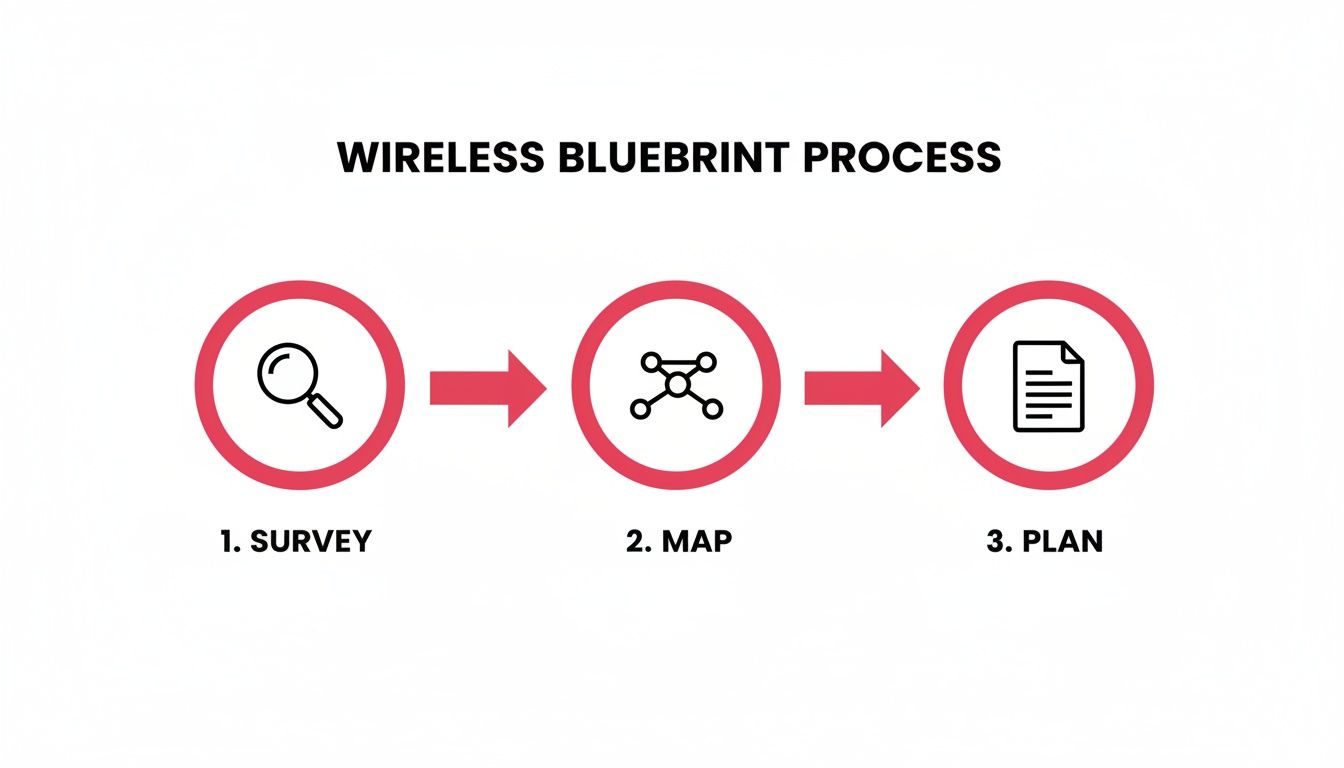
This process—surveying your site, mapping out the requirements, and building a plan—directly dictates the hardware you need and how it should be configured.
Focus on Rock-Solid Security Protocols
When you are looking at spec sheets, your first priority should be the security protocols a device supports. Modern business hardware comes with advanced encryption and authentication methods that are non-negotiable for protecting your data.
- WPA3 Encryption: This is the current gold standard. It is a massive leap forward from WPA2, particularly in its defence against "brute-force" attacks where a hacker tries to guess your password over and over. If you are buying new equipment today, WPA3 support is a must-have.
- WPA2/WPA3-Enterprise Authentication: This is where business-grade gear really shines. Instead of a single password shared among all staff (the "Personal" mode you use at home), "Enterprise" mode forces every single user to log in with their own unique credentials.
This individualised access is a game-changer. Our guide on Wi-Fi solutions for business dives deeper into these kinds of professional setups.
Gain Granular Control with a RADIUS Server
To make WPA2/WPA3-Enterprise work, you need a RADIUS (Remote Authentication Dial-In User Service) server. The name sounds ancient, but its role is incredibly modern. Think of the RADIUS server as your network's central bouncer. It manages all user credentials and decides who gets in.
Here is how it works: an employee tries to connect to the Wi-Fi. Their device sends their username and password to the access point, which then passes the request on to the RADIUS server. The server checks those details against a central database (like your Windows Active Directory). If everything checks out, it gives the green light, and the employee is connected.
Imagine a legal practice in Hampshire. With RADIUS, they can ensure only authorised solicitors access the main corporate network. When a solicitor leaves the firm, their login is simply disabled. Their network access is instantly cut off without having to change the Wi-Fi password for everyone else.
This approach also gives you a detailed audit trail, logging who connected, from where, and at what time—invaluable for security reviews and compliance.
Getting the Configuration Basics Right
Even the most expensive hardware is insecure if it is not set up correctly. Once your gear is installed, there are a few basic—but critical—steps you must take to lock things down.
The core of this process is understanding that the hardware and its embedded software have their own vulnerabilities. A foundational knowledge of security in embedded systems can provide a much deeper appreciation for why these configuration steps are so important.
Here are the first things you absolutely must do:
- Change Default Admin Credentials: Every device ships with a default username and password like "admin" or "password". These are public knowledge and the first thing any attacker will try. Change them immediately to something long, complex, and unique.
- Keep Firmware Updated: Firmware is the operating system for your hardware. Manufacturers constantly release updates to fix security holes. If you can, enable automatic updates. If not, make a recurring appointment in your calendar to check for them manually.
- Disable Unnecessary Features: Routers often come with features like WPS (Wi-Fi Protected Setup) or UPnP (Universal Plug and Play) switched on by default. They are designed for convenience but can open up security risks. If you do not need them, turn them off.
Using Network Segmentation to Box in Threats
Leaving all your devices to talk freely on one big network is a huge, yet surprisingly common, security gamble. Think of it like a massive open-plan office: if one person catches a bug, it is not long before the whole team is down. Network segmentation is how you build internal walls and doors, creating smaller, isolated zones that stop threats from spreading.
This strategy is a real cornerstone of a secure wireless network. Instead of a flat network where a compromised guest's phone could potentially sniff around your finance server, you create clear, logical divisions. This does not just contain the blast radius of an attack; it also helps manage internal risks and can even boost your network's performance.
The main tool for the job here is the VLAN, which stands for Virtual Local Area Network. VLANs let you group devices together, regardless of where they are physically plugged in. In essence, you can make a set of devices believe they are on their own private mini-network, even if they are all connected to the same physical hardware.
Defining Your Network Zones
First things first, you need to map out your digital territory. The idea is to group all your connected devices based on what they do and how much you trust them. Every business is different, of course, but a few common categories make for a solid starting point.
Take a professional services firm, like an accountancy practice or a legal office. A sensible VLAN setup might look something like this:
- Corporate VLAN: This is your inner circle, reserved for company-owned kit like staff laptops and desktops. It needs access to all the important internal stuff: file servers, printers, and core business applications.
- Guest Wi-Fi VLAN: Strictly for visitors, and it should be treated as a completely untrusted zone. This network provides a straight shot to the internet and nothing else. It must be completely walled off from all internal corporate networks.
- IoT (Internet of Things) VLAN: This is for all those "smart" devices—security cameras, smart thermostats, digital displays. These gadgets are notoriously insecure and should be kept on a tight leash, isolated from anything sensitive.
- VoIP (Voice over IP) VLAN: Give your phone system its own dedicated space. Separating voice traffic guarantees call quality (a concept known as Quality of Service, or QoS) and stops it from being disrupted by someone downloading a massive file.
Carving up your network this way lays a strong foundation. A breach on the less-secure IoT network gets stuck there, unable to hop over to your critical corporate data.
Building the Rules of Engagement
With your VLANs defined, the real magic happens when you set up firewall rules to control the traffic between them. This is where you enforce your security policy with pinpoint accuracy. Your firewall becomes the gatekeeper, checking every packet that tries to cross a VLAN boundary and only letting approved traffic through.
Let's walk through a real-world example. A manager on their laptop (on the Corporate VLAN) needs to print a report to a wireless printer (which we have wisely placed on the IoT VLAN). You can create a specific firewall rule allowing only that manager's laptop to connect to only that printer's IP address, and only on the specific port required for printing.
The golden rule here is to work on a "deny-by-default" basis. This means no traffic is allowed between zones unless you create an explicit rule to permit it. It is a much more secure stance than leaving the doors open and trying to block bad things as they happen.
This level of control is what it is all about. You could, for instance, have a permanent rule that blocks the security camera on the IoT VLAN from ever even attempting to talk to the finance server on the Corporate VLAN. If that camera is ever hijacked, its ability to do any real damage is massively limited.
Unfortunately, many businesses have not yet put these foundational controls in place. The government's Cyber Security Breaches Survey reveals that only 40% of UK businesses use two-factor authentication and a mere 31% use VPNs—a clear sign of widespread security gaps. With phishing attacks hitting as many as 42% of smaller firms, segmenting your network to limit the fallout from one compromised device is more critical than ever. You can dig into more of the findings in the latest government survey on cybersecurity breaches.
Ultimately, network segmentation shifts your security from a passive fence to an active defence system. It accepts that breaches are a reality of modern business but builds a resilient framework to ensure one small incident does not escalate into a full-blown catastrophe.
Maintaining Your Defences with Active Monitoring
Putting strong encryption and network segmentation in place gives you a fantastic head start, but secure wireless networking is not a one-and-done job. Think of it less like building a wall and more like staffing a watchtower. Your defences need constant attention.
Active monitoring is what turns your security from a static setup into a responsive, intelligent system that can spot and react to threats in real-time. It is an ongoing process of vigilance, ensuring all your initial hard work continues to protect your business day after day. By keeping a close eye on your network’s health and activity, you can catch the subtle signs of trouble before they snowball into a major security incident.
The Power of Proactive Log Review
Every piece of hardware on your network—from routers and switches to your wireless access points—is constantly generating logs. These are essentially detailed diaries of every event, connection, and error that occurs. While they might seem like a torrent of technical jargon, they are actually a goldmine of security intelligence.
Regularly reviewing these logs is how you spot anomalies that could signal an attack. For instance, a single failed login attempt is perfectly normal. A hundred failed attempts from the same unknown device in under a minute? That is a massive red flag for a brute-force attack. Likewise, if a device suddenly connects to your guest network at 3 AM and tries to access your main file server, that warrants an immediate investigation.
The key is to establish a baseline of what 'normal' traffic and activity look like for your business. Once you have a clear picture of the everyday ebb and flow, anything that deviates from that pattern will stick out like a sore thumb, allowing you to investigate potential threats swiftly.
Structured Vulnerability Management
Beyond watching live traffic, you need a structured plan for finding and fixing weaknesses before attackers can exploit them. This is what we call vulnerability management—a continuous cycle of discovery, assessment, and remediation.
Regularly scanning your network with specialised tools can bring a whole range of hidden issues to light. These scans are designed to identify things like:
- Unpatched Software: Finding devices running outdated firmware, which could contain well-known security holes.
- Weak Configurations: Spotting risky settings, like unnecessary open ports or weak encryption ciphers still in use.
- Rogue Devices: Discovering unauthorised access points that an employee might have plugged into the network without permission.
To complement this day-to-day scanning, a periodic and thorough security audit in network security provides a crucial, high-level review of your policies and controls. It is a formal process that assesses your entire security posture from the top down.
This proactive stance is more important than ever given the UK's rapidly advancing infrastructure. With 79% of UK SMEs now having access to gigabit-capable networks, the speed at which threats can operate has skyrocketed. The rollout of Wi-Fi 7 is another game-changer, bringing huge performance gains perfect for demanding services like hosted desktops (DaaS) or automated backups over Wi-Fi. But this high-speed environment also demands more robust security management to protect it.
Creating a Human Firewall
At the end of the day, your strongest security asset—or your biggest liability—is your staff. All the technology in the world cannot stop a well-meaning employee from clicking a malicious link in a convincing phishing email. This is why staff training and clear, enforceable policies are absolutely indispensable.
An Acceptable Use Policy (AUP) is a foundational document that clearly outlines the dos and don'ts of using the company network. It should be straightforward, covering everything from connecting personal devices to accessing certain websites. For example, a policy might explicitly forbid staff from using personal cloud storage services to handle client documents, directing them to the secure, company-sanctioned solution instead. Regular training can then reinforce these rules.
For many businesses, juggling 24/7 monitoring, vulnerability scanning, and policy enforcement is a huge drain on time and resources. This is where partnering with a managed IT provider can be invaluable. They have the tools and expertise to automate these critical tasks, provide expert oversight, and ensure your secure wireless networking strategy remains effective and resilient.
Your Secure Wi-Fi Questions Answered
Even with a solid plan, you are bound to have questions when you start putting it all into practice. Let's tackle some of the most common ones we hear from UK businesses, cutting through the jargon to give you practical answers.
Is WPA3 really necessary if we already use WPA2?
In a word, yes. WPA2 has been a faithful workhorse for years, but it is showing its age. Its vulnerabilities are well-known, and a determined attacker can exploit them. It is like having a decent lock on your front door, but knowing a skeleton key is floating around out there.
WPA3 brings modern, much tougher encryption to the table. It slams the door on brute-force dictionary attacks, which is where attackers try to guess your password over and over. This means even if your passphrase is not a random string of 50 characters, WPA3 makes it incredibly difficult for anyone to crack.
If you handle any kind of client data, take payments, or fall under GDPR, moving to hardware that supports WPA3 is not just a nice-to-have. It is a fundamental step in protecting your network for the future.
How can we offer guest Wi-Fi without putting our main network at risk?
This is the classic use case for network segmentation, and it is your best friend here. A guest network should always live on its own completely separate VLAN (Virtual Local Area Network). Think of it as building a digital brick wall between your visitors and your business operations.
When it is configured correctly, that VLAN gives guest devices a direct, firewalled path to the internet and nothing else. A client's laptop or a visitor's phone on your guest Wi-Fi has zero visibility of your company servers, staff PCs, or practice management software. It cannot see them, so it cannot touch them.
This is not just a "best practice"—it is an absolute must for any professional services firm that has clients on-site. It contains any potential threats from guest devices, keeping them far away from what matters.
As a small business, do we really need a managed IT provider for this?
It is certainly possible to manage your own network security, but the truth is that the complexity and sheer volume of threats make it a demanding, full-time job. One simple misconfiguration can leave the door wide open.
Working with a managed IT provider gives you a few major advantages:
- Deep Expertise: They live and breathe this stuff every day, keeping on top of the latest threats and security technologies so you do not have to.
- 24/7 Monitoring: Their systems and teams are watching your network around the clock, spotting and responding to suspicious activity much faster than anyone with a "day job" could.
- Proactive Management: They handle all the crucial but time-consuming tasks—patching firmware, managing complex VLANs and RADIUS servers, and running regular security scans.
This approach does not just lower your risk of a damaging breach; it frees up you and your team to focus on actually running your business. For most SMEs, it is far more cost-effective than trying to hire a dedicated security expert in-house.
What is the very first thing I should do to improve my Wi-Fi security?
The quickest, most impactful action you can take right now is a basic audit of your existing kit. Focus on the low-hanging fruit that attackers always go for first.
Start by changing the default administrator username and password on your router and every single wireless access point. These factory-set credentials are often published online and are an open invitation for intruders. Swap them for something long, complex, and unique.
Next, log into your router's admin panel and make sure you are using at least WPA2-AES encryption. If you see older, weaker options like WPA or WEP, get rid of them immediately. Finally, find the setting for WPS (Wi-Fi Protected Setup), particularly the PIN method, and switch it off. It was designed for convenience, but it is a known security hole. These three steps alone will significantly improve your security posture.
Managing a secure, high-performance wireless network takes specialist knowledge and constant vigilance. For businesses across Dorset, Somerset, Wiltshire, and Hampshire, SES Computers offers expert managed IT services to design, deploy, and maintain the robust security your organisation needs. To learn how we can protect your business, visit us at https://www.sescomputers.com.